
Samsung 27" Odyssey G5 (G51F)
4.7Editor score
QHD 1440P resolution
180Hz refresh rate
1ms response time
AMD FreeSync support
Choosing the right monitor for World of Warcraft can transform your gaming experience from ordinary to extraordinary. With immersive environments and fast-paced combat, you need a display that delivers clarity and speed.
We evaluated ten top monitors based on resolution, refresh rate, response time, and panel technology. Our analysis focuses on how each model enhances gameplay, reduces lag, and supports extended raid sessions comfortably.
Each pick highlights unique strengths tailored to WoW players. Note that prices and availability may change over time, so check current listings before making your final decision for your gaming setup.
4.7Editor score

4.6Editor score

4.7Editor score
As an Amazon Associate we earn from qualifying purchases.
This side-by-side comparison highlights key specifications across all ten monitors to help you quickly identify which model fits your budget and performance needs for World of Warcraft gameplay.




This ASUS ROG monitor stands out as the premier choice for World of Warcraft players seeking top-tier visual fidelity and speed. With a 240Hz OLED panel and 0.03ms response time, it delivers smooth gameplay essential for raid encounters.
We may earn a commission when you buy through this link, at no additional cost to you.
The OLED technology provides perfect blacks and vibrant colors that bring Azeroth to life. Features like OLED Care Pro reduce burn-in risk while DisplayWidget Center simplifies settings adjustments for long gaming sessions.
While the price is higher than standard IPS panels, the visual payoff justifies the investment for serious gamers. The glossy screen enhances depth though it may reflect ambient light in brighter rooms.
If you prioritize image quality and motion clarity above all else, this monitor is the ideal upgrade. Its combination of speed and color makes it unmatched for immersive MMO experiences.
The true black levels ensure dark dungeon areas remain detailed without losing contrast during high dynamic range scenes.
Built-in AI technologies optimize gaming performance automatically enhancing your overall experience without manual tweaking.
We may earn a commission when you buy through this link, at no additional cost to you.
The Samsung Odyssey G5 offers exceptional value for budget-conscious WoW players who still want high performance. Its QHD resolution and 180Hz refresh rate ensure sharp visuals and smooth motion during intense battles.
We may earn a commission when you buy through this link, at no additional cost to you.
Key strengths include the Black Equalizer that brightens dark areas helping you spot enemies in shadows. The ergonomic stand allows tilt pivot and height adjustments for comfortable play during extended raid nights.
While it lacks OLED perfection and may show some panel glow in dark environments it remains a strong contender for competitive play. The 1ms response time keeps inputs tight and responsive.
Choose this monitor if you seek balanced performance without breaking the bank. It delivers the essentials needed for enjoyable World of Warcraft gameplay at a highly accessible price point.
This model proves you do not need premium pricing to enjoy high refresh rates and detailed resolution for MMO gaming.
Black Equalizer technology adjusts dark areas dynamically ensuring details remain visible even in dimly lit game zones.
We may earn a commission when you buy through this link, at no additional cost to you.
Samsung's OLED G6 delivers a premium viewing experience with QD-OLED technology that rivals the best displays available. Its color accuracy and speed make it perfect for detailed WoW environments and fast combat.
We may earn a commission when you buy through this link, at no additional cost to you.
The Pantone Validated screen ensures lifelike colors while Glare Free technology minimizes reflections for clear viewing. A thermal modulation system actively prevents burn-in supporting long term reliability for daily use.
Though it carries a higher price tag the visual benefits are significant for enthusiasts. The ergonomic stand allows full movement so you can adjust your view during different game scenarios comfortably.
Invest in this monitor if you demand the highest visual fidelity and color precision. It transforms World of Warcraft into a visually stunning journey worth every penny for dedicated players.
With over 2100 lifelike colors this display renders every spell effect and landscape with breathtaking accuracy.
Active thermal modulation safeguards the panel ensuring longevity even with prolonged gameplay sessions.
We may earn a commission when you buy through this link, at no additional cost to you.
This ASUS TUF monitor focuses on speed with a 300Hz refresh rate designed for competitive gamers who need split second reaction times. G-SYNC compatibility ensures smooth motion without tearing during complex raids.
We may earn a commission when you buy through this link, at no additional cost to you.
Shadow Boost enhances visibility in dark areas making enemies easier to locate without overexposing bright scenes. Integrated speakers offer convenient audio though external headsets remain preferable for voice chat.
The fast IPS technology delivers sharp visuals with low motion blur ideal for PvP scenarios. However, contrast levels are typical of IPS panels which may appear washed out compared to OLED options.
Choose this model if raw speed and responsiveness are your top priorities. It excels in competitive environments where every millisecond counts during World of Warcraft battles.
ELMB Sync eliminates ghosting while maintaining variable refresh rates for clean gameplay visuals.
Compatible with NVIDIA graphics cards to reduce stutter and tearing for seamless rendering.
We may earn a commission when you buy through this link, at no additional cost to you.
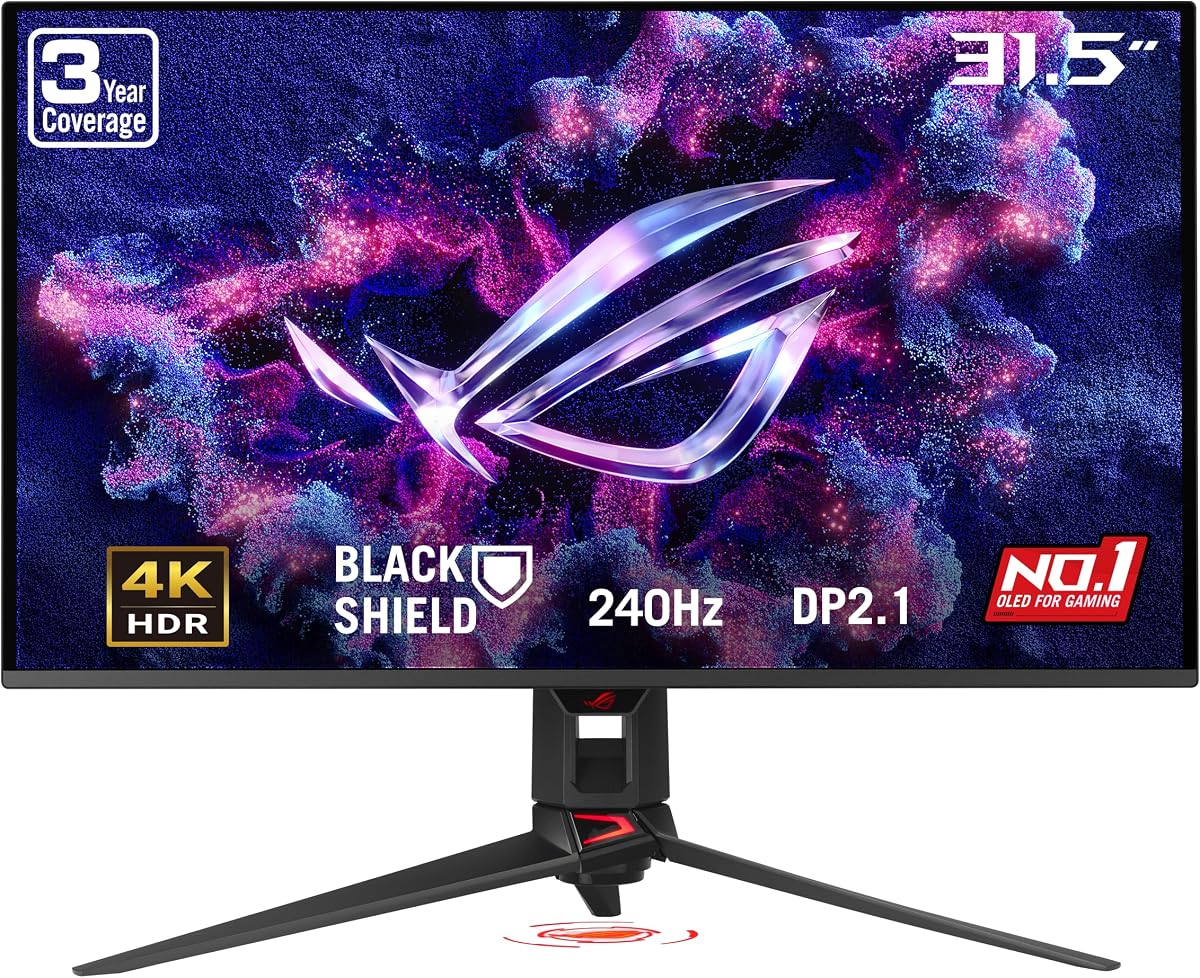
This 32-inch 4K OLED monitor offers a stunning visual canvas for World of Warcraft with incredible detail and vibrant colors. The 240Hz refresh rate ensures smooth motion even at higher resolutions.
We may earn a commission when you buy through this link, at no additional cost to you.
BlackShield film technology increases scratch resistance while boosting perceived black levels for deeper contrast. DisplayPort 2.1 connectivity supports future upgrades making it a long-term investment for your setup.
While the price is substantial the sheer scale of the screen provides an immersive experience unmatched by smaller displays. You will need a powerful GPU to drive 4K at high frame rates effectively.
Opt for this monitor if you crave maximum resolution and screen real estate for your gaming station. It delivers a premium visual quality that elevates exploration and combat alike.
The 32 inch format fills your peripheral vision creating a more engaging environment for raids.
DisplayPort 2.1 UHBR20 ensures maximum bandwidth for high resolution high refresh rate gaming.
We may earn a commission when you buy through this link, at no additional cost to you.
The Samsung G55C wraps your vision with a 1000R curve that enhances immersion during World of Warcraft adventures. Its 32 inch QHD display offers ample space for multiple windows or addons.
We may earn a commission when you buy through this link, at no additional cost to you.
Eye Saver Mode minimizes blue light to reduce fatigue during long raid nights. AMD FreeSync keeps frames synchronized with your GPU preventing tearing for a fluid gameplay experience.
While the curve is engaging it may not suit all desk setups or flat viewing preferences. The 165Hz refresh rate is sufficient for most games though competitive players might prefer faster rates.
Choose this model if you want a large immersive screen without the premium price of OLED. It balances size and comfort well for casual and mid-range gaming sessions.
The 1000R curve matches the human eye for a natural and wrapping view of game worlds.
Reduced flicker and blue light help maintain eye comfort during marathon gaming sessions.
We may earn a commission when you buy through this link, at no additional cost to you.
This ASUS ROG monitor features a TrueBlack Glossy panel that delivers incredibly sharp imagery and rich colors ideal for content creators who game. The dual mode allows switching to FHD at higher refresh rates when needed.
We may earn a commission when you buy through this link, at no additional cost to you.
Its color accuracy supports photo and video editing tasks while still providing a stunning experience for World of Warcraft. OLED Care Pro monitors usage to reduce burn-in risks for daily workloads.
Glossy screens look great but may reflect ambient light requiring careful placement to avoid glare. The 165Hz rate is smooth but less than competitive models focusing more on visual fidelity.
Select this if you balance creative work with gaming and value color precision above speed. It offers a unique blend of professional quality and immersive gaming performance.
Zero haze surface enhances sharpness and depth making images look vivid and lifelike.
Switch between 4K and FHD resolutions for different tasks without sacrificing refresh performance.
We may earn a commission when you buy through this link, at no additional cost to you.
This monitor pushes boundaries with a 540Hz refresh rate and Tandem OLED technology offering brightness and color volume that surpasses previous panels. It is a beast for competitive players seeking the absolute fastest response.
We may earn a commission when you buy through this link, at no additional cost to you.
The dual mode lets you switch to HD at even higher refresh rates for extreme speed scenarios. DisplayWidget Center provides easy access to OLED Care functions ensuring longevity during heavy use.
For World of Warcraft this speed may exceed typical needs but the clarity remains unmatched. However, the price point makes it a niche choice for enthusiasts prioritizing raw performance metrics.
Opt for this if you demand the fastest possible refresh rates and latest OLED tech. It is a showcase of current display capabilities tailored for extreme gaming scenarios.
Higher peak brightness and longer lifespan improve visual quality and panel durability over time.
0.02ms response time ensures virtually instant reaction to on-screen events.
We may earn a commission when you buy through this link, at no additional cost to you.
The ROG Strix XG27ACDNG combines a custom heatsink with QD-OLED tech to deliver high performance with better thermal management. Its 360Hz rate ensures smooth visuals for fast-paced action in World of Warcraft.
We may earn a commission when you buy through this link, at no additional cost to you.
AI Gaming features optimize performance dynamically enhancing your experience without manual input. The OLED Anti-Flicker technology reduces visual strain during rapid refresh fluctuations for a stable viewing experience.
While it sits in a mid-tier price range for OLEDs the combination of cooling and speed makes it stand out. The glossy finish provides vivid contrast though care is needed to minimize reflections.
Choose this monitor if you want strong OLED performance with better thermal durability than standard panels. It offers a balanced upgrade for gamers seeking quality and reliability.
Efficient airflow and heatsink protect the panel from heat degradation during extended sessions.
Intelligent features adjust settings in real time for enhanced responsiveness and clarity.
We may earn a commission when you buy through this link, at no additional cost to you.
This DM screen brings the world of Azeroth to your tabletop campaign with stunning player facing artwork. It serves as a unique complement for digital gaming sessions offering physical engagement during storytelling.
We may earn a commission when you buy through this link, at no additional cost to you.
References tables on the back let you manage combat and faction stats quickly without interrupting flow. Whether running a dungeon crawl or faction war this screen pulls everyone into the game instantly.
Though not a digital display it enhances the roleplaying aspect of WoW themed campaigns beautifully. It is an affordable way to elevate your group experience with themed visuals and handy tools.
Add this if you run WoW inspired tabletop games or want themed collectible gear. It bridges the gap between digital and physical play for immersive storytelling adventures.
Artwork and references deepen engagement for players and DMs alike during sessions.
Combat tables keep the story moving by reducing lookup time for encounters and stats.
We may earn a commission when you buy through this link, at no additional cost to you.
Selecting the right monitor involves balancing resolution, refresh rate, panel type, and budget. Here are key factors to consider before making your purchase.
Higher resolutions like QHD or 4K provide sharper text and detailed environments which are crucial for seeing UI elements and enemy models clearly. World of Warcraft benefits from 1440p as it balances performance with image quality.
Choose at least 1440p for a modern experience that renders addons and graphics settings with greater fidelity than 1080p.
A higher refresh rate such as 144Hz or more ensures smoother animations during combat and movement. This reduces motion blur and helps you track targets faster in crowded raid scenarios.
Prioritize 144Hz or above if you engage frequently in PvP or high speed dungeon content.
OLED panels deliver perfect blacks and vibrant colors ideal for rich game worlds but cost more. IPS panels offer good color accuracy and fast response times at lower prices while VA panels provide better contrast.
Select OLED for immersion or IPS for competitive clarity based on your priority of visual quality versus budget.
Response times under 5ms ensure inputs translate quickly to on-screen actions reducing lag that can affect timing. World of Warcraft spells and abilities benefit from fast responses to avoid delayed casts.
Look for 1ms or lower for the tightest control during intense gameplay moments.
Screen size and ergonomics determine how comfortable your setup remains over long raids. Larger screens fill peripheral vision for immersion while adjustable stands reduce neck strain during extended use.
Opt for 27 to 32 inches with adjustable stands to maximize comfort without overwhelming your desk space.
G-SYNC and FreeSync prevent screen tearing by syncing the monitor refresh rate with your GPU output. This stability is vital for maintaining frame consistency across various game settings.
Ensure your chosen monitor supports G-SYNC or FreeSync compatible for your graphics card.
OLED panels can suffer burn-in with static elements like UI bars. Look for features such as OLED Care or thermal modulation to protect your investment during long daily play.
Prioritize models with built-in burn-in mitigation if using OLED for MMOs with fixed HUD elements.
Modern monitors offer DisplayPort HDMI and USB-C ports for connecting PCs and peripherals easily. DisplayPort 2.1 or HDMI 2.1 may be needed for higher bandwidth at high refresh rates and resolutions.
Check that your monitor includes necessary ports for your hardware setup and future upgrades.
Position the monitor at eye level and about arm's length away to reduce strain during long gaming sessions. Adjust tilt and height to ensure a comfortable viewing angle that aligns with your posture.
Use in software to tweak color and brightness settings for different lighting conditions. For World of Warcraft adjust saturation and contrast to enhance visibility in dark dungeons without washing out highlights.
Keep the screen clean with a microfiber cloth to avoid scratches and maintain image clarity. Enable power saving modes during extended breaks to reduce heat and protect sensitive display components over time.
QHD 1440p is widely considered the sweet spot for World of Warcraft as it balances crisp visuals with manageable performance demands. It provides clear UI readability while still allowing high frame rates with modern hardware.
Yes higher refresh rates like 144Hz or more make gameplay smoother especially during PvP and fast movement. While the game may not always hit those frames consistently the smoother experience reduces motion blur significantly.
OLED offers superior colors and contrast for immersion but requires care to avoid burn-in from static UI elements. IPS provides reliable performance and longevity making it a safer choice for long term MMO use.
A 27-inch display offers a comfortable size for 1440p gaming without taking up too much desk space. Larger 32-inch screens are immersive but require higher resolution to maintain text clarity and sharpness.
Sync technologies help reduce screen tearing and stutter when your GPU struggles to maintain consistent frames. While not essential they improve visual fluidity during intense scenes with many players and spells.
Yes most modern monitors work with consoles if they have HDMI inputs but World of Warcraft is primarily a PC game. Ensure the monitor supports the console's output resolution and refresh rate for best performance.
Our top picks cover a range of budgets from the Samsung G5 G51F for value to the ASUS ROG XG27AQDMGR for premium OLED quality. Each delivers key features tailored to enhance your experience in Azeroth.
Prioritize refresh rate and panel type based on whether you value competitive speed or immersive visuals. Consider burn-in protection especially if you spend many hours on static HUD-heavy gameplay.
Prices and availability fluctuate so verify current listings before purchasing. Invest in a monitor that matches your setup to enjoy World of Warcraft with maximum clarity and comfort.