
GIGABYTE WiFi 6E GC-WBAX210 (2×2 802.11ax/ Tri-Band WiFi/Bluetooth 5.2/ PCIe Expansion Card)
4.6Editor score
Intel Wi-Fi 6E AX210 module
Dedicated 6GHz spectrum support
Dual-stream wireless connection
This guide compares the top ten PCIe WiFi cards for desktop PCs, evaluating speed, range, and features to help you choose the best wireless adapter.
Finding the right wireless adapter is crucial for modern desktop computing. A high-quality PCIe WiFi card ensures stable connections, low latency, and fast speeds for gaming and streaming without the need for cables.
We analyzed ten leading models based on their wireless standards, antenna design, and overall performance. Each product was evaluated for compatibility, ease of installation, and real-world reliability to provide a clear ranking.
Every pick includes detailed specs and honest pros and cons to help you decide. Note that availability and stock levels can change quickly, so check current listings before making your final purchase decision today.
4.6Editor score
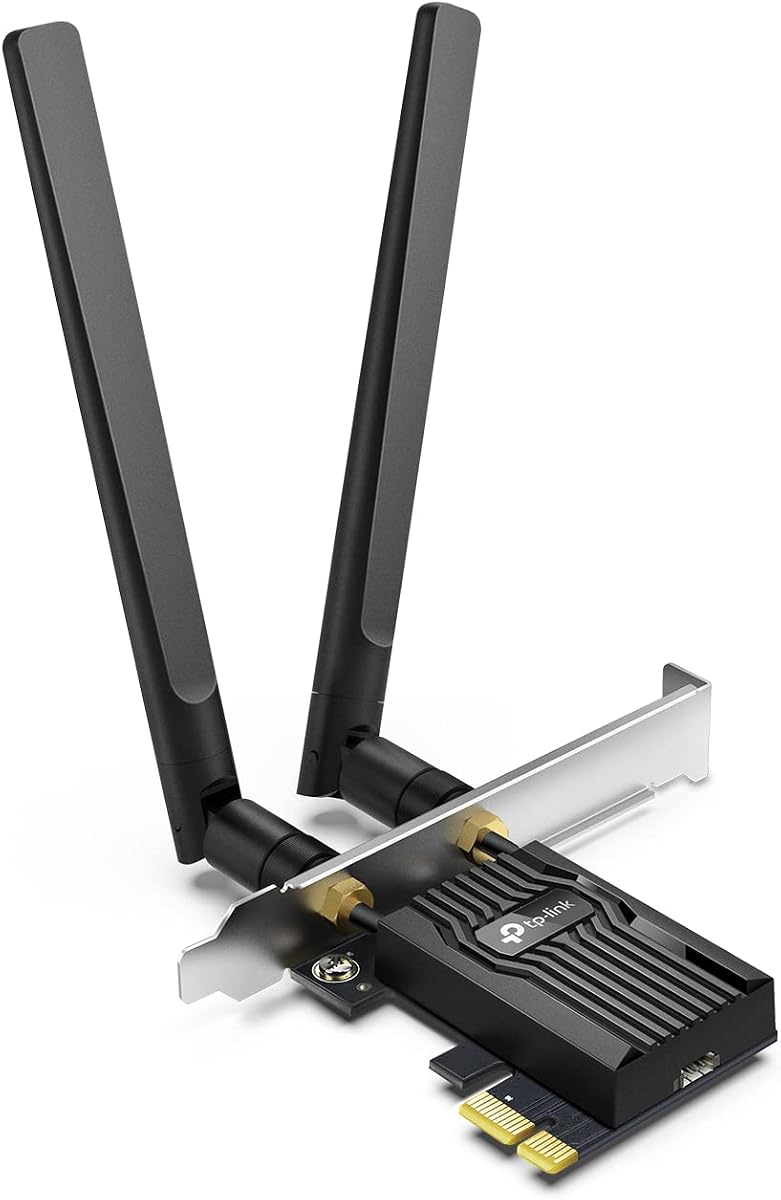
4.5Editor score
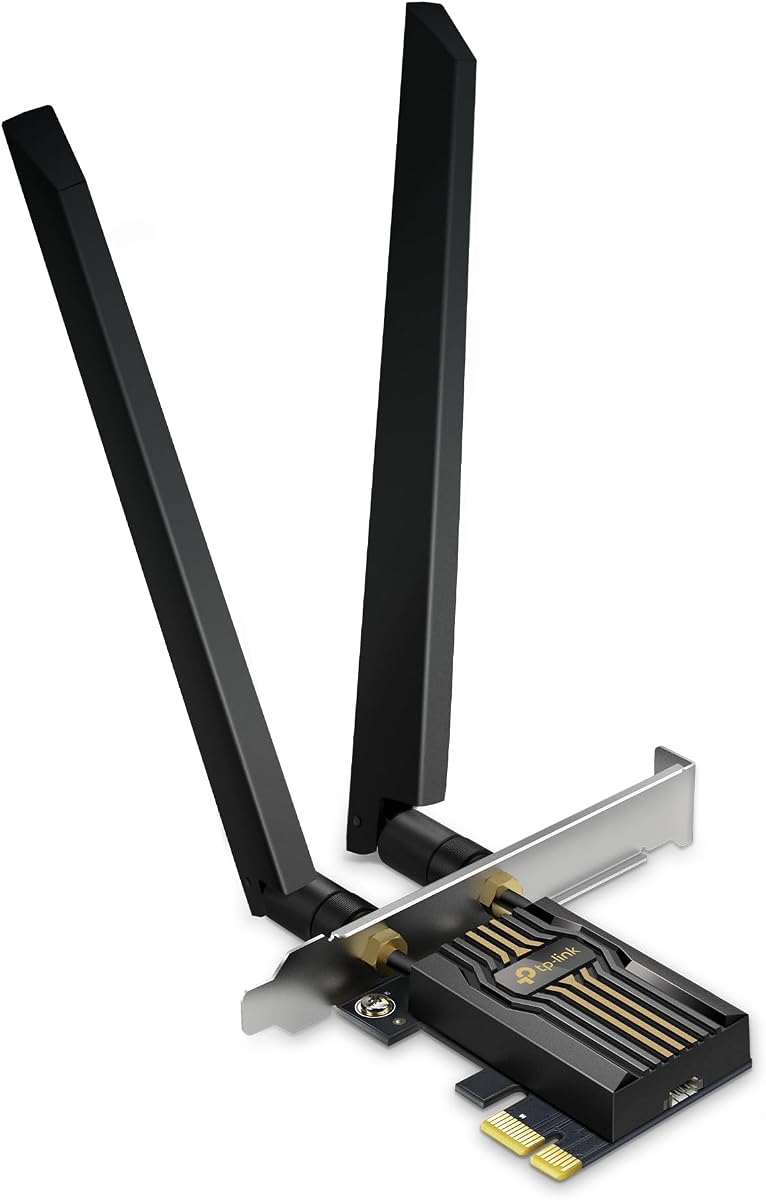
4.4Editor score
The following table provides a side-by-side comparison of all ten selected PCIe WiFi cards to help you quickly identify which model matches your specific performance and compatibility needs.


This TP-Link card delivers strong Wi-Fi 6 performance with AX3000 speeds and ultra-low latency. It is rated highly for its ability to reduce lag on busy networks using OFDMA and MU-MIMO.
We may earn a commission when you buy through this link, at no additional cost to you.
Its dual-band support and high-gain antennas ensure reliable coverage even at a distance. The Bluetooth 5.2 integration allows you to connect controllers and headphones directly to your PC.
You need to connect a USB cable to the motherboard for Bluetooth to function. This is a minor step that many users find acceptable given the overall performance and price.
It is the best choice for most users seeking a balance of speed and value. This card is recommended for anyone upgrading a desktop for gaming or streaming without buying a new motherboard.
OFDMA technology allows the card to communicate with multiple devices at once, reducing waiting times and improving responsiveness during online gaming or video calls.
The two high-gain antennas are designed to boost your Wi-Fi signal significantly, allowing you to stay connected even if your PC is far from the router.
We may earn a commission when you buy through this link, at no additional cost to you.
This model builds on the previous generation with Bluetooth 5.3 and a magnetized antenna base for flexible placement. It offers AX3000 speeds and is powered by reliable Intel technology for consistent performance.
We may earn a commission when you buy through this link, at no additional cost to you.
The magnetized base lets you position antennas optimally on your desk to improve signal reception. Bluetooth 5.3 provides faster speeds and wider coverage than older versions for your peripherals.
You still need to plug in a USB cable for Bluetooth functionality to work properly. Drivers may need to be installed from the website if your system does not detect it automatically.
It is an excellent upgrade for desktops needing better range and newer Bluetooth support. If you want flexibility in antenna placement and modern connectivity, this card is a strong contender.
The magnetized base allows you to move the antenna anywhere on your desktop to find the best signal, which is great for rooms with interference or complex layouts.
With Bluetooth 5.3, you get faster data transfer and better range for wireless headphones, mice, and controllers compared to older Bluetooth standards.
We may earn a commission when you buy through this link, at no additional cost to you.
This GIGABYTE card brings the affordable access to Wi-Fi 6E and the 6GHz band. It is powered by the popular Intel AX210 module which is known for stability and speed.
We may earn a commission when you buy through this link, at no additional cost to you.
The 6GHz band provides a dedicated space free from interference, leading to lower latency and faster transfers. It supports tri-band operation across 2.4, 5, and 6GHz frequencies.
Its design is simple with basic antennas which may limit range in larger homes. You need a Wi-Fi 6E router to make use of the 6GHz capabilities for this to work.
It is the best budget option for those who want to test Wi-Fi 6E without spending a lot. If you plan to upgrade your router soon, this card is a great starter choice.
The dedicated 6GHz band avoids congestion from other devices like microwaves or older routers, resulting in cleaner and faster connections for your PC.
The built-in Intel AX210 module is trusted by many for its driver compatibility and consistent performance across different systems and networks.
We may earn a commission when you buy through this link, at no additional cost to you.
This card is the next step up with Wi-Fi 7 support and speeds up to 9.3Gbps. It unlocks 320MHz channels and Multi-Link Operation for faster and more stable connections.
We may earn a commission when you buy through this link, at no additional cost to you.
When paired with a Wi-Fi 7 router it provides extreme bandwidth for large file transfers and 8K streaming. Bluetooth 5.4 adds better security and reliability for your peripherals.
You must use Windows 11 and a compatible Wi-Fi 7 router to unlock all features. Without these, it works but you lose the primary advantage of the generation.
It is the top pick for enthusiasts building a high-end future-proof system. If you want the fastest wireless speeds and are ready to upgrade your whole network, this is the one.
MLO allows the card to use multiple bands at once for higher speeds and better reliability, reducing drops and latency during heavy usage.
These ultra-wide channels on the 6GHz band double the bandwidth of older cards, letting more data flow at once for faster download speeds.
We may earn a commission when you buy through this link, at no additional cost to you.
This model uses the Intel AX210 chipset to deliver reliable Wi-Fi 6E with access to the clear 6GHz band. It also features a magnetic base for positioning antennas easily.
We may earn a commission when you buy through this link, at no additional cost to you.
With AXE5400 speeds it can handle multiple devices without slowing down. The magnetic base ensures you can find the best signal spot even if your PC is in a tight spot.
Bluetooth needs a USB cable connection to work which can be a hassle for some users. Windows 11 is also required to fully utilize the 6GHz speeds on this card.
It is a solid choice for anyone wanting Wi-Fi 6E with better antenna placement options. If you struggle with signal interference this card helps improve your stability and range.
The 6GHz band offers more channels and less congestion than older bands, allowing for higher speeds and better performance in crowded areas.
Bluetooth 5.3 provides faster pairing and broader coverage for your wireless devices, improving overall desktop usability.
We may earn a commission when you buy through this link, at no additional cost to you.
This card supports Wi-Fi 7 with blazing fast speeds and a unique LED status indicator on the magnetic base. It uses 4K-QAM and MLO to boost performance on busy networks.
We may earn a commission when you buy through this link, at no additional cost to you.
The color-coded LED helps you quickly see connection status without software. You get ultra-fast tri-band speeds and reduced lag for gaming and streaming on the 6GHz band.
It requires Windows 11 and a compatible router to reach top speeds otherwise it falls back to older standards. The installation tool is simple but you must ensure OS compatibility first.
It is great for PC gamers who want visible connection status and future-proof speeds. If you are building a new system with Wi-Fi 7 this card delivers excellent value and style.
The LED lighting on the base shows network status intuitively, giving you a visual cue for your connection health at a glance.
Multi-RU allows more efficient data transmission by splitting data packets across different units, reducing congestion and improving overall speed.
We may earn a commission when you buy through this link, at no additional cost to you.
This card offers Wi-Fi 6E with tri-band speeds and Bluetooth 5.3 support for a smooth desktop upgrade. It uses the trusted Intel AX210 chipset for stable connectivity.
We may earn a commission when you buy through this link, at no additional cost to you.
The 5400Mbps speed potential allows for fast file transfers and 4K streaming. It comes with high-gain antennas and Bluetooth integration for all your peripherals.
To use the 6GHz band you must have a Wi-Fi 6E router and Windows 11. Without these it functions but you lose the extra bandwidth of the new standard.
It is a reliable pick for those who want Wi-Fi 6E at a reasonable price. If you want stable performance and modern features without overpaying, this card is a good choice.
The Intel AX210 is widely used for its robust drivers and consistent performance across various platforms and systems.
Bluetooth 5.3 gives you faster data transfer and broader range for your wireless accessories compared to older versions.
We may earn a commission when you buy through this link, at no additional cost to you.
This model delivers strong Wi-Fi 6E performance with tri-band speeds and Bluetooth 5.3. It is designed to reduce latency and improve stability on busy networks.
We may earn a commission when you buy through this link, at no additional cost to you.
The high-gain antennas help extend your Wi-Fi coverage so you can work from farther away. Bluetooth 5.3 connects your headphones and game controllers with better range and speed.
You need to connect a USB cable for Bluetooth to work which can limit placement slightly. Also ensure you have Windows 11 and a Wi-Fi 6E router for full benefits.
It is a great value choice for anyone wanting 6GHz speeds and strong connectivity. If you need a balance of performance and cost this card meets those needs well.
Supporting three bands allows more data to be transmitted at once, reducing congestion and improving speed for your PC.
Bluetooth 5.3 ensures your peripherals connect quickly and stay connected without interruptions or drops.
We may earn a commission when you buy through this link, at no additional cost to you.
This card is built for the future with Wi-Fi 7 support and blazing tri-band speeds. It includes Multi-link operation and 320MHz channels for maximum bandwidth on the 6GHz band.
We may earn a commission when you buy through this link, at no additional cost to you.
The magnetized base helps you optimize signal reception on your desktop. Bluetooth 5.4 provides reliable connectivity and security for your wireless devices.
To get the most out of it you need a compatible router and Windows 11. It is a premium product that shines when paired with top-tier networking equipment.
It is a top pick for enthusiasts who want the latest tech now. If you are building a high-end PC this card ensures you are ready for next-gen speeds and features.
MLO combines multiple bands for higher throughput and stable connections, which is vital for heavy network usage.
These ultra-wide channels provide interference-free connections and double the bandwidth compared to standard cards.
We may earn a commission when you buy through this link, at no additional cost to you.
This card provides Wi-Fi 7 speeds with 9.3Gbps total bandwidth and a secure-by-design approach. It features OFDMA and MU-MIMO for efficient device handling.
We may earn a commission when you buy through this link, at no additional cost to you.
The magnetic base with single high-gain antenna ensures strong signal and extended range. Bluetooth 5.4 adds better security and compatibility for your peripherals.
It works with Intel Wi-Fi 7 CPUs and Windows 10 or 11 but not AMD systems. This limits compatibility but ensures stability for supported systems.
It is a solid choice for users with compatible hardware and a need for secure fast connections. If you want top performance and security features this card delivers.
TP-Link follows secure-by-design practices to ensure your network is protected from threats and unauthorized access.
MLO combines data across bands to cut lag and interference for smoother streaming and gaming.
We may earn a commission when you buy through this link, at no additional cost to you.
Selecting the right PCIe WiFi card requires understanding key technical factors to match your PC and router capabilities.
Wi-Fi generations like 6 6E and 7 determine the maximum speeds and bands your adapter supports. Newer generations offer more bandwidth and less congestion but require compatible routers.
Choose a card that matches your router's capabilities to avoid bottlenecks.
Dual-band cards use 2.4GHz and 5GHz while tri-band cards add 6GHz. The 6GHz band provides faster speeds and less interference but is only available on Wi-Fi 6E or 7 devices.
If you want the fastest speeds ensure the card supports the 6GHz band.
Many PCIe WiFi cards include Bluetooth for connecting peripherals. Newer versions like 5.2 5.3 and 5.4 offer better range faster data transfer and improved security for devices.
Check which Bluetooth version the card supports to ensure it meets your device needs.
External antennas boost signal strength significantly compared to internal ones. Some cards offer magnetized bases allowing you to place antennas optimally for better reception.
Look for high-gain antennas and adjustable bases for the best range and reliability.
Most modern cards support Windows 10 and 11 but some new features require Windows 11. Always check the system requirements before purchasing to ensure full functionality.
Verify compatibility with your OS to avoid missing out on key features.
PC cases vary in size so having both standard and low-profile brackets is important. This allows the card to fit in both full-size towers and mini ITX cases easily.
Ensure the package includes the bracket type your case needs for installation.
Security protocols like WPA3 protect your data from unauthorized access. Look for cards that support the latest security standards to keep your network safe.
Prioritize cards with WPA3 encryption for enhanced protection.
Technologies like OFDMA MU-MIMO and Multi-Link Operation improve efficiency and reduce lag. These features help multiple devices connect simultaneously without slowing down.
Select cards with these advanced features for better performance on busy networks.
To install your card turn off your PC and open the case to insert it into an available PCIe slot. Secure it with the included bracket and close the case.
Connect any required USB cables for Bluetooth to the motherboard's USB header to enable wireless peripherals properly.
Download the latest drivers from the manufacturer's website to ensure full functionality and best performance on your system.
No you can use the card with any compatible router but to access new features like 6GHz or Wi-Fi 7 you need a router that supports those same standards. Otherwise the card will work on existing networks at lower speeds.
Generally no because laptops do not have standard PCIe slots. Most laptops use internal M.2 cards or USB adapters instead for wireless connectivity.
Bluetooth requires a USB cable to be connected to a USB header on the motherboard. Without this connection the Bluetooth feature will not function on most PCIe WiFi cards.
Wi-Fi 6E adds support for the 6GHz band which provides faster speeds and less congestion than Wi-Fi 6. However you need a 6E router to access the 6GHz frequencies.
Yes they can reduce latency and improve connection stability especially with technologies like OFDMA and MU-MIMO. This leads to a smoother experience in online games.
After installation you can usually run the included installer or download drivers from the manufacturer's website using another device. Windows may also detect and install them automatically.
Most cards work fine with AMD systems but some new features like Wi-Fi 7 require an Intel CPU. Check product compatibility notes carefully before purchasing for AMD setups.
No PCIe WiFi cards draw power directly from the PCIe slot on the motherboard so no separate power cable is required from the power supply unit.
Our top picks include the TP-Link AX3000 for balanced performance the GIGABYTE 6E for budget buyers and the TP-Link 7 for premium users seeking the fastest speeds.
When choosing prioritize features like Wi-Fi generation band support and Bluetooth version to match your current router and usage needs for the best results.
Remember to check current stock and prices as availability can change quickly before making your final purchase today.