
GLOTRENDS M.2 NVMe to PCIe 4.0 X4 Adapter with Heatsink for NVMe SSD
4.6Editor score
Cooling reduces heat 5-20C
Supports 2230 to 2280 sizes
Includes low and regular brackets
This guide compares the top Pcie NVME Adapter options for 2026, evaluating heat dissipation, speed support, and compatibility to help you upgrade your storage
Upgrading your storage system often requires expanding beyond native M.2 slots. A high-quality Pcie NVME Adapter bridges the gap, allowing you to install high-speed drives into standard PCIe slots for enhanced performance and capacity.
We evaluated ten leading adapters based on thermal management, PCIe generation support, and build quality. Our analysis focuses on real-world usability, including bracket options, cooling solutions, and compatibility across various motherboard architectures.
Each pick highlights specific strengths like budget-friendly pricing or Gen5 readiness. Note that pricing fluctuates frequently, so verify current costs before purchasing. Check your motherboard manual for bifurcation needs if using multi-drive solutions.
4.6Editor score
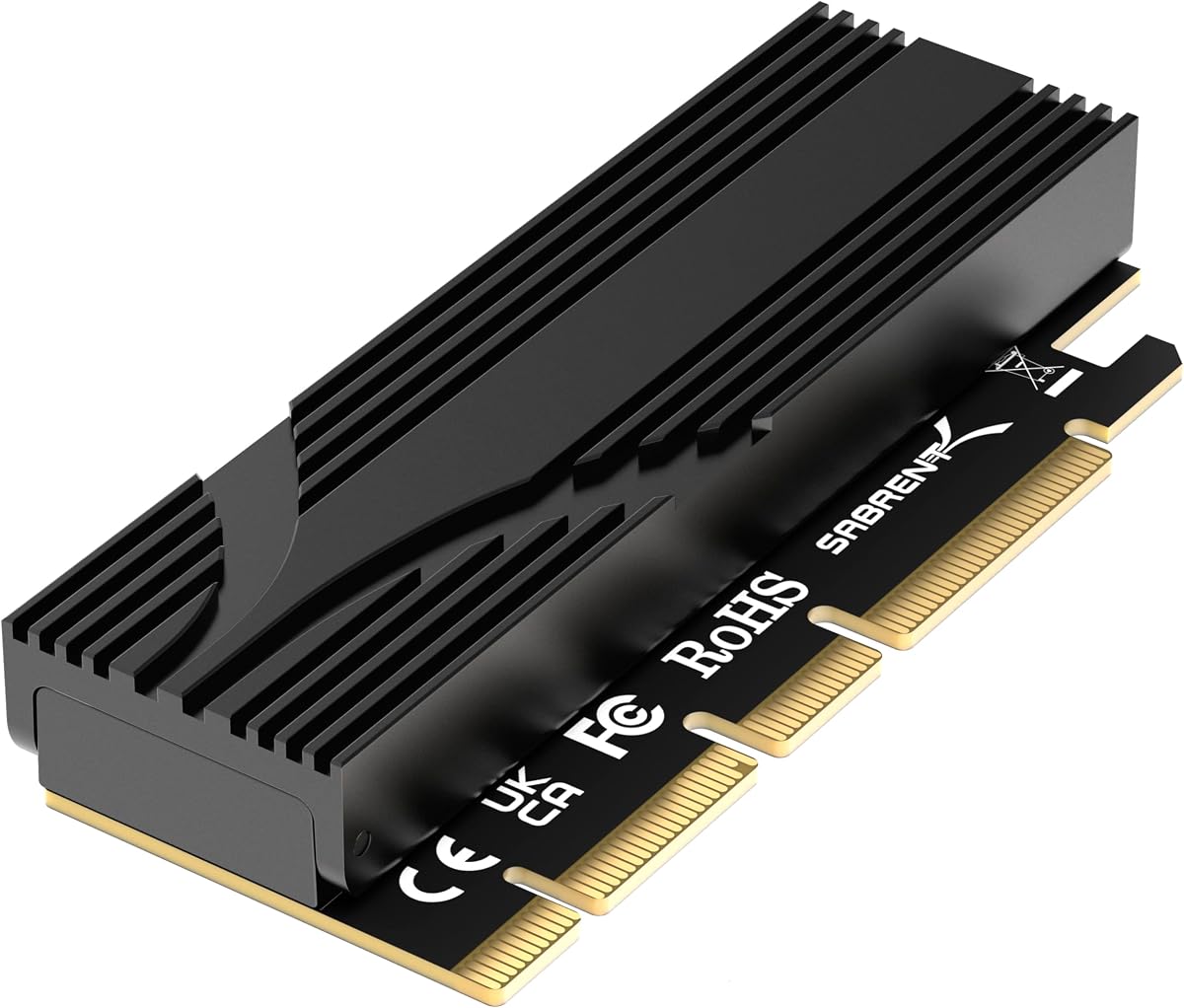
4.7Editor score
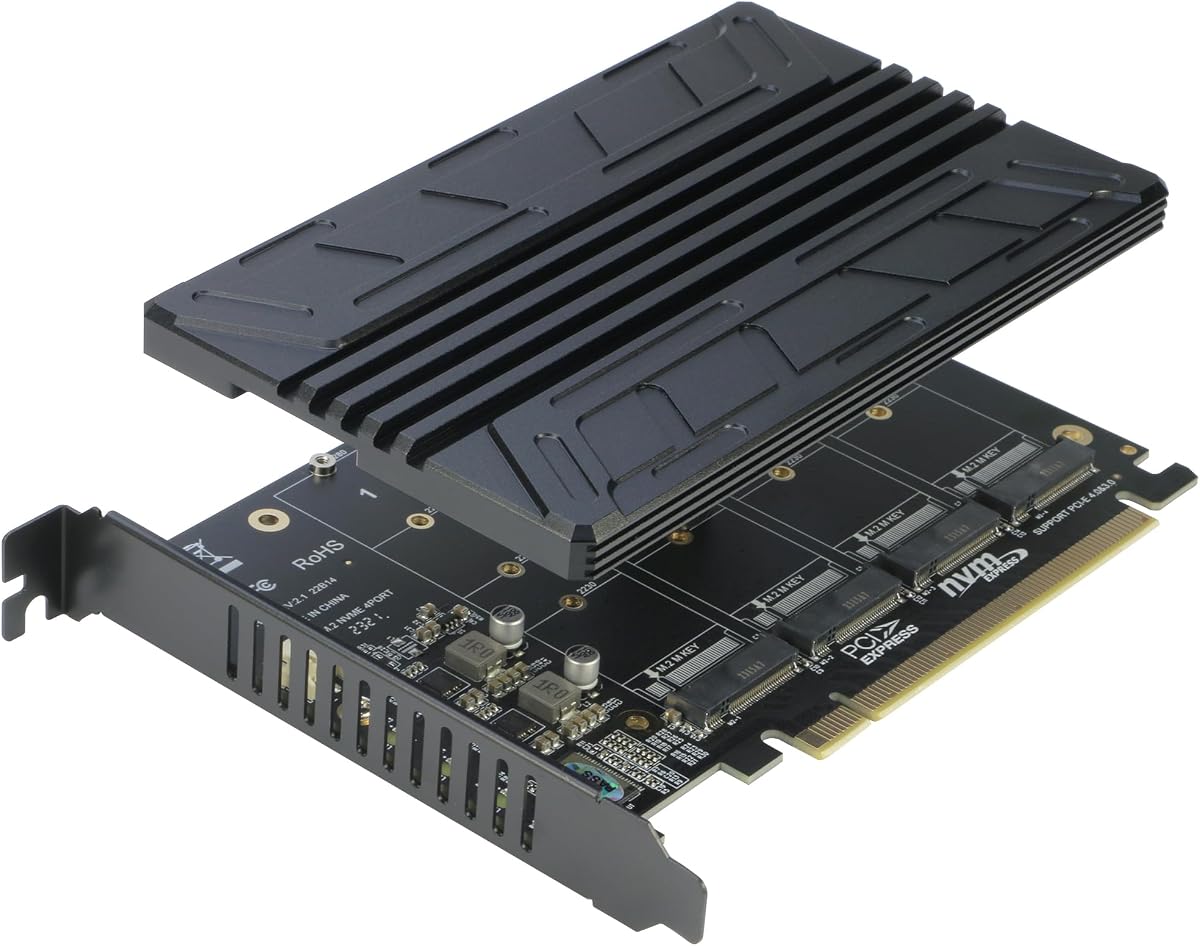
4.4Editor score
Below is a side-by-side comparison of all ten selected adapters. We highlight key specifications such as supported PCIe generations, drive sizes, cooling methods, and bracket types to help you find the exact fit for your build.
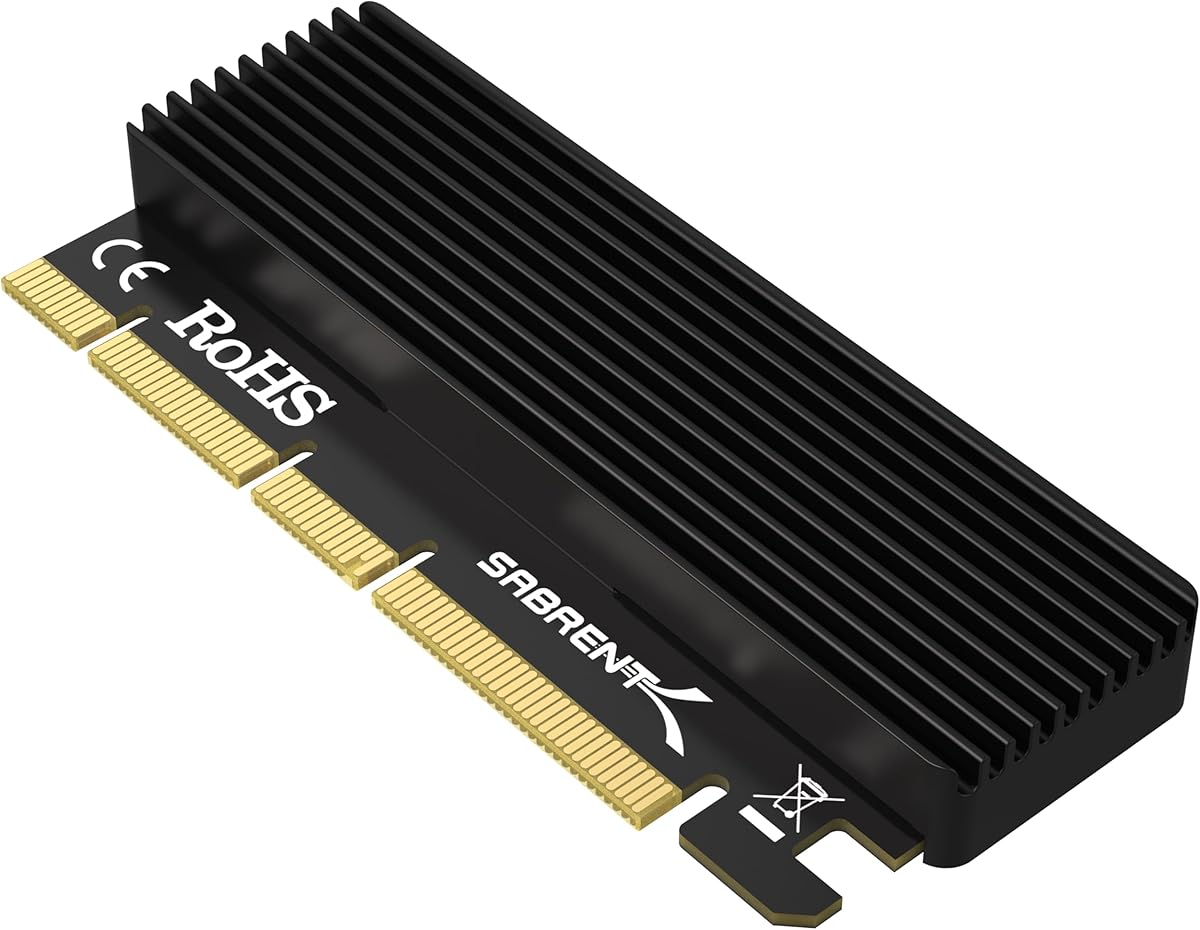


The GLOTRENDS adapter stands out as a top value option with a 4.6 rating. It provides essential cooling via an aluminum heatsink and works with Gen3 and Gen4 drives. It is ideal for users seeking reliable performance without premium costs.
We may earn a commission when you buy through this link, at no additional cost to you.
Its ability to reduce SSD temperature by 5 to 20 degrees Celsius ensures sustained performance under load. The inclusion of both 12cm and 8cm brackets guarantees fit in nearly any chassis. It supports booting on most modern systems with native NVMe drivers.
The main limitation is that it does not support M.2 SATA drives, only NVMe. You must verify your motherboard slot generation to achieve full PCIe 4.0 speeds. Older CPUs or slots will limit throughput to Gen3 bandwidth.
Buy this if you need a reliable, affordable way to add NVMe storage to your PC. It is especially recommended for builders on a budget who still want effective thermal management. Ensure your motherboard supports PCIe boot for system drives.
The aluminum heatsink significantly lowers operating temperatures during sustained loads. This prevents thermal throttling and ensures consistent read and write speeds.
Dual brackets ensure compatibility with full-size and low-profile cases. This flexibility makes installation easy across diverse desktop chassis types.
We may earn a commission when you buy through this link, at no additional cost to you.
The SABRENT X16/X8/X4 adapter is an excellent budget pick with a 4.5 rating. It comes with an aluminum heatsink and thermal pads for safe operation. It simplifies setup with tool-free mounting and clear instructions for users.
We may earn a commission when you buy through this link, at no additional cost to you.
Its design ensures the drive stays cool even during heavy file transfers. Thermal pads accommodate different SSD thicknesses to ensure consistent contact with the heatsink. The included screwdriver makes installation easy for beginners without tools.
This model is designed for Gen3 and Gen4 drives and does not support Gen5 speeds. It also strictly supports M-key NVMe drives, excluding SATA variants. Check your BIOS settings to confirm NVMe boot support before installing.
Choose this for its balance of cost, cooling, and ease of use. It is perfect for gaming or workstation builds needing extra storage. Verify your slot generation to ensure you get the performance you expect.
Tool-free mounting allows quick SSD swapping without small screws. The included screwdriver and clear layout streamline the setup process.
Thermal pads and aluminum construction dissipate heat effectively. This protects the SSD from overheating during long transfers or intensive tasks.
We may earn a commission when you buy through this link, at no additional cost to you.
The SABRENT Gen5 adapter leads as the top premium option with a 4.7 rating. It supports the latest PCIe 5.0 technology for maximum throughput. It offers tool-free installation and robust cooling for high-performance SSDs.
We may earn a commission when you buy through this link, at no additional cost to you.
This card unlocks 16GBps bidirectional speeds when paired with a Gen5 system. Its single drive design removes the need for complex bifurcation settings. The built-in aluminum heatsink keeps the drive cool without active fans.
You need a Gen5 motherboard slot to achieve its full performance benefits. It is not backward compatible with Gen3 or Gen4 speeds in terms of generation. Ensure your CPU and slots support Gen5 before purchasing.
Invest in this if you want the highest possible NVMe performance. It is ideal for future-proofing high-end gaming or workstations. Ensure your hardware supports Gen5 to justify the higher price point.
Supports full PCIe 5.0 speeds when connected to a Gen5 slot. This offers double the bandwidth of current Gen4 adapters for blazing fast transfers.
Dedicated single drive slots ensure stability without needing motherboard bifurcation. This simplifies configuration on standard consumer motherboards.
We may earn a commission when you buy through this link, at no additional cost to you.
The M.2 NVME to PCIe 4.0 adapter delivers solid performance with a 4.6 rating. It supports Gen4 speeds and includes a reliable aluminum heatsink. It works with most standard sizes and offers a simple, direct solution.
We may earn a commission when you buy through this link, at no additional cost to you.
This adapter supports 2280 down to 2230 sizes ensuring versatility for many drive types. The heatsink effectively reduces thermal throttling during intensive use cases. It connects to x4, x8, or x16 slots easily on most motherboards.
It does not come with a low profile bracket which may limit small case use. Branding is minimal and may not appeal to those seeking recognized labels. Always verify BIOS boot support before installing as a boot drive.
Select this for its balance of features and affordability. It works well for storage expansion in standard cases. Ensure your motherboard is updated to recognize NVMe drives properly before use.
Supports 2230, 2242, 2260, and 2280 sizes. This ensures the adapter works with almost any M.2 drive you may own.
Standard mounting screws and a simple design make setup easy. No specialized tools are required for installation or removal.
We may earn a commission when you buy through this link, at no additional cost to you.
The M.2 NVMe to PCIe X4 Adapter is a top performance choice with a 4.6 rating. It comes with a complete accessory kit including brackets and pads. It ensures stable thermal performance for high-speed Gen3 and Gen4 drives.
We may earn a commission when you buy through this link, at no additional cost to you.
Its comprehensive kit includes low and regular brackets for any chassis. Thermal pads ensure contact between SSD and heatsink for optimal cooling. It supports up to 64Gbps bandwidth and maintains full Gen4 speeds.
It does not support Gen5 speeds or M.2 SATA drives. You must check your motherboard support for NVMe boot if using as a system drive. Drivers may be needed for Windows 7 or older systems.
Buy this for a complete ready-to-install experience. It offers all you need for a quick upgrade. Verify your system supports Gen4 to ensure you get the expected speed.
Includes brackets, screws, and thermal pads for full installation. This eliminates the need for additional purchases or tools.
Delivers up to 64Gbps bandwidth for Gen4 SSDs. It fully utilizes the speed potential of compatible NVMe drives.
We may earn a commission when you buy through this link, at no additional cost to you.
The RIITOP Quad Adapter is the best multi-drive option with a 4.4 rating. It supports up to four NVMe SSDs on a single PCIe slot. It includes individual LEDs and cooling for all drives to ensure stability.
We may earn a commission when you buy through this link, at no additional cost to you.
Each port has a dedicated LED indicator for easy status checking. A single heatsink covers all drives to prevent overheating in tight spaces. It supports up to 4x 32Gbps transmission when paired with bifurcation.
Requires motherboard BIOS support for PCIe bifurcation which limits compatibility. It does not support hardware RAID and needs software configuration for redundancy. Verify your CPU and motherboard before purchasing for multi-drive use.
Choose this if you need massive storage capacity on one slot. It is ideal for workstations or servers needing multiple NVMe drives. Ensure your system supports bifurcation to activate all ports.
Accommodates four NVMe drives on a single x16 slot. This maximizes storage density without needing multiple PCIe slots.
Each drive has a dedicated LED indicator for status. This simplifies troubleshooting and health monitoring for every drive.
We may earn a commission when you buy through this link, at no additional cost to you.
The PCIe NVMe Adapter Card is a top compact choice with a 4.4 rating. It supports Gen3 and Gen4 drives with an included heatsink. It offers a simple plug-and-play solution with standard mounting options.
We may earn a commission when you buy through this link, at no additional cost to you.
Its low-profile design fits comfortably in tight chassis spaces. It supports all standard M.2 sizes from 2230 to 2280. It works across x4, x8, and x16 slots on most motherboards.
It does not come with a low profile bracket for SFF cases. It lacks advanced features like LEDs or extra accessories. Verify your system supports NVMe boot before using it as a boot drive.
Select this for a streamlined storage upgrade in small cases. It is ideal for users needing a simple, reliable adapter. Ensure your BIOS supports NVMe boot for system drive functionality.
Designed to fit in tight chassis spaces without obstruction. This ensures compatibility with mid-tower and small form factor cases.
Direct PCIe connection ensures maximum read/write performance. This improves system responsiveness and large file transfer times.
We may earn a commission when you buy through this link, at no additional cost to you.
The StarTech adapter is a top professional pick with a 4.6 rating. It offers a 2-year warranty and includes full and low brackets. It supports Gen3 speeds and both AHCI and NVMe protocols.
We may earn a commission when you buy through this link, at no additional cost to you.
It supports a wide range of sizes including 22110 which is rare. Its dual brackets ensure compatibility across nearly all desktop chassis. The brand provides 24/5 support for added peace of mind.
It is limited to Gen3 speeds and lacks modern Gen5 support. This may limit transfer speeds for current high-end Gen4 drives. Ensure your motherboard supports booting from PCIe NVMe drives.
Choose this for reliability and broad physical compatibility. It is ideal for professional IT or office environments. Check your slot generation to ensure you get the speed you need.
Backed by a 2-year warranty and 24/5 support. This ensures dependable service for business and professional users.
Includes full and low profile brackets for any case. This ensures physical fit in standard and small chassis.
We may earn a commission when you buy through this link, at no additional cost to you.
The ELUTENG Dual Adapter is a top two-drive pick with a 4.2 rating. It supports two NVMe SSDs simultaneously and includes a low profile bracket. It works across X1 to X16 slots and uses copper strip cooling.
We may earn a commission when you buy through this link, at no additional cost to you.
Its design supports M-Key and B+M Key drives ensuring broad compatibility. Two included heatsinks prevent overheating for both drives. It does not require external power adapters for stable operation.
It supports up to 5Gbps transfer speeds which limits total bandwidth. Ensure your motherboard supports booting from PCIe NVMe drives for system disks. It does not support M.2 SATA drives.
Select this if you need two NVMe slots in one adapter. It is ideal for storage expansion in SFF cases. Check your motherboard slot availability before purchase for successful installation.
Accommodates two NVMe drives on a single PCIe slot. This doubles storage capacity without needing multiple expansion cards.
Uses copper strips to dissipate heat effectively. This helps maintain stable performance during heavy file transfers.
We may earn a commission when you buy through this link, at no additional cost to you.
The ELUTENG M.2 NVMe Adapter is a top low-profile pick with a 4.4 rating. It includes a low profile bracket for small form factor cases. It supports Gen4 speeds with an aluminum heatsink for cooling.
We may earn a commission when you buy through this link, at no additional cost to you.
Its design supports Gen3 and Gen4 speeds effectively. It includes a low profile bracket to ensure fit in compact cases. The aluminum heatsink helps maintain performance during intensive workloads.
It does not come with a regular profile bracket for standard cases. Check your motherboard support for NVMe boot before using as a system drive. It supports 2230 to 2280 sizes for broad compatibility.
Choose this for small case storage upgrades. It is ideal for SFF builds needing reliable cooling. Verify your system supports Gen4 to get the best speeds.
Includes a low profile bracket for compact cases. This ensures easy installation in smaller chassis without obstruction.
Aluminum heatsink reduces SSD temperature effectively. This maintains consistent performance during long data transfers.
We may earn a commission when you buy through this link, at no additional cost to you.
Choosing the right adapter involves checking your motherboard's PCIe generation and slot availability. Verify that your system supports NVMe boot for system drives and that your slot has sufficient power lanes.
Ensure the adapter matches your motherboard's PCIe generation. While adapters may be backwards compatible, you will only get the speed of your lowest component.
Match the adapter generation to your motherboard to avoid bottlenecks.
Check the adapter supports the size of your SSD. Most support 2280 but verify support for smaller sizes like 2230 or 2242.
Verify supported drive sizes to ensure physical fit on the adapter.
NVMe drives run hot during sustained loads. Adapters with included aluminum heatsinks and thermal pads help prevent throttling.
Prioritize adapters with effective heatsinks for stable performance.
Ensure your motherboard has a free x4, x8, or x16 slot. Verify that no large GPU or cooler blocks the adapter when installed.
Check physical clearance to avoid fit issues in tight cases.
Multi-drive adapters often require PCIe bifurcation support in BIOS. Check your motherboard manual before buying to confirm support.
Verify bifurcation support if you need multiple drives on one slot.
Look for adapters with full or low profile brackets. Small form factor cases require low profile brackets for proper installation.
Confirm bracket types match your case size requirements.
Most adapters do not support SATA M.2 drives. Confirm your drive is NVMe and uses an M-Key slot for compatibility.
Check your drive keying to avoid incompatibility with the adapter.
Verify your motherboard BIOS supports NVMe booting for system drives. Older boards may only recognize the drive as secondary storage.
Check BIOS boot support before planning system drive upgrades.
Before installing, power off your PC and unplug the power supply. Check your motherboard BIOS to ensure NVMe boot is enabled if needed for system drives. This prevents detection issues after installation.
Align the SSD with the adapter slot and secure it with the provided screws. Attach the heatsink and apply the thermal pad to ensure good contact. This reduces heat buildup during heavy usage.
Install the adapter into an available PCIe slot and secure it. Boot your system and initialize the drive via Disk Management. Ensure firmware on your motherboard and drive is up to date.
Generally no. Most PCIe NVMe adapters are designed for M-key NVMe SSDs and do not support B+M keyed SATA M.2 drives. Always check the product specifications for compatibility with your drive type before buying.
Highly recommended. NVMe drives can throttle under heat. Adapters with built-in aluminum heatsinks help maintain performance. If your adapter lacks one, consider aftermarket cooling solutions.
Multi-drive adapters usually require PCIe bifurcation support in BIOS to split one x16 lane into four x4 lanes. Check your motherboard manual for support to ensure all drives are recognized.
Yes on most modern motherboards with NVMe boot support. Older systems may only recognize the drive as storage. Check BIOS settings and update firmware before installing a system drive.
It will work but at Gen4 speeds. PCIe adapters are backwards compatible with lower generations. You will not get full Gen5 performance without a Gen5 motherboard slot and CPU.
Most are tool-free or come with screwdrivers. Install the SSD first then slide the adapter into the PCIe slot. Secure the bracket to the case and you are ready to boot.
Windows 7 may need extra NVMe drivers. Windows 10/11 and Linux usually have native support. Install manufacturer drivers if the system does not recognize the drive automatically.
Use an x4, x8, or x16 slot. Slots near the CPU usually have better bandwidth. Ensure your GPU does not block the adapter when installed for physical clearance.
We reviewed ten top Pcie NVME Adapter options for 2026. Our top picks cover budget, premium, and multi-drive needs with reliable thermal solutions.
Prioritize thermal management and PCIe generation support when buying. Ensure your motherboard supports NVMe boot for system drive installations.
Prices and stock change frequently so verify current listings before buying. Check compatibility with your specific motherboard and drive for the best experience.