
Logitech G305 Lightspeed Wireless Gaming Mouse – Black
4.6Editor score
HERO sensor efficiency
250 hours battery
Ultra-light 3.4 oz
This expert guide compares the top lightweight mouse options for gaming and work, evaluating sensor performance, battery life, and ergonomic design to help you
Finding the perfect lightweight mouse can transform your daily computing experience by reducing hand fatigue and improving precision during long sessions. Whether you are a competitive gamer needing rapid response times or a professional seeking comfort during extended work hours, the right device matters significantly for productivity and enjoyment.
We have carefully evaluated ten standout models based on sensor accuracy, build quality, wireless reliability, and overall user feedback. Our analysis focuses on real-world performance metrics like DPI range, polling rates, and battery longevity to ensure every recommendation offers genuine value for different types of users and budgets.
Each pick in this list highlights specific strengths such as ultra-light weight, customizable buttons, or quiet clicking technology. Please note that pricing and availability can change frequently, so verify current details before making your final purchase decision to ensure you get the best deal available today.
4.6Editor score

4.5Editor score

4.6Editor score
This side-by-side comparison breaks down the key specifications and features of every model reviewed to help you quickly identify the right fit for your specific needs and preferences.




The Logitech G305 stands out as an affordable yet highly capable wireless gaming mouse that delivers professional-grade performance without breaking the bank. With a solid 4.6 rating from users, it offers the HERO optical sensor known for incredible accuracy and power efficiency making it a favorite among budget-conscious gamers.
We may earn a commission when you buy through this link, at no additional cost to you.
Its standout feature is the impressive battery life that allows up to 250 hours of continuous gameplay on a single AA battery. The LIGHTSPEED wireless technology ensures a lag-free experience with a 1 ms report rate which rivals many wired competitors while maintaining the convenience of wireless freedom.
While the design is compact and lightweight at only 3.4 ounces, some users may miss customizable RGB lighting effects found in higher-end models. However, the trade-off is worth it for those prioritizing mobility and long battery endurance over aesthetic customization features.
This mouse is ideal for players seeking a reliable portable companion for both home setups and travel scenarios. Its efficient battery usage and durable construction make it a top recommendation for anyone looking to upgrade to wireless gaming without compromising on performance or comfort.
The HERO sensor and optimized firmware work together to maximize battery performance allowing for months of use on a single charge depending on usage patterns.
LIGHTSPEED technology provides a stable connection that minimizes latency ensuring your movements translate instantly on screen for competitive accuracy.
We may earn a commission when you buy through this link, at no additional cost to you.
The white variant of the Logitech G305 offers the exact same high-performance internals as the black version but with a clean aesthetic that suits modern desk setups. It maintains the high 4.6 user rating thanks to its accurate HERO sensor and dependable wireless technology that supports intense gaming sessions effortlessly.
We may earn a commission when you buy through this link, at no additional cost to you.
Just like the black model it provides an ultra-long battery life that supports up to 250 hours of continuous gaming on one AA battery. The lightweight mechanical design ensures maximum maneuverability while the classic shape offers comfort and durability for extended use throughout the day.
One minor drawback is that lighter colors may show wear or dirt more visibly than darker alternatives over time. Despite this cosmetic consideration the functional benefits remain identical making it a practical choice for those who prefer a brighter look for their peripherals.
This mouse is perfect for gamers who value both style and substance in their gear. Whether you are playing competitively or working on creative projects the reliable performance and sleek design make it a versatile addition to any computer setup today.
The white finish complements light-colored peripherals and desks creating a cohesive look that enhances your overall workspace aesthetics.
Beneath the stylish exterior lies the same robust HERO sensor and wireless tech ensuring consistent accuracy and speed for all tasks.
We may earn a commission when you buy through this link, at no additional cost to you.
The Logitech G PRO X Superlight 2 is widely recognized as the pinnacle of wireless gaming mice combining championship-winning design with cutting-edge technology. With a 4.5 rating and collaboration with top esports pros it delivers faster response times and precision that serious competitors demand for high-stakes matches.
We may earn a commission when you buy through this link, at no additional cost to you.
Its HERO 2 sensor tracks movement at over 888 IPS with up to 44,000 DPI sensitivity ensuring zero smoothing or filtering for raw accuracy. The mouse weighs only 60 grams and features zero-additive PTFE feet that allow it to glide smoothly across any surface without resistance or friction.
While the premium price reflects its professional features it lacks customizable RGB lighting which might disappoint users who enjoy visual flair. However the focus on pure performance and lightweight ergonomics makes this trade-off acceptable for players focused solely on competitive advantage.
This mouse is the ideal choice for serious gamers and professionals who prioritize speed and precision over extra features. Its USB-C charging and 95-hour battery life further enhance usability making it a comprehensive solution for those seeking the best wireless experience available now.
The HERO 2 sensor provides industry-leading tracking capabilities that eliminate acceleration and smoothing for true-to-hand movement translation.
Zero-additive PTFE feet ensure seamless movement across pads reducing drag and fatigue during long gaming sessions.
We may earn a commission when you buy through this link, at no additional cost to you.
The Logitech G PRO X2 SUPERSTRIKE represents the absolute peak of gaming mouse innovation featuring unique haptic feedback and lightning-fast clicks designed for elite players. With a 4.6 rating it delivers 30 ms faster clicks and a 10-level actuation system that provides unmatched customization for various game styles.
We may earn a commission when you buy through this link, at no additional cost to you.
Powered by the HERO 2 sensor it tracks movement with extreme precision while the lightweight design ensures effortless control during rapid maneuvers. The mouse includes an ultra-durable thin-wall case and large UHMWPE feet that support smooth gliding and long-term durability under intense usage conditions.
Its high cost and reliance on Logitech G HUB software for full feature access might deter casual users looking for simple plug-and-play experiences. Nevertheless for those who demand every competitive advantage the advanced haptic triggers and customizable reset points justify the investment significantly.
This mouse is best suited for dedicated esports athletes and enthusiasts who want the most advanced features available. Whether you play on PC or Mac its compatibility and POWERPLAY support make it a robust choice for a high-performance wireless setup.
The Haptic Inductive Trigger System provides real-time feedback enhancing your immersion and reaction speed during gameplay scenarios.
Five levels of rapid trigger reset and ten levels of actuation points allow you to tailor clicks to your exact preference.
We may earn a commission when you buy through this link, at no additional cost to you.
The Redragon M612 offers an accessible entry point into gaming mice with a strong 4.6 rating and features typically found on higher-priced devices. It includes five redefinable DPI levels and eleven programmable buttons allowing users to customize keybinds for tactical advantages in various games effectively.
We may earn a commission when you buy through this link, at no additional cost to you.
The frosted coating provides a comfortable grip that reduces fingerprints while the rubber texture on the left side enhances friction for better control. Its ergonomic claw-grip design reduces fatigue even after hours of use making it suitable for both gaming sessions and daily work tasks.
Being a wired model it lacks the mobility of wireless options which may limit desk space or setup flexibility for some users. However the inclusion of dynamic RGB lighting and high DPI sensitivity compensates for this limitation making it a strong contender for budget-conscious buyers.
This mouse is ideal for gamers who do not mind a cable and want customizable features without overspending. The balance of comfort, lighting, and programmability makes it a reliable choice for anyone looking to enhance their setup without a significant financial commitment.
The ergonomic shape and frosted surface reduce hand strain and improve stability during extended periods of use.
Multiple DPI levels and programmable buttons allow you to adapt the mouse to specific game mechanics efficiently.
We may earn a commission when you buy through this link, at no additional cost to you.
Although slightly heavier than others on this list the Logitech G502 Hero stands out for its exceptional customization capabilities that let users tailor the exact feel of the device. It features a next-generation HERO sensor capable of tracking movements at sub-micron levels with up to 25,600 DPI for extreme precision.
We may earn a commission when you buy through this link, at no additional cost to you.
Users can adjust up to five 3.6 g weights to match their preferred balance and weight configuration ensuring comfort for different grip styles. The mechanical switch button tensioning system provides a crisp clean click feel that remains consistent over time during rigorous gaming sessions.
Its weight might not be ideal for those strictly seeking a lightweight mouse but the versatility it offers is unmatched in its class. The dual-mode hyper-fast scroll wheel and LIGHTSYNC technology further enhance utility making it a powerhouse for both productivity and entertainment use cases.
This mouse is perfect for users who prioritize precise control and customization over minimal weight. If you prefer a solid feel and extensive programmability the G502 Hero delivers a premium experience that justifies its place among top gaming peripherals.
The adjustable weight system allows you to configure the mouse to match your specific playstyle and comfort needs.
The HERO sensor tracks movement with zero smoothing or filtering ensuring accurate tracking on various surfaces.
We may earn a commission when you buy through this link, at no additional cost to you.
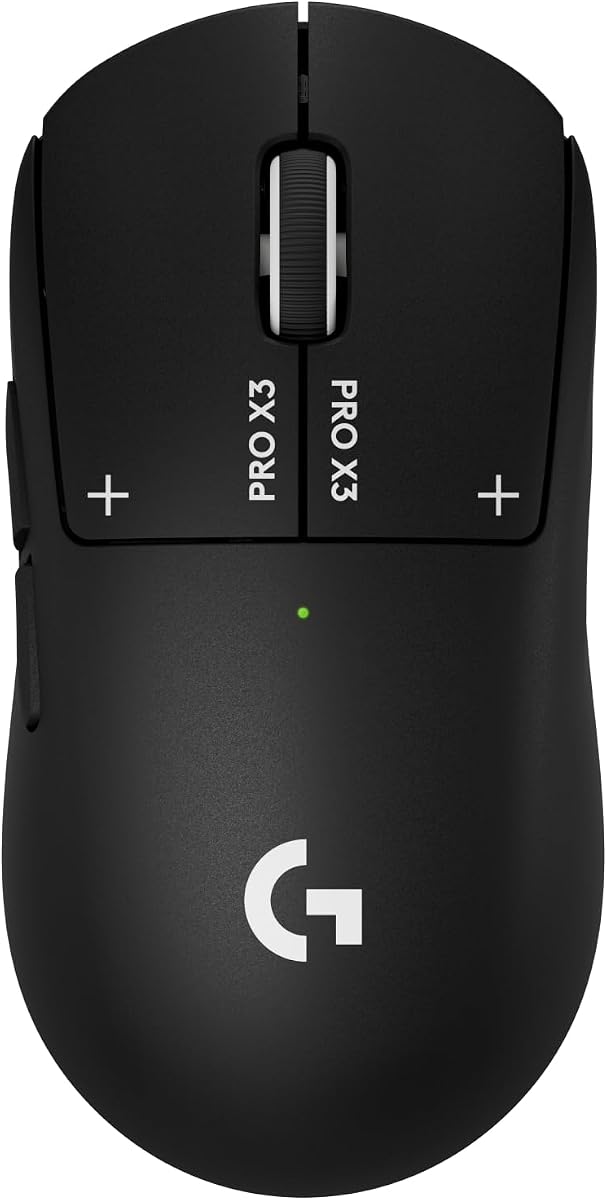
The Logitech G PRO X3 SUPERSTRIKE builds on previous innovations with the latest HERO 2 sensor and an electromagnetic field trigger system that offers true click innovation. With a 4.3 rating it provides unmatched accuracy tracking over 930 IPS with up to 48,000 DPI for high-stakes professional matches.
We may earn a commission when you buy through this link, at no additional cost to you.
Its LIGHTSPEED wireless technology operates at up to 8 kHz polling ensuring zero lag during critical moments in games. The rechargeable design supports up to 135 hours of battery life on a single charge and can be powered via USB-C or synced with POWERPLAY for endless wireless play.
Advanced features like haptic feedback require Logitech G HUB software which adds a setup step but unlocks deeper customization potential. While the price is high the combination of speed and precision ensures this mouse remains a top choice for competitive players seeking maximum performance.
This device is ideal for serious gamers who need a reliable wireless mouse capable of handling intense tournament play. Its durability and smooth gliding design make it a trustworthy companion for those committed to improving their skills and reducing setup interruptions.
With over 135 hours of battery life you can play continuously without worrying about frequent recharges during long sessions.
The 8 kHz polling rate ensures your clicks are registered instantly providing a competitive edge in fast-paced games.
We may earn a commission when you buy through this link, at no additional cost to you.
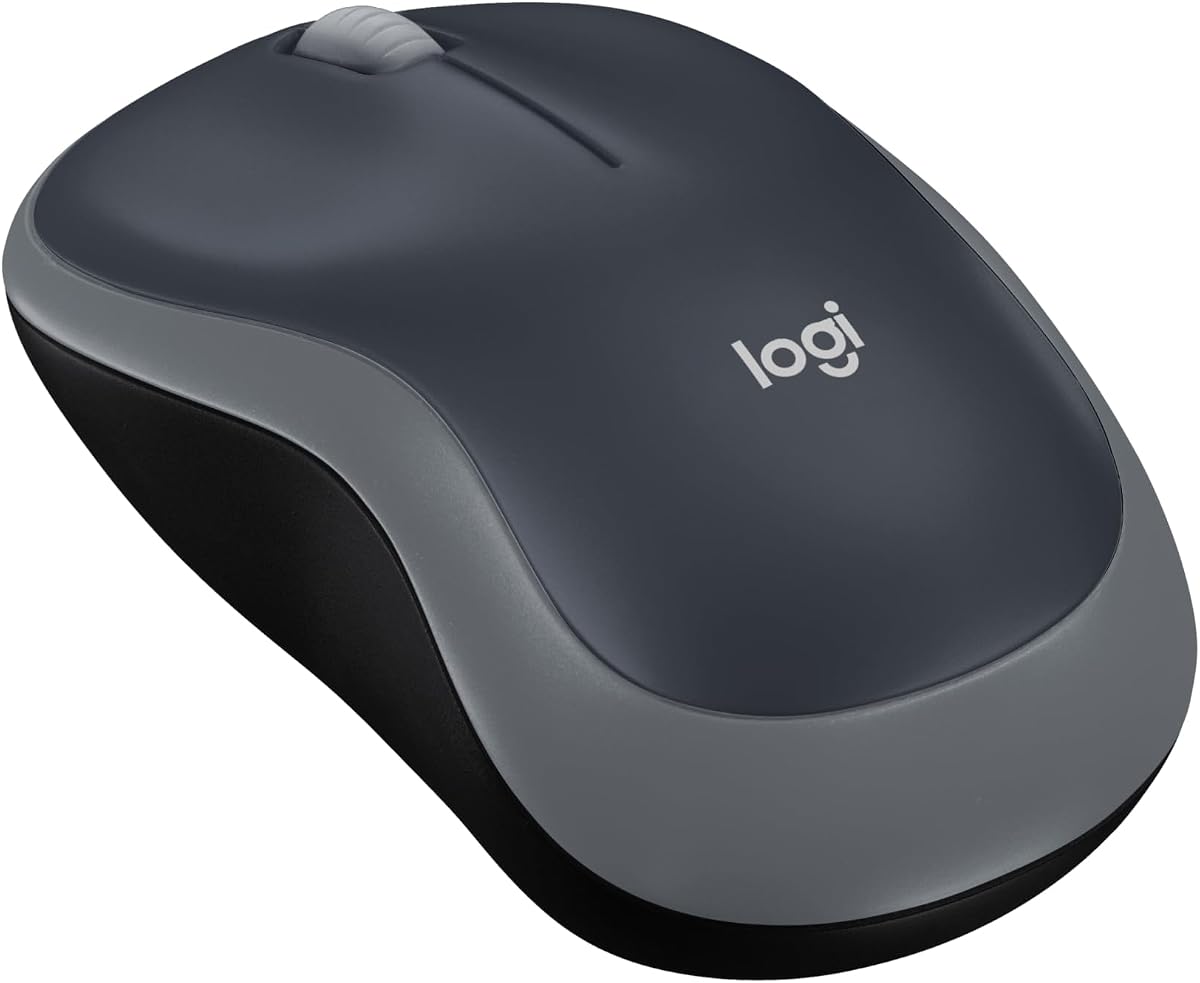
The Logitech M185 is a compact ambidextrous wireless mouse designed for comfort and portability making it an excellent companion for travelers and casual users. It offers a 4.4 rating due to its reliable connection and durable construction that withstands daily wear and tear in various environments.
We may earn a commission when you buy through this link, at no additional cost to you.
With up to one year of battery life thanks to a smart sleep mode function this mouse ensures you stay productive without frequent interruptions to change batteries. The tiny nano USB receiver stays conveniently connected to your computer allowing for seamless plug-and-play setup across devices.
Its simple design means it lacks advanced gaming features or extra programmable buttons which might limit its utility for power users. However for everyday tasks like browsing or working from coffee shops its lightweight design and solid ergonomics make it a practical and efficient tool.
This mouse is perfect for individuals who prioritize simplicity and mobility over complex features. Its universal compatibility and robust battery performance ensure it remains a reliable choice for anyone needing a straightforward wireless solution for work or travel.
Smart power management extends battery life up to a year so you can focus on tasks without frequent maintenance.
The compact size fits easily into laptop bags making it ideal for users who work remotely or travel often.
We may earn a commission when you buy through this link, at no additional cost to you.
The Logitech M330 Silent Plus is designed specifically to reduce noise while maintaining high performance with its SilentTouch Technology that cuts clicking sounds by over 90 percent. With a 4.5 rating it offers a quiet working environment ideal for shared offices or home settings where noise reduction is valued.
We may earn a commission when you buy through this link, at no additional cost to you.
It features a contoured plastic grip that ensures comfort during extended use and an impressive 18-month battery life to minimize maintenance tasks. The advanced optical tracking works on most surfaces and provides up to 33 feet of wireless range ensuring freedom of movement around your desk.
While it is optimized for right-handed users and may feel slightly bulkier than ultra-light options the ergonomic shape helps prevent hand strain over time. For those seeking silence and comfort the slight trade-off in weight is negligible compared to the benefits of reduced distraction during work hours.
This mouse is ideal for professionals who need a reliable tool for daily productivity without disturbing colleagues or family. Its simple plug-and-play setup and long battery life make it a hassle-free solution for quiet and efficient computing needs anywhere.
The SilentTouch mechanism reduces click noise significantly allowing for focused work without auditory distractions.
With 18 months of battery life you can rely on this mouse for long periods without needing frequent power changes.
We may earn a commission when you buy through this link, at no additional cost to you.
The Logitech MX Master 4 delivers a powerful productivity experience with features like a Haptic Sense Panel and MagSpeed scroll wheel that allow rapid navigation through large documents. A 4.2 rating reflects its advanced capabilities that enhance workflow efficiency for professionals working with complex applications daily.
We may earn a commission when you buy through this link, at no additional cost to you.
The ergonomic design reduces hand stress and features intuitive buttons including a thumb wheel for fluid navigation across screens. With 2X more powerful connectivity and quiet clicks it offers a refined experience that minimizes distractions while maximizing output during intensive work sessions.
Its large size and high price point might not suit everyone but the comfort and customization options make it ideal for power users. The ability to sync with multiple devices and adapt to different apps ensures you stay in flow regardless of the task at hand.
This mouse is perfect for creatives and professionals who need precision and speed in their daily work. By combining ergonomic comfort with smart software integration it stands out as a top tool for enhancing productivity and reducing physical strain over time.
The MagSpeed scroll wheel lets you scroll up to 1000 lines per second making navigation through massive files effortless.
Customizable gestures and panels adapt to your workflow letting you access tools and shortcuts instantly without interruption.
We may earn a commission when you buy through this link, at no additional cost to you.
Selecting the right lightweight mouse depends on your specific needs such as gaming performance, battery life, and ergonomic comfort. Understanding key factors will help you narrow down the options to find the perfect device for your setup.
The optical sensor is the heart of any mouse determining how accurately it tracks movement. Look for sensors like HERO or equivalent technologies that offer high DPI ranges and zero smoothing to ensure precision even during fast motions.
Higher DPI settings allow for more detailed control but the ability to switch between levels is essential for adapting to different screen resolutions and task requirements.
Lightweight mice typically range from 60 grams to 100 grams and lighter designs reduce strain on the wrist during extended use. Ensure the balance feels natural in your hand rather than front-heavy which can cause fatigue over time.
Check if the mouse includes adjustable weights or if it is designed with fixed ultra-light materials depending on whether you prefer customization or simplicity.
Modern wireless mice use 2.4 GHz or Bluetooth connections and gaming models often include proprietary tech like LIGHTSPEED for near-zero latency. A fast polling rate ensures your clicks register instantly without delay.
For gaming choose models with 1ms response times while for office work standard wireless options may suffice if speed is less critical than convenience.
Battery longevity varies significantly between models with some offering up to a year of use on a single battery and others requiring frequent recharges. USB-C rechargeable options are becoming more common and reduce waste compared to disposable batteries.
Evaluate your usage patterns to decide if long endurance or fast charging capabilities align better with your daily routine.
The shape of the mouse should match your hand size and grip style whether it is palm, claw, or fingertip. Ergonomic contours help prevent long-term strain and discomfort especially during long hours of usage.
Ambidextrous designs suit users with smaller hands or left-handed preferences but many high-performance mice are optimized for right-hand use only.
Advanced mice allow you to reassign buttons and create macros that simplify repetitive tasks. Software compatibility is key to accessing these features fully on your operating system.
Ensure the brand offers stable driver updates and support so you can customize the mouse to fit your workflow without technical issues.
A lightweight mouse should still feel solid and not flimsy during intense use. Look for materials like thin-wall plastics or reinforced hinges that maintain structural integrity over time.
Durable switches and glides are essential for longevity ensuring the device lasts through years of daily tasks without wear affecting performance.
Budget options provide solid basics while premium models offer advanced features like haptic feedback or professional sensors. Consider what you truly need before spending extra on capabilities you may not use.
Balance the initial cost against long-term benefits like battery life and durability to determine the true value of each product.
To get the most out of your new lightweight mouse ensure the sensor lens is clean and free of dust. Wipe the optical surface gently with a soft dry cloth to maintain tracking accuracy and avoid skipping on the mouse pad.
Regularly update your mouse firmware and drivers to keep all features functioning correctly and to benefit from latest performance improvements provided by the manufacturer.
Store your wireless mouse in a protective case or safe place when not in use to prevent physical damage to the buttons and feet which are critical for smooth operation.
A lightweight mouse typically weighs under 100 grams and often uses reduced internal components to lower mass. This reduction helps minimize wrist strain and increases maneuverability during fast movements.
Yes, lightweight mice are generally preferred for gaming because they reduce fatigue and allow quicker aim adjustments. Competitive players often favor models that balance speed with durability.
Not necessarily. Many modern wireless lightweight models include efficient sensors that extend battery life significantly. Some can last months or even a year on a single charge.
Absolutely. Lightweight mice provide comfort and precision for daily tasks too. If you spend long hours on a computer a lighter device can help reduce hand strain.
Use a soft dry cloth or a cotton swab to gently wipe the sensor area at the bottom. Avoid using liquids that might seep inside and damage internal components.
High-quality wireless mice use advanced frequencies that eliminate perceptible lag. Modern gaming models perform as fast as wired counterparts in most scenarios.
Most competitive players prefer mice between 60 and 80 grams for a balance of stability and speed. Personal preference plays a big role so test options if possible.
A quality mouse can last several years if maintained well. Replace it if buttons become unresponsive or tracking issues persist after cleaning and updates.
We have reviewed ten outstanding lightweight mice that cater to different needs from budget gaming to professional productivity. Each model offers unique strengths in sensor accuracy, battery life, and ergonomic design to suit your specific requirements.
Prioritize the features that matter most to you whether that is ultra-light weight, silent clicking, or programmable controls. Choosing a device that aligns with your workflow will ensure maximum comfort and efficiency during daily use.
Please remember to check current prices and availability before purchasing as deals and stock levels can change regularly. We hope this guide helps you find the perfect lightweight mouse for your next computing experience.