
LG 27GX704A-B
4.6Editor score
QHD OLED display
240Hz refresh rate
TrueBlack 400 HDR
Finding the right gaming monitor with HDMI 2.1 for consoles is essential for unlocking the full potential of next-gen systems. These displays support higher refresh rates and resolutions, ensuring smooth and immersive gameplay without compromises on visual fidelity or latency.
We evaluated ten top-rated models based on panel technology, refresh rates, connectivity options, and overall performance. Our selection includes OLED, IPS, and VA panels to suit different budgets and preferences, ensuring every gamer finds a suitable match for their setup.
Each pick highlights specific strengths, from color accuracy to response times, helping you make an informed decision. Note that availability and pricing may fluctuate, so always check current listings before purchasing to secure the best deal for your needs.
4.6Editor score

4.2Editor score

4.2Editor score
As an Amazon Associate we earn from qualifying purchases.
This table provides a side-by-side comparison of the ten selected monitors, highlighting key specifications to help you identify the best fit for your console gaming needs.




The ASUS TUF Gaming VG27UQ1A stands out as a top choice for console gamers seeking high fidelity. With a 4K resolution and 160Hz refresh rate, it delivers crisp visuals and smooth gameplay.
We may earn a commission when you buy through this link, at no additional cost to you.
Its HDMI 2.1 support ensures compatibility with next-gen consoles, allowing for up to 120Hz visuals without chroma subsampling. The ELMB Sync technology reduces motion blur significantly.
While the HDR performance is adequate, it does not reach the brightness levels of premium OLEDs. However, the color accuracy and response times are excellent for competitive gaming.
This monitor is ideal for gamers who want a balance between resolution and performance. It is a reliable option for both console and PC setups.
The 95% DCI-P3 color gamut ensures vibrant and accurate colors, enhancing the visual experience in every game.
HDMI 2.1 connectivity allows for high refresh rates and resolutions, providing an immersive experience on PS5 and Xbox Series X.
We may earn a commission when you buy through this link, at no additional cost to you.
The LG 27GX704A-B offers a premium OLED experience with incredible color and contrast. Its 240Hz refresh rate and 0.03ms response time make it perfect for fast-paced gaming.
We may earn a commission when you buy through this link, at no additional cost to you.
VESA DisplayHDR True Black 400 ensures deep blacks and vivid highlights, creating an immersive environment. The glossy finish enhances brightness and clarity significantly.
While OLED technology brings risks like burn-in, LG includes features to mitigate this. The price is higher than LCD options, but the visual quality justifies the cost for enthusiasts.
This monitor is best for those who prioritize visual fidelity over brightness. It transforms every game into a cinematic experience with stunning detail.
With peak brightness up to 1300 nits, this monitor delivers stunning clarity and detail even in bright scenes.
Dual HDMI 2.1 ports ensure you can connect multiple consoles or devices without compromising on performance.
We may earn a commission when you buy through this link, at no additional cost to you.
The MSI MAG 274QP QD-OLED X24 combines Quantum Dot technology with OLED for unmatched color and contrast. Its 240Hz refresh rate ensures smooth gameplay in competitive titles.
We may earn a commission when you buy through this link, at no additional cost to you.
The 10-bit color depth and 99% DCI-P3 gamut provide vibrant and accurate visuals. Enhanced sub-pixel arrangement improves sharpness, making text and edges look crisp.
While it shares the burn-in risk of OLEDs, MSI includes software features to prevent image retention. The design is sleek, and the stand offers good adjustability for comfort.
This monitor is ideal for gamers seeking the best color performance. It is a fantastic choice for both gaming and content creation tasks.
HDMI 2.1 CEC ports and DisplayPort 1.4a ensure high bandwidth for next-gen consoles and PCs.
MSI GI software features AI tools to enhance gameplay and prevent burn-in with automatic pixel care cycles.
We may earn a commission when you buy through this link, at no additional cost to you.
The SANSUI 34 Inch Curved monitor offers an immersive ultrawide experience with a 240Hz refresh rate. Its curved design wraps around your vision for a more engaging gameplay session.
We may earn a commission when you buy through this link, at no additional cost to you.
The UWQHD resolution provides sharp visuals, and the 1ms response time ensures smooth motion. It supports HDMI 2.1, making it compatible with next-gen consoles.
As a VA panel, it may have some motion blur compared to IPS or OLED. However, the price point makes it a great value for those wanting an ultrawide setup.
This monitor is perfect for gamers who prioritize immersion. It delivers a unique visual experience that standard flat monitors cannot match.
With a 240Hz refresh rate and ergonomic stand, this monitor balances performance and comfort for long gaming sessions.
Multiple HDMI 2.1 and DP 1.4 ports allow for flexible connections to consoles and PCs without compromise.
We may earn a commission when you buy through this link, at no additional cost to you.
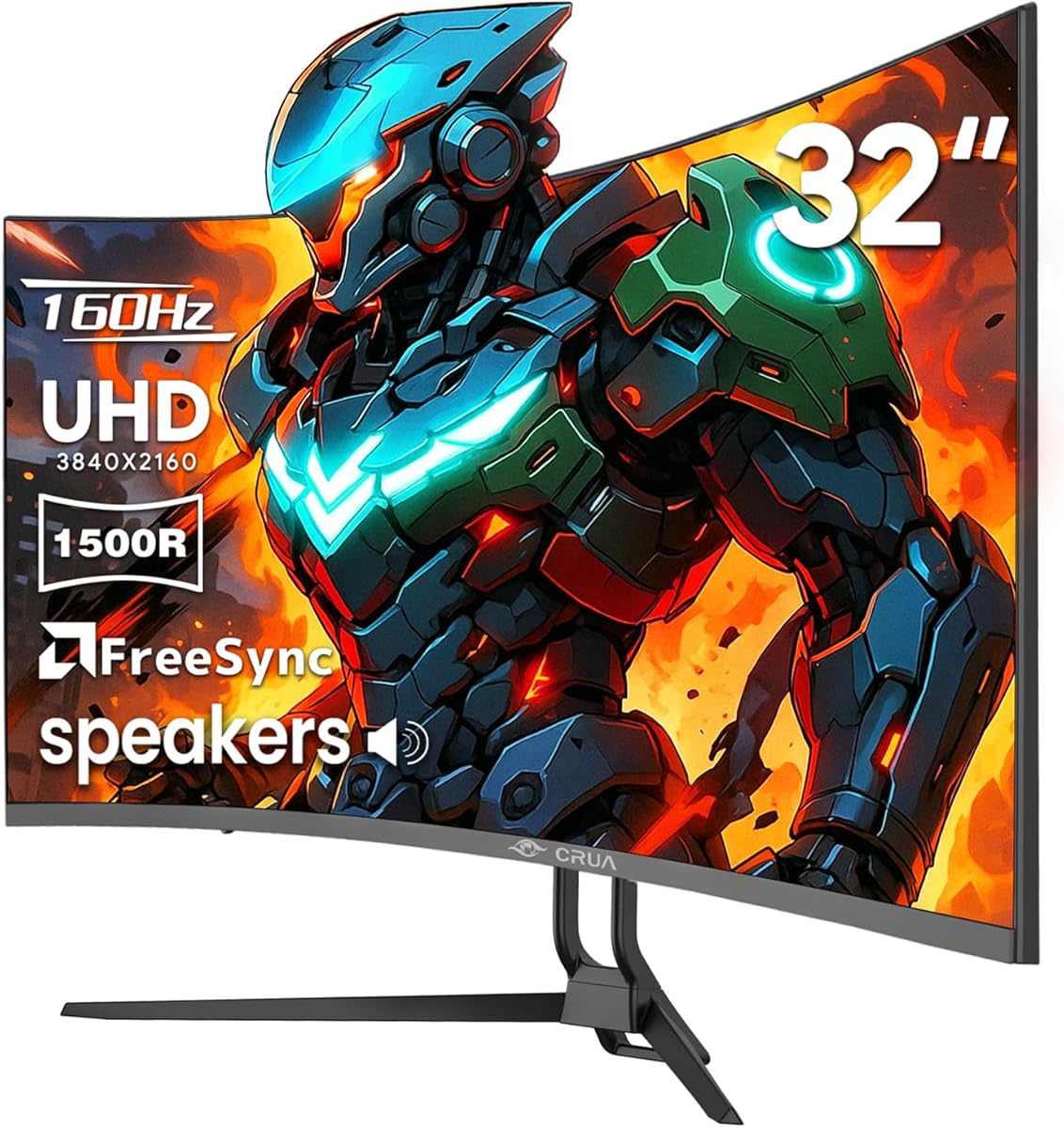
The CRUA 32 Inch 4K Curved monitor delivers a detailed and immersive gaming experience. Its 1500R curvature enhances depth perception for a more engaging session.
We may earn a commission when you buy through this link, at no additional cost to you.
With a 160Hz refresh rate and HDMI 2.1, it supports high-speed visuals on next-gen consoles. The built-in speakers reduce clutter on your desk.
While it lacks the speed of competitive IPS panels, the color accuracy and resolution are excellent. It is a solid choice for those who enjoy story-driven games.
This monitor is best for gamers who value visuals over competitive edge. It brings a cinematic feel to every game you play.
The 1500R curvature wraps around your vision for a more immersive experience in open-world games.
Equipped with HDMI 2.1 and DP 1.4, it supports next-gen PCs and consoles wall mount install support.
We may earn a commission when you buy through this link, at no additional cost to you.
The Hikers 27 Inch Curved monitor offers excellent value with HDMI 2.1 support. Its 170Hz refresh rate and 2K resolution are perfect for console gaming.
We may earn a commission when you buy through this link, at no additional cost to you.
With AI features like Crosshair and Bluelight, it helps optimize visuals and reduce eye strain. The VA panel delivers good contrast for dark scenes.
While the build is basic, it provides solid performance for the price. It is an ideal option for budget-conscious gamers who do not want to sacrifice refresh rate.
This monitor is great for casual and competitive gamers alike. It ensures smooth and fluid gameplay without breaking the bank.
170Hz refresh rate with FreeSync ensures tear-free, fluid performance in every moment.
Two HDMI 2.1 ports deliver high refresh rate performance for FPS gaming and perfect compatibility with PS5.
We may earn a commission when you buy through this link, at no additional cost to you.
The Amzfast 32 Inch 4K Curved Monitor delivers stunning visuals for console gaming. Its 120Hz refresh rate and HDMI 2.1 make it ideal for PS5 and Xbox Series X.
We may earn a commission when you buy through this link, at no additional cost to you.
With a 131% sRGB color gamut and built-in speakers, it offers a complete entertainment experience. The PIP/PBP features are useful for multitasking.
Although it lacks advanced ergonomic features, the price makes it a great choice. The curved design enhances immersion for a more engaging experience.
This monitor is best for those seeking 4K clarity on a budget. It delivers sharp visuals and smooth performance for most gaming needs.
Dual HDMI 2.1FRL(VRR) and DP 1.4 ports support up to 4K 120Hz output for smooth gameplay.
AI Picture Quality & AI Crosshair enhance gaming with optimized visuals for a better experience.
We may earn a commission when you buy through this link, at no additional cost to you.
The Acer Nitro VG270K V4 offers solid 4K performance with an IPS panel. Its 160Hz refresh rate and HDMI 2.1 support ensure compatibility with next-gen consoles.
We may earn a commission when you buy through this link, at no additional cost to you.
The ZeroFrame design maximizes screen space, providing an immersive view without distractions. AMD FreeSync Premium eliminates screen tearing during gameplay.
While the HDR performance is not exceptional, the color accuracy is strong. It is a great option for those who prefer IPS panels for their color reproduction.
This monitor is best for gamers who prioritize visuals over extreme speed. It delivers crisp and vibrant visuals for a great gaming experience.
The ZeroFrame design does away with thick frames, freeing up precious screen space for more real estate.
Up to 0.5ms GTG response time ensures fast-moving action is rendered smoothly without smearing.
We may earn a commission when you buy through this link, at no additional cost to you.
The AOC Q27GAZDV combines QD OLED technology for stunning color and contrast. Its 240Hz refresh rate makes it perfect for competitive gaming on consoles.
We may earn a commission when you buy through this link, at no additional cost to you.
True blacks and infinite contrast create an immersive experience that is unmatched by traditional panels. G-SYNC Compatible ensures smooth gameplay without tearing.
While OLED burn-in is a concern, modern features mitigate this risk. The ergonomic stand adds convenience for long gaming sessions.
This monitor is ideal for those seeking the best visual quality. It delivers a premium gaming experience with crisp and vibrant visuals.
Experience true blacks and infinite contrast with advanced QD-OLED panel delivering ultra-vivid colors.
Ergonomic stand with height, tilt, swivel, and pivot adjustment plus USB 3.2 hub for comfort.
We may earn a commission when you buy through this link, at no additional cost to you.
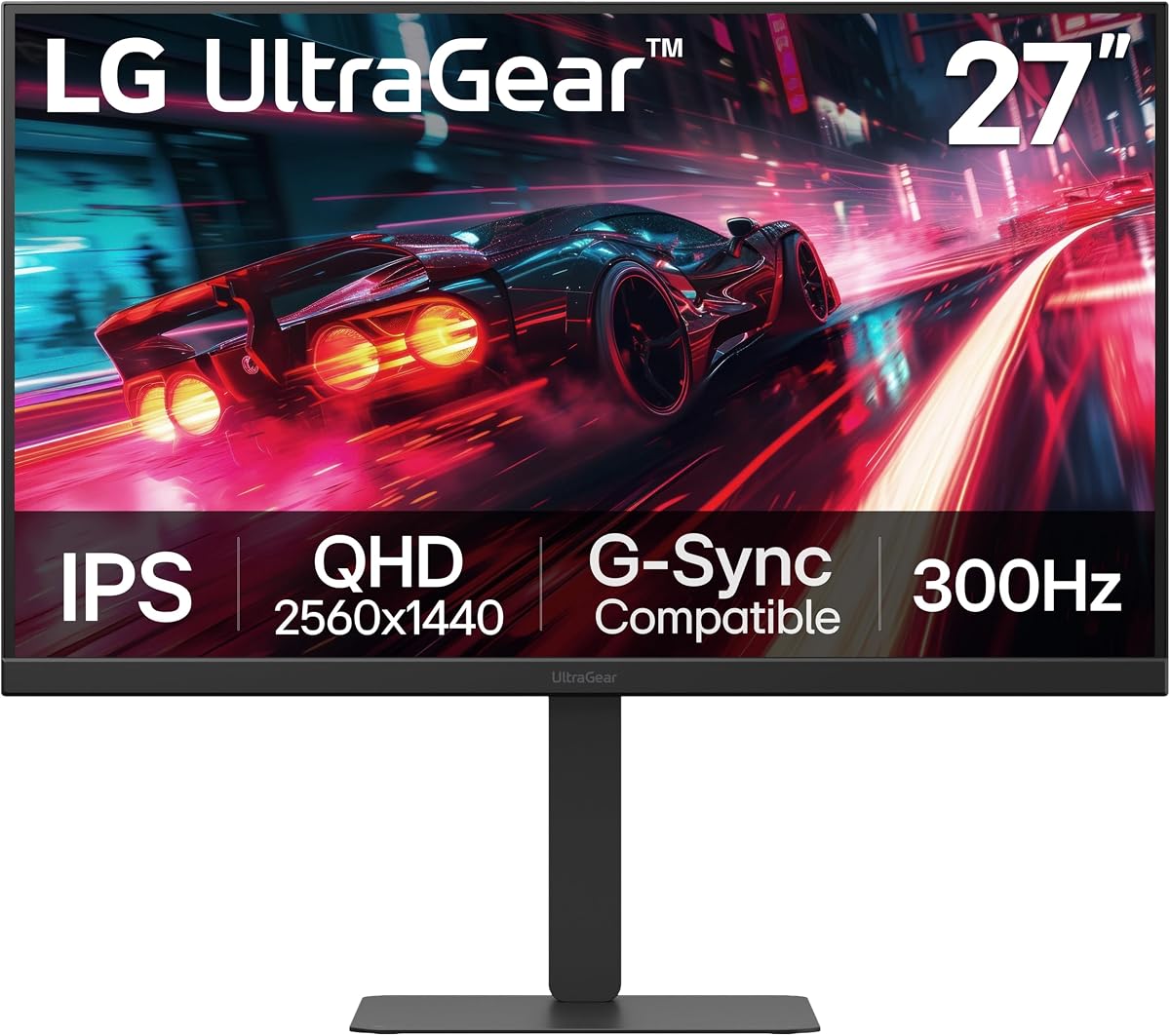
The LG 27G640A-B is built for speed with a 300Hz refresh rate. Its IPS panel delivers vibrant colors and wide viewing angles for a great gaming experience.
We may earn a commission when you buy through this link, at no additional cost to you.
With HDMI 2.1 and USB Type-C, it offers versatile connectivity options. The 1ms response time ensures sharp and clear visuals in fast-paced games.
While it lacks 4K resolution, the refresh rate is perfect for competitive gaming. The ergonomic stand allows for comfortable viewing during long sessions.
This monitor is best for those who prioritize performance over resolution. It delivers smooth and responsive gameplay for any title.
React faster and play smoother with a blistering 300Hz refresh rate perfect for high-speed competitive gaming.
Connect your way with USB Type-C, dual HDMI 2.1 ports, and DisplayPort 1.4 for high-resolution graphics.
We may earn a commission when you buy through this link, at no additional cost to you.
Selecting the right monitor involves understanding key factors that impact gameplay. This guide breaks down the essential features to consider before purchasing.
Panel technology affects color accuracy, contrast, and response time. IPS offers great color and wide angles. OLED provides perfect blacks and fast response. VA has high contrast but may lag in motion.
Choose IPS for balanced performance, OLED for visual quality, and VA for budget contrast.
Refresh rate determines how many frames per second the screen can show. For consoles, 120Hz is standard. Higher rates like 144Hz or 240Hz offer smoother visuals if supported by your game.
Aim for at least 120Hz to maximize next-gen console capabilities.
Resolution defines image clarity. 4K offers detailed visuals but requires powerful hardware. 1440p balances sharpness with performance. Choose based on your console's capabilities.
4K is ideal for cinematic games. 1440p is better for competitive titles.
Response time measures how quickly pixels change color. Faster times reduce motion blur. Aim for under 1ms to avoid ghosting during fast action.
Look for monitors with 1ms or lower for best results.
HDMI 2.1 allows for 4K 120Hz and VRR. Without it, you lose features like HDR. Ensure the monitor has HDMI 2.1 for full console support.
Verify HDMI 2.1 ports are present before buying.
HDR improves color and contrast. Higher brightness levels enhance the experience. True HDR requires sufficient brightness, often found in premium models.
Prioritize HDR400 or higher for better visuals.
Adjustable stands improve comfort. Height, tilt, and swivel options help avoid strain. Good ergonomics are crucial for long sessions.
Check stand adjustability for comfortable viewing angles.
Adaptive sync prevents screen tearing. G-SYNC and FreeSync are common standards. Ensure your console or GPU supports the monitor's sync technology.
Choose a monitor with the sync tech your system uses.
To use your monitor, connect it to your console using an HDMI 2.1 cable. Ensure the console settings match the monitor's capabilities for 120Hz output. Adjust display settings for optimal brightness and color.
Regularly clean the screen with a microfiber cloth. Avoid harsh chemicals or excessive pressure. Dust accumulation can affect image quality and should be removed gently.
Enable OLED care features if available to prevent burn-in. Reduce screen brightness when unused. Proper maintenance extends the monitor's lifespan and keeps visuals vibrant.
No, not all monitors support HDMI 2.1. Many older or budget models use HDMI 2.0 which caps at 4K 60Hz. Always check the specs to ensure HDMI 2.1 support for next-gen consoles.
Yes, most gaming monitors work with PS5. To get the best experience, choose one with HDMI 2.1 support for 120Hz gameplay. This ensures high-quality visuals without compromise.
120Hz provides smoother motion and faster response. It reduces input lag and improves clarity in fast-paced games. This makes gameplay more responsive and immersive for competitive titles.
OLED offers better blacks and contrast. However, IPS has wider viewing angles and less burn-in risk. Choose based on your priority: visual fidelity or long-term durability.
No, a higher refresh rate does not harm consoles. It only displays what the console provides. If your console outputs 120Hz, the monitor will show that smoothly without issues.
Enable 4K 120Hz in the console settings. Use an HDMI 2.1 cable to connect. Ensure the monitor's settings allow for high refresh rates and resolution output.
HDR enhances visuals but is not mandatory. It improves brightness and color. If you prefer vibrant scenes, HDR is worth it. Otherwise, SDR works well too.
Yes, gaming monitors can be used for work. They offer high resolution and refresh rates. For long tasks, ensure ergonomic features and low blue light settings are available.
This guide highlights the top monitors with HDMI 2.1 for consoles. Whether you prioritize resolution or refresh rate, there is a pick for every gamer.
Consider your budget and gaming style. For competitive play, focus on refresh rate. For immersion, look for OLED or high-resolution panels.
Always check current pricing and availability. Tech products change often, so verify details before purchasing to secure the best deal for your setup.