
EMEET S600 4K Webcam
4.4Editor score
Sony 1/2.55 sensor
PDAF autofocus
Noise canceling mics
Discover the top cameras for green screen streaming in October 2026. We compare features, image quality, and keying tools to help you choose the right stream
Streaming has become a vital tool for creators, educators, and businesses looking to engage audiences with professional visuals. A critical component of high-quality streaming is the camera you use, especially when incorporating green screen technology for dynamic backgrounds.
We have evaluated ten top-rated cameras designed for streaming and green screen workflows. Our analysis focuses on sensor quality, autofocus performance, software capabilities, and ease of use to ensure you find a reliable solution for your setup.
Each product entry highlights key features, pros, cons, and real-world applications. While prices may fluctuate over time, the core capabilities and value propositions remain consistent guides helping you make an informed decision for your next stream.
4.4Editor score

4.2Editor score

4.3Editor score
This comparison table outlines the core specifications and standout features of each camera to help you quickly identify the model that fits your streaming and green screen needs.



The Hollyland VenusLiv Air Live Streaming Camera stands out as a top choice for creators needing professional quality without complex setups. It features a robust sensor and lens combination that delivers sharp, true-to-life video suitable for green screen workflows.
We may earn a commission when you buy through this link, at no additional cost to you.
Its standout quality is the self-developed green screen keying technology. This feature allows for clean background removal even around tricky areas like hair strands. The AI tuning algorithms also adjust exposure and color in real time.
While it is more expensive than standard webcams, the reliability and features justify the cost for serious streamers. The air-cooling system ensures it can run for long periods without overheating, which is crucial for extended broadcasts.
This camera is ideal for creators who want an all-in-one solution with advanced tools built in. If you prioritize image quality and easy green screen integration, the VenusLiv Air is a strong recommendation.
The built-in keying technology removes the need for external software processing, streamlining your workflow and reducing latency during live broadcasts.
Designed with an advanced cooling system, this camera can handle 24/7 streaming without the risk of thermal throttling or feed instability.
We may earn a commission when you buy through this link, at no additional cost to you.
The EMEET S600 offers a compelling entry point for those looking to upgrade to 4K streaming without breaking the bank. It uses a Sony sensor which provides a solid foundation for good image quality and color reproduction.
We may earn a commission when you buy through this link, at no additional cost to you.
Its autofocus system uses PDAF technology which is generally faster and more reliable than contrast detection. This helps keep you sharp even if you move slightly during a stream, though you will need external software for green screen processing.
The audio quality is also strong with proprietary noise filtering that helps reduce background distractions. While it lacks some advanced built-in features of pricier models, it handles the basics of streaming very well.
If you are working on a budget but still want sharp video and reliable performance, the S600 is a practical choice. Just ensure you have software like OBS set up for any background effects you might need.
The inclusion of a Sony sensor ensures that the video output remains crisp and detailed, which is beneficial for keying in post-production or via software.
You can adjust the field of view to focus on yourself or include more of your surroundings, providing flexibility for different types of content.
We may earn a commission when you buy through this link, at no additional cost to you.
The Hollyland Lyra is designed for creators who want smart features that simplify their setup. It combines a large sensor with AI tracking to ensure you stay in focus and centered even when you move around.
We may earn a commission when you buy through this link, at no additional cost to you.
One of its biggest advantages is the direct wireless mic pairing capability. This allows for high-quality audio without the clutter of cables or receivers, which is perfect for dynamic streaming environments or product demos.
The software suite includes a green screen tool that handles background removal efficiently. While some advanced features are currently limited on Mac, the Windows experience offers a robust set of tools for editing and tuning your look.
For those willing to invest in a premium experience, the Lyra offers excellent versatility. It is particularly well-suited for presenters who need to move naturally while maintaining a polished on-camera appearance.
The AI auto-framing feature adjusts the camera automatically to keep you or multiple speakers perfectly centered without any manual intervention.
By connecting directly to compatible wireless microphones, the camera simplifies your audio chain and ensures consistent sound quality during streams.
We may earn a commission when you buy through this link, at no additional cost to you.
The EMEET C960 focuses on delivering core streaming essentials without unnecessary complexity. It provides true 4K video and reliable autofocus which makes it a solid choice for daily professional use.
We may earn a commission when you buy through this link, at no additional cost to you.
The dual omnidirectional microphones are a highlight for audio clarity. They capture voices clearly and filter out noise effectively which is helpful if you do not have an external microphone setup.
Privacy is considered with a physical shutter and no cloud storage requirements. This ensures that your data remains secure and gives you peace of mind when not actively using the camera.
This model is a great fit for remote workers or streamers who need consistent performance. It may not have the advanced AI tools of more expensive models but it does the job well and is easy to set up.
The genuine 4K CMOS sensor ensures that you get detailed video output without relying on digital upscaling tricks.
With a physical shutter and no cloud data usage, this webcam prioritizes your security and personal privacy during meetings.
We may earn a commission when you buy through this link, at no additional cost to you.
The EMEET C60E stands out with its dual-camera system that allows you to switch between wide-angle and telephoto views. This is useful for showing both your environment and detailed close-ups during demonstrations.
We may earn a commission when you buy through this link, at no additional cost to you.
The hybrid zoom capability lets you get closer to the subject without moving the camera. Combined with PDAF autofocus, this ensures that even when zoomed in, the image remains stable and clear for viewers.
RGB lighting adds a touch of personality to your setup and helps signal when the camera is active. While it is a stylistic choice it can contribute to a more engaging visual presentation on stream.
This camera is ideal for educators or product reviewers who need flexible framing options. The remote control further simplifies adjustments so you can focus on your content without reaching for the computer.
Switching between wide and telephoto lenses on the fly gives you creative control over how much of your background to show.
The included remote allows for quick adjustments to zoom and color without interrupting your workflow or stopping the stream.
We may earn a commission when you buy through this link, at no additional cost to you.
The EMEET PIXY brings PTZ capabilities to a streaming setup which was traditionally reserved for broadcast gear. The included tripod and flexible head allow for portrait or landscape shots with ease.
We may earn a commission when you buy through this link, at no additional cost to you.
Its AI tracking uses a three-chip system to predict motion and adjust the frame smoothly. This is particularly useful for active streamers or fitness instructors who move around a lot during their content.
The audio system is versatile with different modes for filtering steady noise or capturing ambient sound. This makes it adaptable for various scenarios from silent tutorials to lively podcast discussions.
For users who need a dynamic camera that follows them, the PIXY is a strong contender. It offers a high level of control and automation that can elevate the production value of your streams.
The AI assist chip predicts motion to ensure you stay centered in the frame even during energetic activities like dancing or fitness.
Having an included tripod that adjusts height and angle means you can set up a professional look right out of the box.
We may earn a commission when you buy through this link, at no additional cost to you.
This bundle offers a standalone solution for streaming directly to platforms without needing a PC. It is designed for creators who want a self-contained system that handles video processing internally.
We may earn a commission when you buy through this link, at no additional cost to you.
The AI tuning tools help adjust skin tones and lighting automatically. This is helpful for achieving a professional look quickly without manual calibration which saves time during your routine.
The inclusion of accessories like cables and a memory card makes it ready to use right out of the box. This convenience factor is valuable for users who want to minimize setup time.
If you prefer a portable setup or do not want to rely on a computer for your stream, this camera is a great option. It combines hardware and necessary extras into one purchase.
By connecting directly to the internet via Ethernet or Wi-Fi, this camera bypasses the need for a computer in your streaming chain.
The bundle includes essential accessories like HDMI cables and a memory card so you can start broadcasting immediately after setup.
We may earn a commission when you buy through this link, at no additional cost to you.
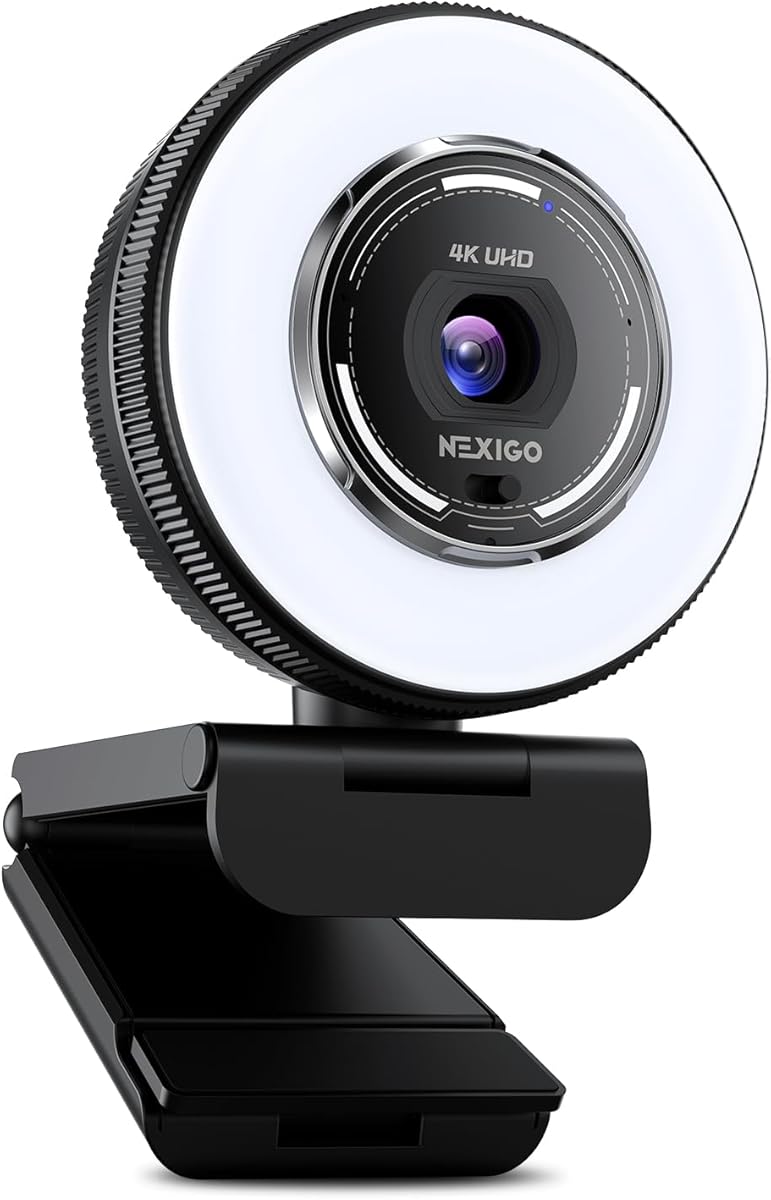
The NexiGo N680E Pro distinguishes itself with an integrated ring light that provides consistent lighting for your face. This is a major benefit for those who struggle with ambient light conditions.
We may earn a commission when you buy through this link, at no additional cost to you.
The light offers three color temperature modes and stepless brightness control. This allows you to match the camera's output to your room's lighting or adjust for different moods during streams.
It also features a Sony sensor and PDAF autofocus which ensure reliable image quality. The privacy shutter adds a physical layer of security when you are not using the camera.
If you need good lighting without adding extra desk clutter, this camera is a practical choice. It combines visual quality with built-in illumination to help you look your best on camera.
The touch-controlled ring light lets you adjust brightness and color temperature instantly to suit your environment without external gear.
With a Sony sensor and smooth 60FPS support at 1080p, the video output remains sharp and fluid for engaging viewer experiences.
We may earn a commission when you buy through this link, at no additional cost to you.
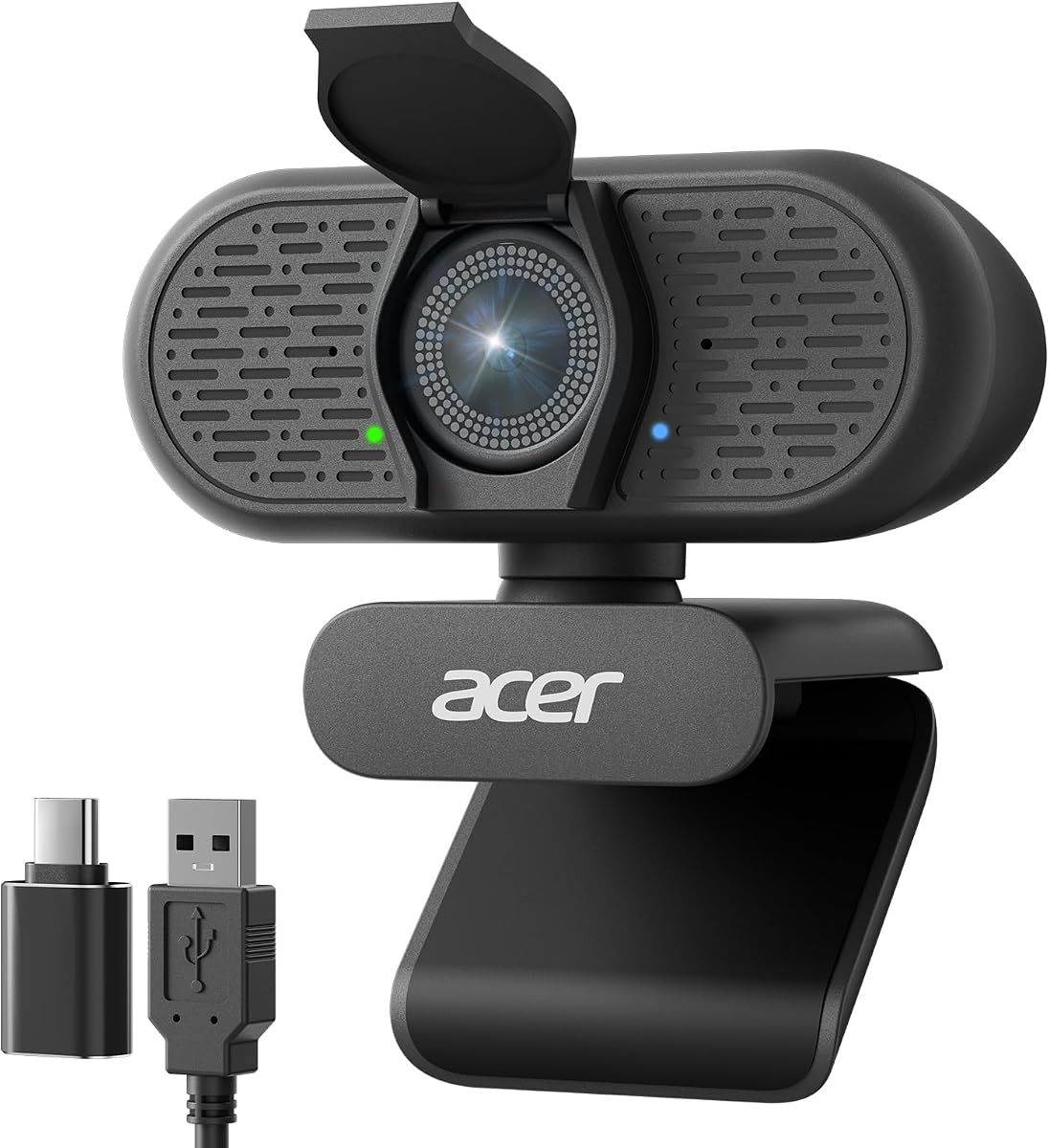
The Acer A640 provides a straightforward option for high-quality streaming. It uses a Sony sensor which is known for good color accuracy and sharpness in various lighting conditions.
We may earn a commission when you buy through this link, at no additional cost to you.
AI noise canceling helps filter out background sounds like keyboard clicks or room hum. This makes it suitable for environments where external audio control might be limited or difficult to manage.
It features low-light correction to enhance visibility even in dim settings. Combined with a privacy shutter it offers security and quality in a simple plug-and-play package.
If you want a reliable camera without needing to tweak settings, the A640 is a great choice. It works well across most platforms and handles the essentials of streaming effectively.
The built-in correction technology boosts image clarity in dim environments so you remain visible without external lighting.
Designed to work with all mainstream platforms and Switch consoles, this webcam ensures seamless integration with your existing tools.
We may earn a commission when you buy through this link, at no additional cost to you.
The OBSBOT Meet 2 is designed for portability and ease of use. It is small enough to carry in a bag and powerful enough to deliver 4K clarity for professional calls.
We may earn a commission when you buy through this link, at no additional cost to you.
AI framing ensures you stay centered in the frame as you move. This reduces the need for a fixed position and allows for more dynamic presentations during meetings or streams.
Gesture controls let you manage framing and zoom with hand signs. This is a convenient feature if you need to adjust the view without interrupting your flow or touching a keyboard.
For mobile workers or creators who travel often, this camera is a strong option. It balances performance with size to provide a reliable streaming companion wherever you go.
Simple hand signals like an open palm allow you to toggle AI framing without needing a remote or software interface.
Weighing under 50 grams this webcam fits easily into a laptop bag making it ideal for on-the-go production needs.
We may earn a commission when you buy through this link, at no additional cost to you.
Selecting the right camera involves balancing image quality, software tools, and budget constraints to ensure smooth green screen performance.
The sensor size determines how well a camera captures light and detail. Larger sensors like 1/1.3 CMOS usually offer better dynamic range and cleaner images in low light which helps with keying accuracy.
Look for cameras with sensors at least 1/2.8 or larger for consistent quality that reduces noise in your stream.
Some cameras come with proprietary keying software that handles background removal internally. This can simplify your workflow by reducing the load on your computer CPU during live streams.
If your camera does not have this feature plan to use external software like OBS to achieve the same results.
Phase Detection Autofocus is generally faster and more accurate than contrast based systems. This ensures your face stays sharp even if you move slightly which is vital for a professional look.
Prioritize models with PDAF technology to avoid focus hunting during your broadcasts.
USB connectivity is standard for webcams but HDMI output offers more flexibility for multi-camera setups. Ensure the camera supports the connection type your computer or capture card requires.
Check that the camera supports USB 3.0 for higher resolution transfers to avoid lag or dropped frames.
The camera should work seamlessly with your streaming software and operating system. Check that driver support exists for Windows or Mac to avoid setup issues later.
Verify that any bundled software offers the features you need such as color correction or skin smoothing.
Physical shutters are a simple and effective way to ensure privacy when the camera is not in use. They prevent any risk of unauthorized access which is important for home setups.
Look for models that include a physical cover so you can securely close the lens.
Green screen setups often require consistent lighting to avoid shadows that affect keying. Cameras with low-light correction or built-in ring lights can help maintain quality without extra gear.
Consider if the camera performs well in your typical environment lighting conditions.
While many streamers use external microphones built-in mics can be convenient for quick sessions. Look for noise canceling features to keep background sounds from interfering with your voice.
Ensure the mic quality is sufficient for your needs or plan to use an external audio device.
Position the camera at eye level for the most flattering angle. Use a tripod or mount to keep it steady and avoid shaking during movement.
Keep the lens clean with a soft cloth to ensure clear video. Avoid touching the glass with fingers to prevent smudges that can affect image quality.
Update firmware regularly to maintain compatibility with streaming software. This helps ensure stable performance and access to new features over time.
Most webcams require a PC to function as a video source. However, models with RTMP streaming can connect directly to the internet to bypass the computer entirely for your broadcast needs.
Green screen technology identifies a specific color background and removes it to replace it with a digital image. The camera captures clean edges so the software can separate you from the background accurately.
1080p is standard for most streams but 4K cameras offer higher detail. You can often output 4K to your computer and scale down to 1080p for the final stream to balance quality and performance.
Yes all cameras listed are compatible with major video call platforms like Zoom and Microsoft Teams. They plug in via USB so they work as standard webcams for meetings.
Autofocus is generally more convenient for live streaming as it adjusts to movement automatically. Manual focus can be useful for static shots but requires adjustment if you move.
Most webcams support both Windows and Mac systems. However some advanced software features might be limited on Mac so check the product description before purchasing.
We reviewed ten cameras offering a range of features from basic webcams to advanced streaming bundles. Each option serves different needs depending on budget and technical requirements.
Prioritize sensor size and autofocus quality to ensure your stream looks professional. Built-in green screen tools can simplify your workflow significantly.
Prices and availability may change so verify current specs and deals before finalizing your purchase to get the best value today.