
ASUS ROG Strix G16 (2025) Gaming Laptop
4.4Editor score
Intel Core i7 Processor 14650HX
NVIDIA GeForce RTX 5060 GPU
16GB DDR5 Memory
This guide compares the top ASUS ROG Strix Laptop models for 2026, analyzing performance, display quality, cooling, and value to help you find the perfect
The ASUS ROG Strix Laptop series stands as a premier choice for gamers seeking high performance and reliable build quality. These machines deliver powerful hardware configurations designed to handle demanding titles and creative workflows with ease.
We evaluated ten distinct models based on processor speed, graphics capabilities, display refresh rates, and thermal management systems. Our analysis focuses on real-world usage scenarios to ensure you get the most value for your investment.
Each pick highlights specific strengths like budget friendliness or premium features. Note that prices change frequently so check current listings before buying to ensure you get the best deal available today.
4.4Editor score

4.3Editor score

4.3Editor score
The following table provides a side-by-side comparison of all ten models to help you quickly identify key specifications and differences between each option.
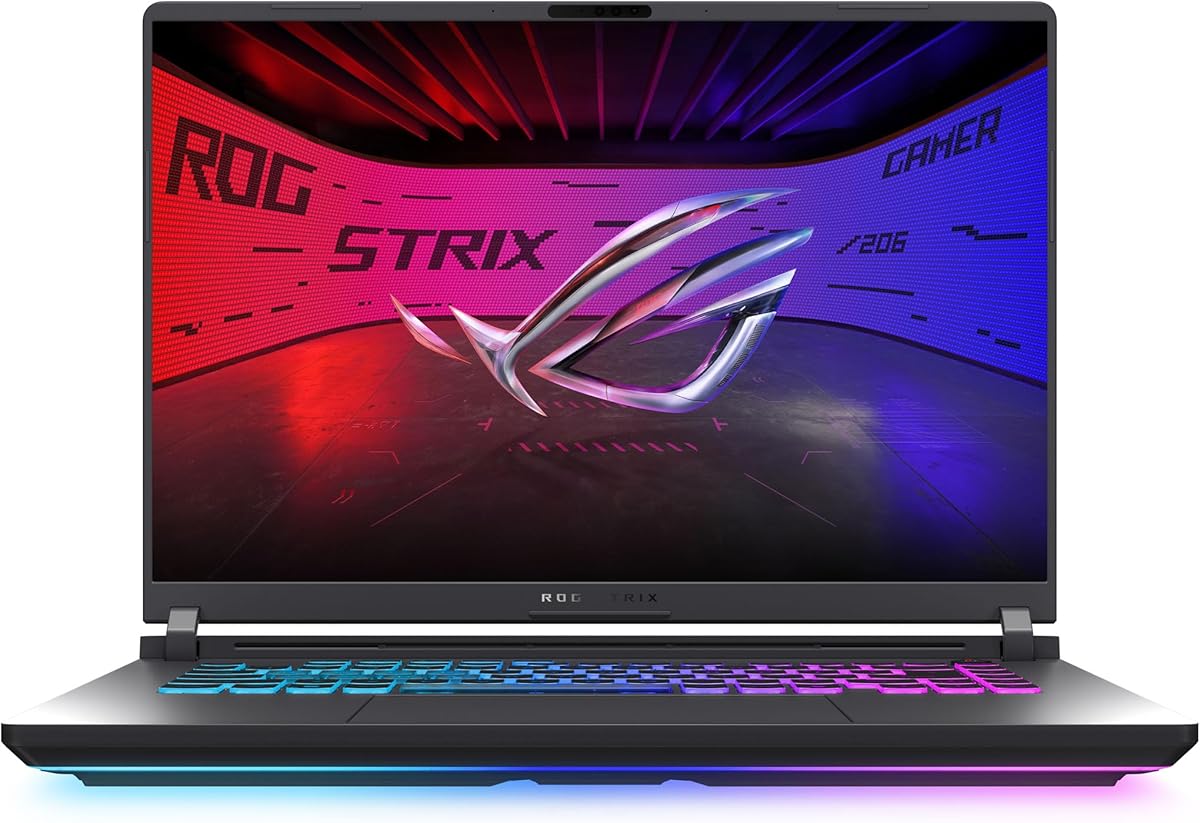


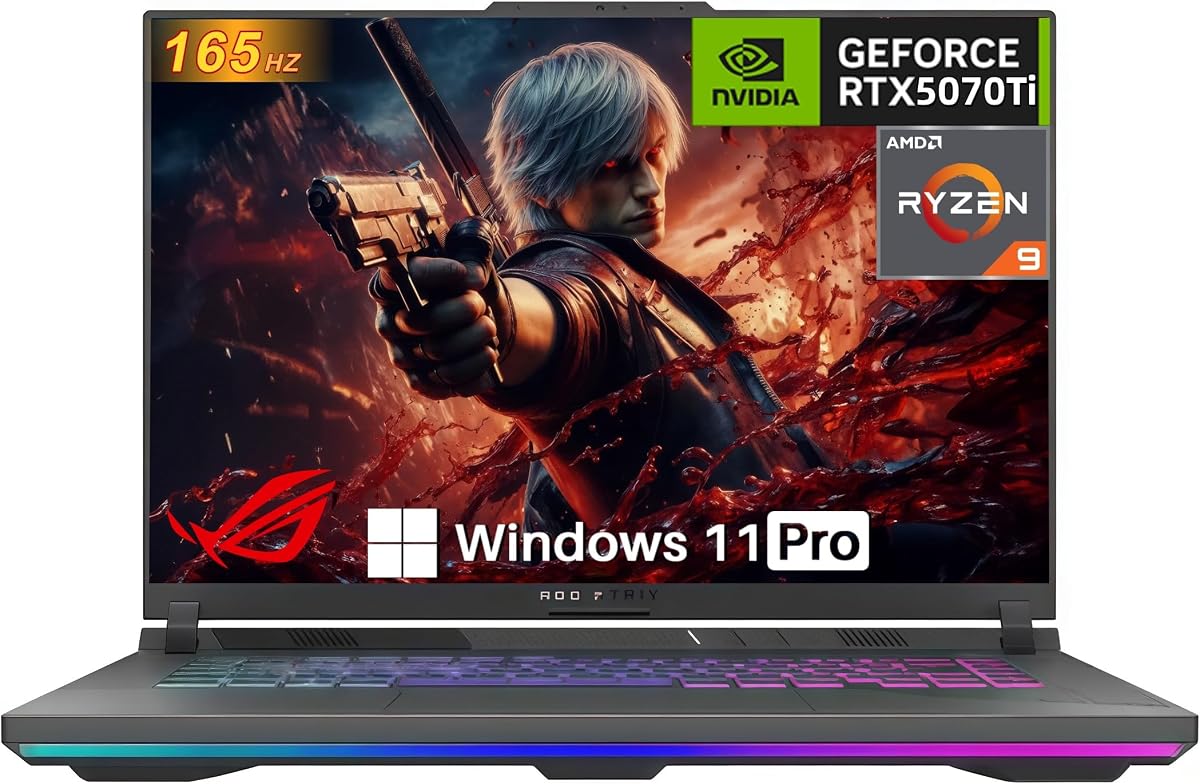

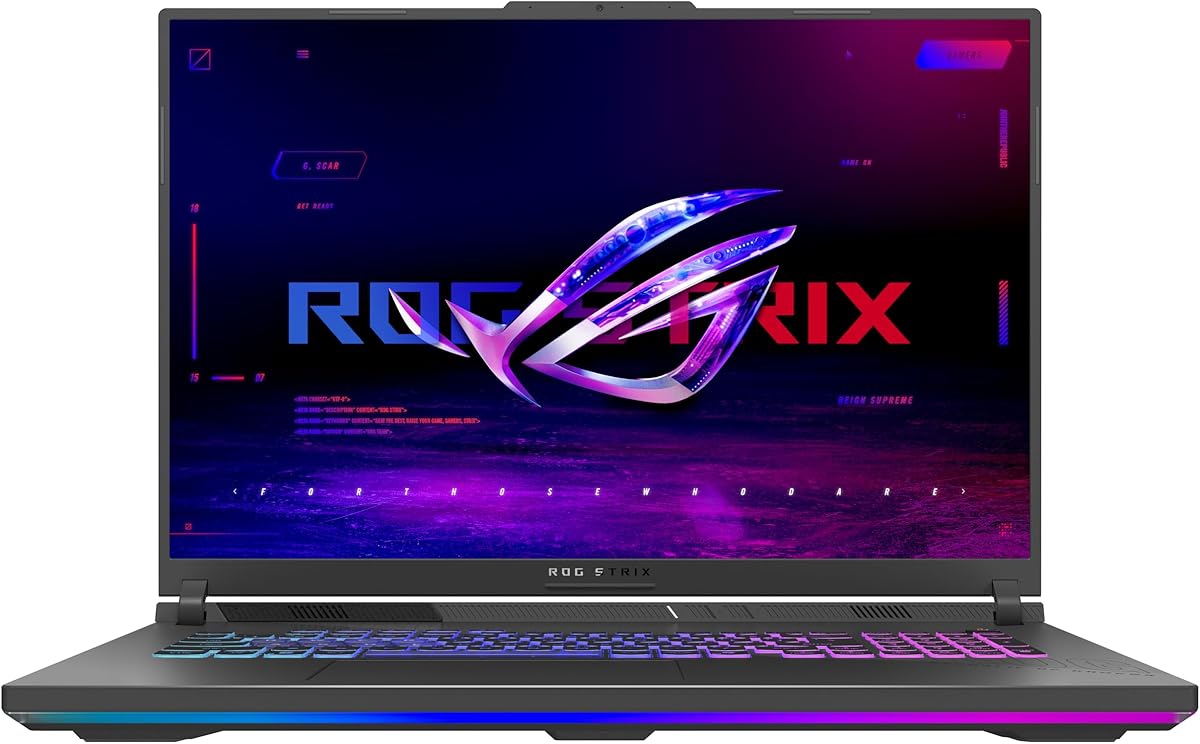
This model delivers solid gaming performance at a competitive price point making it ideal for budget-conscious gamers who still want high-end features. It holds a 4.4 rating from verified buyers who praise its speed and cooling efficiency.
We may earn a commission when you buy through this link, at no additional cost to you.
The Intel Core i7 14650HX processor paired with the RTX 5060 ensures smooth gameplay in most modern titles. The 165Hz display offers fluid visuals while the ROG Intelligent Cooling system keeps temperatures in check during long sessions.
While the FHD+ resolution is less sharp than 2.5K panels it still provides clear visuals for competitive gaming. The 16GB of DDR5 RAM is adequate for most games but heavy content creators might want to upgrade later.
We recommend this laptop for students and casual gamers who need reliability without overspending. It strikes a great balance between performance and cost for everyday gaming needs.
The RTX 5060 uses the Blackwell architecture and DLSS 4 to boost frame rates without increasing power draw.
Conductonaut extreme liquid metal applied to the chipset ensures faster heat dissipation for sustained performance.
We may earn a commission when you buy through this link, at no additional cost to you.
This variant stands out as our top pick for those seeking a balance of power and portability. The combination of the Ultra 9 processor and RTX 5070 Ti ensures it handles AAA titles and creative tasks with ease.
We may earn a commission when you buy through this link, at no additional cost to you.
The 240Hz ROG Nebula display offers stunning visuals that are perfect for competitive gaming and content creation. With 32GB of DDR5 memory you can run multiple applications without any lag or slowdown.
The premium features come at a higher cost but the performance gain is significant for power users. The weight is manageable for a 16 inch laptop but may feel heavy for frequent travel.
Gamers who want the best possible experience should consider this model. It excels in every category from speed to display quality making it a standout choice in this lineup.
The ACR film on the display enhances contrast and reduces glare for better visibility in bright environments.
Wi-Fi 7 support provides faster download speeds and lower latency for online multiplayer gaming sessions.
We may earn a commission when you buy through this link, at no additional cost to you.
This premium model offers desktop-level performance in a laptop form factor. The 18 inch HDR display provides an immersive experience that is hard to beat for media consumption and gaming.
We may earn a commission when you buy through this link, at no additional cost to you.
Features like the MUX Switch and tool-free access make it highly adaptable for power users. The AniMe Vision lid allows for unique customization that sets it apart from standard gaming laptops.
The high price tag reflects the superior build quality and top-tier components. It may not be the most portable option but the screen real estate and performance are unmatched in its class.
We recommend this for serious gamers who need a desktop replacement with the best visuals. It is a powerful machine that justifies its premium positioning with exceptional features.
Mini LED technology with 2000+ dimming zones delivers deep blacks and vibrant colors for HDR content.
The AniMe Vision lid lets you show animations or text adding a personal touch to your setup.
We may earn a commission when you buy through this link, at no additional cost to you.
This model combines a high-end processor with a premium display making it excellent for content creators and gamers alike. The 240Hz Nebula display ensures smooth visuals and vibrant colors with HDR support.
We may earn a commission when you buy through this link, at no additional cost to you.
While the RTX 5060 is less powerful than the 5070 Ti it still handles modern games well at this resolution. The Ultra 9 processor provides extra headroom for video editing and rendering tasks.
The main trade-off is the GPU performance which may not support maxed-out settings in the most demanding titles. However for mixed usage scenarios this laptop offers a very compelling package.
We suggest this for creators who need a fast CPU but do not require top-tier graphics power. It is a versatile machine that balances performance and display quality well.
Dolby Vision HDR adjusts colors to make images richer and brighter for a more lifelike experience.
The end-to-end vapor chamber keeps the system quiet and cool even under heavy loads.
We may earn a commission when you buy through this link, at no additional cost to you.
This variant features AMD hardware which is a great choice for those who prefer Ryzen architecture. The RTX 5070 GPU provides enough power for high settings in most modern games.
We may earn a commission when you buy through this link, at no additional cost to you.
The cooling system uses a full-width heatsink to ensure sustained performance without throttling. Advanced Optimus helps extend battery life when not gaming by switching to the integrated GPU.
The lack of Wi-Fi 7 and a slightly lower refresh rate are minor drawbacks compared to other models. However the raw performance of the CPU and GPU makes up for these small differences.
We recommend this for gamers who prioritize raw speed over the latest connectivity features. It is a strong performer that delivers excellent value for the price.
The Ryzen 9 9955HX processor delivers multi-core efficiency for both gaming and professional workloads.
Advanced Optimus switches between GPUs automatically to maximize battery when performing light tasks.
We may earn a commission when you buy through this link, at no additional cost to you.
This model boasts a full 140W TGP on the RTX 5070 Ti which maximizes gaming performance. The 32GB of DDR5 RAM ensures that you can run multiple applications smoothly without slowdown.
We may earn a commission when you buy through this link, at no additional cost to you.
The 165Hz WUXGA display provides vibrant colors and smooth visuals for most gaming scenarios. Audio quality is enhanced with Hi-Res Audio and Dolby Atmos for an immersive experience.
While the resolution is not as high as 2.5K panels it still offers a great experience for fast-paced games. The 2.5G Ethernet port ensures stable and fast wired connections for online gaming.
We recommend this for gamers who want maximum GPU performance and ample memory. It is an excellent choice for those who prioritize speed over screen resolution.
The 140W TGP ensures the RTX 5070 Ti runs at peak performance for maximum frame rates.
Dolby Atmos and Hi-Res Audio provide crisp sound that enhances the gaming atmosphere.
We may earn a commission when you buy through this link, at no additional cost to you.
This model offers a strong combination of AMD CPU and NVIDIA GPU for a well-rounded gaming experience. The tool-free access design allows you to upgrade components quickly without needing a screwdriver.
We may earn a commission when you buy through this link, at no additional cost to you.
The Q-latch SSD system makes swapping storage incredibly fast and simple. This level of accessibility is great for users who want to customize their hardware over time.
The 16GB of RAM is sufficient for most games but may require an upgrade for heavy creative workflows. The cooling system keeps the laptop quiet and cool during intense gaming sessions.
We recommend this for gamers who value upgradeability and performance. It is a versatile laptop that can adapt to your needs as you require more power.
Tool-free access to RAM SSD and fans makes customization simple and fast for any user.
The vapor chamber and Conductonaut liquid metal work together to keep the system cool.
We may earn a commission when you buy through this link, at no additional cost to you.
This variant is designed for users who want the best performance available in a portable laptop. The RTX 5080 GPU ensures that you can run any game at maximum settings without any compromise.
We may earn a commission when you buy through this link, at no additional cost to you.
The 240Hz HDR display offers stunning visuals with deep blacks and vibrant colors. Combined with 32GB of DDR5 RAM this machine is ready for the most demanding tasks.
The main drawback is the high price which is a significant investment. However the performance and features justify the cost for those who need top-tier hardware.
We recommend this for professionals and enthusiasts who need the best. It is a powerhouse laptop that delivers exceptional results for gaming and creative work.
The RTX 5080 provides maximum frame rates and visual fidelity for the latest games.
The Nebula HDR panel uses Mini LED technology for incredible contrast and color accuracy.
We may earn a commission when you buy through this link, at no additional cost to you.
This model offers a huge 2TB of storage which is perfect for users with large libraries of games and media. The 32GB of RAM ensures that you can multitask without any performance issues.
We may earn a commission when you buy through this link, at no additional cost to you.
The 240Hz Nebula display provides vibrant visuals and smooth motion for a great gaming experience. The RTX 5070 GPU is powerful enough to handle all modern titles at high settings.
The price is higher due to the upgraded storage and memory which may not be necessary for everyone. However for those who need the extra space and performance it is a worthy investment.
We recommend this for power users who need ample storage and high speed. It is a versatile laptop that meets the needs of both gamers and creators.
The 2TB Gen 4 SSD allows you to store hundreds of games and large media files effortlessly.
With 32GB of DDR5 RAM you can run multiple apps and games without any lag or slowdown.
We may earn a commission when you buy through this link, at no additional cost to you.
This model features a large 18 inch display which is great for users who want a desktop-like experience. The Ryzen 9 processor provides strong performance for gaming and productivity tasks.
We may earn a commission when you buy through this link, at no additional cost to you.
The RTX 5050 is suitable for casual gaming and entry-level titles but may struggle with demanding games. The tri-fan cooling ensures the laptop stays cool even with the larger chassis.
The lower refresh rate and GPU are the main trade-offs for the larger screen size. However the display size and build quality make it a good option for casual gamers.
We recommend this for users who prioritize screen size over maximum graphics power. It is a reliable machine for everyday use and casual gaming sessions.
The 18 inch screen provides more workspace for gaming and multitasking comfortably.
Tri-fan technology and full-width heatsink keep the system cool during extended use.
We may earn a commission when you buy through this link, at no additional cost to you.
Selecting the right ROG Strix laptop requires understanding key specs like CPU GPU memory and screen quality to match your specific needs and budget.
The CPU determines how well the laptop handles multitasking and CPU-bound games. Look for Intel Core Ultra or Ryzen 9 processors for top-tier performance in 2026.
Always choose a processor that matches your workload to avoid unnecessary spending on features you will not use.
The GPU is critical for gaming frame rates and visual fidelity. Models with RTX 5070 or higher are recommended for AAA titles at high settings.
Ensure the GPU has enough VRAM and power output to support your target resolution and refresh rate.
16GB of DDR5 is the minimum for gaming but 32GB is ideal for heavy multitasking and content creation. SSD speed also affects load times and system responsiveness.
Prioritize at least 1TB of PCIe Gen 4 storage and consider models with tool-free access for future upgrades.
Refresh rates of 144Hz or higher ensure smooth gameplay while resolutions like 2.5K offer sharper visuals. Look for HDR support if you watch a lot of media.
Choose a screen size that fits your portability needs and consider anti-glare coatings for outdoor use.
Efficient cooling keeps the laptop quiet and prevents thermal throttling during long gaming sessions. Look for vapor chambers and liquid metal cooling technologies.
Models with dedicated exhausts and large heatsinks will sustain higher performance levels over time.
Modern laptops should include Wi-Fi 6E or Wi-Fi 7 for fast internet and multiple USB ports for peripherals. HDMI and Ethernet ports are essential for external displays and wired connections.
Check that the port selection matches your current and future hardware setup before purchasing.
A sturdy chassis protects internal components and adds to the aesthetic appeal of the laptop. RGB lighting can be customized to match your setup style.
Consider the weight and thickness if you plan to carry the laptop regularly to work or school.
Gaming laptops often have limited battery life so keep the charger with you for extended use. Advanced Optimus helps extend battery life by switching between graphics modes automatically.
Ensure the power adapter provides enough wattage to support the GPU and CPU under load.
Use the Armoury Crate software to control RGB lighting fan curves and performance profiles for your specific needs.
Keep the laptop on a hard flat surface to ensure proper airflow and avoid overheating during intensive tasks.
Regularly clean the vents with compressed air and update drivers to maintain optimal performance and security.
Yes these laptops are designed specifically for gaming with powerful GPUs high refresh rate displays and advanced cooling systems. They handle modern AAA titles and creative workloads with ease.
Many ROG Strix models feature tool-free access to the RAM slots. Simply slide a latch on the bottom to access the memory and replace or add new DDR5 sticks.
The RTX 5070 has more CUDA cores and memory bandwidth than the 5060 allowing for higher frame rates and better ray tracing performance in demanding games.
Yes all models support multiple external displays via HDMI 2.1 and USB-C with DisplayPort. This is useful for dual monitor setups or connecting to a large TV.
The ROG Intelligent Cooling system is designed to keep noise low during light use but fans will ramp up during heavy gaming. You can adjust fan curves in Armoury Crate to balance noise and cooling.
Battery life varies by model and usage but expect about 5 to 8 hours for general tasks. Gaming on battery is limited to 1 to 2 hours so it is best to stay plugged in.
The ten models listed cover a wide range of budgets and needs from entry-level to high-end gaming. Each option offers a unique mix of performance features and price points.
Prioritize GPU and screen quality if you are a serious gamer or content creator. For general use focus on CPU performance and memory to ensure smooth multitasking.
Check current pricing and availability before buying to get the best deal. Prices change frequently so verify the latest offers on our affiliate links.