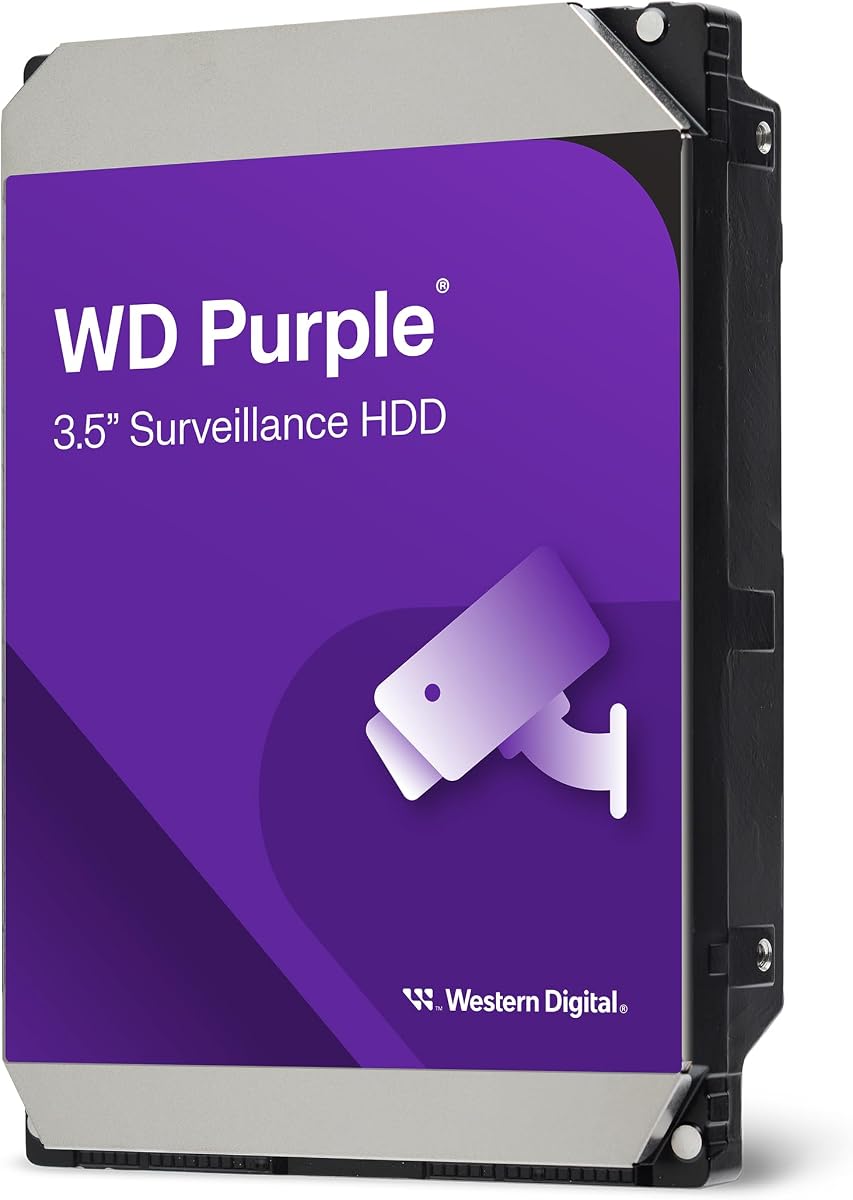
WD Purple Surveillance Drive
4.3Editor score
Engineered for mainstream surveillance
AllFrame technology optimization
Supports up to 16 bays
Securing your home or business requires robust storage solutions capable of handling continuous video recording without interruption. A dedicated NAS for Security Camera NVR Storage ensures your footage remains safe and accessible when you need it most.
We analyzed ten leading hard drives designed specifically for surveillance systems to find the best options for your needs. Our comparison focuses on reliability, workload capacity, and compatibility with popular NVR and DVR setups.
Each pick highlights key features like cache size, workload ratings, and specialized firmware for video integrity. Please note that availability and specific model details may change, so verify current specs before purchasing.
4.3Editor score

4.6Editor score

5.0Editor score
As an Amazon Associate we earn from qualifying purchases.
The following table provides a side-by-side overview of the ten top-ranked surveillance drives, highlighting their capacity, cache size, and key technological features for informed decision-making.


This drive tops our list for high-end NVR systems needing immense storage and durability. With a 550TB annual workload rating, it handles continuous 24-7 recording without faltering. The AllFrame technology ensures video frames are not dropped during critical moments.
We may earn a commission when you buy through this link, at no additional cost to you.
Its 512MB cache allows for faster data transfer speeds compared to standard surveillance drives. This is particularly useful for systems with multiple cameras streaming high-definition video simultaneously. Western Digital Device Analytics adds a layer of proactive health monitoring to prevent data loss.
While the cost is higher, the enterprise-class reliability justifies the investment for commercial applications. Users should note that actual capacity may be slightly less than advertised due to system formatting. It is best suited for large-scale installations rather than home use.
If you need a drive that can handle heavy loads and large capacities reliably, this is the top choice. It provides peace of mind for security professionals and business owners alike who cannot afford system downtime or data corruption.
The 550TB workload rating ensures this drive can sustain years of continuous video recording without performance degradation.
WD Device Analytics proactively checks drive health to alert you before potential failures occur.
We may earn a commission when you buy through this link, at no additional cost to you.
This drive offers an excellent entry point for those building a standard surveillance system on a budget. It is engineered specifically for mainstream surveillance systems requiring write-intensive optimization. The AllFrame technology helps ensure smooth recording even during high stream-count workloads.
We may earn a commission when you buy through this link, at no additional cost to you.
It supports up to 180 TB per year of workload which is sufficient for most small to medium businesses. The CMR technology ensures data integrity by avoiding the performance penalties often seen with SMR drives in multi-bay environments. It is compatible with systems supporting up to 16 bays.
While it lacks the higher cache of premium models, it performs reliably for standard HD recording. The tarnish-resistant components add durability in environments that might be less than ideal. It is a solid choice for users who prioritize value over extreme capacity.
For home users or small retail stores, this drive delivers dependable performance without breaking the bank. It strikes a good balance between cost and reliability for systems that do not require massive storage expansions immediately.
AllFrame technology optimizes the drive for write-intensive tasks typical in surveillance applications to reduce dropped frames.
Designed to support mainstream surveillance systems ensuring compatibility and steady performance.
We may earn a commission when you buy through this link, at no additional cost to you.
This mid-capacity option bridges the gap between entry-level and high-end drives. It is engineered for mainstream surveillance systems that require more storage than basic setups provide. The AllFrame technology ensures write-intensive workloads are handled smoothly to prevent data loss.
We may earn a commission when you buy through this link, at no additional cost to you.
With a 128MB cache, it offers better performance than smaller 64MB models during active recording. It supports up to 180 TB per year of workload which fits many residential and small commercial setups. It also supports systems with up to 16 bays for future expansion.
The balance of capacity and performance makes it a versatile choice for growing security needs. It is slightly more affordable than the high-load options while still providing robust protection for recorded footage. It is ideal for those who need more room for historical video retention.
Choose this if you need a step up in capacity without jumping to enterprise-level specs. It ensures your footage remains intact and accessible for longer periods than smaller drives would allow under the same conditions.
Delivers optimizations for write-intensive, low bit-rate workloads typical to mainstream surveillance applications.
Supports up to 16 bays allowing you to add more drives as your storage needs grow.
We may earn a commission when you buy through this link, at no additional cost to you.
This drive is custom-built for surveillance applications with specialized firmware to ensure video quality. It features Image Perfect firmware that maintains crisp and clear video across 24-7 workloads. The 256MB cache supports fast data transfer for reliable performance in write-intensive systems.
We may earn a commission when you buy through this link, at no additional cost to you.
It has a maximum 180TB per year workload rating which is three times that of desktop drives. Rotational vibration sensors help maintain performance in RAID and multi-drive systems to prevent mechanical issues. It can store up to 10,000 hours of HD video for extended review periods.
The frustration-free packaging ensures the drive arrives ready for installation without unnecessary waste. Its reliability is well-regarded among users who need consistent performance without frequent replacements. It is a strong contender for those preferring Seagate technology.
Ideal for DVR and NVR systems needing solid performance and decent storage capacity. It provides the durability required for continuous operation and the tools needed to maintain drive health effectively.
Optimized firmware delivers crisp and clear video across all 24-7 workloads.
Rotational vibration sensors maintain performance in multi-drive systems to ensure longevity.
We may earn a commission when you buy through this link, at no additional cost to you.
This drive features SkyHawk AI firmware designed for systems using artificial intelligence analytics. It provides superior image integrity for random reads which is critical for analyzing recorded footage. It supports up to 16 AI streams while recording up to 64 HD camera feeds simultaneously.
We may earn a commission when you buy through this link, at no additional cost to you.
The workload rating is an impressive 550TB per year more than three times standard surveillance drives. This ensures it can handle intensive data needs without slowing down. It benefits from a 1.5 million hours MTBF rating which indicates a high level of durability.
Inclusion of Rescue Data Recovery Services registration adds an extra layer of safety for critical data. The total cost of ownership is improved over time due to fewer failures and better performance. It is a perfect match for advanced security systems requiring deep analytics.
Choose this drive if you are investing in AI-enabled security to ensure your footage is always usable. It combines the necessary capacity and performance with data recovery tools to minimize risk significantly.
Get scalable support for up to 16 AI streams while recording up to 64 HD camera streams.
Includes a two-year Rescue Data Recovery Services plan to help recover data if needed.
We may earn a commission when you buy through this link, at no additional cost to you.
This drive is built for 24-7 surveillance with features that ensure compatibility with many NVR systems. It uses AllFrame technology to improve performance and reduce frame drops during write-intensive tasks. It is designed to support up to 64 HD cameras in a single configuration.
We may earn a commission when you buy through this link, at no additional cost to you.
With a 256MB cache, it handles high-speed data transfers effectively for multiple streams. It is engineered for compatibility across various systems to minimize setup issues. The 3-year limited warranty provides peace of mind for the investment period.
It offers a high capacity option for users needing significant storage without AI specific firmware. The performance is consistent and reliable for long-term video retention needs. It works well in setups that have a large number of active cameras.
Select this if you need large capacity for standard video recording in extensive systems. It ensures your NVR can handle the load from many cameras without storage bottlenecks.
Designed to support up to 64 HD cameras to handle extensive video feeds.
AllFrame technology delivers optimizations for write-intensive workloads typical to surveillance.
We may earn a commission when you buy through this link, at no additional cost to you.
This drive offers massive storage capacity for the most demanding surveillance environments. It features AI video applications firmware that delivers superior image integrity for random read workloads. With a workload rating of 550TB per year, it handles data-intensive footage with ease.
We may earn a commission when you buy through this link, at no additional cost to you.
It provides scalable support for up to 16 AI streams while recording up to 64 HD camera streams. The in-house rescue services add a layer of protection for critical footage. It is ideal for systems where retaining long-term video is essential.
The capacity allows for extended recording periods without frequent overwriting of older footage. Its reliability and AI features make it suitable for advanced analytics and forensic review. The workload rating ensures it can handle continuous operation without overheating or failure.
For users with large budgets and extensive video needs, this is a top tier choice. It provides the storage space and advanced features necessary to manage complex security networks effectively.
Offers 16TB of space to store months of video footage in a single drive.
Includes in-house rescue services to help recover data if the drive fails unexpectedly.
We may earn a commission when you buy through this link, at no additional cost to you.
Engineered specifically for mainstream surveillance systems this drive handles standard write-intensive workloads well. It uses AllFrame technology to optimize performance for low bit-rate and high stream-count tasks. It supports up to 180 TB per year of workload which is sufficient for most setups.
We may earn a commission when you buy through this link, at no additional cost to you.
It supports up to 16 bays for larger installations needing multiple drives. 1TB through 3TB support up to eight bays while 4TB and above support up to 16 bays. It also employs tarnish-resistant components for harsher environments to ensure longevity.
The capacity allows for significant video retention before overwriting older recordings. It is a solid choice for users needing a step up from 4TB without going to the highest end. The durability features ensure it lasts even in less than ideal conditions.
Choose this for balanced performance and storage in commercial or residential applications. It provides reliable service for standard video recording needs with added protection against environmental factors.
Employs tarnish-resistant components for harsher environments to maintain drive health.
AllFrame technology delivers optimizations for write-intensive workloads typical to surveillance.
We may earn a commission when you buy through this link, at no additional cost to you.
This drive offers significant storage capacity for users needing to archive large amounts of video. It belongs to the SkyHawk AI series which is optimized for AI video applications and data analytics. It supports the standard SATA interface ensuring compatibility with most NVR and DVR units.
We may earn a commission when you buy through this link, at no additional cost to you.
It provides a reliable foundation for surveillance systems requiring substantial space for historical footage. It can handle continuous operation without the performance drops typical of non-surveillance drives. The high capacity helps minimize the need for frequent maintenance or data purging.
The drive is designed to ensure that video frames remain intact during recording and retrieval. It is suitable for both small business and enterprise setups needing more than average storage. Its AI features make it ready for future upgrades to intelligent security systems.
For those who need large capacity and AI readiness in a standard form factor this is a strong choice. It delivers consistent performance and ample room for all your security footage.
Built specifically for surveillance applications to ensure data integrity and performance.
Optimized for AI video applications to support intelligent analysis of footage.
We may earn a commission when you buy through this link, at no additional cost to you.
This drive is engineered specifically for surveillance security systems with a focus on write-intensive workloads. It uses AllFrame AI technology which delivers additional enhancements for AI-enabled recorders and solutions. It supports up to 180 TB per year of workload which is suitable for many setups.
We may earn a commission when you buy through this link, at no additional cost to you.
AllFrame AI technology can support up to 360 TB per year on drives that support it. It provides support for more than eight bays for expanding your storage needs. The 128MB cache handles standard surveillance recording tasks reliably.
The drive offers a balance of performance and capacity for those transitioning to AI systems. It ensures video frames are retained without drops during intensive write operations. It is a solid option for systems needing moderate capacity with better features than basic models.
Choose this for a reliable drive that handles standard and AI-enabled recording tasks well. It provides the necessary features for video integrity in multi-camera environments.
AllFrame AI technology delivers additional enhancements for AI-enabled recorders and solutions.
Supports up to 180 TB per year workload rate for reliable video recording.
We may earn a commission when you buy through this link, at no additional cost to you.
Choosing the right NAS for Security Camera NVR Storage involves considering several technical factors to ensure your video data is safe.
The workload rating indicates how much data the drive can transfer annually without failure. Surveillance drives often have ratings like 180TB or 550TB per year which are higher than desktop drives.
Look for a workload rating that matches or exceeds your estimated annual recording data to ensure reliability.
Capacity determines how much footage you can store before the drive fills up and overwrites old files. Larger capacities mean longer retention times which is vital for investigations or compliance.
Select a capacity that allows for your required retention period based on your camera count and resolution.
Cache size acts as a buffer for data transfer speeds affecting how smoothly the drive writes multiple video streams. Larger caches like 256MB or 512MB help prevent dropped frames.
Choose a drive with sufficient cache to match your system camera count and write speeds.
Features like AllFrame or Image Perfect are designed to optimize drive behavior for video data. These technologies reduce dropped frames and improve the overall video integrity during recording.
Prioritize drives with these technologies if video quality and frame integrity are critical priorities.
If you plan to use AI analytics or facial recognition a drive with AI specific firmware is beneficial. These drives are tuned for random reads which are common when analyzing stored footage.
Ensure the drive supports AI streams if you intend to run intelligent security software.
In multi-bay setups vibration from other drives can damage the disk platters. Rotational vibration sensors help maintain performance and protect the drive in RAID configurations.
Look for drives with vibration sensors if you plan to use multiple drives in a single system.
A solid warranty and data recovery services add value by protecting your investment against drive failure. Some premium drives include rescue services for recovering lost video footage.
Check for extended warranties or recovery plans if your footage is critical and cannot be re-recorded.
The number of bays a drive supports indicates its ability to function in large RAID arrays. Some drives support up to 16 bays while others are limited to eight.
Choose a drive that supports the maximum number of bays you expect to use for scalability.
Ensure your drive is properly formatted using the file system recommended by your NVR manufacturer to avoid errors. Always connect the drive securely to the SATA interface and power supply to prevent power loss issues.
Regularly check the drive health using the built-in analytics tools provided by Western Digital or Seagate. This proactive approach can alert you to potential failures before they result in data loss.
Keep the NVR in a well-ventilated area to prevent overheating which can reduce drive life. Dust regularly to maintain airflow and consider a backup drive for critical footage to ensure maximum security.
While possible it is not recommended because desktop drives lack the firmware optimizations for 24-7 recording. Surveillance drives have higher workload ratings and better frame retention which are critical for security systems.
The workload rating indicates the amount of data the drive can transfer annually without failure. For example 180TB means it can handle that much data transfer per year ensuring reliability.
Calculate your storage needs based on camera count resolution and desired retention days. Larger capacities allow you to store footage longer before it is automatically overwritten by new recordings.
Not for standard recording but they are recommended if you use AI analytics. These drives are optimized for random reads which helps when searching for specific events in recorded footage.
Cache size helps buffer data streams from multiple cameras preventing dropped frames. Higher cache values like 256MB or more ensure smoother writing during peak recording times.
It is advisable to check drive health at least once a month using the NVR software tools. This helps detect early signs of failure and protects your critical video data.
Yes most systems allow expansion if you choose a drive with support for multiple bays. Ensure your NVR supports the total number of drives you plan to use for future scalability.
AllFrame is a technology designed to optimize frame retention during continuous recording. It helps reduce the risk of dropped frames ensuring your video footage remains complete and usable.
Choosing the right storage is crucial for maintaining a reliable security system. The top picks on our list offer a mix of high capacity and optimized performance for different system needs.
Prioritize workload rating and specific surveillance features like frame retention to ensure your footage is always available. For AI applications specific AI-ready drives will provide better data integrity.
Always verify the current model details and compatibility with your NVR before buying to avoid any installation issues.