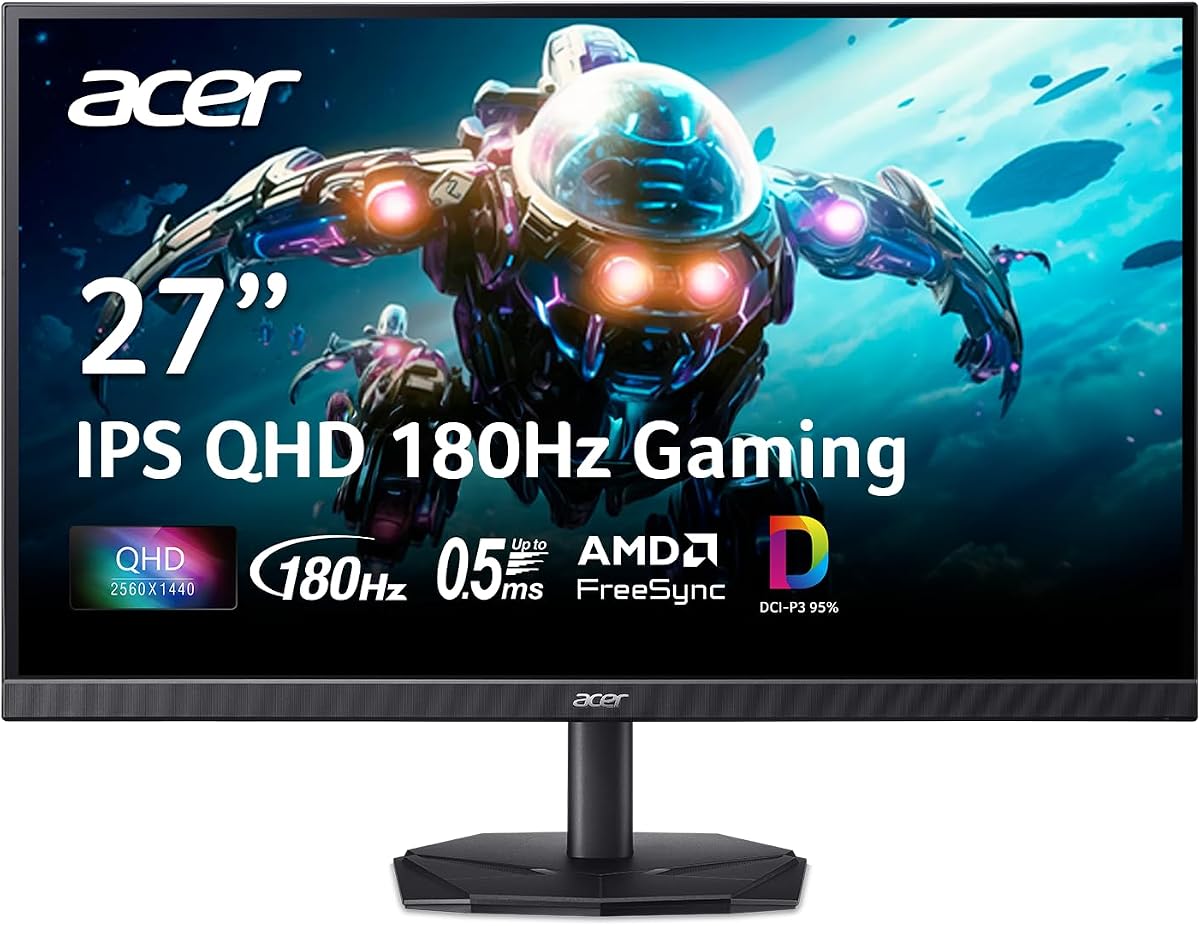
Acer Nitro 27in QHD 2560×1440 IPS 180Hz Gaming Monitor KG271U N3bmiipx
4.5Editor score
180Hz refresh rate
0.5ms response time
AMD FreeSync support
Choosing the right display for console gaming can transform your experience from standard to spectacular. Modern consoles support high resolutions and fast refresh rates, making it crucial to select a monitor that matches their capabilities. An IPS panel offers vibrant colors and wide viewing angles, perfect for immersive storytelling and competitive play alike.
We evaluated ten top-rated 1440p IPS monitors based on performance, connectivity, and build quality. Our analysis focuses on refresh rates, response times, and adaptive sync technologies to ensure smooth gameplay. We also considered ergonomics and port selection to guarantee these displays fit seamlessly into your existing setup.
Each pick highlights specific strengths like speed, color accuracy, or value for money. You will find detailed breakdowns of features that matter most to gamers. Please note that prices and availability change frequently, so check current listings before making your final decision.
4.5Editor score
4.6Editor score
4.4Editor score
As an Amazon Associate we earn from qualifying purchases.
This side-by-side comparison highlights key specifications across all ten models to help you find the perfect match for your console setup.



The AOC 27-inch Gaming Monitor stands out as a top performer for console gamers seeking speed and clarity. With a 240Hz refresh rate and 0.3ms response time, it delivers fluid motion that minimizes blur during intense gameplay sessions. The IPS panel ensures vibrant colors and wide viewing angles, making it ideal for shared gaming experiences or single-player immersion.
We may earn a commission when you buy through this link, at no additional cost to you.
Adaptive-Sync technology eliminates screen tearing, ensuring a smooth visual experience across different frame rates. The 300-nit brightness and 1000:1 contrast ratio provide rich visuals that stand out in various lighting conditions. Features like Shadow Control and Game Mode presets allow quick tuning for different genres without navigating complex menus.
While the stand offers tilt adjustment, it lacks height or pivot options which might limit ergonomic customization. However, the frameless design and modern aesthetic complement most setups nicely. The inclusion of DisplayPort 1.4 and HDMI 2.0 ports ensures compatibility with a wide range of consoles and PCs.
This monitor is perfect for gamers who prioritize high refresh rates and quick response times. Its balance of performance and features makes it a strong contender for competitive play. We recommend it for those seeking a premium visual experience without compromising on speed or color fidelity.
The 240Hz refresh rate and 0.3ms response time ensure every frame is rendered instantly, giving you a crucial edge in fast-paced games.
The QHD IPS panel delivers stunning detail and color accuracy, bringing game worlds to life with rich visuals and sharp clarity.
We may earn a commission when you buy through this link, at no additional cost to you.
The Acer Nitro KG271U offers exceptional value for gamers seeking high performance at an accessible price point. Its 180Hz refresh rate and 0.5ms response time ensure smooth gameplay without sacrificing visual clarity. The QHD IPS panel delivers accurate colors with DCI-P3 95% coverage, making it suitable for both gaming and creative tasks.
We may earn a commission when you buy through this link, at no additional cost to you.
AMD FreeSync technology eliminates screen tearing, providing a seamless visual experience. The zero-frame design maximizes screen space and enhances the immersive feel of modern titles. While it lacks some premium features found in higher-end models, it covers all the essentials needed for a great gaming session.
The stand provides basic tilt adjustment but lacks height or swivel options. This may require a VESA mount for better positioning. However, the lightweight build and compact footprint make it easy to integrate into existing desks or entertainment centers without taking up too much space.
Ideal for budget-conscious gamers who still demand high refresh rates and sharp visuals. The combination of performance and affordability makes it a standout choice. We recommend it for those looking to upgrade their setup without breaking the bank.
At its price point, this monitor delivers impressive speed and color accuracy that rivals more expensive options on the market today.
The high color accuracy and IPS panel make it suitable not only for gaming but also for creative projects and daily productivity tasks.
We may earn a commission when you buy through this link, at no additional cost to you.
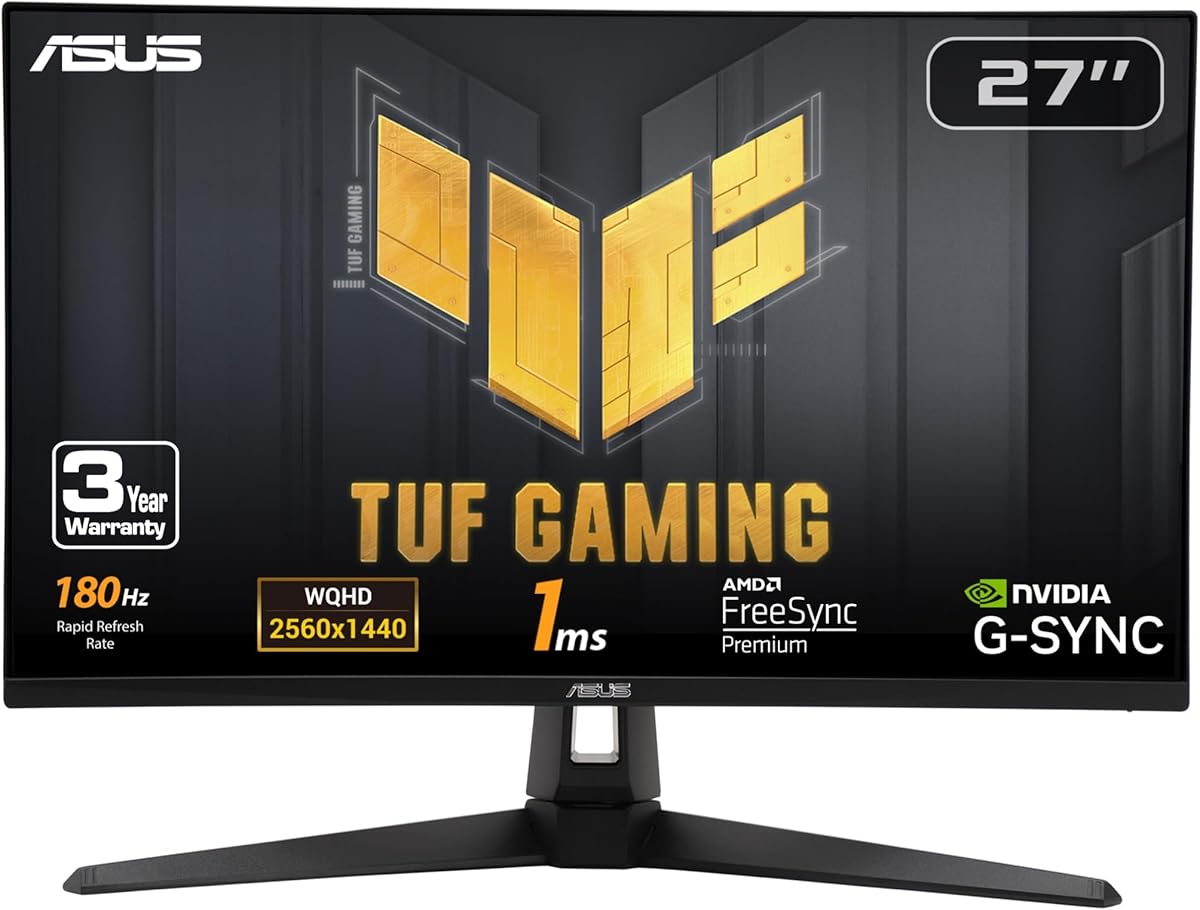
The ASUS TUF Gaming VG27AQ3A combines advanced features with reliable performance to deliver a premium gaming experience. Its Fast IPS panel ensures rapid pixel response and accurate colors. G-SYNC compatibility and FreeSync Premium support ensure tear-free visuals across different GPUs, while ELMB Sync technology reduces motion blur without compromising adaptive sync.
We may earn a commission when you buy through this link, at no additional cost to you.
HDR10 support enhances dynamic range, making bright and dark areas more distinct. The integrated speakers provide convenient audio output, reducing cable clutter. Additional features like DisplayWidget Center allow easy OSD access via mouse, streamlining settings adjustments during gameplay or content creation.
While the HDR performance is not as bright as specialized displays, it still adds depth to compatible games. The included Adobe Creative Cloud subscription adds extra value for creative users. The robust build quality and ergonomic stand make it a solid long-term investment for serious gamers.
Perfect for users who want top-tier features and compatibility with both AMD and NVIDIA systems. The balance of performance and versatility justifies the premium price. We recommend it for those seeking a comprehensive solution for gaming and creative work.
ELMB Sync allows simultaneous use of motion blur reduction and adaptive sync, delivering sharp visuals without tearing during fast motion.
Built-in speakers provide immediate audio output, making setup easier for casual use without needing external audio devices.
We may earn a commission when you buy through this link, at no additional cost to you.
The GIGABYTE GS27QA offers a compelling mix of speed and affordability for competitive gamers. Its 180Hz refresh rate and 1ms MPRT response time ensure fluid motion and minimal ghosting. The SuperSpeed IPS panel provides a wide color gamut and consistent viewing angles for immersive gameplay experiences.
We may earn a commission when you buy through this link, at no additional cost to you.
HDR10 certification enhances visual depth, making games appear more vibrant. AMD FreeSync support reduces screen tearing, ensuring smooth frame delivery. The monitor's design prioritizes function with a simple bezel and straightforward controls for easy navigation during setup.
Ergonomics are basic, with tilt being the primary adjustment option. Users requiring height adjustment may need a VESA mount for optimal positioning. Despite this, the monitor performs well in demanding titles and maintains stability during extended gaming sessions without overheating or flickering issues.
Best suited for gamers on a budget who still want high refresh rates. The performance-to-price ratio makes it an attractive option for entry-level competitive setups. We recommend it for those prioritizing speed over extensive ergonomic features.
Enjoy the benefits of a high refresh rate display without the premium price tag, making it accessible for more gamers.
AMD FreeSync ensures that your frames match your hardware output, reducing stutter and tearing in real-time gameplay.
We may earn a commission when you buy through this link, at no additional cost to you.
The Acer Nitro XV271U stands out with its fully adjustable ergonomic stand, offering height, tilt, swivel, and pivot options. This flexibility ensures comfort during long gaming sessions. The 180Hz refresh rate and 0.5ms response time deliver smooth performance. AMD FreeSync Premium and dual HDMI 2.0 ports provide excellent connectivity options for multiple consoles.
We may earn a commission when you buy through this link, at no additional cost to you.
Built-in speakers add convenience for quick audio setup without external devices. The WQHD IPS panel ensures vibrant visuals and wide viewing angles for immersive play. Performance is consistent across different game types, maintaining clarity even in fast-paced action scenes without noticeable lag or motion blur.
While the stand provides great adjustability, it has a larger footprint than some competitors. This might be a consideration for smaller desks. However, the benefits of proper ergonomics outweigh this drawback for users prioritizing comfort and long-term usability during extended gaming hours.
Ideal for users who value ergonomic flexibility alongside high refresh rates. The comprehensive stand adjustments make it easy to customize for different seating positions. We recommend it for those who want a versatile display for both gaming and daily productivity tasks.
Full height, tilt, swivel, and pivot adjustments ensure you can position the monitor perfectly to reduce strain.
Dual HDMI 2.0 ports allow easy switching between devices, making it easy to connect multiple consoles simultaneously.
We may earn a commission when you buy through this link, at no additional cost to you.
The Samsung Odyssey G5 delivers balanced performance with its QHD IPS panel and 180Hz refresh rate. The 1ms response time ensures quick reactions, while G-SYNC compatibility provides smooth visuals with compatible GPUs. Auto Source Switch+ allows instantaneous switching between devices, enhancing usability for multi-device setups.
We may earn a commission when you buy through this link, at no additional cost to you.
Black Equalizer improves visibility in dark scenes, giving players an advantage in shadow-heavy environments. The height-adjustable ergonomic stand supports comfortable viewing angles. While not as feature-rich as premium models, it covers essential needs for smooth, immersive console gaming experiences with vibrant colors.
Color tuning options are basic, which may limit fine-tuning for professional tasks. However, for gaming purposes, the out-of-the-box performance is vibrant and engaging. The build quality feels solid, ensuring stability during use. This makes it a reliable choice for casual to mid-range competitive play.
Perfect for gamers seeking reliability and essential high-performance features. The blend of speed and visual clarity makes it a strong contender. We recommend it for those wanting a dependable monitor with solid performance for console gaming.
Auto Source Switch+ instantly detects connected devices, reducing setup time when switching between consoles or PCs.
Black Equalizer brightens dark shadows, improving visibility and giving players an edge in low-light game scenarios.
We may earn a commission when you buy through this link, at no additional cost to you.
The ASUS ROG XG27ACS brings modern connectivity to gaming with USB-C hub support for streamlined setups. The 180Hz refresh rate and 1ms response time ensure smooth performance. G-SYNC compatibility and ELMB Sync deliver tear-free, sharp visuals. DisplayWidget Center simplifies OSD access via mouse for easier adjustments during use.
We may earn a commission when you buy through this link, at no additional cost to you.
HDR support adds depth to visuals, while the Fast IPS panel provides vibrant colors. The included Adobe Creative Cloud subscription adds extra value for creative professionals. Build quality feels premium, with a sturdy frame and thoughtful cable management features to keep the setup tidy.
While the HDR is not as bright as specialized models, it still enhances compatible titles significantly. The USB-C hub reduces cable clutter by allowing peripherals to connect through the monitor. This convenience makes it ideal for those seeking a clean, integrated workstation environment.
Best for gamers who value connectivity and workflow efficiency. The USB-C hub and ergonomic design make it versatile for gaming and work. We recommend it for those wanting a clean, connected experience without sacrificing performance.
The USB-C hub allows peripherals to connect directly to the monitor, reducing cable clutter and simplifying desktop management.
DisplayWidget Center lets you adjust settings quickly using a mouse, making it easier to tweak display preferences on the fly.
We may earn a commission when you buy through this link, at no additional cost to you.
The LG 27GR83Q-B offers high speed with its 240Hz refresh rate and HDMI 2.1 support for next-gen consoles. The 1ms IPS response ensures minimal lag. NVIDIA G-SYNC and AMD FreeSync Premium support provide tear-free visuals. Enhanced gaming features like FPS Counter and Crosshair improve precision during competitive matches.
We may earn a commission when you buy through this link, at no additional cost to you.
DTS Headphone:X provides spatial audio over standard headphones, adding depth to sound without needing surround setups. The ergonomic stand supports tilt, height, and pivot for optimal viewing. VESA DisplayHDR 400 enhances contrast, though it may not match premium HDR displays in brightness or dynamic range.
While the color volume is good, it is not optimized for professional color grading. However, for gaming, the vivid colors and sharp detail make titles pop. The headphone jack with microphone support adds convenience for voice chat without extra adapters. This makes it a versatile choice for gamers who also value audio quality.
Ideal for gamers wanting high refresh rates and spatial audio features. The HDMI 2.1 support future-proofs the monitor for new consoles. We recommend it for those prioritizing speed, audio integration, and connectivity options.
DTS Headphone:X delivers 3D audio over standard headphones, enhancing immersion without needing a full surround setup.
Features like FPS Counter and Crosshair help monitor performance and improve aim, giving competitive players a tactical edge.
We may earn a commission when you buy through this link, at no additional cost to you.
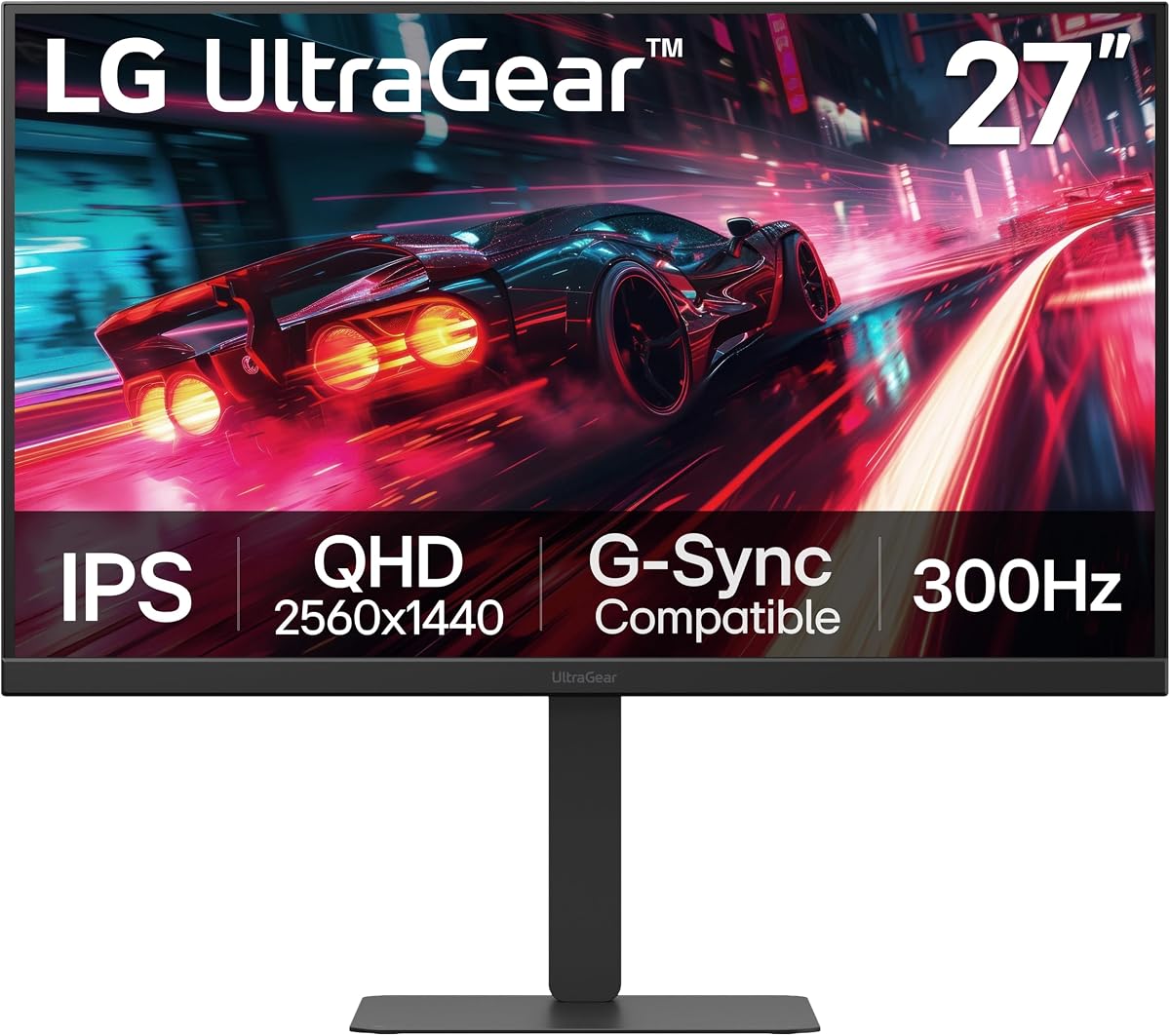
The LG 27G640A-B delivers elite speed with a blazing 300Hz refresh rate and 1ms response time. This makes it perfect for competitive gaming where every millisecond counts. VESA DisplayHDR 400 and 95% DCI-P3 coverage ensure vibrant, cinematic visuals. Dual HDMI 2.1 ports provide ample connectivity for next-gen consoles.
We may earn a commission when you buy through this link, at no additional cost to you.
USB Type-C with power delivery simplifies charging laptops while connecting peripherals. The adjustable stand supports height, tilt, swivel, and pivot for optimal positioning. Features like Dynamic Action Sync and Black Stabilizer help reduce input lag and improve visibility in dark scenes, enhancing overall gameplay quality.
While the price is premium, the performance justifies it for serious gamers. The build quality is robust, ensuring stability during intense use. The extensive feature set ensures this monitor remains relevant for years to come. It offers a future-proof solution for high-performance setups.
Best for competitive gamers seeking the fastest refresh rates available. The combination of speed, color, and connectivity makes it a top-tier choice. We recommend it for those who demand peak performance and are willing to invest in premium hardware.
At 300Hz, this monitor offers some of the fastest refresh rates available, ensuring fluid motion in competitive titles.
Dual HDMI 2.1 ports and USB Type-C support next-gen consoles and laptops, keeping your setup ready for future upgrades.
We may earn a commission when you buy through this link, at no additional cost to you.
The MSI G272QPF offers reliable performance with its 170Hz refresh rate and 1ms response time. The Rapid IPS panel ensures vibrant colors and wide viewing angles. G-Sync compatibility ensures smooth gameplay without tearing. It is a solid option for users looking for performance without paying premium prices for top-tier speed.
We may earn a commission when you buy through this link, at no additional cost to you.
The stand supports tilt, swivel, height, and pivot adjustments for ergonomic flexibility. HDR Ready support adds some depth, though it may not be as vibrant as higher-end models. The build quality is sturdy, and the OSD menu is intuitive for quick adjustments. This ensures a good user experience across various gaming genres.
While brightness is average and HDR is basic, it performs well in standard SDR gaming scenarios. The price point makes it accessible for many budgets while still delivering high refresh rates. It is ideal for those seeking a balanced option with good ergonomics and reliable performance.
Perfect for gamers needing a dependable, well-adjustable monitor. The combination of speed and price makes it a strong contender for mid-range setups. We recommend it for those wanting solid performance without compromising on ergonomics or value.
With consistent frame rates and low response times, this monitor delivers a smooth experience across a wide variety of games.
Full stand adjustments ensure you can find a comfortable viewing angle, reducing fatigue during long gaming sessions.
We may earn a commission when you buy through this link, at no additional cost to you.
Selecting the right monitor involves understanding how each specification affects your gameplay experience.
The refresh rate determines how many times per second the screen updates. Higher rates like 240Hz or 300Hz provide smoother motion which is crucial for competitive games where every frame matters. For console gaming, ensure your chosen monitor supports at least 120Hz to match modern console capabilities.
Look for refresh rates of 120Hz or higher to ensure smooth motion in fast-paced titles.
Response time measures how quickly pixels change color. Lower times like 1ms or less minimize ghosting and blur during rapid movement. IPS panels typically have slower response times than TN but offer better colors. Fast IPS technology bridges this gap for gaming.
Choose a response time of 1ms or less to avoid motion blur and ghosting effects.
Adaptive Sync technologies like FreeSync and G-SYNC match the monitor's refresh rate to the console's frame rate. This eliminates screen tearing and stuttering which can disrupt immersion. Ensure compatibility with your specific console to maximize benefits during gameplay sessions.
Verify that your monitor supports adaptive sync compatible with your console hardware.
IPS panels offer vibrant colors and wide viewing angles. While slightly slower than TN panels, modern Fast IPS models are quick enough for competitive gaming. This makes them ideal for console gaming where visual fidelity matters as much as speed.
Select IPS panels for superior color accuracy and consistent viewing angles.
Next-gen consoles require HDMI 2.1 to support 4K at 120Hz or 1440p at high refresh rates. Ensure your monitor has the necessary ports to utilize your console's full potential without bottlenecks during high-fidelity gameplay.
Check for HDMI 2.1 ports if you plan to use features like 120Hz output.
Adjustable stands allow you to find a comfortable viewing angle and reduce eye strain. Height, tilt, swivel, and pivot adjustments are valuable for long sessions. Look for VESA mounting compatibility if you plan to use a separate mount for better positioning.
Prioritize monitors with adjustable stands to ensure comfort during extended use.
Color gamut coverage like DCI-P3 ensures vibrant and true-to-life visuals. Higher percentages like 95% or more make games look richer and more immersive. This is particularly important for story-driven games where atmosphere plays a key role.
Look for high DCI-P3 coverage for more vibrant and accurate colors.
HDR enhances contrast and brightness making dark and bright scenes more distinct. While HDR on gaming monitors varies, it still adds visual depth. Look for DisplayHDR certification to ensure consistent performance across supported content.
Choose monitors with HDR certification for enhanced contrast and visual depth.
Connect your console using the appropriate cable to ensure optimal signal quality. If your console supports HDMI 2.1 for high refresh rates, use that port instead of HDMI 2.0. This ensures you can access features like 120Hz mode for smooth motion during gameplay sessions.
Adjust your monitor settings to match your gaming preferences. Use built-in game modes to optimize brightness and contrast for different genres. Enabling adaptive sync in the settings menu can help prevent screen tearing during dynamic scenes.
Regularly clean your screen with a microfiber cloth to remove dust and fingerprints. Avoid using harsh chemicals or spraying liquid directly on the panel. Keeping the monitor dust-free maintains visual clarity and prolongs the life of the display.
Most modern consoles support 1440p resolution but check HDMI 2.1 for 120Hz. Older consoles may work but feature sets differ. Ensure your specific model is compatible with your console.
Not all ports support 120Hz. HDMI 2.1 typically supports high refresh rates while HDMI 2.0 might not. Check port specs carefully before purchasing to confirm compatibility.
Yes, IPS monitors are versatile for both gaming and productivity. Their color accuracy and wide viewing angles make them ideal for creative tasks and everyday office work as well.
Only if the included stand lacks height adjustment. Many monitors include full ergonomic stands. Check specific model specs before buying a separate mount.
Use Game Mode to disable unnecessary image processing. Ensure your console is set to performance mode and use a DisplayPort or HDMI 2.1 connection.
IPS monitors typically last around 30,000 to 60,000 hours. Proper care like avoiding excessive brightness and cleaning regularly extends lifespan further.
We have explored the top options available for 1440p IPS gaming. The AOC 27-inch leads with speed while the LG 27G640A-B offers premium features.
Prioritize refresh rates and adaptive sync for smooth gameplay. Ergonomics and connectivity are also essential for long-term comfort and performance.
Prices fluctuate often so verify current listings before buying. Choose the model that fits your specific needs and budget requirements best.