
Fikwot FX910
4.7Editor score
Includes built-in heatsink design
Up to 7300MB/s read speed
Compatible with PS5 consoles
Compare the top PCIe SSDs under 500 dollars for speed and reliability. We review models from Sandisk, Kingston, Crucial, and Western Digital to help you choose
Finding the right storage solution is essential for modern computing needs. A reliable PCIe SSD under 500 offers a balance of speed and value for gamers and professionals alike. These drives ensure fast load times and smooth multitasking without breaking the bank.
We compared ten top-rated models based on performance metrics and real-world usage scenarios. Our analysis focuses on read write speeds, endurance ratings, and compatibility with various systems. This list helps you identify the best options for your specific hardware requirements.
Each pick highlights key strengths and ideal use cases for different user profiles. Prices and availability can change frequently, so verify current details before purchasing. Use this guide to make an informed decision that suits your budget and performance needs.
4.7Editor score

4.7Editor score

4.8Editor score
This table provides a side-by-side view of key specifications for all ten drives. It helps you quickly compare speeds and form factors to find the best fit for your setup.


The Sandisk Optimus 5100 stands out as a top performer for content creators. It boasts impressive read speeds up to 7100MB/s which accelerates project workflows significantly. This drive is designed to handle demanding tasks like 4K video editing with ease.
We may earn a commission when you buy through this link, at no additional cost to you.
Its use of 8th generation BiCS QLC 3D NAND technology provides ample storage capacity. You can store extensive libraries of high-resolution images and videos without running out of space. The power efficient design ensures your system stays cool during long work sessions.
While QLC NAND is generally slower than TLC in write scenarios, this drive compensates with a robust cache system. The TBW rating supports heavy usage, making it reliable for professional environments. Just monitor performance via the Dashboard to keep it updated.
If you need a balance of speed and storage for creative work, this is a strong recommendation. It offers enterprise-level performance in a consumer-friendly package. Consider the larger capacities for maximum value and endurance.
The high read speeds ensure that large files load quickly for editing and rendering tasks.
Low power consumption helps extend battery life on laptops while maintaining high performance.
We may earn a commission when you buy through this link, at no additional cost to you.
The Kingston NV3 is an excellent entry point for those seeking Gen4 speeds without a high cost. It delivers read speeds up to 5000MB/s which is sufficient for most daily computing and gaming needs. This drive represents great value for budget-conscious users.
We may earn a commission when you buy through this link, at no additional cost to you.
Performance is reliable for general tasks like booting Windows and launching applications. The included Acronis cloning software makes upgrading from an old drive straightforward. Its low power draw is beneficial for systems where heat and battery life matter.
While it lacks a dedicated heatsink, it manages thermal output well under typical loads. The write speeds are decent but might lag behind premium models in sustained large file transfers. However, for the price, it offers a lot of capability.
This drive is perfect for building a budget gaming PC or upgrading a laptop on a budget. It provides a significant speed boost over older SATA drives. It is a reliable choice for users who prioritize cost efficiency.
Upgrading to this drive offers a noticeable performance jump for a very low price.
The included software simplifies moving your operating system and files to the new drive.
We may earn a commission when you buy through this link, at no additional cost to you.
The Crucial P310 offers top-tier performance backed by the trusted reputation of Micron. It delivers read speeds of 6600MB/s and write speeds of 5000MB/s for very fast file transfers. This drive is suitable for demanding applications and gaming consoles.
We may earn a commission when you buy through this link, at no additional cost to you.
Its compatibility with handheld gaming consoles like the ROG Ally makes it versatile for portable setups. The advanced G8 NAND ensures reliability and efficient thermal management. You get peace of mind with built-in thermal control features.
The package includes Acronis Data Recovery Software which adds extra security for your data. This is a valuable inclusion for users worried about accidental file loss. The performance is consistent and handles multitasking well.
For those who want reliable premium speed without the extreme cost of workstation drives, this is ideal. It balances performance and price effectively for most users. The compact form factor fits easily into most laptops and desktops.
Specifically tested to work seamlessly with popular handheld gaming devices.
Included recovery tools help protect your valuable data against unexpected loss.
We may earn a commission when you buy through this link, at no additional cost to you.
The Fikwot FX910 is designed with gaming performance in mind. It features an integrated graphite heatsink to maintain peak speeds during long gaming sessions. This prevents thermal throttling which can cause stuttering in games.
We may earn a commission when you buy through this link, at no additional cost to you.
With read speeds reaching up to 7300MB/s it competes with much more expensive drives. The HMB technology helps improve system responsiveness by using host DRAM. It is a great option for expanding PS5 storage quickly.
The directStorage support ensures games load assets faster reducing load times significantly. While it is from a newer brand, user feedback suggests reliable performance over time. The warranty support is robust for a budget option.
Gamers looking to maximize FPS and minimize loading screens should consider this drive. It offers a cost-effective way to get top speed specs. Just ensure your case has space for the heatsink.
The heatsink ensures the drive stays cool even during intensive workload operations.
Specifically optimized for seamless integration with PlayStation 5 storage expansion.
We may earn a commission when you buy through this link, at no additional cost to you.
The WD Green SN350 is a reliable choice for basic computing needs. It offers Gen3 speeds that are still very fast compared to traditional hard drives. This drive is suitable for office work or light gaming.
We may earn a commission when you buy through this link, at no additional cost to you.
It is designed to be shock resistant which helps protect data if the system is moved. The slim form factor is ideal for laptops where space is limited. You can monitor health easily with the Western Digital Dashboard.
While it may not be the fastest on the market it gets the job done efficiently. It is a solid backup option or secondary drive. The 3-year warranty provides standard protection for consumer drives.
If you need a simple upgrade without spending much this is a good pick. It improves boot times and application responsiveness noticeably. Just note that heavy write workloads may wear it out faster.
Perfect for users who just want a basic speed boost over an old hard drive.
Built to withstand bumps and drops better than mechanical storage options.
We may earn a commission when you buy through this link, at no additional cost to you.
The WD Blue SN5100 delivers strong performance for general computer tasks. It features PCIe Gen 4.0 speeds which allow for quick data transfers and fast loading times. This drive is replaced by the newer Sandisk Optimus but remains a solid choice.
We may earn a commission when you buy through this link, at no additional cost to you.
It supports AI-enabled workflows with its high read speeds. The 5-year warranty gives you confidence in its long-term reliability. You can transfer files easily with the included True Image download.
Even though it is an older model it still outperforms many Gen3 drives. The stability is consistent making it good for daily productivity. Ensure you check compatibility with your motherboard before purchasing.
If you find this at a good discount it is worth buying. It balances price and performance effectively for most users. A reliable upgrade for laptops or desktops.
The speed helps multitasking between applications run smoothly without lag.
A 5-year limited warranty covers defects and provides long-term support.
We may earn a commission when you buy through this link, at no additional cost to you.
The WD_Black SN7100 is engineered for serious gaming and productivity tasks. It uses Next Gen TLC 3D NAND which offers better endurance than QLC drives. This makes it a strong choice for heavy daily use.
We may earn a commission when you buy through this link, at no additional cost to you.
It provides speeds up to 6800MB/s which helps in loading large games quickly. The power efficiency is a major plus for laptop users needing longer battery life. The WD_BLACK Dashboard helps manage drive health effectively.
It is designed specifically for handheld devices which often have thermal constraints. The build quality ensures it can withstand the demands of portable gaming. It is replaced by a newer version but still performs well.
For those who want top-tier reliability and speed for gaming this is excellent. The TLC technology ensures consistent performance over time. A premium choice for enthusiasts on a budget.
TLC NAND ensures the drive does not slow down as files are written.
Designed to work well in laptops and handheld consoles with limited power.
We may earn a commission when you buy through this link, at no additional cost to you.
The Kingston NV3 1TB offers more storage for those who need space for media. It maintains Gen4 performance with speeds up to 6000MB/s for quick file access. This capacity is suitable for storing many games or video projects.
We may earn a commission when you buy through this link, at no additional cost to you.
It includes cloning software to help you migrate your data easily. The low power design ensures it does not drain battery life on laptops. It is a practical choice for users who want more room.
While write speeds are slightly lower than the 500GB version it is still very fast for general use. The warranty protects your investment for five years. It balances capacity and cost well.
If your priority is storage space without sacrificing much speed this is a great pick. It fits well in most M.2 slots and works reliably. A smart choice for content libraries.
Double the space of smaller models for more photos and video files.
Gen4 speeds ensure large files load quickly without long waits.
We may earn a commission when you buy through this link, at no additional cost to you.
The WD Red SN700 is designed for network attached storage environments. It handles workloads from multiple users efficiently without slowing down. This makes it ideal for shared data environments or collaborative editing.
We may earn a commission when you buy through this link, at no additional cost to you.
It offers reliable performance for NAS devices where data integrity is key. The drive is optimized to handle virtualization tasks well. You can scale your storage easily if you need more space later.
While it is Gen3 it provides robust speeds for network access. It is built to handle constant read and write cycles better than consumer drives. This reliability is crucial for 24/7 operation.
If you are building a NAS system this is a recommended drive. It ensures data safety and consistent access speeds. A solid investment for home or office servers.
Built to support multiple users accessing data simultaneously without lag.
Optimized for NAS environments to ensure data integrity over time.
We may earn a commission when you buy through this link, at no additional cost to you.
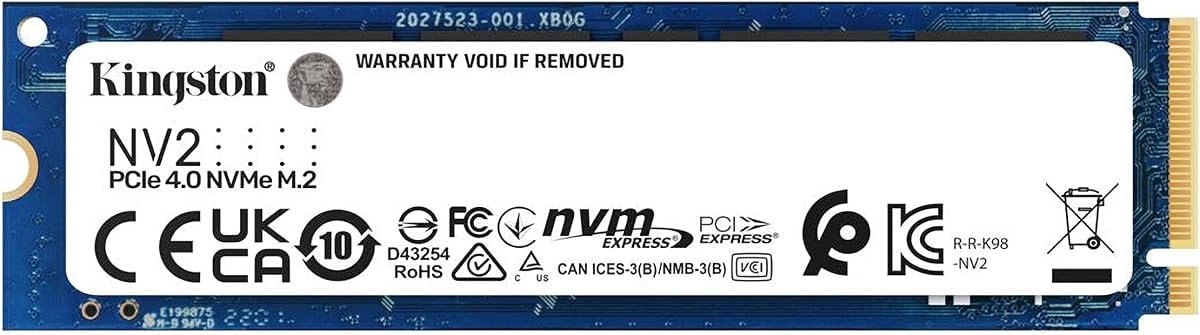
The Kingston NV2 is tailored for small form factor PCs and laptops. It uses PCIe 4.0 technology but maintains low power requirements. This helps keep the device cool during operation.
We may earn a commission when you buy through this link, at no additional cost to you.
It offers read speeds up to 3500MB/s which is a good balance. The drive does not generate much heat which is great for thin laptops. It fits into limited space easily due to its small design.
While it is not the fastest Gen4 drive it offers better efficiency. It is a practical choice for users who prioritize battery life. The price makes it accessible for many budgets.
For laptop upgrades this drive provides reliable performance without thermal issues. It is a safe choice for portable computing needs. A solid budget option for modern PCs.
Minimal heat output prevents throttling in tight laptop chassis.
Low power draw helps extend your laptop usage time on a charge.
We may earn a commission when you buy through this link, at no additional cost to you.
Choosing the right SSD involves considering several factors. This guide outlines the key aspects to look for when buying.
Capacity determines how much data you can store. For modern systems consider at least 500GB. If you plan to store large media files 1TB is often better.
Choose a capacity that fits your current and future needs.
Most modern systems support PCIe 4.0 which offers faster speeds. Ensure your motherboard supports this interface to get full performance.
Higher read and write speeds improve overall system responsiveness.
NAND types like TLC and QLC affect performance and endurance. TLC is generally faster and more durable but QLC is cheaper.
Select based on your balance of cost and long term reliability.
The TBW rating shows how much data you can write over time. Heavy users should look for higher endurance ratings.
Higher TBW means the drive lasts longer under heavy usage.
Some drives come with heatsinks to manage heat. This prevents thermal throttling during intense tasks.
Check if your system needs an external heatsink included.
A longer warranty indicates confidence in the product quality. Look for brands offering at least 3 to 5 years.
Ensure customer support is available for any issues that may arise.
Check if the drive fits your M.2 slot. Some systems may have specific length requirements.
Ensure the drive works with your operating system and devices.
Features like cloning software or dashboards can add value. These tools help manage and transfer data easily.
Consider these extras when comparing similar models.
Install the drive properly into the M.2 slot on your motherboard. Ensure it is secured with a screw to prevent movement. This physical stability is important for the connection.
After installation initialize the drive in your operating system. Format it to a compatible file system like NTFS for Windows. This step prepares the drive for storing files.
Keep the firmware updated using manufacturer tools. Regular updates ensure compatibility and security. This maintains optimal performance over the life of the drive.
A 500GB SSD can hold several large games but may fill up quickly. It is suitable for light gaming but heavier users may need more space. Check your game requirements before purchasing.
Gen4 SSDs offer significantly faster speeds for large file transfers. For gaming the difference may be less noticeable. If you move large files often the upgrade is beneficial.
Some systems generate enough heat to require a heatsink. It depends on your airflow and workload intensity. Check your motherboard manual for specific requirements.
M.2 drives are smaller and faster than traditional SATA SSDs. They connect directly to the motherboard which reduces cable clutter. This form factor is standard for modern builds.
Most of these drives are compatible with laptops that have M.2 slots. Check your laptop manual to confirm the supported size and interface. Always ensure physical space for the drive.
Use the manufacturer dashboard tool to monitor health. These apps show temperature and total bytes written. Regular checks help you anticipate any issues early.
We reviewed ten excellent options ranging from budget to premium. Each offers unique benefits depending on your specific needs. The top picks highlight the best in value and performance.
Prioritize speed and capacity based on your primary usage. Gamers should look for cooling and high speeds. Casual users can save money with Gen3 options.
Always verify the current price and stock before buying. Prices fluctuate based on market demand and sales. Use this guide to make a confident purchase decision.