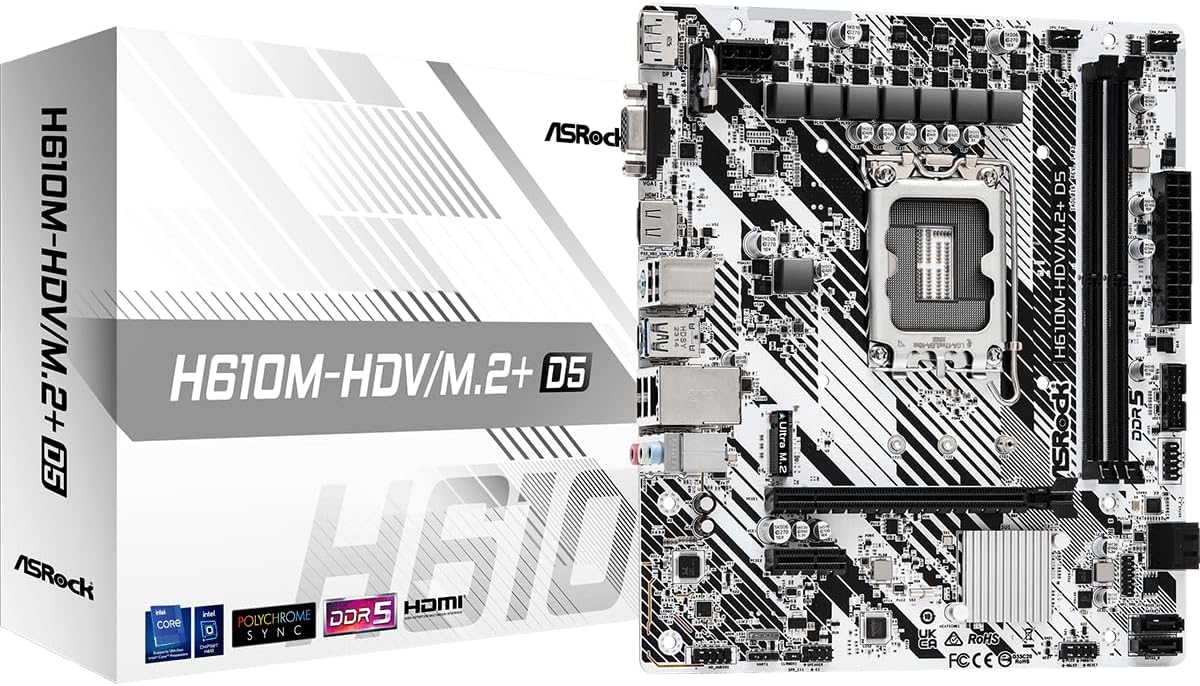
ASRock H610M-HDV/M.2+ D5
4.4Editor score
Supports 12th to 14th Gen Intel
DDR5 Memory Support Included
Compact Micro ATX Form Factor
This guide compares the top 10 cheap motherboard options for 2026, evaluating features, compatibility, and performance to help you build a budget PC effectively
Finding a cheap motherboard does not mean sacrificing quality or reliability for your next PC build. Whether you are assembling a budget gaming rig or an office workstation, choosing the right board ensures stability and future upgrade paths without breaking the bank.
We have carefully selected ten affordable models based on customer ratings, feature sets, and compatibility with popular processor families. Our analysis focuses on value propositions, connectivity options, and build quality to help you make an informed decision for your specific needs.
Each pick in this list highlights key strengths and potential trade-offs to guide your selection process. Keep in mind that pricing fluctuates frequently, so verify current deals before purchasing to ensure you get the best value available at the time of your build.
4.4Editor score
4.5Editor score

4.5Editor score
The following comparison table summarizes the key specifications of each selected model to help you quickly identify the board that best fits your processor choice and feature requirements.




The ASRock H610M-HDV/M.2+ D5 stands out as a compelling entry-level option for builders seeking modern Intel support. With a strong rating from users, this board offers DDR5 compatibility which is rare at this price tier, ensuring your system remains relevant for years to come.
We may earn a commission when you buy through this link, at no additional cost to you.
Key strengths include its support for 12th through 14th Gen Intel Core processors, allowing you to use high-performance CPUs without overspending on the motherboard. The inclusion of a PCIe 4.0 x16 slot means you can pair this with modern graphics cards without bottlenecks in gaming scenarios.
While the power delivery is basic compared to higher-end boards, it handles standard non-K Intel CPUs effectively. The main trade-off is the limited number of USB ports and expansion slots, but for a simple gaming or office build, these constraints are easily acceptable.
This board is ideal for budget-conscious builders who want to future-proof their RAM investment with DDR5. If you need a reliable foundation for an Intel-based system without breaking the bank, this model delivers exceptional value for the features provided.
DDR5 support allows for faster data transfer rates and ensures compatibility with next-generation software requirements.
Support for 12th, 13th, and 14th Gen Intel CPUs provides a wide range of performance options for your budget.
We may earn a commission when you buy through this link, at no additional cost to you.
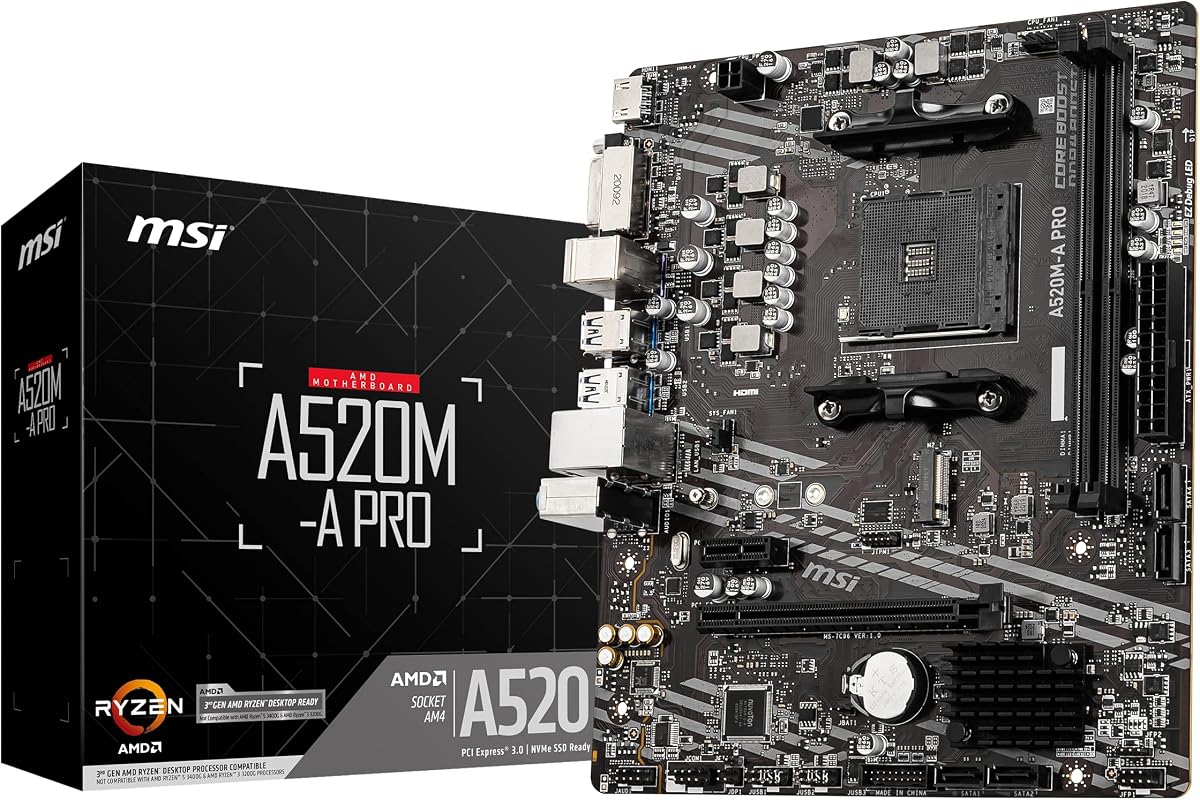
The MSI A520M-A PRO is widely regarded as a top value proposition for AMD budget builders. With a solid 4.5 rating from users, this board proves that you do not need to spend a fortune to get a stable platform for Ryzen processors.
We may earn a commission when you buy through this link, at no additional cost to you.
Its standout feature is full support for Ryzen 5000 and 4000 G-Series processors, allowing access to powerful CPUs like the Ryzen 5 5600. The Turbo M.2 slot running at PCIe 3.0 x4 ensures your NVMe SSDs run at optimal speeds for daily tasks and gaming.
The main trade-off is the lack of PCIe 4.0 support, which limits bandwidth for high-end GPUs and drives. However, for budget gaming rigs using mid-range components, this limitation is rarely noticeable. The audio boost feature adds a nice touch for immersion without extra hardware.
This board is perfect for builders prioritizing CPU performance over advanced features. If you want a reliable, affordable base for an AMD system that balances cost and capability effectively, the A520M-A PRO is an excellent choice.
Support for the latest Ryzen desktop processors ensures you can build a high-performance system on a tight budget.
Studio-grade sound quality enhances gaming and media experiences without requiring an external sound card.
We may earn a commission when you buy through this link, at no additional cost to you.
The GIGABYTE B550 Gaming X V2 offers premium features at a competitive price point, making it a top pick for enthusiasts. Rated 4.5 by users, it combines reliable power delivery with modern connectivity options often found on more expensive boards.
We may earn a commission when you buy through this link, at no additional cost to you.
Its standout quality is the enhanced 10+3 phase power design, which ensures stable performance for overclocking or high-core-count Ryzen CPUs. The inclusion of a front USB-C connector is rare at this price, providing modern device connectivity for cases that support it.
The trade-offs include a larger ATX form factor that may not fit in compact cases and a higher price tag than micro-ATX alternatives. However, the stability and future connectivity options these these downsides for those prioritizing performance and expansion.
This board is best for builders who want a feature-rich experience without entering the high-end price bracket. If you need robust power delivery and modern ports for a Ryzen 5000 system, this model provides exceptional value and reliability.
Digital twin 10+3 phase power ensures steady current delivery for CPU stability under load.
Front USB-C and PCIe 4.0 support keep your system ready for modern peripherals and storage speeds.
We may earn a commission when you buy through this link, at no additional cost to you.
The GIGABYTE B550M K provides access to PCIe 4.0 features at a very low price point. With a 4.4 rating, it is known for straightforward reliability and compatibility with the popular AMD AM4 socket platform.
We may earn a commission when you buy through this link, at no additional cost to you.
Its key strength is the inclusion of a PCIe 4.0 x16 slot and M.2 support, allowing for fast storage and graphics performance even on a budget. The board is optimized for Ryzen 5000 series processors, ensuring smooth integration for gaming builds.
However, the 3+3 power phase design limits overclocking potential and may struggle with high-end Ryzen 9 processors. It is best suited for mid-range CPUs where the power requirements are manageable. The Q-Flash feature remains a great convenience for BIOS updates.
This board is recommended for builders who prioritize storage speed and CPU compatibility over advanced features. If you need a compact Micro-ATX solution that supports Ryzen 5000 and PCIe 4.0 affordably, this is a reliable choice.
Support for PCIe 4.0 ensures you can utilize modern NVMe SSDs and graphics cards at full speed.
Micro-ATX design fits well in small cases while maintaining essential connectivity options.
We may earn a commission when you buy through this link, at no additional cost to you.
The LGA 1155 H61 motherboard is an ultra-budget option designed for legacy systems or specific upgrades. With a perfect 5 rating in limited reviews, it stands out for its ability to support older Intel cores and Xeon processors cheaply.
We may earn a commission when you buy through this link, at no additional cost to you.
It supports Intel Core 2nd and 3rd generation processors, offering a path to upgrade older PCs without changing case or storage. The HDMI output allows for basic visual needs without a dedicated graphics card, useful for office or server builds.
The major trade-offs are the reliance on DDR3 memory and the age of the chipset, which limits modern software compatibility. Additionally, driver availability might require manual searching. It is best suited for specific legacy repairs rather than new builds.
This board is ideal for those needing to replace a faulty motherboard for an existing older system. If you are building on an extremely tight budget or repurposing old parts, this H61 board offers functional compatibility.
Supports Intel 2nd and 3rd gen Core i3/i5/i7 and Xeon E3 processors for older system upgrades.
HDMI and VGA ports allow display connection without needing a dedicated graphics card.
We may earn a commission when you buy through this link, at no additional cost to you.
The ASRock B550M-HDV delivers core B550 features with a focus on compatibility and speed. Rated 4.5 by users, it is a straightforward choice for AMD builders who need modern connectivity without unnecessary bells and whistles.
We may earn a commission when you buy through this link, at no additional cost to you.
It supports a wide range of Ryzen 5000 series processors and offers DDR4 speeds up to 4733MHz for responsive performance. The three video outputs including DVI and VGA make it exceptionally versatile for connecting various monitors without adapters.
While the design is functional, it lacks advanced audio or networking features found on pricier boards. The 6-phase power design is sufficient for most non-overclocking needs. It prioritizes stability over fancy aesthetics or software suites.
This board is best for office builds or budget gaming PCs where legacy monitor support is valuable. If you need a reliable AM4 motherboard that supports Ryzen 5000 and offers multiple display outputs, this is a practical solution.
HDMI, DVI, and VGA outputs ensure you can connect almost any monitor type directly to the system.
Support for DDR4 speeds up to 4733MHz allows for fast data access with compatible memory kits.
We may earn a commission when you buy through this link, at no additional cost to you.
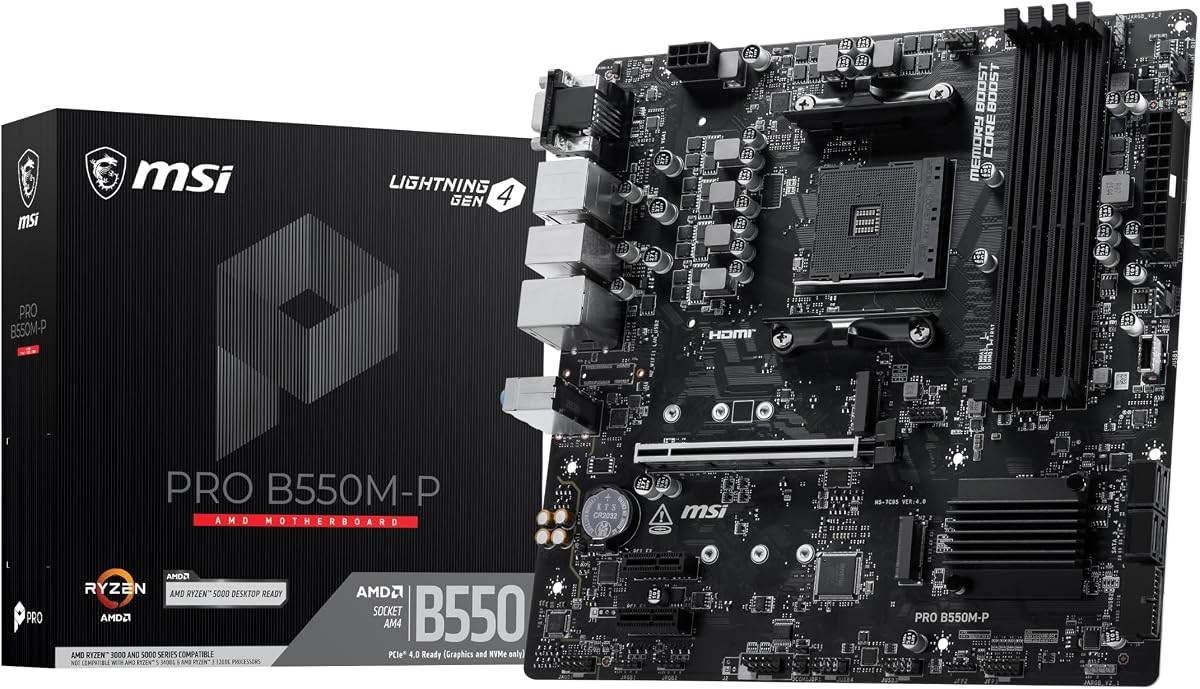
The MSI PRO B550M-P balances performance and price with a focus on storage and stability. Rated 4.3 by users, it provides essential features for gaming and productivity builds using Ryzen processors without extra fluff.
We may earn a commission when you buy through this link, at no additional cost to you.
Its double M.2 connectors allow you to run two NVMe drives simultaneously, which is a significant advantage for storage needs. The Core Boost technology ensures precise power delivery to the CPU, supporting stable performance during demanding tasks.
The trade-off is a simpler design with fewer aesthetic features like RGB lighting. The thermal solution relies on passive heatsinks which are effective but not as flashy as active cooling options. It focuses purely on function over form.
This board is ideal for builders who need reliable storage capacity and CPU performance. If you are assembling a workstation or gaming PC that prioritizes utility and speed over looks, this model offers strong value.
Two M.2 slots enable dual NVMe SSD configurations for high-speed storage and redundancy.
Core Boost technology optimizes current delivery to the CPU for consistent performance under load.
We may earn a commission when you buy through this link, at no additional cost to you.
The MSI B550M PRO-VDH WiFi stands out for its connectivity options, making it ideal for modern homes. With a 4.5 rating, it combines standard B550 features with essential wireless networking and audio quality improvements.
We may earn a commission when you buy through this link, at no additional cost to you.
It supports Ryzen 5000 processors and includes Wi-Fi and Bluetooth integration, eliminating the need for separate network cards. The Premium Thermal Solution helps maintain system stability under load, ensuring consistent performance during gaming or work sessions.
The inclusion of a Flash BIOS Button is a significant convenience for users who need to update firmware without a CPU installed. While the price is slightly higher than non-WiFi variants, the added connectivity justifies the cost for most users.
This board is best for builders who want a complete package without additional network hardware. If you need wireless connectivity and reliable performance in a Micro-ATX form factor, this model is a robust choice.
Built-in Wi-Fi and Bluetooth ensure your system connects easily to modern peripherals and networks.
The Flash BIOS Button allows for easy firmware updates even when the CPU is not installed.
We may earn a commission when you buy through this link, at no additional cost to you.
The Gigabyte A520M K V2 is a straightforward board designed for small form factor builds. Rated 4.4 by users, it focuses on delivering basic compatibility for AMD processors in a compact layout.
We may earn a commission when you buy through this link, at no additional cost to you.
It features a Micro-ATX form factor that fits well in smaller cases while still supporting DDR4 memory. The HDMI output provides a simple way to connect displays without a graphics card for light office or media tasks.
The main trade-off is the basic power delivery and lack of aesthetic features like RGB. It is not intended for heavy overclocking or high-end CPU usage. However, it is excellent for standard computing tasks.
This board is ideal for budget builds in small cases. If you need a simple, affordable base for a Ryzen system in a compact chassis, this model offers reliable performance at a low cost.
Micro-ATX format allows for a smaller system footprint without sacrificing essential functionality.
Basic HDMI and USB ports cover the essential needs for most office and home users.
We may earn a commission when you buy through this link, at no additional cost to you.
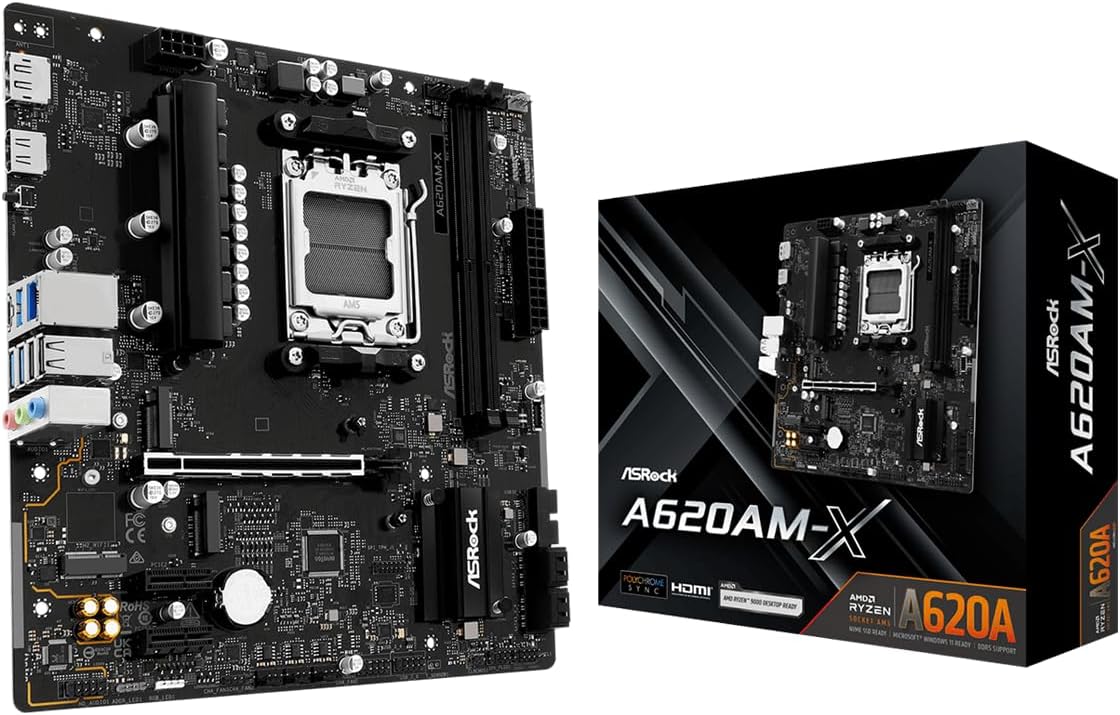
The ASRock A620AM-X provides entry into the latest AM5 platform for budget builders. With a 4.5 rating, it supports Ryzen 7000 to 9000 series processors, making it a compelling option for modern AMD builds.
We may earn a commission when you buy through this link, at no additional cost to you.
Its key strength is the support for DDR5 memory with speeds up to 8000MHz, which ensures high bandwidth for future applications. The 2.5G LAN provides faster wired networking than standard Gigabit options, ideal for large file transfers.
While the power delivery is limited compared to higher-end boards, it handles standard Ryzen processors effectively. The BIOS Flashback feature allows for easy updates without installing a CPU, which is a significant convenience for new platform adoption.
This board is best for those entering the AM5 ecosystem. If you want a reliable Micro-ATX base for Ryzen 9000 processors with high-speed memory and networking, this model offers solid value.
Support for Ryzen 9000/8000/7000 series ensures compatibility with the latest AMD CPUs and features.
Realtek 2.5G LAN provides high-speed wired connections for seamless online experiences.
We may earn a commission when you buy through this link, at no additional cost to you.
Selecting a cheap motherboard involves balancing cost with necessary features. We have identified the most critical factors to consider to ensure your budget build performs reliably.
Ensure the motherboard supports your specific CPU generation. For Intel, this means checking LGA 1700 or 1851 compatibility. For AMD, verify AM4 or AM5 support based on your Ryzen series choice.
Always cross-reference the manufacturer's CPU support list before purchasing to avoid boot issues.
The chipset determines your motherboard's capabilities. Budget chipsets like H610 for Intel or A520 for AMD are affordable but may lack overclocking or advanced connectivity features.
Choose B550 or B760 if you need PCIe 4.0 support or better power delivery for higher performance CPUs.
Motherboards come in ATX, Micro-ATX, and Mini-ITX sizes. Micro-ATX is the best balance of size and cost for most budget builds as it fits many cases while retaining essential slots.
Verify your case compatibility to ensure the motherboard dimensions fit correctly before buying.
Decide between DDR4 and DDR5. DDR5 is faster but more expensive, while DDR4 is still viable for budget gaming. Ensure your chosen board supports the RAM you plan to buy.
Check the maximum supported speed and capacity to avoid bottlenecks or compatibility warnings.
Verify the presence of at least one PCIe x16 slot for your graphics card. Some cheap boards may lack secondary slots for additional cards like sound or capture cards.
If you plan to add more hardware, ensure there are enough PCIe x1 or M.2 slots for future expansion.
VRM quality affects CPU stability. Look for boards with at least 4 phases for standard CPUs. Higher-end cheap options may offer 8 or more phases for better heat management.
Avoid boards with minimal VRMs if you plan to use high-core-count processors to prevent throttling.
Count the number of rear USB ports and their types. Ensure you have enough USB-A ports for your peripherals. Modern boards may include USB-C which is useful for fast data transfer.
Check video outputs like HDMI or DisplayPort if you do not plan to use a dedicated graphics card.
Most cheap boards include Realtek audio and Gigabit Ethernet. If wireless connectivity is essential, ensure the board has integrated Wi-Fi or plan to add a card later.
Higher-end budget boards might include upgraded audio codecs which improve sound quality for headsets and speakers.
Always ground yourself before touching components to prevent static electricity damage. Use an anti-static wrist strap or touch a grounded metal surface before handling the motherboard.
Install the board into the standoffs first to avoid short circuits. Ensure the I/O shield is properly seated before lowering the motherboard into the chassis.
Regularly clean dust from fans and vents to maintain cooling performance. Dust accumulation can lead to overheating and reduced component lifespan over time.
Yes, most modern budget motherboards from reputable brands are reliable for daily use. They undergo quality testing to ensure stability. Just avoid extreme overclocking on very low-end models to maintain longevity.
Not necessarily. A cheap B550 or B760 board can handle gaming effectively. The CPU and GPU impact performance more than the motherboard. Ensure your budget board has a solid VRM and PCIe 4.0 if possible.
AM4 supports older Ryzen processors up to the 5000 series. AM5 is for newer 7000 and 9000 series processors and requires DDR5 memory. AM4 boards are cheaper but AM5 offers future upgrade paths.
If you cannot use an Ethernet cable, integrated Wi-Fi is convenient. If you have wired access, saving money by buying a non-WiFi model and adding a separate card later is also viable.
Many cheap boards have a BIOS Flash button for updating without a CPU. Without this feature, you must install a supported CPU first. Check the product details for specific update methods.
Yes, but within the same socket generation. For example, an AM4 board supports Ryzen upgrades but not AM5. Always verify the CPU support list on the manufacturer's website before attempting upgrades.
The ten boards reviewed here offer a range of features for every budget level. From the affordable Intel H610 options to the versatile AM4 and AM5 AMD boards, you can find a reliable base for your next PC build.
Prioritize compatibility with your chosen CPU and the memory type you intend to use. Features like PCIe 4.0 and modern connectivity options add value that justifies a small price increase in many cases.
Prices fluctuate frequently so verify the current deals on Amazon before purchasing. Use this guide to confirm the specific specs match your needs to ensure you get the best value for your money.