
Franklin Collins English Digital
3.7Editor score
118000 word database
Phonetic spell correction
Compact lightweight build
This guide compares the top electronic dictionaries and thesaurus devices for students and professionals. Learn which portable language tools offer the best
Electronic dictionaries and thesaurus devices remain essential tools for students and professionals who need reliable language support. These portable gadgets offer instant access to definitions, synonyms, and grammar rules without relying on internet connections or mobile apps.
To compile this list, we analyzed detailed specifications, user feedback, and feature sets across ten leading models. We focused on vocabulary size, translation capabilities, ease of use, and additional learning tools like games and spell checkers.
Each product pick highlights key strengths and ideal use cases to help you make an informed decision. Keep in mind that availability and details may change over time, so verify current options before purchasing your next language companion.
3.7Editor score

3.7Editor score

3.9Editor score
This side-by-side comparison highlights the core specifications and unique capabilities of each device to help you quickly identify which model aligns with your language learning or translation needs.





The Franklin MDE-1200 serves as a robust language companion for students seeking comprehensive English resources. It combines a large dictionary with built-in grammar tools, making it versatile for both study and casual reference.
We may earn a commission when you buy through this link, at no additional cost to you.
Its standout qualities include 80,000 headwords and 250,000 definitions which provide deep insight into word meanings. The device also features lessons on irregular verbs and test prep for exams like TOEFL and GRE.
While the LCD screen allows for zoomable text, some users report contrast adjustment challenges under bright light. However, the portability and lack of internet dependency outweigh these minor interface drawbacks.
We recommend this device for students and professionals who need a reliable offline tool for vocabulary building. Its balance of educational features and portability makes it a top choice for consistent daily use.
The large database supports fluency by offering thousands of synonyms and antonyms for precise word selection.
Games like Hangman and Crossword Solver turn language practice into an enjoyable and interactive experience.
We may earn a commission when you buy through this link, at no additional cost to you.
The Collins English Digital Dictionary Express Edition offers exceptional value for users focused on core vocabulary and spelling improvements. It delivers over 118,000 words and robust thesaurus capabilities without a high price tag.
We may earn a commission when you buy through this link, at no additional cost to you.
Key strengths include phonetic spell correction that helps users master common errors like confusables. The device also supports custom word lists and six interactive games to make practice engaging for all ages.
Trade-offs involve a simpler interface compared to higher-end models which may lack advanced translation or audio features. However, for pure English language enhancement, this device provides necessary tools at an accessible entry point.
This model is ideal for students or enthusiasts on a budget who prioritize word definitions and spelling accuracy. It remains a reliable daily driver for improving language skills without needing complex connectivity options.
Despite its lower cost, the device includes a powerful dictionary engine suitable for expanding personal vocabulary effectively.
Helpful for clarifying misunderstood words and avoiding frequent grammatical errors in writing and speech.
We may earn a commission when you buy through this link, at no additional cost to you.
The Franklin MES-2400 stands out as a premium tool for learners who need spoken feedback and translation capabilities. It offers offline translation for English, Spanish, Italian, German, and French with accurate voice output.
We may earn a commission when you buy through this link, at no additional cost to you.
Its standout quality is the ability to pronounce words correctly in a true native human voice which aids pronunciation significantly. The simple interface ensures users concentrate on learning without unnecessary distractions or complex menus.
The trade-off is the higher cost compared to single-language models which limits accessibility for some buyers. Yet for travelers or serious language students, the lack of internet requirement and audio features justify the investment.
We suggest this device for anyone needing portable, offline translation with audio support. Its compact design fits easily in pockets making it convenient for on-the-go language practice and real-world communication.
Accurate pronunciation helps learners mimic native speakers and improve their oral communication skills effectively.
Translation works anywhere without Wi-Fi making it perfect for travel or areas with poor connectivity.
We may earn a commission when you buy through this link, at no additional cost to you.
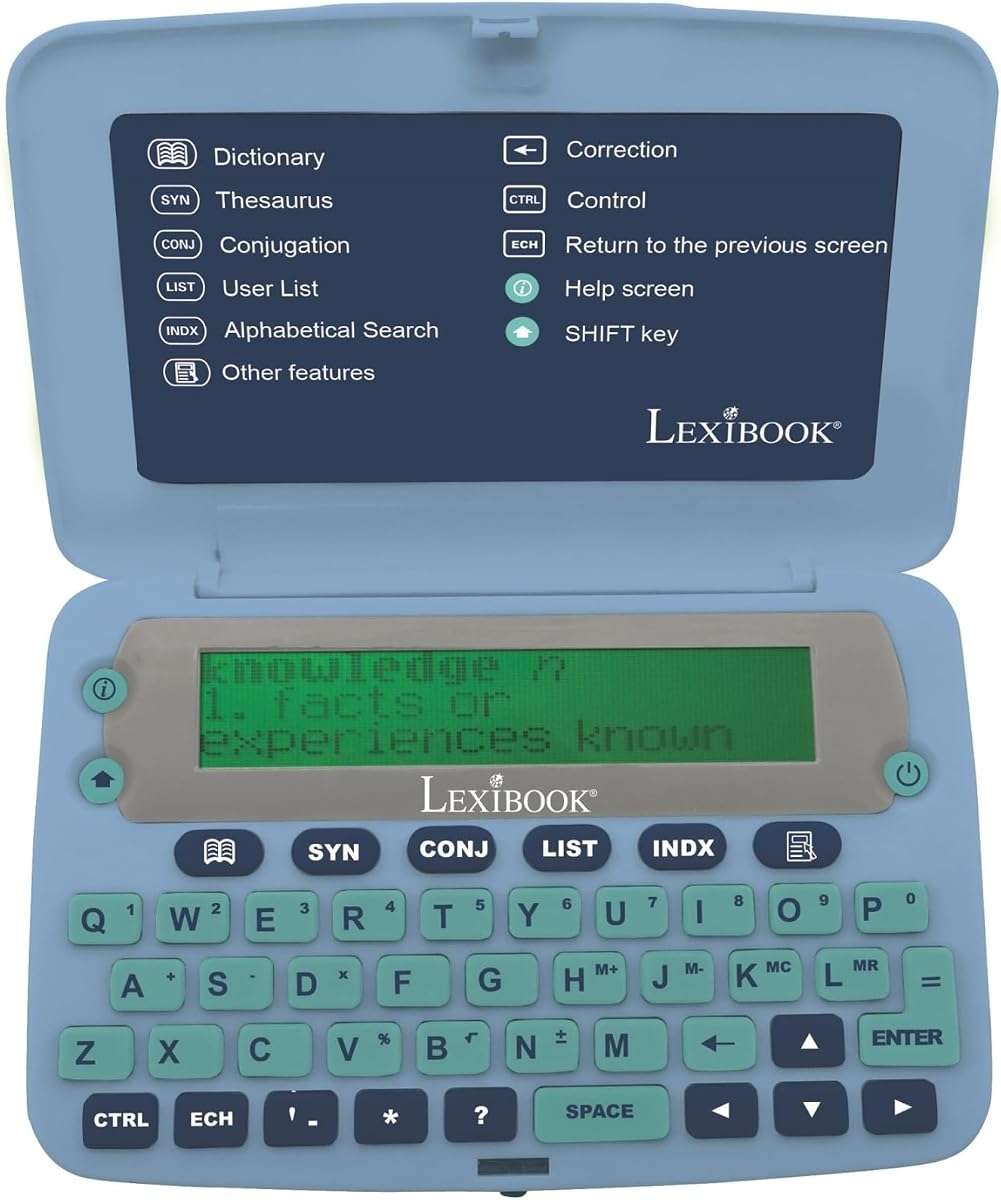
The LEXiBOOK D850EN is designed for users who require a massive vocabulary resource right in their hands. It features over 725,000 words from the Collins English Dictionary 13th Edition providing extensive definitions and phrases.
We may earn a commission when you buy through this link, at no additional cost to you.
Key strengths include detailed conjugation support for verbs and a magnifying function to assist with screen visibility. The ergonomic design features large buttons which make navigation easier for users with dexterity concerns.
Users may find the device bulkier than competitors which reduces pocketability for some. Additionally lower user ratings suggest potential inconsistencies in build quality or interface smoothness compared to top-tier models.
This device is best for researchers or professionals who need a deep reference tool rather than a casual learner. The comprehensive database and helpful on-screen assist features provide substantial value for serious study.
Access to over 700,000 words ensures rare terms and idiomatic expressions are readily available for reference.
Detailed verb forms help users construct accurate sentences and understand tense variations clearly.
We may earn a commission when you buy through this link, at no additional cost to you.
The Franklin DBE-1200 is a specialized bilingual device tailored for Spanish and English speakers. It offers over 1 million translations and supports offline usage which is vital for reliable performance without signal.
We may earn a commission when you buy through this link, at no additional cost to you.
Key strengths include comprehensive grammar tools that cover noun and verb inflection for both languages. This helps users learn proper usage rather than relying on simple word-for-word translation results.
The device focuses strictly on Spanish-English which means it lacks multi-language versatility found in other premium models. For general travelers this might be a limitation but for specific learners it is highly effective.
We recommend this for students or travelers focused specifically on Spanish communication. Its distraction-free environment and robust offline capabilities make it a trustworthy tool for consistent daily practice.
Integrated grammar tools facilitate deeper understanding of sentence structure and correct word usage.
Instant translations without Wi-Fi ensure you can communicate anywhere without worrying about data plans.
We may earn a commission when you buy through this link, at no additional cost to you.
The LEXiBOOK D650EN offers a straightforward design ideal for students needing quick reference and organization. It includes 380,000 words and unique features like a memo list to help organize study notes efficiently.
We may earn a commission when you buy through this link, at no additional cost to you.
Key strengths include a magnifying function that aids readability and a metric converter useful for science classes. The ergonomic buttons ensure comfortable typing during extended study sessions.
While functional, the device lacks advanced audio or translation capabilities which limits its utility for language learners. However, its simplicity makes it a reliable choice for basic English reference and utility.
This device is best for students who prioritize organization and basic definition lookup. The built-in utilities add practical value beyond just definitions making it a versatile study aid.
Memo lists allow users to track vocabulary terms and notes for focused exam preparation.
Magnifying and large button features ensure easy reading and navigation for extended periods.
We may earn a commission when you buy through this link, at no additional cost to you.
The Franklin MWS-1840 leverages the authority of Merriam-Webster to provide reliable definitions and pronunciation. It speaks words aloud clearly which is beneficial for auditory learners who need to hear correct pronunciation.
We may earn a commission when you buy through this link, at no additional cost to you.
Key strengths include a vast database of 274,000 definitions and a robust spelling verification list. This helps users confirm correct usage quickly while building confidence in their written communication.
The physical book card slot is a legacy feature that requires extra purchases for expansion which can be inconvenient. However, the core dictionary content remains comprehensive and trustworthy for professional use.
We recommend this for users who prioritize auditory feedback and proven dictionary accuracy. It serves well for those studying standard English vocabulary and seeking reliable pronunciation cues.
Accurate speech output helps learners master correct pronunciation and improve their spoken English skills.
Access to trusted definitions ensures users can rely on the content for academic and professional writing.
We may earn a commission when you buy through this link, at no additional cost to you.
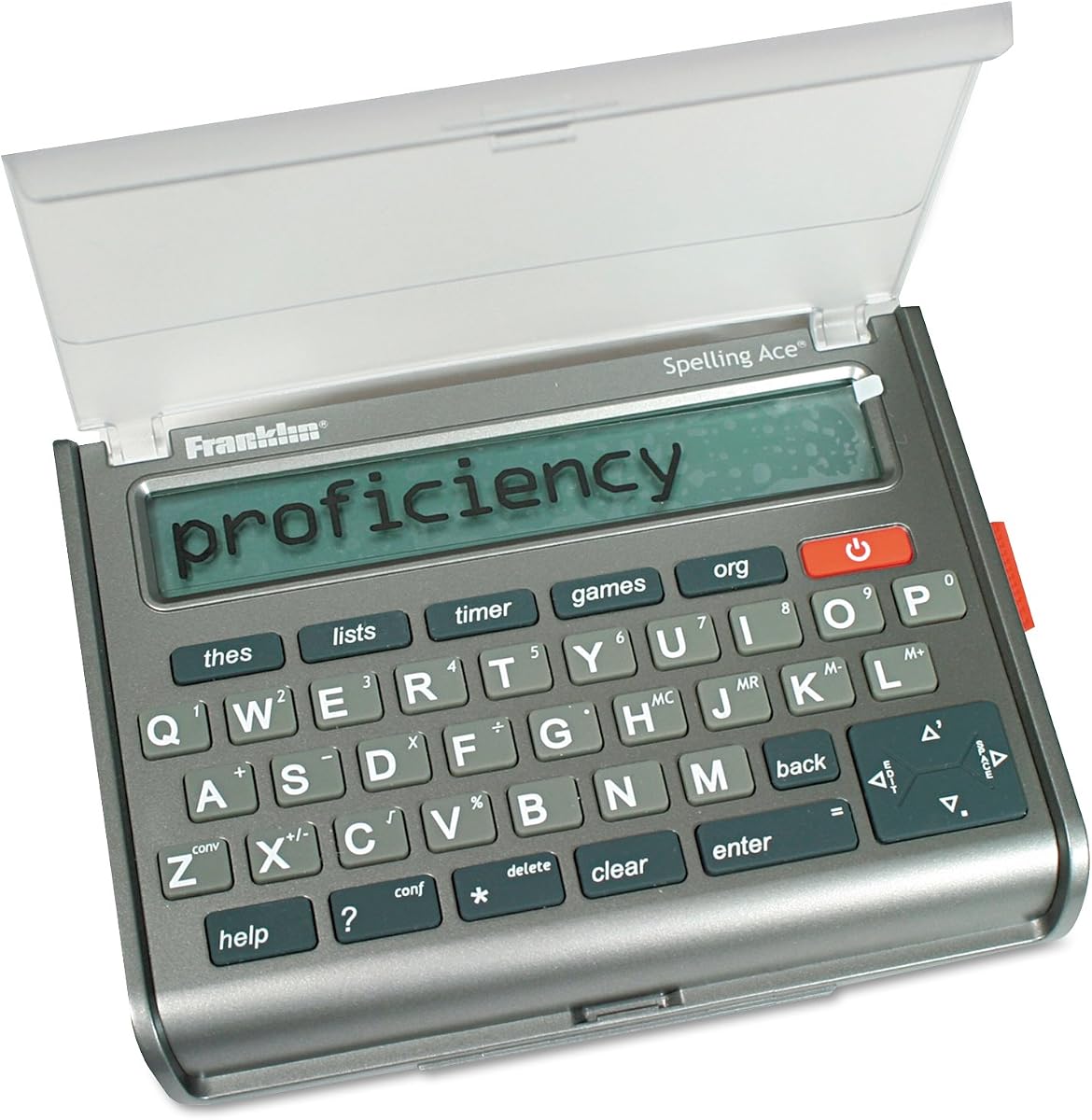
The Franklin SA-309 is a specialized tool designed for crossword and puzzle enthusiasts who need a powerful solver. It utilizes Merriam-Webster word lists to generate possible answers based on entered letters and constraints.
We may earn a commission when you buy through this link, at no additional cost to you.
Key strengths include 500,000 synonyms and a confusables function that clarifies similar words. The device also includes a classmates feature providing words in similar categories to assist with clue solving.
While this model is older, its high user rating suggests robust performance and reliability for its intended purpose. However, it lacks modern digital conveniences found in newer devices like touch screens or audio output.
We recommend this for puzzle lovers who want a dedicated tool for solving crosswords efficiently. Its specific focus and comprehensive word lists make it a niche but valuable option for word game fans.
Crossword and word builder solvers turn difficult clues into manageable tasks with instant feedback.
The classmates feature suggests related words which helps expand vocabulary beyond standard definitions.
We may earn a commission when you buy through this link, at no additional cost to you.
The Merriam-Webster MWD-440 represents a classic approach to electronic dictionaries with a focus on portability. It brings the trusted BookMan format to a pocket-sized device offering quick access to definitions and synonyms.
We may earn a commission when you buy through this link, at no additional cost to you.
Key strengths include its compact design and reliance on Merriam-Webster content which is a gold standard for English definitions. The simple operation ensures minimal learning curve for new users.
Modern limitations include a lack of advanced translation or audio features which may disappoint current tech users. However, for those seeking a pure reference tool, its simplicity and reliability remain appealing.
We suggest this for collectors or users who prefer straightforward tools without extra functions. Its durability and trusted content make it a viable option for basic reference needs.
The pocket model ensures the device fits easily in bags for easy access during travel or study.
Merriam-Webster definitions provide accuracy and reliability essential for academic or professional writing.
We may earn a commission when you buy through this link, at no additional cost to you.
The Franklin MWD-1450 distinguishes itself with downloadable content capabilities that allow users to expand its dictionary database. This flexibility ensures the device can grow with your vocabulary needs over time.
We may earn a commission when you buy through this link, at no additional cost to you.
Key strengths include over 100,000 definitions out of the box and nine built-in learning games that add educational value. The 5-line display provides enough space for reading definitions comfortably.
Users may need to manage downloads separately which adds a step to initial setup. Additionally the display is smaller than newer models which could impact readability for some users.
We recommend this for users who value long-term flexibility and game-based learning. Its combination of expansion and education makes it a solid choice for growing vocabulary skills.
Downloadable content allows users to add specialized glossaries or new words as needed.
Nine games provide engaging ways to reinforce vocabulary retention and improve spelling skills.
We may earn a commission when you buy through this link, at no additional cost to you.
Selecting the right electronic dictionary involves understanding your specific language needs and usage environment.
Consider whether you need a single language dictionary or a bilingual translator like those supporting English and Spanish. Monolingual devices often have deeper definitions while bilingual ones focus on translation speed.
Choose a device that supports the specific languages you study most often to avoid unnecessary costs.
Offline functionality is crucial if you plan to use the device while traveling or in areas without Wi-Fi. Devices like the Franklin MES-2400 allow translation without internet connectivity.
Always verify that the device works without data to ensure reliability in remote locations.
Look at the number of headwords and definitions included in the device. Models offering 80,000 headwords provide a more robust reference tool than those with fewer entries.
Higher word counts generally lead to more accurate results for academic and professional writing.
Display size and contrast are important factors for long reading sessions. Devices with zoomable screens or magnifying functions improve readability significantly.
Prioritize ergonomic screens with adjustable contrast to reduce eye strain during use.
Talking dictionaries provide auditory feedback which is essential for learning pronunciation. Devices with native voice output help mimic correct speech patterns.
If you need to improve speaking skills ensure the device includes quality audio playback.
Extra features like spell checkers, calculators, and puzzles add value to the device. Tools such as grammar lessons or phrasebooks assist in practical language usage.
Select a device with tools that match your learning goals like exam prep or daily conversation.
Since these are portable devices, battery life impacts usability. Look for battery-operated units with energy-efficient designs to avoid frequent charging or replacement.
Long battery life ensures the device remains ready when you need it most.
Some models allow downloadable content or book card slots for database expansion. This flexibility is useful if your vocabulary needs change over time.
Check if the device supports extra content packs to keep your reference library current.
To get started, familiarize yourself with the keyboard layout and basic navigation buttons. Most devices feature a QWERTY-style keypad for quick word entry.
Regularly update any downloadable content or install new dictionaries if your model supports it. Keep the battery charged or replace it according to the manufacturer's guidelines to ensure optimal performance.
Clean the screen and keyboard with a soft dry cloth to prevent dust buildup. Store the device in a protective case to avoid physical damage during travel or daily use.
Most high-quality electronic dictionaries work completely offline so you do not need an internet connection. This is particularly useful for travelers or students in areas without Wi-Fi coverage. Always check the product specifications for offline capabilities before purchase.
Some models offer downloadable content or card slots to expand their database. If you need specialized vocabulary, look for devices that support content upgrades to keep your reference library growing.
Yes, many models include specific test prep tools like vocabulary banks for TOEFL and GRE. These built-in features help students focus on the right words needed for standardized tests.
Talking dictionaries feature native voice audio to help you hear correct pronunciation. This is essential for language learners who want to improve their spoken English or Spanish skills accurately.
Spell checkers in these devices analyze your input and suggest correct spellings based on their database. They also help identify confusables like their vs. they're to prevent common grammatical errors.
Many electronic dictionaries include word games like Hangman or crossword solvers to make learning fun. These interactive tools help reinforce vocabulary in an engaging and entertaining way.
Compact devices designed to fit in a pocket are ideal for daily carry. Look for lightweight models with ergonomic buttons that balance screen size and portability effectively.
Choose single-language models for deep vocabulary study and bilingual ones for quick translation. Bilingual devices are more practical for travel where you need to communicate across languages.
The top picks in this guide highlight versatile options ranging from budget-friendly English dictionaries to advanced bilingual translators. Each model offers unique strengths depending on whether you prioritize vocabulary depth or translation speed.
Prioritize features like offline capability and audio support if you are a student or traveler needing reliable tools. Consider expandability if you anticipate growing language needs over the years.
Prices and availability may change so always verify current listings before making a purchase. These devices remain valuable investments for anyone serious about mastering language skills.