
Light Gaming Laptop Ryzen 7430U
4.6Editor score
Efficient Performance
16GB DDR4 RAM
Integrated Radeon Graphics
Finding the right laptop for emulators requires balancing processing power with graphics capability. Emulation demands significant CPU cores and fast memory to run legacy systems smoothly without frame drops or latency issues.
We evaluated ten diverse models based on their architecture, thermal management, and display fidelity. Our analysis focuses on real-world multitasking scenarios and the ability to handle multiple emulator instances simultaneously.
Each pick highlights key strengths and trade-offs to match different user needs. Prices and availability fluctuate daily so please verify current stock before making your final purchase decision online.
4.6Editor score

5.0Editor score

4.4Editor score
As an Amazon Associate we earn from qualifying purchases.
This side-by-side comparison details the core specifications of each selected model to help you understand their relative strengths for emulation workloads and general productivity tasks.




This model stands out as the premier choice for emulation due to its desktop-class processing power and massive memory allocation. With a perfect rating and top-tier specs it handles heavy multitasking and multiple emulator instances with ease.
We may earn a commission when you buy through this link, at no additional cost to you.
The AMD Ryzen 7 8745HS processor paired with 64GB of DDR5 RAM ensures that even the most demanding legacy systems run smoothly without bottlenecks. The Radeon 780M graphics provide sufficient power for high-fidelity rendering and fast frame rates.
While the price is higher than budget options the performance gains justify the investment for serious enthusiasts. The 180-degree hinge and lightweight design also make it practical for portable gaming setups.
If you need the absolute best performance for complex emulation tasks this device delivers. It is ideal for professionals and power users who prioritize speed and reliability above all else.
The 8-core CPU handles AI tools and video editing effortlessly alongside emulation workloads.
Supports up to 64GB RAM and dual SSD expansion for growing storage needs.
We may earn a commission when you buy through this link, at no additional cost to you.
This lightweight option offers exceptional value for users seeking reliable entry-level emulation capabilities. It features a robust processor and ample RAM for smooth operation at a competitive price point.
We may earn a commission when you buy through this link, at no additional cost to you.
The Ryzen 7430U processor provides efficient performance for 2D emulation and casual 3D titles. The 16GB RAM and fast SSD ensure quick boot times and responsive application loading.
Integrated graphics are a limitation for graphically intensive tasks but suffice for most retro gaming needs. The thin bezel design enhances the viewing experience during extended sessions.
For budget-conscious buyers this laptop is a smart choice. It balances cost and performance well making it accessible for students and casual gamers.
Outperforms standard entry-level CPUs for robust multitasking capabilities.
Includes HDMI, Type-C, and USB 3.2 ports for versatile connectivity.
We may earn a commission when you buy through this link, at no additional cost to you.
This premium gaming laptop delivers top-tier performance for demanding emulation scenarios. The dedicated GPU and high refresh rate display make it suitable for modern and legacy high-end titles.
We may earn a commission when you buy through this link, at no additional cost to you.
The Intel Core i7 processor and RTX 5060 graphics ensure smooth rendering and minimal latency. Advanced cooling technologies maintain performance during long gaming sessions.
The trade-off is additional weight and bulk compared to thinner models. However for stationary setups the performance and display quality are unmatched.
Recommended for serious gamers who demand the best visual fidelity and speed. It is a powerful tool for high-end emulation and creative work.
Unleashes power with Blackwell architecture GPUs and DLSS technologies.
Vapor chamber and tri-fan tech keep systems cool and quiet.
We may earn a commission when you buy through this link, at no additional cost to you.
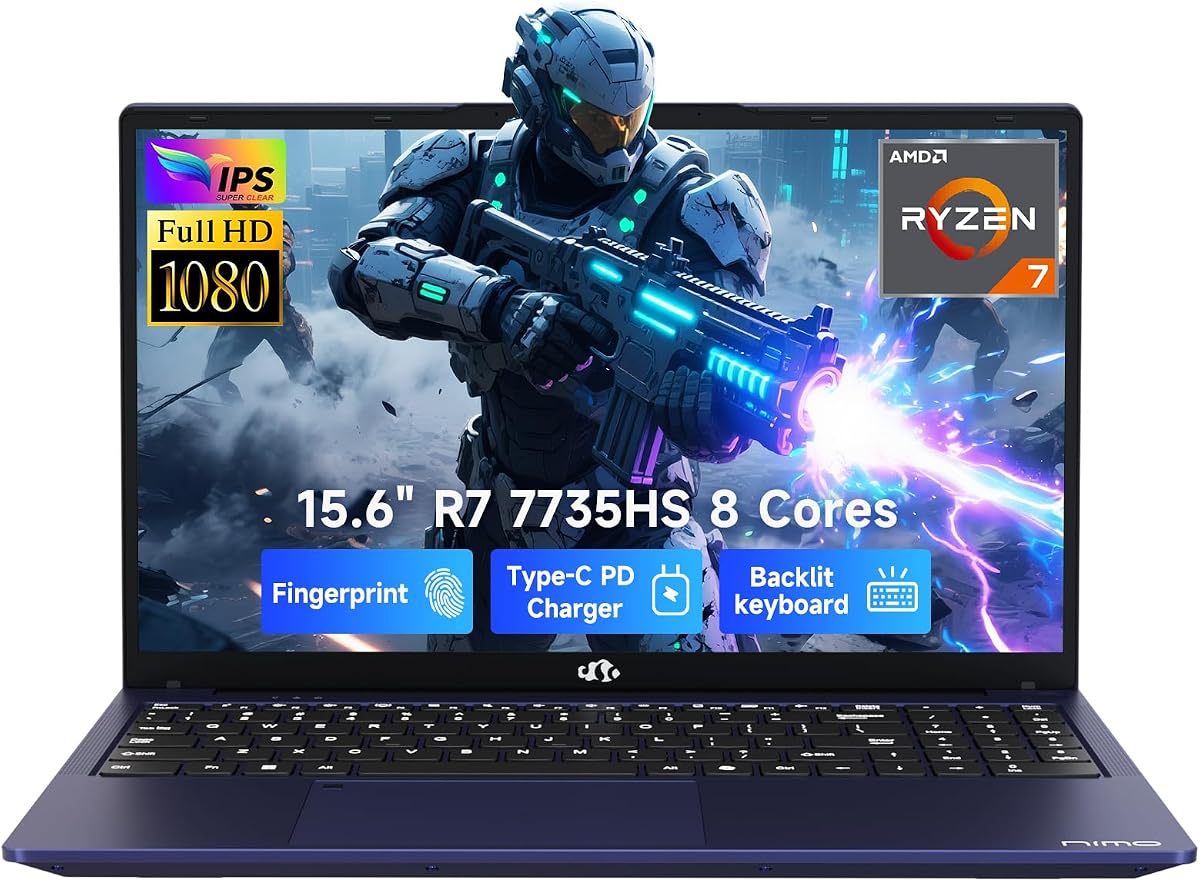
This versatile laptop handles 1080p gaming and emulation smoothly thanks to its RDNA 2 graphics. The sleek design and fast connectivity make it a great choice for mobile professionals.
We may earn a commission when you buy through this link, at no additional cost to you.
The Ryzen 7 processor offers 8 cores for efficient multitasking between applications. Fast charging support allows for quick top-ups during busy days.
The fingerprint sensor adds security convenience but battery life is average for this class. Still it provides a solid all-around experience for various tasks.
Ideal for users needing a balance of portability and power. It fits well in both work and play environments without compromise.
15.6 inch FHD display fits daily multitasking and media well.
Dual USB-C and HDMI ports support easy device connection.
We may earn a commission when you buy through this link, at no additional cost to you.
The large screen offers a significant advantage for multi-window emulation workflows. It provides ample space for side-by-side applications without feeling cramped during use.
We may earn a commission when you buy through this link, at no additional cost to you.
With 32GB of RAM and a fast SSD multitasking is fluid and responsive. The webcam shutter adds a layer of privacy for online meetings.
Portability is sacrificed for screen real estate which may limit travel use. However for a stationary desk setup it is highly functional.
Best suited for users who prioritize screen size and memory capacity. It supports a wide range of productivity and gaming needs efficiently.
Anti-glare display makes split-screen work and coding easier.
Fingerprint reader and physical shutter enhance security quickly.
We may earn a commission when you buy through this link, at no additional cost to you.
This model delivers strong performance per dollar with its high core count and fast memory. It handles demanding emulation tasks efficiently without breaking the bank.
We may earn a commission when you buy through this link, at no additional cost to you.
The Radeon 680M graphics provide smooth visuals for most modern games. The fingerprint unlock and backlit keyboard improve daily usability.
Some units may require careful inspection upon arrival. Overall the specifications offer great value for the price point.
Recommended for those seeking high specs on a reasonable budget. It is a strong contender for general gaming and emulation.
Exceptional speed and smooth multitasking for heavy applications.
Faster data speeds and seamless multitasking for large files.
We may earn a commission when you buy through this link, at no additional cost to you.
Based on the reliable Zen 3 architecture this laptop offers stable performance for daily emulation. It is well-suited for users who need consistent speed without complex setups.
We may earn a commission when you buy through this link, at no additional cost to you.
The 8-core processor handles multiple apps smoothly and the fast SSD reduces wait times. The display maximizes screen space for better immersion.
While not the latest generation it remains effective for many current games. The connectivity options are sufficient for modern peripherals.
A solid choice for reliability and durability. It works well for long-term use in both work and play.
Zen 3 architecture ensures exceptional responsiveness for demanding tasks.
Fast boot-ups and near-instant application loading for users.
We may earn a commission when you buy through this link, at no additional cost to you.
Designed for business and casual gaming this laptop includes essential productivity tools out of the box. It provides a complete solution for work and light emulation.
We may earn a commission when you buy through this link, at no additional cost to you.
The Intel Core i7 processor supports smooth multitasking for daily tasks. The full HD screen delivers clear text and images for reports.
Graphics performance is basic compared to dedicated gaming laptops. This limitation is acceptable for retro emulation and general computing.
Perfect for professionals who occasionally game at home. It balances work functionality with entertainment needs effectively.
Start working right out of the box with Office included.
USB and HDMI ports connect essential devices easily.
We may earn a commission when you buy through this link, at no additional cost to you.
This laptop offers impressive battery endurance making it suitable for long travel or outdoor usage. The large display enhances the visual experience for media consumption.
We may earn a commission when you buy through this link, at no additional cost to you.
Fast charging capabilities ensure you stay powered throughout the day. The HD camera and noise reduction are useful for online communication.
RAM limitations may restrict complex multitasking or heavy emulation work. It is best suited for casual use and media streaming.
Ideal for mobile users who prioritize battery over raw power. It delivers reliable daily performance for general needs.
Battery restores from 0 to 50% in approximately 45 minutes.
Tracks only your voice during conference calls for clear audio.
We may earn a commission when you buy through this link, at no additional cost to you.
This model focuses on delivering a vivid visual experience with its large thin-bezel display. It offers comfortable viewing angles for extended gaming sessions.
We may earn a commission when you buy through this link, at no additional cost to you.
The processor and RAM are adequate for standard emulation work. Support options include extensive technical help and repair services.
Battery life is solid for mobile use but DDR4 memory is slower than newer standards. It is still a practical choice for the price.
Great for users valuing display quality and support. It is a dependable machine for routine computing and gaming.
Innovative thin-bezel display offers more screen real estate.
38Wh long battery life gives you flexibility to work anywhere.
We may earn a commission when you buy through this link, at no additional cost to you.
Selecting a laptop for emulation involves balancing several technical factors to ensure smooth performance across different system requirements.
Multi-core processors are essential for handling the computational demands of emulation. Look for CPUs with high clock speeds and multiple threads to maintain stability.
Prioritize models with Ryzen 7 or Intel Core i7 series for best compatibility.
Sufficient memory prevents bottlenecks when running multiple applications. Aim for at least 16GB of DDR5 RAM for modern emulation tasks.
Upgradable slots allow future expansion as software demands increase.
Integrated graphics like Radeon 680M offer good entry-level support. Dedicated GPUs are necessary for high-fidelity 3D games.
Ensure the GPU supports the APIs required by your favorite emulators.
Fast NVMe SSDs reduce load times for games and systems. PCIe 4.0 drives provide the best throughput for large libraries.
Select models with at least 512GB to store various software packages.
High-resolution screens with wide viewing angles improve immersion. IPS panels offer accurate colors and better contrast for visuals.
A refresh rate of 120Hz or higher helps with smooth motion.
Efficient cooling systems prevent overheating during long sessions. Vapor chambers or advanced fans help maintain steady performance.
Look for models with good reviews on sustained usage without throttling.
Ports like USB-C and HDMI are vital for peripherals and external displays. Wi-Fi 6 ensures stable streaming and downloads.
Multiple USB ports support controllers and keyboards simultaneously.
Weight and thickness matter if you travel frequently with your device. Aim for under 2kg for easier carrying in bags.
Battery life should support several hours of unplugged use.
Begin by installing the latest drivers for your CPU and graphics unit to ensure optimal compatibility with emulation software. This step prevents common performance issues and glitches.
Keep your system updated regularly to patch security vulnerabilities and improve efficiency. Use SSD space wisely to maintain fast access speeds for your libraries.
Clean the keyboard and screen gently with soft cloths to avoid scratches. Avoid placing heavy objects on the closed lid to preserve the hinge integrity.
Not necessarily. Integrated GPUs like the Radeon 680M can handle most 2D and lighter 3D games effectively. However for heavy 3D emulation a dedicated GPU provides better frame rates and stability.
16GB is the recommended minimum for most modern systems. If you plan to run multiple instances or use virtual machines 32GB or more is advisable for headroom.
Yes high-end models with strong multi-core CPUs can run these systems. Success depends on the specific game and the emulator version used.
Windows 11 offers better support for newer hardware and APIs. Most emulators run well on both but 11 provides improved performance for recent CPU generations.
At least 512GB is recommended to store the OS and several game libraries comfortably. SSDs with PCIe 4.0 speeds significantly reduce loading times.
Yes most models feature HDMI or USB-C ports with video output. This allows you to connect to larger displays for a better experience.
Use power-saving modes when not on a charger. Lowering screen brightness and closing background apps also helps conserve energy.
The top picks cover a wide range of needs from budget entry points to high-performance premium machines. Each model offers distinct advantages depending on your priorities.
Prioritize processing power and memory capacity if you plan to run demanding emulators frequently. These factors directly impact smoothness and visual quality.
Always check current stock and pricing online before buying to ensure you get the best deal available for your specific requirements.