
GEEKOM Mini PC IT13 MAX
4.3Editor score
Intel Core Ultra 9 185H
24GB LPDDR5 Memory
IceBlast 3.0 Cooling
This guide compares the top ten mini PCs optimized for running local large language models without cloud dependency or external GPU requirements.
Running large language models locally requires significant computational power and memory bandwidth. Mini PCs have evolved to offer desktop-level AI performance in compact form factors suitable for home offices and studios.
We compared ten leading mini PCs based on processor architecture, memory capacity, AI acceleration features, and expansion options. This list covers devices ranging from entry-level to flagship workstations designed for offline AI inference.
Each pick highlights specific strengths for local LLM workloads including parameter limits and inference speeds. Prices and availability fluctuate frequently so verify current stock before making a final purchasing decision.
4.3Editor score
4.1Editor score

4.6Editor score
This side-by-side comparison evaluates processing power, memory capacity, thermal design, and connectivity options to help you choose the right mini PC for your local AI needs.


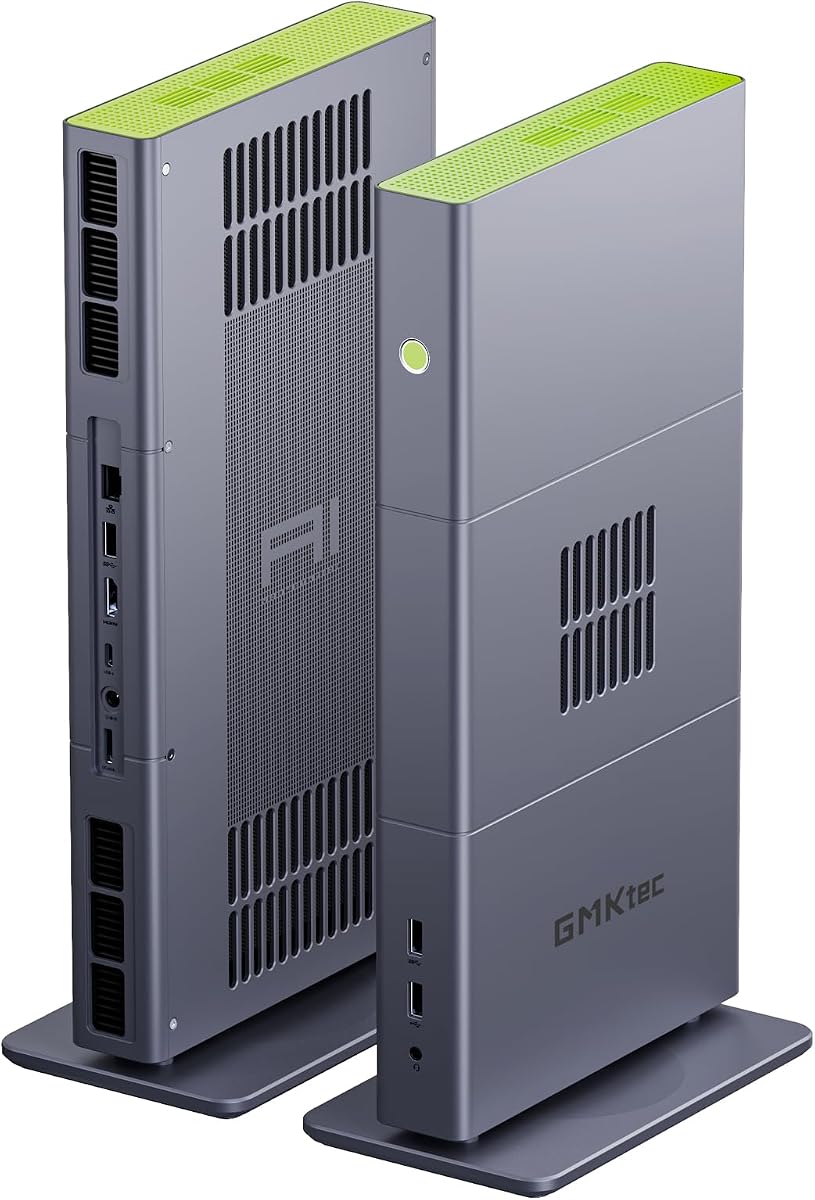
The GMKtec X3 stands out as a powerhouse for local LLM inference with its AMD Ryzen AI Max+ 395 processor and 128GB of LPDDR5X memory. It scores highly for users who need to run large models without cloud dependencies. This mini PC delivers serious compute power in a compact chassis.
We may earn a commission when you buy through this link, at no additional cost to you.
Its standout feature is the ability to allocate up to 96GB of shared memory to the GPU, enabling smooth local inference of complex language models. The integrated Ryzen AI engine provides up to 126 TOPS of NPU performance for AI tasks. OCuLink connectivity offers future expansion paths for even more graphics power.
While the price reflects its flagship specs, this investment pays off for developers and researchers avoiding API costs. The only trade-off is the physical size compared to standard mini PCs but performance justifies the footprint.
This device is ideal for anyone prioritizing raw AI performance and local privacy. It represents the current ceiling for mini PC-based local LLM workloads with room for growth via external GPUs.
With 128GB unified memory you can run quantized models with up to 128 billion parameters locally without hitting memory bottlenecks.
The OCuLink interface lets you connect external GPU docks for tasks requiring more rendering power than the integrated Radeon 8060S offers.
We may earn a commission when you buy through this link, at no additional cost to you.
The GEEKOM IT13 MAX offers a budget-friendly entry point for local AI tasks using the latest Intel Core Ultra 9 processor. It balances performance and cost effectively for smaller models. This unit is well-suited for home users experimenting with local LLMs.
We may earn a commission when you buy through this link, at no additional cost to you.
Its Intel Arc GPU and built-in NPU support accelerate common AI features without needing cloud APIs. The IceBlast 3.0 cooling system maintains stable performance during heavy workloads. You also get straightforward access to internal components for future storage upgrades.
While 24GB of RAM limits model size compared to 128GB options it suffices for 7B to 14B parameter models. The trade-off is lower upfront cost and reliable everyday performance for mixed workloads.
Choose this mini PC if you need affordability and solid general productivity alongside local AI features. It is a practical choice for users starting their journey into offline language model inference.
This model brings Core Ultra 9 features to a lower price point enabling local AI workflows without enterprise-level hardware costs.
Enhanced airflow and dual copper heat pipes ensure the system stays cool during long AI processing sessions or video editing tasks.
We may earn a commission when you buy through this link, at no additional cost to you.
The GEEKOM A9 Mega is a flagship AI workstation designed for professionals who require maximum performance and data privacy. With 128GB LPDDR5X memory and a powerful Ryzen AI Max+ 395 it handles large models effortlessly. It is built for serious local inference tasks.
We may earn a commission when you buy through this link, at no additional cost to you.
Its IceBlast 5.0 cooling system supports sustained high power delivery for long AI jobs without throttling. The dual 10GbE ports enable rapid data transfers between local servers and the mini PC. This makes it excellent for local knowledge bases and private deployment.
The main limitation is the premium cost and current supply scarcity due to high demand for Strix Halo silicon. However the long-term warranty and support make it a viable investment for business use cases.
This device targets developers and studios needing top-tier performance and security. It offers the best combination of raw power and professional features for local LLM workloads in a mini PC form factor.
The vapor chamber design and dual turbo fans maintain peak performance during overnight AI training or batch inference runs without excessive noise.
Dual 10GbE ports allow seamless integration into high-speed local area networks enabling fast access to shared datasets and storage arrays.
We may earn a commission when you buy through this link, at no additional cost to you.
The BOSGAME VTA-439 combines a robust Ryzen AI 9 HX 470 processor with excellent expansion options. It delivers solid performance for local AI tasks and general productivity. The triple M.2 slot design is rare in mini PCs and allows extensive storage upgrades.
We may earn a commission when you buy through this link, at no additional cost to you.
With 86 TOPS total AI performance it handles AI assistants and local LLMs efficiently. The OCuLink port allows external GPU connectivity if graphics needs grow. Quad display support makes it versatile for complex workflow setups.
Memory capacity is lower than flagship models which restricts the size of models you can load entirely into RAM. This is acceptable for smaller or quantized models but not for very large context windows.
This mini PC suits users who value storage flexibility and multitasking power. It is a strong choice for developers and creators needing room to grow without replacing the main system.
Three PCIe 4.0 M.2 slots let you configure massive storage arrays for datasets or project files without external drives cluttering your desk.
Support for four simultaneous displays via HDMI and DisplayPort allows comprehensive workspace setups for monitoring multiple processes or codebases.
We may earn a commission when you buy through this link, at no additional cost to you.
The ACEMAGIC FOCUX Series brings high TOPS performance to Intel-based local LLM workstations. It leverages the Core Ultra X7 architecture for efficient AI processing. The high-speed LPDDR5X memory ensures fast data access for inference tasks.
We may earn a commission when you buy through this link, at no additional cost to you.
Its cooling system is designed to keep noise levels low even under sustained loads. Dual 2.5G LAN ports provide redundancy and speed for networked storage. This is ideal for users needing silent and reliable continuous operation.
Being a newer brand means fewer community benchmarks compared to established players but the specs are competitive. The balance of performance and noise control makes it a compelling option for office environments.
Select this model if you prefer Intel architecture with high AI efficiency. It delivers strong capabilities for local models and general productivity in a quiet package.
High-static-pressure fans and dual heat pipes maintain quiet operation during long inference sessions which is crucial for shared workspaces.
Dual LAN ports allow for network failover or separation of traffic ensuring reliable access to local servers or NAS during large transfers.
We may earn a commission when you buy through this link, at no additional cost to you.
The BOSGAME M5 delivers flagship-level specs with 128GB LPDDR5X memory and the Ryzen AI Max+ 395 processor. It is tailored for demanding local AI workloads and creative tasks. The unified memory allows substantial GPU allocation for model weights.
We may earn a commission when you buy through this link, at no additional cost to you.
With 8000MT/s memory speed data throughput is excellent for rapid inference. It supports quad 8K display output for professional monitoring. OCuLink support means you can add discrete GPUs if needed later.
The price is a significant barrier but the memory capacity is unmatched in this form factor. It is a robust choice for those prioritizing raw performance over budget.
This mini PC is perfect for power users needing large memory pools and high-speed connections. It handles complex local models efficiently without relying on cloud infrastructure.
LPDDR5X running at 8000MT/s provides exceptional bandwidth which is critical for loading large language models into memory quickly.
OCuLink connectivity ensures you can scale graphics performance externally without replacing the entire mini PC system for heavy rendering needs.
We may earn a commission when you buy through this link, at no additional cost to you.
The Reatan X8 Mini PC stands out for allowing memory upgrades beyond the default 48GB. It uses the Ryzen AI 9 HX 470 processor for efficient AI tasks. This flexibility is rare in mini PCs and adds long-term value for growing needs.
We may earn a commission when you buy through this link, at no additional cost to you.
Its OCuLink port provides high bandwidth for external GPUs enhancing graphics tasks. USB4 connectivity supports both high-speed data and video. This makes it a versatile hub for professional setups.
While not as memory-rich as 128GB models the upgrade potential helps extend its lifespan. It suits users who plan to expand RAM based on specific project requirements.
Choose this if you need a balanced mix of performance and customization. It offers a practical path to scaling local AI workloads as your demands increase.
Upgrading to 96GB RAM via SODIMM slots allows you to run larger local models without being locked into fixed memory configurations.
Full-function USB4 ports support data transfer and display output ensuring seamless integration with high-speed storage and peripherals.
We may earn a commission when you buy through this link, at no additional cost to you.
The GMKtec EVO-X3 focuses on stability with a dedicated three-fan cooling system. It matches the flagship performance of other Ryzen Max+ 395 models. The thermal design ensures consistent performance even during prolonged AI tasks.
We may earn a commission when you buy through this link, at no additional cost to you.
With 128GB memory you can run multiple models or handle large datasets locally. OCuLink expands connectivity for external GPUs if needed. The dual 8K display support caters to high-resolution monitoring.
Hot plugging is not supported on OCuLink which requires powering down to attach external devices. This minor inconvenience is acceptable for the thermal benefits and raw performance provided.
This mini PC is ideal for those needing maximum stability and cooling. It supports heavy workloads effectively without throttling during long runs.
Three-fan cooling and heat pipes maintain peak performance without noise spikes making it suitable for uninterrupted work sessions.
Dual 8K display outputs enable immersive and professional visual setups for monitoring AI outputs or managing complex data streams.
We may earn a commission when you buy through this link, at no additional cost to you.
The GMKtec M6 Ultra offers a more accessible entry into local AI with a mid-range Ryzen 7640HS processor. It handles smaller local LLMs efficiently for home or light professional use. The DDR5 RAM supports smooth multitasking.
We may earn a commission when you buy through this link, at no additional cost to you.
Its Radeon 760M graphics provide decent acceleration for inference tasks. Triple display support allows flexible workspace management. Dual 2.5G LAN ports ensure fast local network transfers.
It is not designed for 70B+ models but excels with optimized 7B or 14B versions. This makes it a cost-effective choice for users testing local AI features.
Choose this if you need affordability and solid general performance. It balances capability and price for entry-level local language model workloads.
This model provides a practical introduction to local LLMs without requiring flagship-level hardware investments.
Dual 2.5G Ethernet ports allow for faster data transfers to local storage ensuring efficient model loading and updates.
We may earn a commission when you buy through this link, at no additional cost to you.
The ASUS NUC 14 Pro brings brand reliability and standardization to local AI workflows. Its Core Ultra 7 155H processor supports up to 20 billion parameter models locally. This makes it suitable for moderate AI needs without large memory requirements.
We may earn a commission when you buy through this link, at no additional cost to you.
Thunderbolt 4 connectivity offers versatile expansion options. The AI Ready features optimize tasks automatically reducing manual setup. ASUS support ensures long-term assistance for enterprise users.
While not the highest performer it provides stable and reliable operation for standard tasks. The higher price reflects brand assurance and professional-grade build quality.
This mini PC is best for those needing dependable support and compatibility. It offers a professional environment for local LLM workloads with trusted infrastructure.
ASUS ensures long-term technical support and regular updates making it reliable for business environments.
Thunderbolt 4 enables seamless integration with high-speed peripherals and docks for versatile local setups.
We may earn a commission when you buy through this link, at no additional cost to you.
Choosing the right mini PC for local LLM requires balancing memory, processing power, and expandability. Below are key factors to evaluate.
Memory is the most critical factor for local LLMs because model weights must reside in RAM for fast inference. Look for at least 32GB for smaller models but 64GB or more is necessary for 70B parameter models. Larger memory pools allow multiple models to run simultaneously.
Prioritize devices with 64GB to 128GB unified memory to avoid bottlenecks during complex inference tasks.
Modern CPUs include dedicated Neural Processing Units (NPU) that handle AI workloads more efficiently than standard cores. Check for TOPS ratings which indicate AI acceleration capabilities. Higher TOPS allow faster inference without taxing the GPU.
Choose processors with high TOPS ratings to ensure smooth local LLM performance and low power consumption.
Integrated GPUs can offload AI workloads from CPU cores improving inference speed. Strong iGPUs like RDNA 3.5 or Intel Arc support local model execution efficiently. This is crucial for visual generation tasks alongside text models.
Opt for mini PCs with powerful integrated graphics to enhance local AI efficiency and speed.
Large language models can take hundreds of gigabytes so SSD capacity matters. NVMe PCIe 4.0 drives provide fast loading times for model weights. Aim for 1TB minimum storage to accommodate multiple model versions and datasets.
Ensure the mini PC has fast NVMe storage to reduce loading times and support multiple local models.
Mini PCs often have limited upgrade paths so check if RAM or storage can be expanded later. Ports like OCuLink or Thunderbolt allow external GPU integration if future needs grow. USB4 and Ethernet speeds impact data transfer rates significantly.
Select units with expandable RAM or fast external connectivity to future-proof your local AI setup.
Sustained AI workloads generate significant heat so cooling design is vital. Mini PCs with multiple fans or vapor chambers maintain performance without throttling. Quiet operation is important for shared or office environments.
Prioritize advanced cooling systems to maintain consistent performance during long local LLM inference sessions.
Some AI inference tools run best on Linux while others prefer Windows. Check if the mini PC supports both operating systems. Linux often offers more flexibility for custom LLM frameworks.
Verify operating system support to ensure compatibility with your preferred local AI software stack.
Reliable customer service and warranty coverage protect your investment. Look for at least a one-year warranty and responsive support channels. Longer warranties indicate manufacturer confidence in hardware durability.
Choose brands offering strong warranty terms to reduce risk when investing in high-end AI hardware.
Ensure proper ventilation by placing the mini PC in a well-ventilated area to prevent overheating during extended sessions. Dust regularly using compressed air to maintain cooling efficiency.
Keep drivers for NPU and GPU up to date to maximize AI performance. Use official vendor software for firmware updates and manage system resources efficiently.
Organize local model files in dedicated directories on your high-speed SSD to streamline access and reduce loading times. Use version control tools to manage different model configurations easily.
You need at least 32GB of RAM for smaller models but 64GB or more is recommended for 70B parameter models. A processor with high TOPS ratings and strong integrated graphics will also improve inference speed and efficiency.
Yes but they require high memory capacity typically 64GB to 128GB unified memory. Devices like the GEEKOM A9 Mega or GMKtec X3 support large models due to their massive memory pools.
An external GPU is optional but recommended for faster inference if integrated graphics lack power. Mini PCs with OCuLink or Thunderbolt ports allow connecting external GPUs for enhanced performance.
Large models can take hundreds of gigabytes so 1TB SSD storage is a practical minimum. Fast NVMe drives help reduce model loading times and improve overall system responsiveness.
Linux offers more flexibility and tools for custom AI workflows while Windows is user-friendly. Many tools support both systems so choose based on your comfort and existing software requirements.
Use mini PCs with advanced cooling systems and ensure proper airflow around the device. Regularly clean dust from vents and avoid enclosing the unit in tight spaces to prevent overheating.
The best mini PC for local LLMs depends on your model size and budget. The GMKtec X3 and GEEKOM A9 Mega lead in raw performance while the GEEKOM IT13 MAX offers an affordable entry.
Prioritize memory capacity and NPU speed over raw CPU clock speeds to ensure efficient local inference. Expandability options like OCuLink provide future growth for demanding tasks.
Check current availability and prices as flagship models may fluctuate due to high demand. Verify warranty terms and support to ensure long-term reliability for your AI workstation.