
3DMakerpro Fox Entry-Level Medium-Format 3D Scanners
3.2Editor score
0.07mm Accuracy
Markerless AI Tracking
Entry-Level Performance
3D scanners have revolutionized how we capture and replicate physical objects into digital formats. Whether you are a hobbyist looking to print custom parts or a professional needing precise measurements, finding the right device is crucial for success.
We evaluated ten leading models based on accuracy, scanning speed, ease of use, and software capabilities. Each product offers unique strengths, from portable pocket scanners to industrial-grade systems designed for complex engineering tasks.
Every pick highlights key features, pros, cons, and ideal use cases to match your specific needs. Keep in mind that prices and availability can change frequently, so check current listings before making a final purchase decision.
3.2Editor score

5.0Editor score

As an Amazon Associate we earn from qualifying purchases.
This side-by-side comparison highlights the core specifications of each scanner to help you quickly identify which model aligns best with your technical requirements and budget constraints.


The Creality Pika stands out as the top choice for users needing professional-grade precision in a portable package. With a perfect 5.0 rating, this scanner combines dual-mode scanning with AI enhancements to deliver exceptional results for both small parts and full-body scans.
We may earn a commission when you buy through this link, at no additional cost to you.
Its 0.03mm accuracy ensures intricate details are captured flawlessly, whether you are reverse engineering mechanical components or digitizing collectibles. The dual-mode system lets you switch between blue laser for fine details and NIR structured light for full-body scans, offering unmatched versatility.
While the price is higher than entry-level options, the included accessories and AI features justify the investment. The ability to scan black and metal surfaces without spray saves significant prep time, making it ideal for busy workflows where efficiency matters.
We recommend the Pika for professionals and advanced hobbyists who need reliable, high-resolution data for 3D printing or CAD work. Its portability and wireless capabilities make it a powerful tool for on-site scanning needs.
Switching between blue laser and structured light allows you to tackle both tiny details and large objects with one device.
Built-in AI fills holes and textures models automatically, reducing manual editing time significantly.
We may earn a commission when you buy through this link, at no additional cost to you.
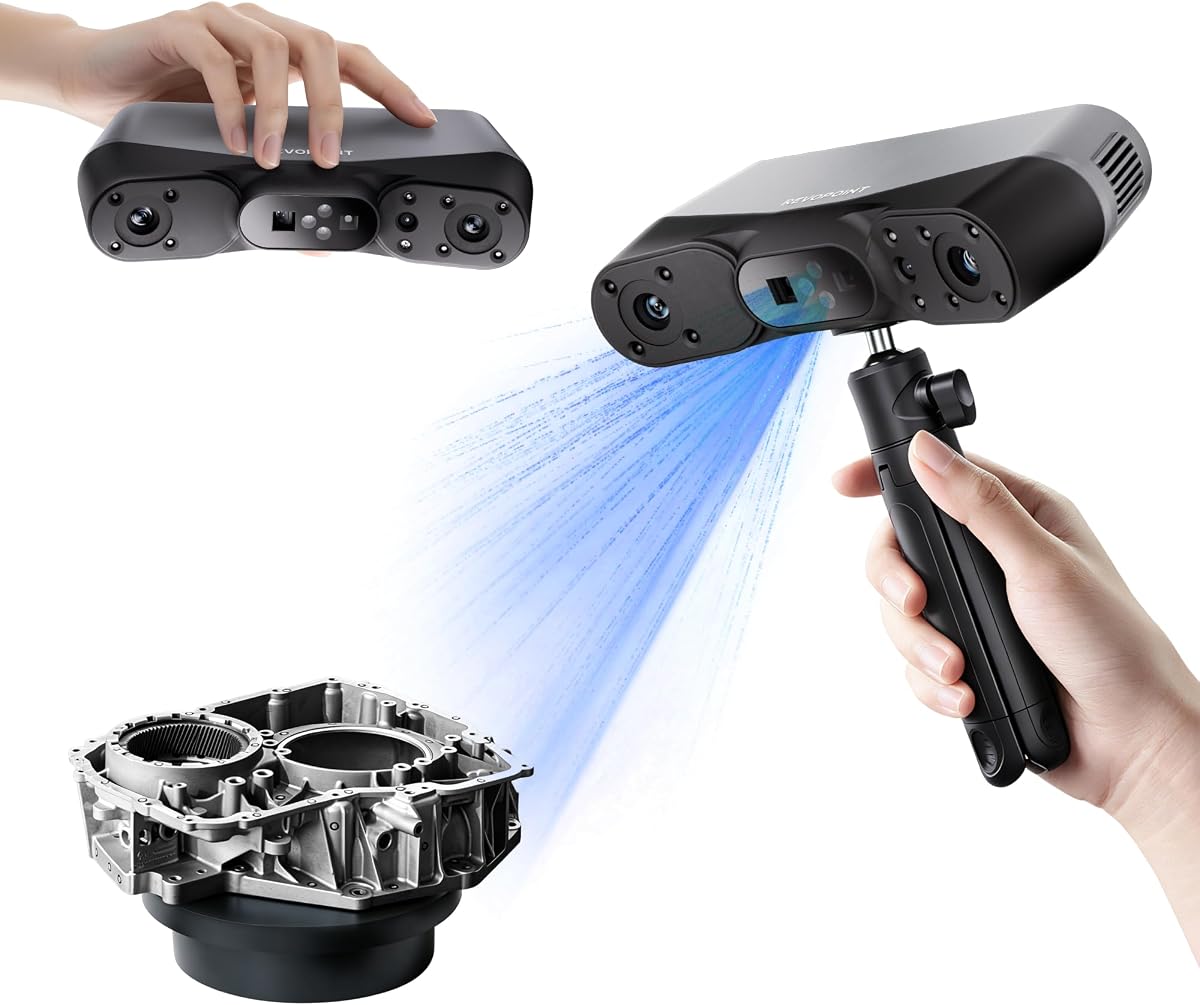
The Revopoint POP 4 is engineered for users who demand industrial accuracy and robust scanning performance. Its advanced AI segmentation identifies targets automatically, streamlining the scanning process and ensuring clean data with minimal noise.
We may earn a commission when you buy through this link, at no additional cost to you.
This model excels in outdoor environments, maintaining stability even under bright sunlight up to 100,000 lux. The multi-mode system including NIR, VCSEL, and blue laser allows it to handle reflective metals and dark objects without needing spray.
While the included software is powerful, some advanced features like Revo Design require separate purchase. This might be a consideration for budget-conscious buyers, but the hardware capabilities remain top-tier for professional applications.
We suggest the POP 4 for engineering firms and professionals needing precise reverse engineering data. Its wireless connectivity and long battery life also support fieldwork where cables are impractical.
One-click target identification reduces background noise, making post-processing faster and more accurate.
Designed to perform in up to 100,000 lux ambient light, ideal for construction and archaeology.
We may earn a commission when you buy through this link, at no additional cost to you.
The INSPIRE 2 offers a lightweight solution for users who need portability without sacrificing too much precision. Weighing only 190g, it is easy to hold for extended periods, making it ideal for scanning medium-sized objects on the go.
We may earn a commission when you buy through this link, at no additional cost to you.
Its dual-module system uses infrared structured light and multi-line lasers to capture challenging surfaces without spray. The optical zoom feature helps focus on specific details, adding versatility to the scanning process.
While it lacks the ultra-high precision of premium models, the accuracy is sufficient for many design and prototyping tasks. The included outdoor filters ensure reliable performance in shaded or semi-bright outdoor conditions.
We recommend this model for hobbyists and mobile professionals who prioritize ease of use and weight. It balances performance and portability effectively for a wide range of applications.
At 190g, fatigue is minimized during long scanning sessions, improving overall data quality.
Adjustable zoom allows precise focus on specific areas, enhancing detail capture on complex surfaces.
We may earn a commission when you buy through this link, at no additional cost to you.
The MetroY Ultra is built for industrial inspection and tight tolerance measurement, offering 0.01mm precision. Its blue laser technology ensures high accuracy even on complex geometries, making it a strong choice for reverse engineering.
We may earn a commission when you buy through this link, at no additional cost to you.
Scanning speed reaches up to 90 FPS with GPU acceleration, significantly reducing data acquisition time. The 34-laser cross-line mode handles large areas efficiently without compromising detail or stability.
While it demands higher hardware specs and a larger budget, the results justify the cost for professional environments. The ability to scan outdoors in harsh sunlight further extends its utility to field inspections.
We suggest this scanner for quality control departments and engineering teams needing reliable, high-speed metrology. Its wireless features also enable flexible monitoring during scans.
0.01mm single-frame precision meets strict industrial requirements for accurate part inspection.
90 FPS capability with GPU support ensures rapid scanning for efficient workflows.
We may earn a commission when you buy through this link, at no additional cost to you.
The MetroX Pro leverages advanced blue laser technology to deliver exceptional detail and accuracy for industrial use. Its high point capture rate of 7 million points per second ensures fast, detailed scans suitable for complex models.
We may earn a commission when you buy through this link, at no additional cost to you.
The auto turntable feature simplifies scanning of round objects, reducing manual effort. Mobile streaming allows real-time monitoring on phones, enhancing workflow flexibility without needing a laptop nearby.
Software compatibility is broad, though advanced CAD tools are sold separately. This modular approach keeps initial costs lower while still providing powerful base capabilities for scanning and editing.
We recommend this model for designers and engineers needing detailed scans for prototyping. Its wireless streaming and turntable automation make it a versatile addition to any technical workspace.
One-click turntable scans save time on rotational objects, ensuring consistent data capture.
Stream scans to phones or tablets for real-time preview and control from any angle.
We may earn a commission when you buy through this link, at no additional cost to you.
The 3DMakerpro Fox offers an accessible entry into 3D scanning without compromising too much on detail. With 0.07mm accuracy, it outperforms many typical beginner scanners, making it suitable for hobbyists needing reliable results.
We may earn a commission when you buy through this link, at no additional cost to you.
AI visual tracking allows seamless rescanning if movement occurs, reducing frustration during handheld sessions. The integrated JMStudio software combines editing and optimizing, simplifying the workflow for those new to the technology.
While not as fast or precise as industrial units, the performance is adequate for 3D printing and basic modeling. It strikes a good balance between cost and capability for non-professional users.
We suggest the Fox for hobbyists and students entering the world of 3D scanning. Its ease of use and affordable price make it an ideal starting point for learning.
Relocks onto scanned areas automatically, so you never have to start over due to movement.
All-in-one software streamlines post-processing, saving time for beginners.
We may earn a commission when you buy through this link, at no additional cost to you.
The Otter Lite delivers impressive range with a quad-camera system capable of scanning from coins to cars. Its 0.05mm accuracy ensures fine details are captured even on large objects like vehicles or industrial machinery.
We may earn a commission when you buy through this link, at no additional cost to you.
Eye-safe infrared allows full-body scans without concerns about laser exposure, making it versatile for personal use. The 24-bit color texture captures vibrant images, adding realism to digital models for e-commerce or art.
Wi-Fi 6 requires a bridge purchase for wireless operation, which may add to the total cost. Despite this, the hardware capabilities and safety features make it a strong contender for versatile scanning needs.
We recommend the Otter Lite for users needing flexibility across object sizes. Its safety features and color accuracy make it ideal for diverse applications including prototyping and digitization.
From 0.8 inches to 78 inches, one device handles objects of vastly different scales.
24-bit color with LED fill ensures accurate reproduction even in dim conditions.
We may earn a commission when you buy through this link, at no additional cost to you.
The CR-Ferret SE is designed for ease of use, featuring anti-shake technology that handles shaky hands effectively. This makes it forgiving for beginners who are still developing steady scanning techniques.
We may earn a commission when you buy through this link, at no additional cost to you.
One-shot 3D imaging ensures quick data capture, and the built-in 2MP camera provides vibrant color output. Scanning black or metal objects without spray simplifies the workflow significantly.
Precision is adequate for general models but not for industrial needs. However, for personal projects and learning, the reliability and ease of use are unmatched in this price range.
We suggest the SE for first-time users or educators teaching 3D scanning. Its anti-shake feature reduces frustration and increases success rates for novices.
New one-shot imaging ensures smooth results even if your hand moves during the scan.
Simple interface and automatic features make it easy to start scanning immediately.
We may earn a commission when you buy through this link, at no additional cost to you.
The Ferret Pro enhances mobility with WiFi6 wireless support, allowing data transfer up to three times faster than WiFi5. This connectivity ensures stable and efficient scanning for users who need quick feedback.
We may earn a commission when you buy through this link, at no additional cost to you.
Compatibility extends to iOS and Android devices via a dedicated bridge, making it versatile for mobile workflows. Anti-shake tracking maintains accuracy even with hand movements, keeping the experience smooth.
While accuracy is decent for general use, it is not intended for precision engineering. However, the convenience of wireless operation and broad OS support make it appealing for mobile scanning tasks.
We recommend the Ferret Pro for users seeking wireless flexibility on a budget. Its mobile support and ease of use are strong assets for on-the-go scanning needs.
Three times faster than WiFi5 ensures stable data transfer during scanning.
Connects to iOS and Android with a bridge for true wireless scanning freedom.
We may earn a commission when you buy through this link, at no additional cost to you.
The MIRACO Plus is a powerhouse all-in-one system with photogrammetric metrology for high-precision measurements. Its quad depth camera and 48MP RGB camera deliver stunning detail and color for lifelike models.
We may earn a commission when you buy through this link, at no additional cost to you.
Equipped with 32GB RAM and a powerful processor, it handles large point clouds without lag. The 6-inch flip screen provides a clear view from any angle, improving usability in tight spaces.
While the hardware is exceptional, Revo Design software is sold separately, which adds to the total investment. This makes it best for users who already have CAD needs or are professionals seeking high-end performance.
We suggest the MIRACO Plus for industrial or museum-grade scanning projects. Its metrology kit and processing power make it a top choice for high-demand environments.
Ensures high-resolution capture on large objects with length accuracy of 0.02mm.
32GB RAM and 8-core processor handle large scans efficiently without slowing down.
We may earn a commission when you buy through this link, at no additional cost to you.
Selecting the right 3D scanner depends on your specific needs, from accuracy requirements to budget constraints. Here are key factors to consider before making a decision.
Accuracy determines how closely the digital model matches the physical object. Higher accuracy like 0.01mm is crucial for engineering and reverse engineering, while 0.1mm may suffice for hobby projects.
Choose accuracy based on the smallest details you need to capture and the end-use of your 3D files.
Speed is measured in frames per second (FPS) and affects workflow efficiency. Faster scanners reduce time on large objects but often require powerful PCs to handle the data.
Prioritize speed if you need to scan many items quickly or capture moving subjects.
Dark, shiny, or transparent surfaces can be challenging. Look for scanners with advanced laser or structured light tech that handles these materials without spray.
Models with multi-mode scanning or specific surface features save prep time and improve results.
Portable scanners are lighter and often battery-powered, allowing work in different locations. Heavier models offer more stability but require cables and power sources.
Consider weight if you plan to scan on-site or for long periods without fatigue.
Software quality impacts the scanning experience. Ensure the device works with your OS and offers tools for editing, exporting, and CAD integration.
Check for additional costs on software licenses or advanced features that may add to the total price.
Wired connections are stable but limit movement. Wireless models using Wi-Fi offer flexibility but depend on network conditions.
Choose Wi-Fi 6 for faster data transfer if mobility is a priority for your workflow.
RGB cameras add realistic textures to models, essential for visual projects. Full 24-bit color capture ensures accurate reproduction of surface details.
If visual fidelity is key, prioritize scanners with high-resolution cameras and lighting options.
Beyond the hardware price, consider accessories, software licenses, and maintenance costs. Entry-level models are affordable but may lack advanced features.
Balance your budget with long-term needs to avoid upgrading prematurely or overpaying for unused capabilities.
Before scanning, ensure the environment is well-lit but without direct sunlight that interferes with sensors. Calibrate the device using the provided board for optimal accuracy.
During use, move steadily and keep the object in full view. Follow software guides to complete coverage and avoid gaps in the final model.
After scanning, clean lenses gently with a microfiber cloth and store the device in a dry place. Regular updates to firmware and software ensure continued performance and security.
Yes, many modern scanners use laser or structured light technology designed to capture black, shiny, or metallic surfaces without spray. Models like the Creality Pika and Revopoint POP 4 excel at this with dual-mode options.
For most 3D printing, 0.1mm to 0.05mm accuracy is sufficient. If you need exact parts for engineering, look for 0.03mm or better to ensure perfect fit and function.
Basic scanning works on most PCs, but high-speed models with GPU acceleration require stronger hardware. Check system specs, especially for processing large point clouds.
3D scanners offer higher precision and work in varied lighting, while photogrammetry uses photos for modeling. Scanners are better for technical applications and complex geometries.
Eye-safe infrared scanners like the Otter Lite are safe for faces and bodies. Always verify the device uses safe light classes to avoid exposure risks during use.
Most export to STL, OBJ, PLY, and ASC formats, compatible with major 3D printing and CAD software. Ensure the scanner supports your needed workflow formats.
Yes, models with outdoor filters or advanced lasers work in sunlight. Look for specs indicating light tolerance up to 100,000 lux for reliable outdoor performance.
The 10 models covered here offer a broad range of solutions, from budget-friendly options to industrial-grade powerhouses. Whether you need high precision or portability, there is a fit for every user.
Focus on accuracy, speed, and software when deciding. Balance these factors with your specific projects to find the best value and capability for your needs.
Always check current prices and availability before buying as market conditions shift regularly. With the right choice, you can unlock powerful digital tools for innovation and creation.