
ATOMSTACK A40 PRO V2 Laser Engraver
4.8Editor score
Dual mode 24W 48W output
500 mm/s high speed cutting
Four in one versatile rotary system
Finding the right 50W laser engraver can transform your creative projects into professional-quality results. Whether you work with metal, wood, or acrylic, the power and precision of a fifty-watt system open new possibilities for detailed engraving and cutting tasks.
We compared ten leading models based on their laser source type, working area size, software compatibility, and safety features. Each entry includes real-world performance insights to help you understand how these machines handle different materials and project demands.
Every pick highlights specific strengths like speed, portability, or advanced features to guide your decision. Note that availability and pricing change frequently, so always check the latest details before purchasing to ensure you get the best value.
4.8Editor score

4.4Editor score

5.0Editor score
As an Amazon Associate we earn from qualifying purchases.
This side by side comparison outlines the core specifications of each model to help you quickly identify the right fit for your workspace and material needs.




The GWEIKE G2 Max stands out as a top choice for professionals seeking speed and precision in metal engraving. With a 4.4 star rating, it delivers industrial-grade performance capable of handling deep engraving and complex 3D carving tasks.
We may earn a commission when you buy through this link, at no additional cost to you.
Its standout feature is the high-speed precision galvanometer system that achieves speeds up to 15000 mm/s while maintaining 0.001 mm accuracy. The machine also supports over 90 vibrant colors on stainless steel and titanium, a rare capability for fiber lasers.
While the working area is limited to 150 by 150 mm, the electric lift column makes focus adjustments effortless with a simple button press. This design reduces manual effort and ensures consistent results across different material thicknesses.
It is ideal for users who prioritize speed and color variety over large working beds. The portable design extends its utility beyond fixed workbenches, making it a versatile tool for diverse metalworking applications.
The G2 Max supports over 90 vibrant colors on metals such as stainless steel and titanium, expanding creative options significantly.
An electric lift column allows for easy focus adjustment with just the push of a button, enhancing efficiency and user experience.
We may earn a commission when you buy through this link, at no additional cost to you.
The VEVOR 50W CO2 laser engraver earns a perfect 5.0 star rating for its exceptional performance on non-metal materials. It is designed for cutting wood, acrylic, and other substances with burr-free edges and reliable speed.
We may earn a commission when you buy through this link, at no additional cost to you.
Its 20 by 12 inch work area accommodates larger projects like leather goods and wooden décor. The four-way pass-through design allows longer materials to be fed manually, expanding the range of possible project sizes.
While it uses a manual focusing knob and worktable adjustments, the guided focusing scale ensures optimal accuracy. The built-in air-assist system keeps the workspace clean by clearing dust and smoke during operation.
This model is best suited for shops focused on wood or acrylic work. Its spacious dual beds and software compatibility make it a reliable tool for businesses needing consistent output on non-metal substrates.
The 20 by 12 inch work area accommodates leather goods and wooden décor with a four-way pass-through design for longer materials.
The built-in air-assist system clears dust and smoke, keeping the workspace fresh while the pull-out waste tray simplifies cleanup.
We may earn a commission when you buy through this link, at no additional cost to you.
The Cloudray 50W fiber engraver is a 5.0 star rated tool tailored for detailed work like gold jewelry making and tool etching. Its portable design and high precision make it suitable for intricate small-scale projects.
We may earn a commission when you buy through this link, at no additional cost to you.
It offers two working area options of 4.3 by 4.3 inch and 6.9 by 6.9 inch, with an adjustable height block for larger needs. The included 360 degree rotary axis allows engraving on cylindrical objects like rings and bracelets.
The machine runs on EzCad2 or Lightburn software compatible with Windows and macOS. Its lifespan exceeds 100000 hours, and it can reach engraving depths of 0.5mm for consistent marking quality on metals.
This unit is perfect for educational institutions or jewelers needing precise metal marking. While it has a small footprint, the rotary attachment and dual area options maximize its versatility for detailed craftsmanship.
A 360 degree rotary axis attachment allows engraving of cylindrical or round objects, ideal for rings, bracelets, or metal rods.
It can engrave metals such as stainless steel, aluminum, and brass with consistent marking quality and 0.01mm accuracy.
We may earn a commission when you buy through this link, at no additional cost to you.
The OMTech 50W fiber engraver is a 5.0 star rated machine designed for large and detailed metal engravings. Its 7.9 by 7.9 inch workspace provides ample room for intricate designs that larger machines may not support easily.
We may earn a commission when you buy through this link, at no additional cost to you.
It achieves 0.1mm accuracy with speeds up to 275.6 ips for efficient productivity. The dual red dot locators ensure accurate and easy setup, simplifying the process of positioning workpieces correctly before engraving.
While the included EZCAD2 software works seamlessly on Windows, users can also leverage LightBurn for more advanced design options. This compatibility offers flexibility for different workflow preferences and design tools.
Best suited for professionals needing precision on metal jewelry or steel, this model balances power and ease of use. Its premium build and large area justify the investment for serious engraving applications.
The 7.9 by 7.9 inch workspace accommodates large-scale projects and intricate designs with a high-power fiber laser source.
Dual red dot locators ensure accurate setup for precise marking, while speeds up to 7000 mm/s enhance productivity.
We may earn a commission when you buy through this link, at no additional cost to you.
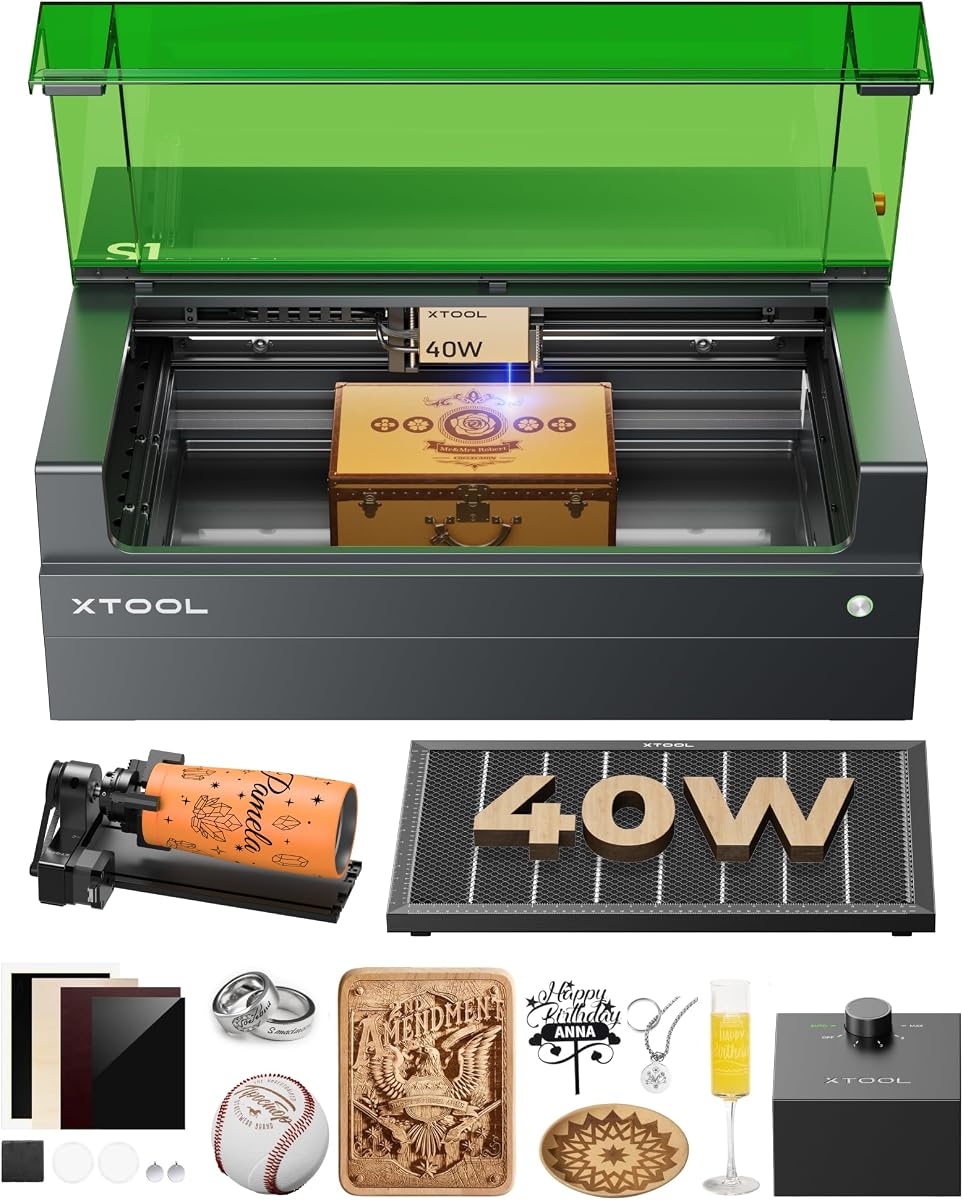
The xTool S1 40W laser cutter earns a 4.6 star rating for its advanced safety features and large working area. It is perfect for beginners and families thanks to its Class 1 safety design that filters most laser light.
We may earn a commission when you buy through this link, at no additional cost to you.
Its spacious 23.93 by 15.16 inch bed supports large projects like door signs or up to 119 dog tags in one go. The AutoPassthrough Technology allows tackling projects up to 118 inches with ease.
The xTool Creative Space software uses AI to create designs from simple text inputs, making it accessible without design skills. Flame sensors and an emergency stop button provide additional peace of mind during operation.
Though it has 40W power, it handles wood, acrylic, and metal surfaces well. Its enclosed design blocks smoke and noise, making it a secure choice for home or classroom environments.
The protective cover filters 99 percent of laser light, safeguarding your eyes without the need for goggles.
The AI-powered software can create unique designs from a few words, guiding users with over 1000 project tutorials.
We may earn a commission when you buy through this link, at no additional cost to you.
The ATOMSTACK A40 PRO V2 laser engraver is a 4.8 star rated budget-friendly option that delivers impressive power and speed. Its physical button allows instant switching between 24W precision and 48W power modes for different tasks.
We may earn a commission when you buy through this link, at no additional cost to you.
It cuts through 18mm basswood and 0.1mm stainless steel in a single pass at 500mm/s. The four-in-one versatility with roller, chuck, sphere, and ring modules covers 95 percent of cylindrical engraving needs.
The all-aluminum anodized frame ensures stability even at top speeds, reducing vibrations for sharper results. An automatic air assist kit keeps edges clean and protects the lens from debris during cutting.
Ideal for serious DIYers or small businesses, this model balances cost and capability. The quick setup and modular design mean you can start creating almost immediately after unboxing.
A physical button allows switching between 24W and 48W output power instantly for the perfect balance of detail and muscle.
Combines Roller, Chuck, Sphere, and Ring modules to cover 95 percent of cylindrical engraving needs out of the box.
We may earn a commission when you buy through this link, at no additional cost to you.
This OMTech 50W fiber engraver features a smaller size and cooler appearance while maintaining high performance. It is ideal for users seeking a user-friendly experience with professional capabilities in metal marking.
We may earn a commission when you buy through this link, at no additional cost to you.
The 5.9 by 5.9 inch workbed offers a spot diameter of 0.01 mm for detailed work. The field lens uses an air-spaced design with anti-reflective coatings to minimize distortion and maximize engraving speed.
A red dot indicator helps adjust focus simply by pressing a button. The machine includes LightBurn and EzCad2 software compatible with Windows 7 through 10 for flexible design workflow options.
Support includes 24-hour service teams and demo room hosts across multiple countries. This global network ensures comprehensive technical support and on-site experience by appointment for customers.
An all-in-one fiber laser with a smaller size and cooler appearance defines a new generation of user-friendly machines.
The red dot indicator assists in adjusting the focus by pressing a button with only one finger for ease of use.
We may earn a commission when you buy through this link, at no additional cost to you.
The LE400PRO 50W engraver is a 4.5 star rated beginner-friendly machine with a large 400 by 400 mm working area. It uses point compression technology for a 0.08 mm ultra-fine focus that is twice as thin as ordinary spots.
We may earn a commission when you buy through this link, at no additional cost to you.
Its new magnetic protective cover filters 97 percent of UV rays to protect your eyes. The innovative knob design allows tool-free focus adjustment that is more stable and convenient than non-fixed options.
Supported by GRBL and LightBurn software, it runs on Windows and macOS for broad compatibility. The engraving speed reaches 6000 mm/min with a service life of 15000 hours for reliable long-term use.
This model is perfect for those wanting a simple setup and large space. Its strong all-metal structure ensures stability while the safety switch allows for emergency shutdowns during operation.
Point compression technology achieves a 0.08 mm square ultra-fine focus for high-precision engraving.
The magnetic protective cover filters 97 percent of UV rays and can be attached or detached at any time.
We may earn a commission when you buy through this link, at no additional cost to you.
The Monport 60W fiber engraver offers a brand new integrated mini design with a lifespan of up to 100000 hours. It is lighter and smaller while maintaining high performance and the ability to engrave all metals.
We may earn a commission when you buy through this link, at no additional cost to you.
Its customized galvanometer system achieves a maximum speed of 10000 mm/s with 0.01 mm carving accuracy. The 5.9 by 5.9 inch workbed is optimal for this power level to avoid distortion or weak light at edges.
You can operate it using LightBurn or free software saved on a USB drive. The machine supports deep engraving and metal sheet cutting, making it suitable for various advanced metalworking needs.
This model is ideal for users needing faster results on small to medium projects. Its deep engraving capabilities and compact footprint make it a strong choice for efficient metal marking.
A newly customized galvanometer system equipped with silicon material reflectors allows a maximum speed of 10000 mm/s.
It can perform 2.5D metal engraving, deep engraving, and even some metal sheet cutting with higher efficiency.
We may earn a commission when you buy through this link, at no additional cost to you.
The Creality Falcon2 Pro 60W laser engraver is a commercial-grade machine designed for serious makers and workshops. Its adjustable 60W, 40W, and 22W power levels provide flexibility for matching different materials and applications.
We may earn a commission when you buy through this link, at no additional cost to you.
It features a 60W plus 1.6W dual laser system where the powerful laser handles heavy-duty cutting while the integrated laser enables precise positioning. The built-in HD camera provides live preview and batch alignment.
Workspaces benefit from a fully enclosed Class 1 safety design that minimizes exposure and improves smoke containment. Air assist and efficient exhaust management deliver cleaner cuts and reduced burn marks during long runs.
Ideal for batch production and batch signs, its large workspace supports wood, acrylic, leather, and more. Compatibility with LightBurn and rotary accessories ensures an expanded professional workflow for varied projects.
Switch seamlessly between 60W, 40W, and 22W to maximize performance or reduce output for finer engraving.
A 60W laser handles heavy-duty tasks while a 1.6W laser enables precise positioning and fine engraving.
We may earn a commission when you buy through this link, at no additional cost to you.
Selecting the right 50W laser engraver depends on understanding your project needs, material types, and desired precision levels.
The core difference lies between fiber and CO2 lasers. Fiber lasers excel at marking metals like steel and gold with high speed, while CO2 lasers cut wood and acrylic cleanly but cannot mark bare metals.
Choose fiber for metal marking and CO2 for non-metal cutting to ensure your machine matches your primary material needs.
The workbed dimensions dictate the maximum size of items you can engrave. Smaller units suit jewelry or badges, while larger ones accommodate signs or automotive parts.
Measure your typical projects to pick a bed size that avoids cutting materials into multiple pieces.
Most engravers work with LightBurn or EzCad2. LightBurn offers broader design tools and cross-platform support, while EzCad2 is standard for fiber systems.
Verify the software supports your operating system and offers features like batch processing if needed.
Higher speeds like 10000 mm/s boost productivity for detailed work. Precision specs like 0.01 mm accuracy matter for intricate text or patterns.
Balance speed requirements with the need for fine detail to avoid blurry or slow results.
For cylindrical items like tumblers or rings, a rotary attachment is essential. Some models include it, others require buying separately.
If you plan to engrave curved objects, confirm the machine supports rotary functionality out of the box.
Class 1 enclosed units filter most laser light and contain smoke, making them safer for homes. Class 4 units require strict safety protocols and eyewear.
Prioritize closed systems if you work in shared spaces or around children and pets.
Manufacturers with demo rooms and active support teams help troubleshoot issues quickly. Longer warranties like two years reflect product reliability.
Check if technical support is available in your time zone before committing to a purchase.
Prices range from under $200 to over $3000. Budget units might lack features like auto-focus or large beds.
Invest more if you need speed or specific capabilities that cheaper models cannot provide.
Start by setting up the machine in a well-ventilated area away from flammable materials. Ensure the protective cover or safety glasses are in place before powering on.
Focus the laser by adjusting the height using the manual knob or auto-focus button. Run a test on scrap material to confirm the settings match your design.
Regularly clean the lens with alcohol and replace it if scratches appear. Store the machine in a dry place to protect internal electronics from humidity.
A 50W laser can cut wood up to 6mm in a single pass depending on speed and material type. Thicker items may require multiple passes or slower speeds to achieve a clean cut.
Class 4 machines like most 50W units require protective glasses rated for the specific laser wavelength. Class 1 enclosed models filter light so goggles may not be necessary.
CO2 tubes typically last around 3500 hours while fiber sources can exceed 100000 hours. Regular maintenance and avoiding overuse extend the lifespan significantly.
Most modern machines support LightBurn, but older or specific brands may need EzCad2. Always check the software requirements in the product manual.
Yes, fiber lasers mark anodized aluminum easily by removing the top layer. They also work on bare metals like steel and brass for lasting marks.
Start at lower power for engraving and increase for deep cuts. Test settings on a sample piece to find the optimal balance between speed and depth.
The top picks offer diverse strengths from color engraving to fast cutting speeds. Selecting the right one depends on whether you prioritize speed, safety, or material variety.
Focus on the factors that match your most common projects. A larger bed suits big decor while high speed helps batch production tasks.
Prices and stock shift often so verify current deals and features before buying. Taking time to compare ensures a machine that grows with your needs.