
SANSUI 24.5 Inch 300Hz
4.5Editor score
Up to 300Hz refresh rate
Fast IPS panel technology
Included DP cable for setup
Finding the right display can drastically change how you perform in tactical shooters. A 240Hz monitor for competitive Valorant ensures every movement and enemy position is rendered with minimal delay. This high refresh rate allows players to track targets smoothly while reducing motion blur during intense firefights.
We evaluated ten models based on response time, panel technology, and adaptive sync support. Each product was chosen for its ability to deliver consistent frame rates and crisp visuals. Our analysis focuses on how well these screens handle rapid crosshair movement and quick flick shots required in ranked matches.
Each pick highlights specific strengths like color accuracy, ergonomics, or budget-friendly pricing. You will see detailed breakdowns of features that matter most for esports gaming. Please note that availability and pricing fluctuate often so check current listings before purchasing.
4.5Editor score
4.5Editor score

4.6Editor score
As an Amazon Associate we earn from qualifying purchases.
This side-by-side comparison highlights key specifications across all ten models. You can quickly identify differences in panel type, response time, and connectivity options to find the perfect match for your rig.


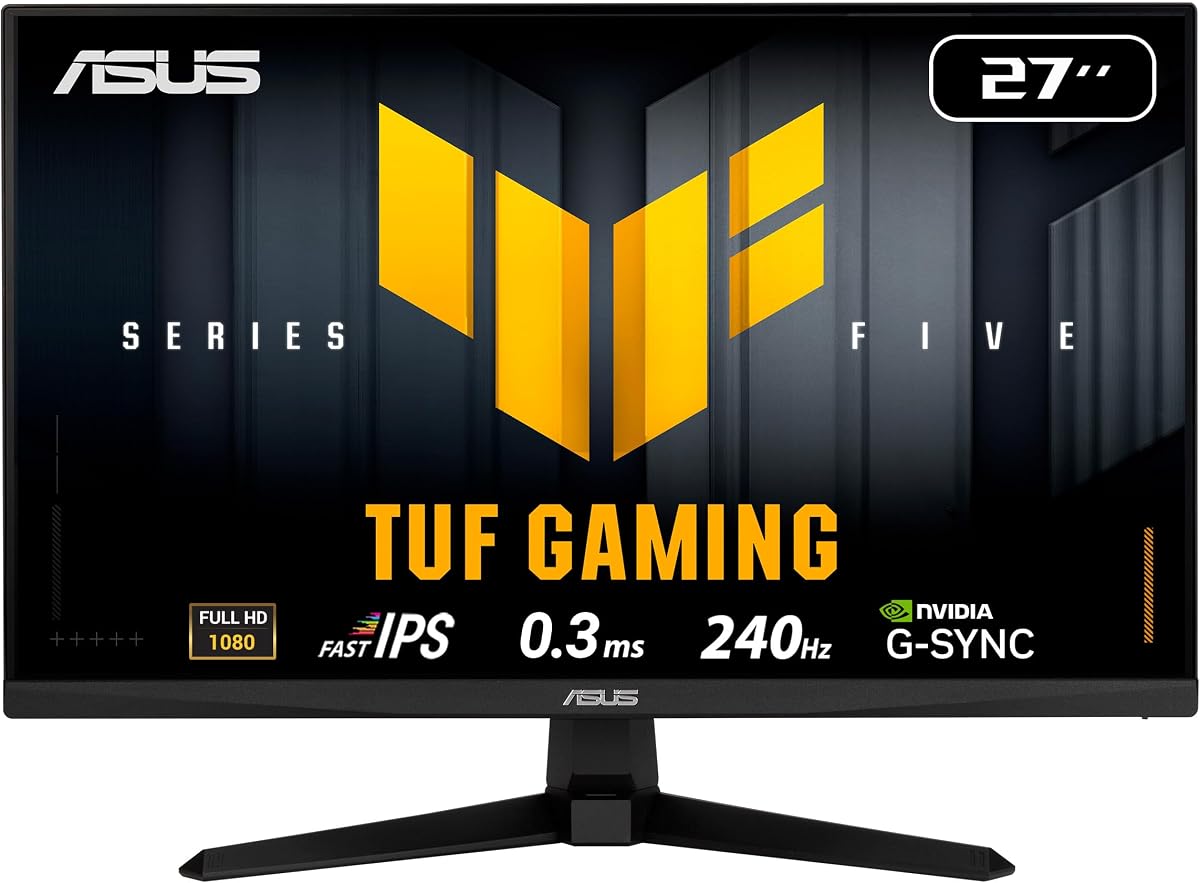
This ASUS TUF model stands out as a top choice for serious Valorant players. It features a 27-inch Fast IPS panel that delivers crisp visuals and a 240Hz refresh rate. The 0.3ms response time ensures minimal blur during fast movements. It also includes NVIDIA G-Sync compatibility for tear-free gameplay.
We may earn a commission when you buy through this link, at no additional cost to you.
The monitor excels in motion clarity thanks to ASUS Extreme Low Motion Blur Sync technology. This feature works alongside adaptive sync to eliminate ghosting without sacrificing refresh rate. The 99% sRGB coverage provides rich colors that help distinguish enemies from backgrounds. Users appreciate the DisplayWidget Center for easy settings adjustments via mouse.
While the resolution is Full HD which is standard for competitive play the panel quality is high. The ergonomic stand allows for height and tilt adjustments which helps maintain comfort during long sessions. The main tradeoff is the premium price point compared to other 240Hz options on the market.
Gamers seeking reliability and top-tier performance will find this monitor worth the investment. It balances speed and image quality better than most competitors in this category. The inclusion of a full warranty adds peace of mind for daily use. This model is highly recommended for those prioritizing fluid gameplay over ultra-high resolution.
Fast IPS panels offer quick pixel transitions and wide viewing angles. This ensures that colors remain consistent even when viewing from the side during intense gaming sessions.
ELMB SYNC technology allows variable refresh rate to work with motion blur reduction. This combination helps maintain sharp visuals without the stutter or tearing typically associated with high refresh rates.
We may earn a commission when you buy through this link, at no additional cost to you.
SANSUI offers an impressive refresh rate at a very affordable price point. This 24.5 inch monitor supports up to 300Hz via DisplayPort making it ideal for high FPS gaming. It features a Fast IPS panel with 120% sRGB coverage for vivid imagery. The package includes a DisplayPort cable for immediate setup.
We may earn a commission when you buy through this link, at no additional cost to you.
Players can benefit from the adjustable refresh rate that goes beyond standard 240Hz options. The 1ms MPRT response time helps reduce motion blur significantly. Dynamic Luminous Control and noise reduction features optimize visuals for better target acquisition. Game modes for FPS and RTS help tailor the display to specific titles.
The stand offers tilt adjustment but lacks height or swivel options. This might require a VESA mount for full ergonomic flexibility. The lack of speakers means external audio is necessary. However the price and performance make these compromises acceptable for budget-conscious competitive gamers.
This monitor is perfect for those wanting high refresh rates without breaking the bank. It delivers smooth motion and decent color accuracy out of the box. The warranty includes a 30-day replacement policy and lifetime technical support. It is a strong contender for entry-level competitive setups.
Supporting 300Hz provides an edge in reaction time for competitive shooters. This higher refresh rate can be toggled in settings to match hardware capabilities.
Built-in game assistants like crosshair overlays and shadow boosters enhance gameplay. These tools help players lock on targets faster during intense battles.
We may earn a commission when you buy through this link, at no additional cost to you.
This AOC model combines high resolution with top-tier speed for a premium experience. The 27-inch panel delivers Quad HD 1440p resolution alongside a 240Hz refresh rate. Overclocking pushes this to 260Hz via DisplayPort for extra smoothness. It supports NVIDIA G-SYNC to ensure seamless tear-free visuals.
We may earn a commission when you buy through this link, at no additional cost to you.
The 0.3ms MPRT response time is among the fastest available for IPS panels. Shadow Control and Game Mode presets help customize brightness and contrast for tactical play. The frameless design supports seamless multi-monitor setups if needed. Tilt adjustment and ergonomic positioning options are included for comfort.
While the higher resolution enhances visual detail it demands more GPU power to maintain high frame rates in Valorant. The price reflects the added capabilities compared to standard 1080p screens. Tilt adjustment is limited compared to full ergonomic stands but remains functional for most setups.
Gamers wanting both resolution and speed will find this monitor outstanding. It balances clarity and motion handling better than most alternatives. The G-SYNC certification ensures reliable performance with NVIDIA cards. This is a top choice for high-end competitive setups.
Quad HD resolution provides sharper edges and more screen real estate. This helps in spotting distant targets and improving overall situational awareness.
NVIDIA G-SYNC support eliminates screen tearing and reduces input lag. This ensures that visual output remains synchronized with GPU performance at all times.
We may earn a commission when you buy through this link, at no additional cost to you.
Dell delivers a compact and efficient gaming display suitable for focused gameplay. The 23.8-inch FHD panel runs at 240Hz with a fast 0.5ms response time. It uses IPS technology for consistent colors across wide viewing angles. AMD FreeSync Premium ensures smooth performance without screen tearing.
We may earn a commission when you buy through this link, at no additional cost to you.
Color accuracy is a strong point with 99% sRGB coverage for vivid imagery. TÜV Rheinland 3-Star certification indicates effective blue light reduction for eye comfort during long sessions. The tilt adjustment allows for basic ergonomic positioning. This monitor fits well on smaller desks due to its footprint.
Connectivity includes HDMI and DisplayPort ports which support the high refresh rate. The absence of USB hubs or extensive ports may limit peripheral connections. The smaller size might feel cramped for some but remains effective for competitive focus. Tilt adjustment is standard but not height adjustable.
This model is ideal for players prioritizing eye comfort and color fidelity. It offers a reliable balance of speed and visual quality at a reasonable price. The strong user rating suggests consistent performance and build quality. It is a great option for compact or budget-friendly setups.
TÜV certification ensures the display lowers blue light without altering colors. This helps reduce strain during extended gameplay sessions.
Adaptive sync technology matches refresh rate with frame output. This eliminates tearing and stuttering for a smoother visual experience.
We may earn a commission when you buy through this link, at no additional cost to you.
Amzfast offers a curved 24-inch option that emphasizes immersion and speed. The 240Hz refresh rate combined with 1ms MPRT response time helps track targets smoothly. A 3000:1 contrast ratio provides deeper blacks and vivid colors. The ultra-slim base saves desk space and supports under keyboard storage.
We may earn a commission when you buy through this link, at no additional cost to you.
A built-in joystick makes navigating menus quick and easy. Game modes for FPS help optimize contrast and color for better target visibility. HDR technology and 124% sRGB coverage enhance overall visual quality. Anti-flicker and low blue light features protect eyes during long sessions.
The curved screen can feel more engaging but may require a slight adaptation period. Stand ergonomics are limited to tilt adjustment which may not suit everyone. The lack of reviews suggests it is a newer option to test carefully. VESA support allows for custom mounting if needed.
This monitor provides a unique curved experience at a competitive price. The joystick and game modes offer convenient tuning for gameplay. It balances speed and visual richness well for its size. Consider testing comfort before committing to the curved form factor.
Curved screens wrap around peripheral vision for increased immersion. This helps maintain focus on the center of the action.
The slim base allows for under keyboard storage. This maximizes desk space for larger keypads or mouse movement.
We may earn a commission when you buy through this link, at no additional cost to you.
msi combines VA panel contrast with high speed for this gaming monitor. The 27-inch FHD display runs at 240Hz with 0.5ms GtG response. AI Vision technology reveals details in dark areas to help spot enemies. HDR Ready and FreeSync Premium support ensure a balanced visual experience.
We may earn a commission when you buy through this link, at no additional cost to you.
The high rating of 4.8 suggests strong user satisfaction. Performance and reliability. The deep contrast ratio of VA panels makes blacks look rich and solid. This helps in shadow areas where enemies might hide. The design keeps brightness high for clear visuals in various lighting conditions.
VA panels typically have narrower viewing angles than IPS which may affect side viewing. Connectivity includes HDMI and VGA ports which covers standard needs. Tilt adjustment is available but height and swivel are not included. VESA mounts allow flexibility if the stand limits positioning.
This model is great for players prioritizing contrast and speed on a budget. AI Vision adds a tactical edge by clarifying dark spots. It delivers smooth motion and excellent black levels for its class. It is a solid choice for those who prefer deep blacks.
AI Vision boosts brightness and saturation in dark zones. This helps reveal enemies hiding in shadowy areas during gameplay.
VA technology provides higher contrast ratios than IPS. This results in deeper blacks and more vibrant color saturation.
We may earn a commission when you buy through this link, at no additional cost to you.
AOC provides a 27-inch FHD panel with significant speed potential for competitive play. It runs at a native 240Hz but can be overclocked to 260Hz via HDMI or DisplayPort. Adaptive sync ensures tear-free gaming across both AMD and NVIDIA GPUs. The 0.5ms MPRT response time maintains sharpness during fast motion.
We may earn a commission when you buy through this link, at no additional cost to you.
The IPS panel delivers wide 178-degree viewing angles for consistent colors. Flicker-free technology helps reduce strain during long gaming sessions. The graphical OSD menu and G-Menu software make customization easy and intuitive. Tilt adjustment and VESA mount support allow flexible positioning on desks.
Eco Mode reduces power usage but might limit brightness in bright rooms. The stand offers tilt but no height adjustment so a VESA mount is useful. The frameless design helps if you plan to connect multiple screens. Overall it balances speed and usability well for most setups.
Players wanting an overclockable refresh rate at a mid-range price will find this ideal. It delivers clean motion and solid color performance for FPS games. The G-SYNC compatibility ensures smooth visuals with NVIDIA hardware. This is a reliable choice for competitive players.
Overclocking to 260Hz gives a slight edge in frame rates. This option helps maximize smoothness on capable GPUs.
G-Menu software allows quick access to profiles and settings. This simplifies tuning the monitor for different game modes.
We may earn a commission when you buy through this link, at no additional cost to you.
SANSUI brings a budget 24-inch curved monitor to the competitive space. It supports 240Hz refresh rate with a 1500R curvature for immersion. 124% sRGB and 93% DCI-P3 gamut coverage deliver vivid colors. Shadow booster and game modes help optimize visuals for FPS titles.
We may earn a commission when you buy through this link, at no additional cost to you.
The contrast ratio of 3000:1 supports deep blacks and HDR effects. Anti-flicker and anti-glare treatments reduce reflections and eye strain. HDMI and DP ports allow connection to most consoles and PCs. Lifetime technical support and a 30-day replacement policy add security.
Stand tilt is limited to -5 to 15 degrees which may feel rigid. The absence of speakers means external audio is required. Port variety is standard but does not include USB hubs. Still the price and performance are strong for a 240Hz curved panel.
This monitor is best for those wanting immersion on a budget. The curved design and color accuracy make it stand out for its price. Warranty and support ensure confidence in the purchase. Consider checking ergonomics before buying to ensure comfort.
DCI-P3 coverage enhances color depth for richer images. This helps differentiate enemy colors from backgrounds easily.
Shadow booster and crosshair overlays assist in targeting. These features provide tactical advantages during competitive matches.
We may earn a commission when you buy through this link, at no additional cost to you.
ASUS offers a compact 24-inch model with strong features for competitive gaming. The Fast IPS panel delivers 0.3ms response and 240Hz refresh rates. Height adjustable stand allows perfect ergonomic positioning for long sessions. G-Sync compatibility ensures seamless visuals during rapid gameplay.
We may earn a commission when you buy through this link, at no additional cost to you.
ELMB SYNC technology combines motion blur reduction with variable refresh rate. This helps eliminate ghosting while maintaining smooth motion. The 99% sRGB gamut ensures vibrant and accurate colors. DisplayWidget Center makes accessing OSD settings easier via mouse control.
The 3-year warranty adds significant value and reliability for users. The stand provides height and tilt adjustments but lacks pivot or swivel. The 24-inch size fits smaller desks but limits peripheral vision slightly. Overall the ergonomics are better than many rivals in this tier.
Players needing height adjustment without paying top-tier prices will appreciate this model. It balances speed color and ergonomics well for tactical shooters. The included Adobe Creative Cloud subscription adds value for creators. This is a highly practical choice for competitive play.
Height adjustable stands help maintain proper viewing posture. This reduces neck strain during extended gaming sessions.
Motion blur reduction works alongside adaptive sync technology. This eliminates ghosting without sacrificing refresh rate smoothness.
We may earn a commission when you buy through this link, at no additional cost to you.
This 25-inch model strikes a balance between screen real estate and desk space. The Fast IPS panel features a 0.3ms GTG response time for fast visuals. It supports 240Hz refresh and G-Sync compatibility for smooth performance. DisplayWidget Center allows easy access to settings via mouse control.
We may earn a commission when you buy through this link, at no additional cost to you.
ELMB SYNC technology helps reduce motion blur while keeping refresh rates high. Color accuracy is ensured by 99% sRGB coverage for vivid imagery. The 3-year warranty offers confidence in long-term reliability. However the stand does not offer height adjustment which may limit ergonomics.
The 25-inch size sits between 24 and 27 inches offering a good middle ground. It is compatible with VESA mounting for alternative ergonomic stands. The lack of height adjustment is the main tradeoff compared to higher models. Still the speed and warranty make it a compelling option for gamers.
Gamers looking for an ultra-fast response in a medium size should consider this. It delivers sharp visuals and smooth motion for competitive shooters. The warranty and creative cloud subscription add extra value. This monitor is well-suited for those prioritizing performance over stand features.
A 25-inch screen offers a balance between detail and desk space. This size is ideal for close-up competitive gaming setups.
99% sRGB coverage ensures vibrant and precise colors. This helps distinguish targets clearly during gameplay.
We may earn a commission when you buy through this link, at no additional cost to you.
Selecting the right monitor requires attention to several key technical specifications. This guide outlines the most important factors to consider before making a purchase.
Refresh rate measures how many times the screen updates per second. A 240Hz rate ensures smooth motion which is essential for tracking fast enemies in Valorant. Response time indicates how quickly a pixel changes color. Look for sub-1ms response times to reduce ghosting and blur during rapid movements.
Prioritize monitors that sustain 240Hz consistently without compromising image quality. Fast IPS or VA panels with low response times are ideal for competitive play.
IPS panels offer wide viewing angles and excellent color accuracy. They are preferred for consistent visuals from different positions. VA panels provide deeper blacks and higher contrast which helps spot enemies in dark areas. OLED offers perfect blacks but is rare at this refresh rate.
Choose IPS if color consistency and viewing angles are top priorities. Opt for VA if contrast and dark detail are more important to your style.
Adaptive sync technologies like FreeSync Premium and G-Sync match refresh rate to frame output. This prevents screen tearing and reduces stutter during variable performance. NVIDIA G-Sync certified monitors generally offer more robust performance than standard FreeSync models.
Ensure your GPU and monitor share compatible adaptive sync features. This synchronization is critical for maintaining smooth visuals without tearing artifacts.
Full HD 1080p resolution is standard for high refresh rate gaming. It reduces GPU load allowing higher frame rates for competitive advantage. Larger screens like 27 inches offer more immersion but require higher GPU power to maintain 240Hz.
Stick to 24 or 25 inches for optimal speed on lower end rigs. Higher resolutions like 1440p are possible but demand more powerful hardware.
Comfort during long sessions depends on stand adjustability. Look for height tilt swivel and pivot features to align the monitor properly. VESA mount compatibility allows third party arm mounts if the included stand is limited.
Adequate adjustability helps reduce strain on neck and back. Prioritize stands with height adjustment to maintain eye level with the screen.
DisplayPort 1.4 is typically required to reach 240Hz at 1080p. HDMI 2.1 or specific versions of 2.0 may support high rates but check specs carefully. Audio jacks allow direct connection to headphones without extra adapters.
Verify your graphics card outputs match the monitor inputs. Ensure cables included are capable of carrying the required signal bandwidth.
Long gaming sessions can cause eye strain without proper protection. Flicker-free technology and low blue light certifications like TÜV help reduce this. These features preserve color quality while reducing harmful emissions.
Prioritize monitors with recognized eye comfort certifications for health. Look for flicker-free backlighting to prevent fatigue during play.
Manufacturers vary on warranty length and support quality. A minimum of two years is standard but three years offers better protection. Check return policies and customer support responsiveness before buying.
Reliable support ensures peace of mind in case of defects. Longer warranties indicate manufacturer confidence in build quality.
Connect the monitor using a high-quality DisplayPort cable to ensure the full refresh rate is utilized. Ensure your graphics card drivers are updated to support high frame rates in game settings.
Adjust the display settings through the OSD menu to match your preferences. Enable adaptive sync and set the refresh rate to maximum via system display options.
Clean the screen with a soft microfiber cloth and avoid harsh chemicals. Position the monitor to reduce glare from lights or windows for optimal visibility.
Yes 240Hz provides a significant advantage in competitive shooters like Valorant. The higher refresh rate reduces motion blur and allows for quicker target tracking. This fluidity helps players react faster to sudden enemy movements.
Full HD 1080p is the most common choice for competitive Valorant. It places less demand on your GPU allowing higher frame rates. Higher resolutions like 1440p are possible but require stronger hardware to sustain high refresh rates.
First ensure you connect using DisplayPort or HDMI 2.1. Then navigate to your system display settings and set the refresh rate to 240Hz. You may need to install updated GPU drivers to access the highest refresh rates.
Both are essential for a smooth competitive experience. Response time affects how quickly pixels change color impacting motion blur. Refresh rate determines how many frames are displayed. Ideally look for both low response times and high refresh rates.
IPS panels typically offer faster response times and better viewing angles. VA panels provide deeper blacks which can help in dark environments. For competitive Valorant IPS is often preferred for speed and consistency.
It depends on your GPU's capability to output high frame rates. Older cards may struggle to reach 240fps in Valorant. Check benchmarks to ensure your hardware can sustain the required performance for high refresh rates.
We have reviewed ten top monitors that deliver 240Hz performance for Valorant. The ASUS TUF VG279QM5A stands out as a complete package for performance and ergonomics. Budget options like the SANSUI models offer impressive speed at accessible price points.
Prioritize response time and adaptive sync when making your final decision. These features directly impact motion clarity and smoothness during gameplay. Consider ergonomics to ensure comfort during extended practice sessions.
Prices and availability change frequently so check current listings before buying. Visit the provided links to confirm stock and latest pricing details. With the right monitor you can maximize your potential in competitive matches.