
Lenovo V15 Business
4.4Editor score
Intel N-Series Processor
RJ-45 Ethernet Port
Windows 11 Pro Ready
Finding a laptop with an Ethernet port is becoming increasingly difficult as manufacturers prioritize thinner designs. However, a stable wired connection remains critical for professionals, gamers, and home users who need reliable network performance without Wi-Fi interruptions.
We have evaluated ten distinct models that retain the RJ-45 port alongside modern features. Our comparison focuses on performance, build quality, port selection, and connectivity options to help you identify the right machine for your specific workflow needs.
Each selection below highlights unique strengths ranging from budget-friendly options to high-performance business machines. Note that availability and configurations can vary by region and time, so always verify the latest details before making your final purchase decision.
4.4Editor score
5.0Editor score

4.8Editor score
As an Amazon Associate we earn from qualifying purchases.
The following table provides a side-by-side look at the key specifications for each laptop selected. Use this quick reference to compare processors, memory, storage, and connectivity options across all ten models.





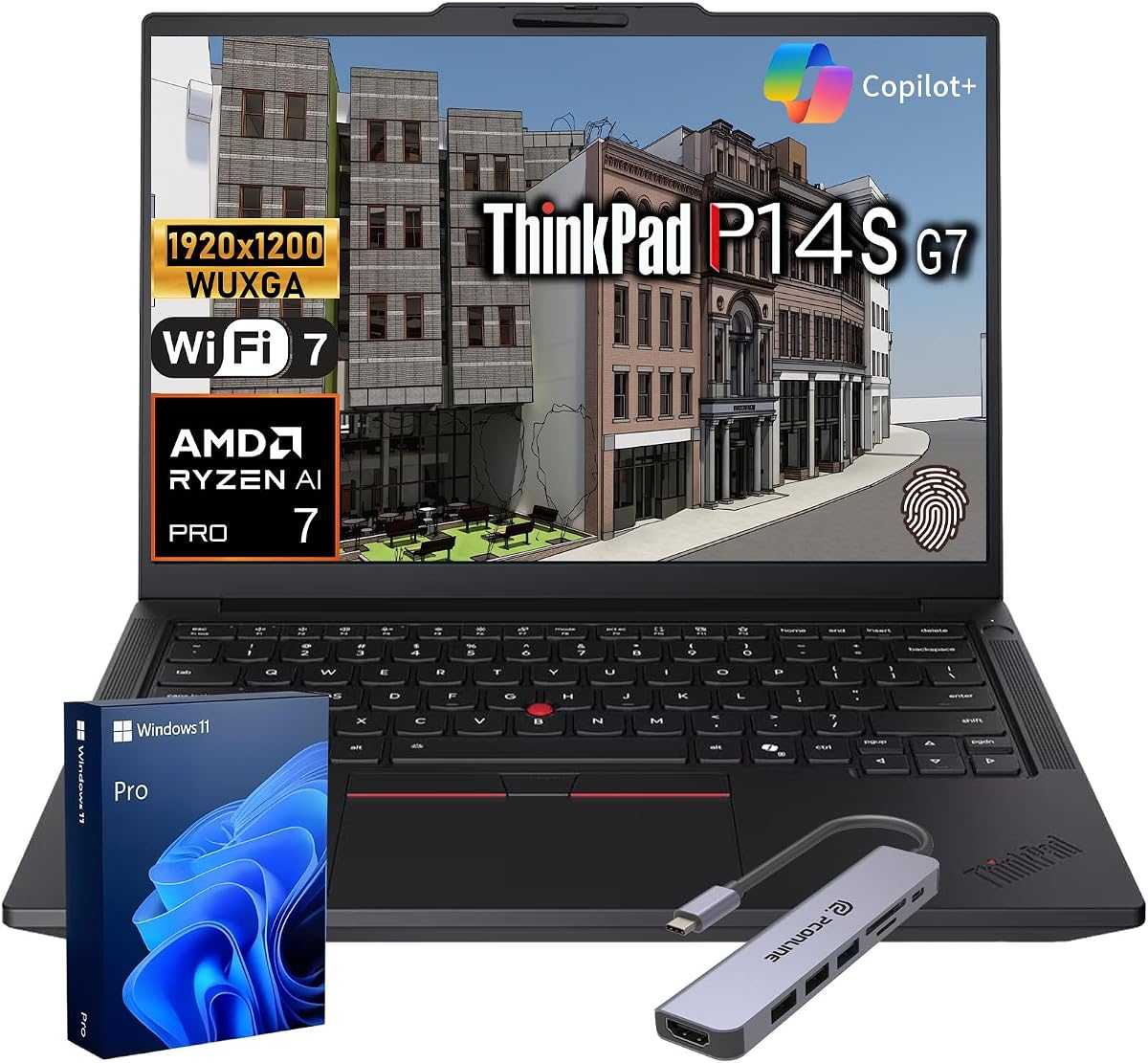
The Lenovo ThinkPad P14s stands out as a top-tier business machine designed for professionals who cannot compromise on connectivity. Its robust build and extensive port selection make it ideal for complex workflows requiring stable network access.
We may earn a commission when you buy through this link, at no additional cost to you.
This model features the advanced AMD Ryzen AI 7 Pro processor which handles data-heavy tasks efficiently. The inclusion of a native Gigabit Ethernet port ensures you maintain high-speed wired connections without needing dongles or adapters.
While the price reflects its premium status, the reliability and performance justify the investment for business users. The security suite and military-grade testing offer peace of mind for those handling sensitive corporate data daily.
If you need a reliable workhorse with powerful AI capabilities and native Ethernet support, this ThinkPad is an excellent choice. It balances performance, durability, and connectivity better than most competitors in its class.
The integrated NPU accelerates local AI workflows reducing dependency on cloud resources for faster processing times.
Layered ThinkShield security paired with fingerprint readers and privacy shutters protects sensitive business assets effectively.
We may earn a commission when you buy through this link, at no additional cost to you.
The Lenovo V15 Business offers a practical solution for users needing a wired connection without spending a fortune. It delivers essential performance for daily tasks while retaining the vital RJ-45 port for stable networking.
We may earn a commission when you buy through this link, at no additional cost to you.
Powered by the efficient Intel N-Series processor this laptop handles web browsing and office applications smoothly. The DDR5 RAM and PCIe SSD ensure responsive boot times and multitasking capabilities within its compact form factor.
Storage is modest but sufficient for those who rely on cloud services or external drives. The inclusion of Windows 11 Pro adds enterprise-grade features often missing in budget devices making it versatile for work or study.
For students or home office workers seeking a no-frills machine with Ethernet support this model is a strong contender. It provides the necessary tools for productivity without the premium cost of high-end business laptops.
The N-Series processor delivers reliable efficiency for everyday productivity tasks while keeping power consumption low.
Features Wi-Fi 6 and Bluetooth 5.2 alongside USB-C and Ethernet for versatile connection options.
We may earn a commission when you buy through this link, at no additional cost to you.
The HP 17 Business Laptop combines a large screen with robust performance and essential connectivity features. It is designed for users who prefer a desktop replacement experience but still require portability and wired network access.
We may earn a commission when you buy through this link, at no additional cost to you.
The AMD Ryzen 5 processor delivers smooth multitasking performance suitable for demanding applications. With 16GB of RAM and a spacious SSD this system handles media consumption and office work with ease.
The 17.3-inch display provides ample screen real estate for multitasking and creative work. The presence of an Ethernet port ensures that you can maintain a stable connection for large file transfers or video conferencing.
If you need a large-screen laptop with serious power and wired connectivity this HP model is a compelling choice. It balances premium features with practical design elements to suit professional and personal needs alike.
The 17.3 inch FHD screen offers vivid details and a comfortable viewing experience for extended work sessions.
Windows 11 Copilot integration provides AI-powered assistance to simplify tasks and optimize productivity workflows.
We may earn a commission when you buy through this link, at no additional cost to you.
The Lenovo V15 Gen 4 is a well-rounded business laptop designed for modern productivity needs. It integrates a powerful AMD Ryzen processor with essential security features and a dedicated Ethernet port for reliable networking.
We may earn a commission when you buy through this link, at no additional cost to you.
With 16GB of LPDDR5 RAM this model handles multitasking with ease. The ample storage ensures you have plenty of space for files and applications while maintaining system responsiveness during daily use.
Security is a priority with TPM 2.0 and a physical webcam shutter included. These features protect your privacy and data which is crucial for business users working in shared or public spaces regularly.
This laptop offers a balanced mix of performance security and connectivity at a reasonable price point. It is a solid choice for professionals who need a dependable machine with native wired network support.
Windows 11 Pro security enhancements combined with TPM encryption keep your critical data safe from threats.
Includes USB-C, USB-A, HDMI, and Ethernet ports ensuring you can connect various peripherals easily.
We may earn a commission when you buy through this link, at no additional cost to you.
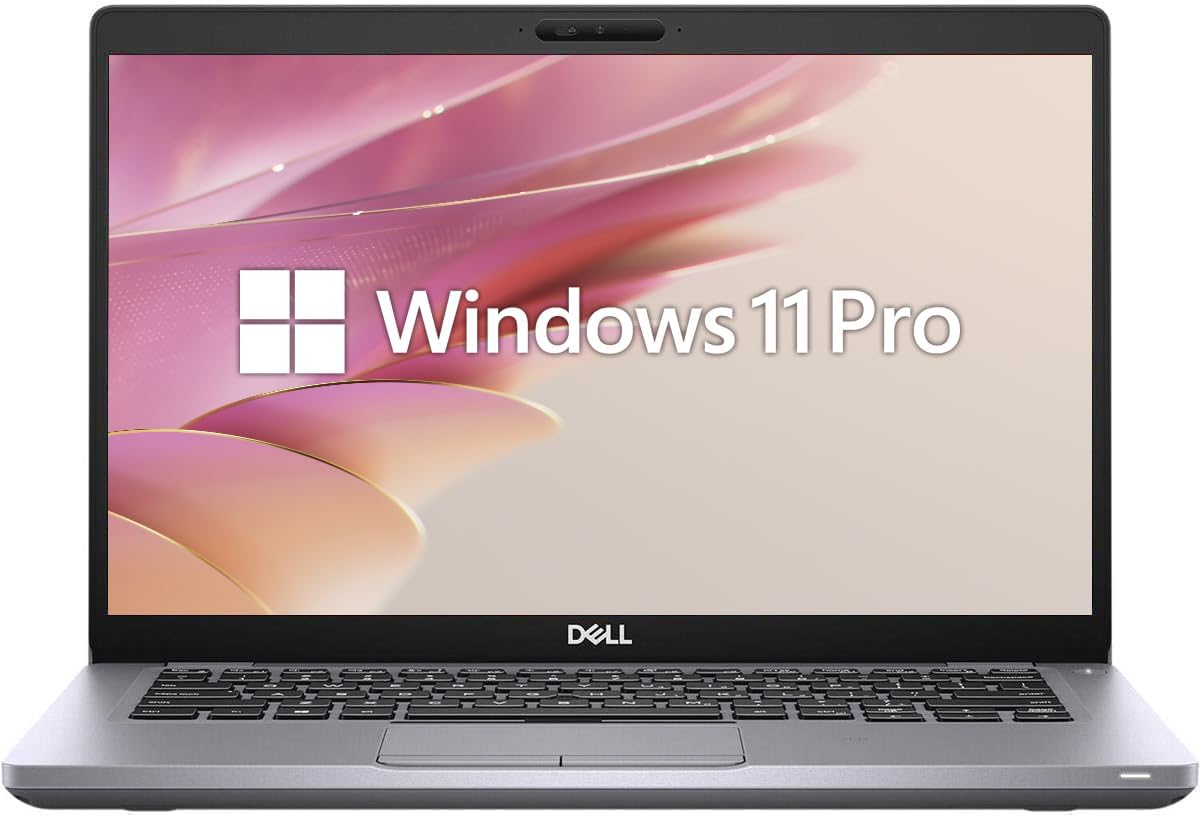
The Dell Latitude 3420 brings reliable business-grade performance to those who value durability and connectivity. As a renewed model it offers a cost-effective way to access a trusted enterprise laptop with essential wired networking.
We may earn a commission when you buy through this link, at no additional cost to you.
The Intel Core i5 processor provides ample power for daily tasks and multitasking. With 16GB of RAM this machine ensures smooth operation even when running multiple applications simultaneously throughout the workday.
Its compact 14-inch form factor makes it easy to transport while still offering the necessary ports for work. The presence of RJ-45 ensures you can always opt for a stable wired connection when Wi-Fi is unreliable.
For small business owners or remote workers seeking an affordable business-class option this Latitude is a strong candidate. It delivers professional features and build quality at a more accessible price point than new units.
The 11th Gen processor and DDR4 RAM handle demanding office applications and web-based tools efficiently.
Windows 11 Pro support enables domain joining and BitLocker encryption for secure enterprise deployments.
We may earn a commission when you buy through this link, at no additional cost to you.
The Dell Latitude 5410 is a practical choice for users who prioritize storage and connectivity in a business chassis. Its renewed status makes it an attractive option for those looking to maximize value without sacrificing key features.
We may earn a commission when you buy through this link, at no additional cost to you.
Equipped with 16GB of RAM and 512GB of SSD storage this laptop offers significant space for files and smooth multitasking. The FHD display ensures clear visuals for reading documents and browsing the web comfortably.
Ethernet connectivity is built-in allowing you to maintain stable network access during critical tasks. This feature is often omitted in modern thin laptops making this model a rare find for wired users.
For users seeking a reliable secondary machine or a cost-effective business solution this Latitude fits the bill. It provides essential performance and connectivity options needed for everyday professional productivity efficiently.
The 512GB SSD provides fast boot times and ample room for local file storage and applications.
Windows 11 Pro features like Remote Desktop and enhanced security tools support efficient work management.
We may earn a commission when you buy through this link, at no additional cost to you.
The Lenovo 15.6 V15 G6 offers a modern configuration with DDR5 memory in a slim business chassis. It is designed for users who need a portable machine with reliable connectivity for home or office environments.
We may earn a commission when you buy through this link, at no additional cost to you.
The Intel N100 processor provides adequate power for routine computing tasks. While not built for heavy processing it handles web browsing and document editing efficiently thanks to the faster DDR5 RAM speed.
Connectivity remains a strong point with Gigabit Ethernet included alongside modern USB-C and USB-A ports. This ensures you have flexible options for connecting peripherals and stable network access at all times.
This laptop is well-suited for light business use or educational purposes. It combines recent hardware features with the reliability of a business line to meet the needs of casual professional users effectively.
DDR5 RAM delivers improved bandwidth and efficiency for smoother multitasking compared to older standards.
Compact dimensions and light weight make this laptop easy to carry between home and office locations.
We may earn a commission when you buy through this link, at no additional cost to you.
This Lenovo V15 Gen 4 model balances modern features with classic business durability. It offers a robust memory configuration that enhances overall system responsiveness while maintaining essential wired connectivity options.
We may earn a commission when you buy through this link, at no additional cost to you.
The AMD Ryzen 3 processor delivers efficient performance for everyday computing needs. With 16GB of LPDDR5 RAM the system handles multiple browser tabs and applications smoothly without significant lag or slowdown.
Storage is limited to 256GB but this is often sufficient for users who utilize cloud storage solutions. The focus here is on speed and efficiency rather than raw capacity which suits many mobile professionals well.
For those needing a reliable daily driver with privacy features and Ethernet support this model fits well. It provides a stable platform for work and study with enough power to handle standard business applications effectively.
The Ryzen processor is optimized for low power consumption helping to extend battery life during travel.
MIL-SPEC testing ensures the laptop can withstand shocks and vibrations common in travel or office settings.
We may earn a commission when you buy through this link, at no additional cost to you.
This version of the Lenovo V15 Gen 4 features a high-performance Intel Core processor designed to handle demanding tasks. It is an ideal choice for power users who need raw speed alongside the reliability of a wired connection.
We may earn a commission when you buy through this link, at no additional cost to you.
The 13th Gen Core i5 delivers excellent multitasking capabilities suitable for development or heavy content work. With 16GB of RAM and a 512GB SSD this machine supports a wide range of professional applications smoothly.
The inclusion of an Ethernet port ensures you can maintain a stable network connection for uploads or downloads. This hardware feature adds significant value for users who rely on consistent internet speeds for their work.
For professionals needing a balance of high performance and standard connectivity this model is a top contender. It delivers the power required for advanced workflows while retaining the essential ports needed for traditional setups.
The H-series processor offers faster clock speeds and better multi-core performance for intensive workloads.
The full-size keyboard with numeric keypad enhances data entry efficiency for financial or administrative tasks.
We may earn a commission when you buy through this link, at no additional cost to you.
The HP 14 Business Laptop is a budget-friendly option for basic computing tasks. While it lacks a native Ethernet port its lightweight design and included Office 365 subscription make it attractive for casual users.
We may earn a commission when you buy through this link, at no additional cost to you.
Powered by the N150 processor this laptop handles light browsing and document creation efficiently. The small footprint makes it easy to carry for students or remote workers who prioritize portability over power.
Although it lacks a direct Ethernet port you can use a USB-C adapter if wired connections are necessary. This flexibility allows you to adapt the device to your specific networking needs without buying a new machine.
For those needing an entry-level device for basic productivity this model serves its purpose well. It provides a clean modern interface and essential connectivity options for everyday home and casual business use.
The included Office 365 subscription adds value by providing essential tools for word processing and data analysis.
Its compact size and light weight make it an ideal companion for students and frequent travelers on a budget.
We may earn a commission when you buy through this link, at no additional cost to you.
Selecting a laptop with a built-in Ethernet port requires balancing performance, connectivity needs, and portability. This guide outlines the critical factors to consider to ensure you find a device that meets your specific requirements.
The most critical factor is verifying the presence of an RJ-45 port. Many modern ultrabooks omit this for thinner designs forcing you to rely on adapters which can be easily lost or damaged. Ensure the laptop lists Ethernet explicitly in its port specifications.
Look for models that specifically mention Gigabit Ethernet to ensure fast wired speeds. A dedicated port provides greater reliability and lower latency compared to Wi-Fi which is vital for large transfers or video calls.
Choose a processor that matches your workload intensity. For basic tasks a budget processor will suffice but professional work requires a multi-core CPU to handle multitasking without lag. Consider the generations of chips as newer ones often offer better efficiency.
Prioritize models with higher core counts if you run multiple applications simultaneously. A powerful processor ensures that your network tasks do not slow down other processes on your machine during critical work periods.
At least 8GB of RAM is recommended for smooth operation with modern web browsers and office tools. 16GB is preferable if you plan to keep many tabs open or run virtual machines. SSD storage is essential for fast boot times and application loading.
Ensure the SSD capacity meets your needs or is upgradeable. A 256GB SSD is often tight for storing large files so look for options that support expansion or provide 512GB of storage out of the box for flexibility.
A clear display reduces eye strain during long work sessions. Look for Full HD resolution and anti-glare coatings if you work in bright environments. Screen size should align with your portability needs as larger screens offer more workspace.
IPS panels provide better color accuracy and viewing angles which are useful for presentations and media consumption. Prioritize brightness levels above 250 nits to ensure visibility in well-lit office spaces or outdoor settings.
Battery life varies significantly based on processor efficiency and screen size. For remote work or travel aim for a device that can last through a typical workday. Check real-world reviews rather than relying solely on manufacturer claims for accuracy.
Consider models with fast charging support to minimize downtime. A laptop that charges quickly ensures you can power up quickly between meetings or during short breaks without being tethered to an outlet constantly.
Beyond Ethernet evaluate the other ports available such as USB-C USB-A and HDMI. You need enough connections for your peripherals without needing a dock. Modern laptops often rely on USB-C for charging so ensure the adapter is included.
Wi-Fi 6 support complements the Ethernet port for wireless flexibility. This standard provides faster speeds and better stability than older generations ensuring you have robust options whether you are wired or wireless.
Business laptops often undergo military-grade testing to ensure resilience against shocks and vibration. This durability is essential if you move your device frequently between locations. A sturdy chassis also protects internal components from accidental drops.
Consider the materials used such as aluminum or reinforced plastics. A durable build reduces the likelihood of wear and tear over time providing better value for money in the long run for daily use.
Windows 11 Pro offers features like BitLocker and Remote Desktop that are useful for business users. Security features like fingerprint readers and TPM chips are vital for protecting sensitive data. Ensure the OS is legitimate and up to date for support.
Check if the laptop includes software bloatware that may impact performance. A clean installation of the operating system ensures smoother operation and gives you the freedom to customize the system to your needs immediately.
To use the Ethernet port connect one end of a standard Cat5e or Cat6 Ethernet cable to the RJ-45 port on your laptop. Plug the other end into your router or network switch. Once connected your operating system should automatically detect the wired network.
Clean the ports periodically using compressed air to remove dust and debris that could block the connection. Avoid using sharp objects to clear ports as they may damage the internal pins. Keep the exterior dry to prevent liquid from entering the connectors.
Store your laptop in a protective case when traveling to prevent physical damage to the ports. Avoid pulling on the cable when disconnecting it; hold the plastic connector head to ensure longevity. Regular software updates keep your network drivers secure and optimized for performance.
An Ethernet port provides a stable and secure wired connection that is less susceptible to interference than Wi-Fi. It ensures consistent speeds for large file transfers and critical video conferences without signal drops.
Yes you can use a USB to Ethernet adapter to add wired connectivity. However built-in ports are often more reliable and do not occupy a USB slot which keeps your setup cleaner and more efficient.
A Cat6 cable is generally recommended for modern Gigabit Ethernet connections. It supports speeds up to 10Gbps over short distances and provides better shielding against interference compared to older Cat5e cables.
Most business-class laptops retain Ethernet ports because reliability is a priority for professional environments. Consumer ultrabooks often remove them to reduce thickness so checking specifications is essential before purchasing.
Yes Ethernet reduces latency and jitter which can significantly improve online gaming performance. It provides a consistent connection that helps avoid lag spikes that are common with wireless networks during peak hours.
Check the product specifications for terms like Gigabit Ethernet or RJ-45 1000Mbps. If the listing mentions 100/1000Mbps it supports Gigabit speeds which are significantly faster than standard 100Mbps connections.
Choosing a laptop with an Ethernet port ensures you have reliable connectivity for critical tasks. The selected models offer a range of options from budget-friendly choices to high-performance machines that meet diverse professional needs.
Prioritize features like build quality and performance alongside the presence of the RJ-45 port. Your specific workflow requirements should guide your decision to ensure the laptop serves you well in both home and office environments.
Always verify the latest configurations and availability before making a purchase. Prices and stock can change quickly so checking the product page directly is the best way to confirm the details match your expectations.