
INF Mouse/keyboard adapter compatible with Nintendo Switch, PS4, Xbox One/360, PS3
3.9Editor score
Universal console compatibility
Plug and play setup
Responsive lag-free experience
This guide compares the top Nintendo Switch keyboard mouse adapters for precision control, compatibility, and performance across Switch, PS4, and Xbox consoles.
Gamers often seek precise control when playing competitive titles on consoles. A Nintendo Switch keyboard mouse adapter allows you to use familiar PC peripherals for better aiming and movement in shooters and strategy games.
We analyzed ten leading adapters based on compatibility, mapping features, and build quality. Each product was evaluated for its ability to translate inputs smoothly without lag or signal loss across multiple platforms.
Every pick highlights specific strengths like profile memory or sensitivity tuning. Note that availability and pricing may shift, so verify current details before purchasing to ensure the best fit for your setup.
3.9Editor score

4.0Editor score

4.3Editor score
This side-by-side comparison highlights key specifications and capabilities across all ten reviewed adapters to help you find the right match for your gaming needs.


The arVin Keyboard and Mouse Adapter stands out as a top choice for console gamers seeking precise control. With a solid 4.0 rating, it delivers reliable performance across multiple platforms including Nintendo Switch and Xbox. Its ability to store custom mappings makes it versatile for different game genres.
We may earn a commission when you buy through this link, at no additional cost to you.
This adapter supports up to eight different sets of key settings that can be switched using F12 and function keys. Users can adjust mouse sensitivity directly through keyboard shortcuts for tailored aiming experiences. The plug-and-play design eliminates the need for driver installations or complex setup processes.
While it lacks support for the latest PS5 consoles, it covers most current systems effectively. The hard PVC construction ensures durability for repeated connections. Bluetooth wireless keyboards remain unsupported which may limit some modern setups.
It suits gamers wanting PC-style precision without sacrificing console compatibility. Setup requires an official controller for authentication but rewards users with smooth input translation. For those prioritizing flexibility and build quality, this adapter is a strong recommendation.
Store eight profiles to switch between games quickly using function key shortcuts.
Constructed from hard PVC to withstand frequent plugging and unplugging.
We may earn a commission when you buy through this link, at no additional cost to you.
The INF Mouse/keyboard adapter offers an affordable entry point for console gamers wanting keyboard and mouse support. With universal compatibility across major platforms it simplifies setup for many users. Its compact design makes it easy to carry between gaming sessions.
We may earn a commission when you buy through this link, at no additional cost to you.
This converter focuses on core functionality with responsive real-time inputs and minimal delay. Button mapping is handled through official controllers to mirror keyboard functions. No software installation is required which reduces barriers for new users.
While it has a lower rating than premium options it delivers solid performance for the price. Build quality uses high materials for long-term use. It may lack advanced features like sensitivity tuning found in costlier models.
It suits budget-conscious gamers needing basic translation without complications. Perfect for casual play where simplicity matters more than customization. For those wanting maximum flexibility this might be a starting point to upgrade later.
Provides core conversion features at a competitive price point.
No drivers or apps needed to start playing quickly.
We may earn a commission when you buy through this link, at no additional cost to you.
The Joso Keyboard and Mouse Adapter emphasizes precision with features designed to enhance aiming and reaction speed. It supports true customization allowing players to remap controls via official gamepads. This makes it ideal for competitive titles requiring quick setup changes.
We may earn a commission when you buy through this link, at no additional cost to you.
Eight distinct profiles let users save settings for different games and switch seamlessly. Sensitivity adjustments help fine-tune tracking for FPS genres. The adapter works best with wired or 2.4G devices avoiding Bluetooth limitations.
It does not support the new Switch 2 or PS5 which limits future-proofing. However for current consoles it provides reliable performance and detailed video guides. Setup requires an official controller which ensures stable authentication.
Gamers wanting tailored control and speed will find this adapter effective. Clear documentation and profile management streamline the process. For those prioritizing accuracy over cutting-edge compatibility this is a strong option.
Save eight distinct profiles for instant switching between game configurations.
Optimized for FPS and strategy games to elevate aiming speed.
We may earn a commission when you buy through this link, at no additional cost to you.
This Keyboard and Mouse Adapter includes a reset button that simplifies troubleshooting during gameplay. It supports custom game configurations allowing personalized control schemes across platforms. The reset function helps quickly restore default settings if mappings cause issues.
We may earn a commission when you buy through this link, at no additional cost to you.
Built with tough PVC material it withstands repeated connections without degradation. Transmission speed is fast due to oxygen-free pure copper cores ensuring minimal lag. It covers most current consoles but excludes Xbox Series and PS5.
Bluetooth devices remain unsupported which may limit wireless setups. However 2.4G keyboards work well for stable connections. The adapter uses official controllers to guide button mapping effectively.
Users valuing reliability and quick resets will appreciate this design. It suits players who frequently switch games and need stable performance. For those needing Series X support consider other models but this remains robust for existing hardware.
Use the reset button to restore default settings instantly.
Oxygen-free pure copper cores ensure rapid signal transfer.
We may earn a commission when you buy through this link, at no additional cost to you.
The BLADER Keyboard Mouse Adapter by CHEERKONTEK supports Xbox Series X/S alongside Switch and PS4. It offers plug-and-play setup with lightweight portability for travel. Shortcut key mapping and sensitivity adjustment allow personalized control enhancements.
We may earn a commission when you buy through this link, at no additional cost to you.
Connecting requires the original controller which simulates inputs as controller signals. The headphone jack on controllers becomes invalid when connected through this adapter. Users must maximize view sensitivity in game settings for optimal aiming performance.
With a 3.5 rating it has mixed feedback but covers newer Xbox systems. Manual tutorials guide users through complex steps. It suits those prioritizing Series X support over other premium features.
This adapter works well for gamers comfortable with specific setup rules. It is light and easy to carry for LAN parties. If maximizing sensitivity settings is acceptable it provides solid performance on supported platforms.
Provides compatibility for newer Xbox Series consoles alongside older ones.
Light weight and small enough to fit easily in a backpack.
We may earn a commission when you buy through this link, at no additional cost to you.
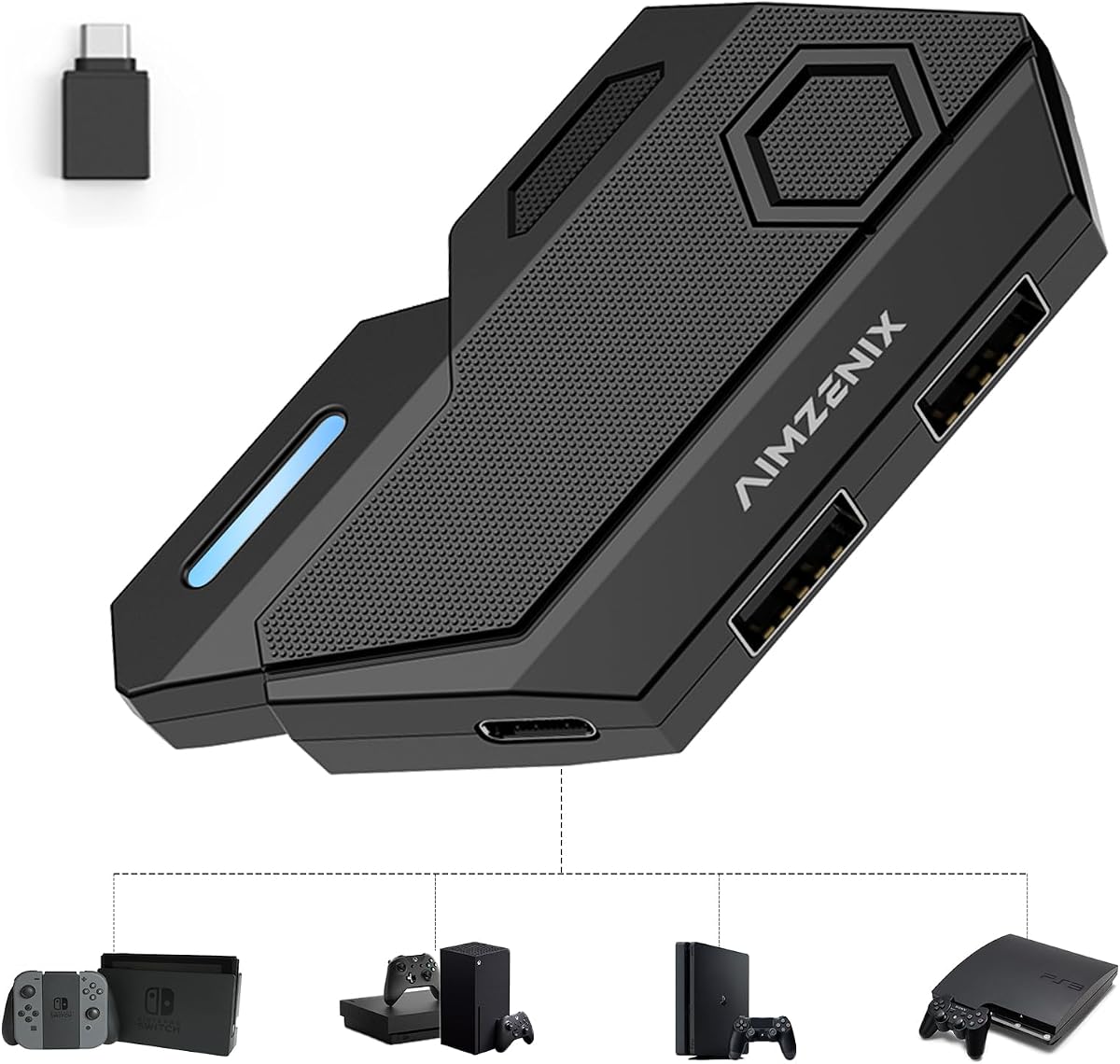
AIMZENIX offers a Keyboard and Mouse Adapter compatible with Switch 2 and NS consoles alongside PS4 and Xbox. It uses shortcut key customization to improve game accuracy and control. The package includes OTG adapters for flexible connectivity options.
We may earn a commission when you buy through this link, at no additional cost to you.
Users must connect original controllers for authentication as Bluetooth is unsupported. The headphone jack becomes invalid during use which may affect audio setups. A dedicated service team provides electronic manuals for guidance.
With a 4.0 rating it balances feature coverage with usability. Setup follows standard plug-and-play protocols without software. Sensitivity tuning enhances precision for competitive genres.
It suits early adopters wanting Switch 2 support alongside current platforms. Clear documentation helps resolve common issues quickly. For those needing future-proof options with reliable service this is a recommended choice.
Compatible with Switch 2 and NS models for future upgrades.
Dedicated team offers electronic manuals and direct assistance.
We may earn a commission when you buy through this link, at no additional cost to you.
The AIMZENIX Blader Pro stands out with Bluetooth app support for easy key mapping. It delivers stable 1000Hz performance for smooth tracking. A USB-C power port stabilizes high-power RGB peripherals ensuring consistent operation.
We may earn a commission when you buy through this link, at no additional cost to you.
RGB indicators provide quick visual feedback on device status. This model supports both wired and 2.4GHz devices widely. However magnetic-switch and Hall effect keyboards remain unsupported for compatibility reasons.
With a higher price it delivers premium features like official game presets. Setup via GEEKVICE app avoids memorizing shortcut combinations. It suits enthusiasts wanting advanced customization without complex manual steps.
Investors seeking the best experience will find this adapter justified. Reliable performance and app integration streamline the gaming process. For those prioritizing premium quality and features this is the top option.
Use GEEKVICE app via Bluetooth for one-tap preset application.
USB-C auxiliary power port helps stabilize high-power peripherals.
We may earn a commission when you buy through this link, at no additional cost to you.
The Mcbazel KX Converter supports HID-protocol devices covering over 90 percent of keyboards and mice. It works with PS3 and Xbox Series X|S making it versatile for legacy and new hardware. An OTG adapter enables handheld mode on Switch.
We may earn a commission when you buy through this link, at no additional cost to you.
Setup allows mapping aiming and shooting functions in FPS games. However only one wireless receiver can be used at a time requiring mixed setups. Original controllers are needed for PS4 and Xbox authentication.
With a 3.7 rating it offers mixed stability but covers unique console needs. PS3 setups do not require a controller port for connection. It suits users with specific hardware combinations needing flexibility.
It is ideal for gamers owning older consoles alongside modern ones. Clear steps help ensure smooth operation after initial setup. For those needing PS3 or Series X support this adapter is a solid fit.
Supports PS3 and legacy systems alongside newer Xbox Series.
Use one wireless device paired with wired or mixed connections.
We may earn a commission when you buy through this link, at no additional cost to you.
Joso offers a Keyboard and Mouse Adapter compatible with Switch 2 and Series X|S excluding PS5. It features four profile memory to save custom key bindings instantly. Sensitivity adjustments help refine aiming for different game types.
We may earn a commission when you buy through this link, at no additional cost to you.
The package includes necessary cables and OTG converters for ease of use. Video tutorials guide setup to ensure accurate mappings. Official controllers are recommended for full functionality during configuration.
With a 3.8 rating it provides reasonable performance for current platforms. The four profiles balance simplicity and flexibility without overwhelming users. It suits players needing quick access to multiple game settings.
This adapter works well for those prioritizing Switch 2 readiness. Clear guidance and a complete package reduce setup friction. For those wanting straightforward customization this is a dependable choice.
Store up to four mapping profiles for instant game switching.
Includes OTG converter and cables for immediate setup.
We may earn a commission when you buy through this link, at no additional cost to you.
Arvin provides a Keyboard and Mouse Adapter supporting Switch Series and Xbox 360. It features adjustable sensitivity via Ctrl and mouse wheel for fine-tuned aiming. Four sets of mappings can be stored for different games.
We may earn a commission when you buy through this link, at no additional cost to you.
Made of hard ABS material it ensures durability for repeated use. The compact size makes it easy to carry in travel bags. PS5 consoles allow connection only with PS4 controllers for older games.
With a 3.8 rating it delivers good value for existing hardware. The design emphasizes tactile feel and stable cable connections. Setup requires original controllers to guide mappings accurately.
This adapter suits gamers wanting a balance of features and affordability. Clear user manuals and videos help resolve setup issues. For those prioritizing build quality and customization this is a strong recommendation.
Hard ABS material ensures durability and tactile comfort.
Use Ctrl and mouse wheel to adjust sensitivity on the fly.
We may earn a commission when you buy through this link, at no additional cost to you.
Choosing the right adapter depends on your console, controller setup, and desired features. This guide covers critical factors to help you pick the best match.
Ensure the adapter supports your specific console model such as Switch OLED or Xbox Series. Some units exclude PS5 or Switch Lite so verify lists before purchasing to avoid returns.
Always confirm your console is listed in the product description.
Most adapters require an official controller to authenticate signals during gameplay. Third-party controllers often fail so use genuine ones for stable performance.
Check if the port remains active for your headset.
Look for customizable key mapping with multiple profile storage. This allows saving settings for different games and switching quickly using function keys.
More profiles offer greater flexibility for varied genres.
Adapters typically support wired or 2.4G wireless devices. Bluetooth is often unsupported so check device protocols before buying.
Mix wireless keyboard with wired mouse if limited.
Adjustable sensitivity helps tailor aiming speed to your preference. Some units use shortcut keys to change settings instantly during play.
Look for dedicated shortcuts if accuracy is key.
Durable materials like PVC or ABS withstand repeated connections. Ports should remain tight to prevent signal loss over time.
Sturdy builds extend the adapter's useful lifespan.
Plug-and-play functionality eliminates the need for software drivers. Setup guides and manuals are crucial for quick configuration.
Verify video tutorials exist for your console.
Lag-free transmission ensures your keystrokes register instantly. Polling rates matter for competitive FPS titles requiring precision.
Check reviews for consistent feedback on response times.
Start by connecting the adapter to your console USB port. Plug your original controller into the designated input port to authenticate the signal before connecting peripherals.
Connect your keyboard and mouse to the adapter USB ports. Power on the devices and ensure they are recognized by the console dashboard before launching a game.
Clean the adapter ports regularly with dry cloth to prevent dust buildup. Store in a protective pouch when not in use to avoid physical damage during travel.
Most adapters support 2.4G wireless receivers but not Bluetooth connections. Using a wired keyboard ensures stability if your wireless device uses Bluetooth exclusively.
Adapters supporting PS5 usually only work with PS4 controllers due to authentication restrictions. Check product details carefully if using a PS5 system.
No, most adapters are plug-and-play and do not need driver installation. Setup is handled through the official controller guide function.
Using adapters is generally allowed but some online modes may detect input changes. Always review game terms of service to avoid potential penalties.
Profiles vary by model with most offering four to eight saved sets. Switch between them using function keys or app tools depending on the adapter.
Many models now support Xbox Series X/S so check compatibility lists before purchasing. Some units still exclude newer consoles while others include them.
We highlighted ten adapters with the top picks balancing budget, premium features, and versatility. Each offers distinct advantages depending on your console and gameplay needs.
Prioritize compatibility with your devices and required features like sensitivity adjustment. Build quality matters for long-term reliability during frequent sessions.
Prices and stock may change quickly so check current listings for accuracy. Verifying details ensures you choose the right tool for your setup.