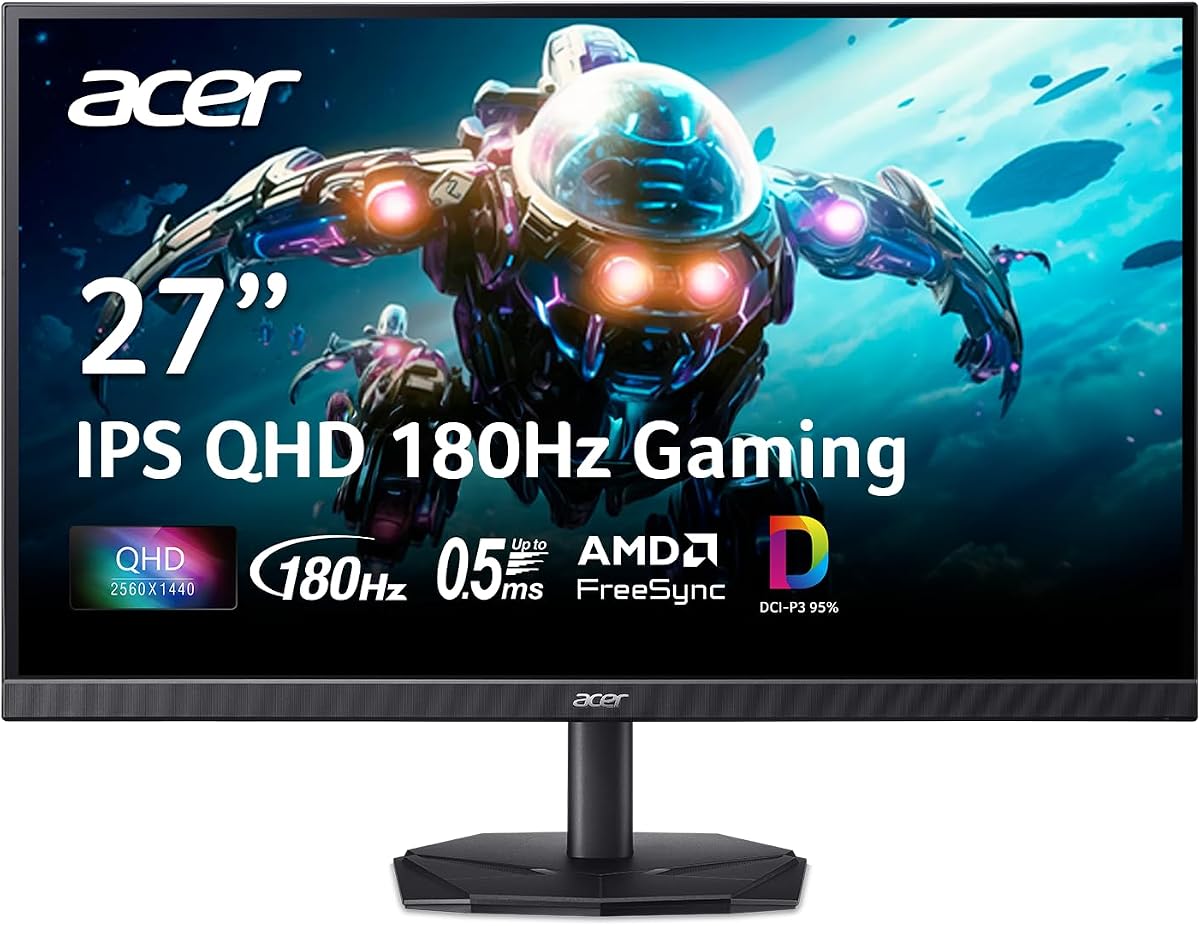
Acer Nitro KG271U
4.5Editor score
180Hz Refresh Rate
AMD FreeSync
Zero-Frame Design
Finding the right display for your gaming rig is crucial for immersion and performance. A 27 inch WQHD monitor offers the perfect balance of screen real estate and pixel density for crisp visuals without sacrificing frame rates.
We have evaluated the leading models based on refresh rates, response times, panel technologies, and color accuracy. Our analysis focuses on how these displays handle competitive gaming, creative work, and media consumption in modern environments.
Each selection below highlights specific strengths like HDR support, ergonomic stands, or budget-friendly pricing. Please note that prices fluctuate frequently so always verify the current cost before making your final purchasing decision today.
4.5Editor score
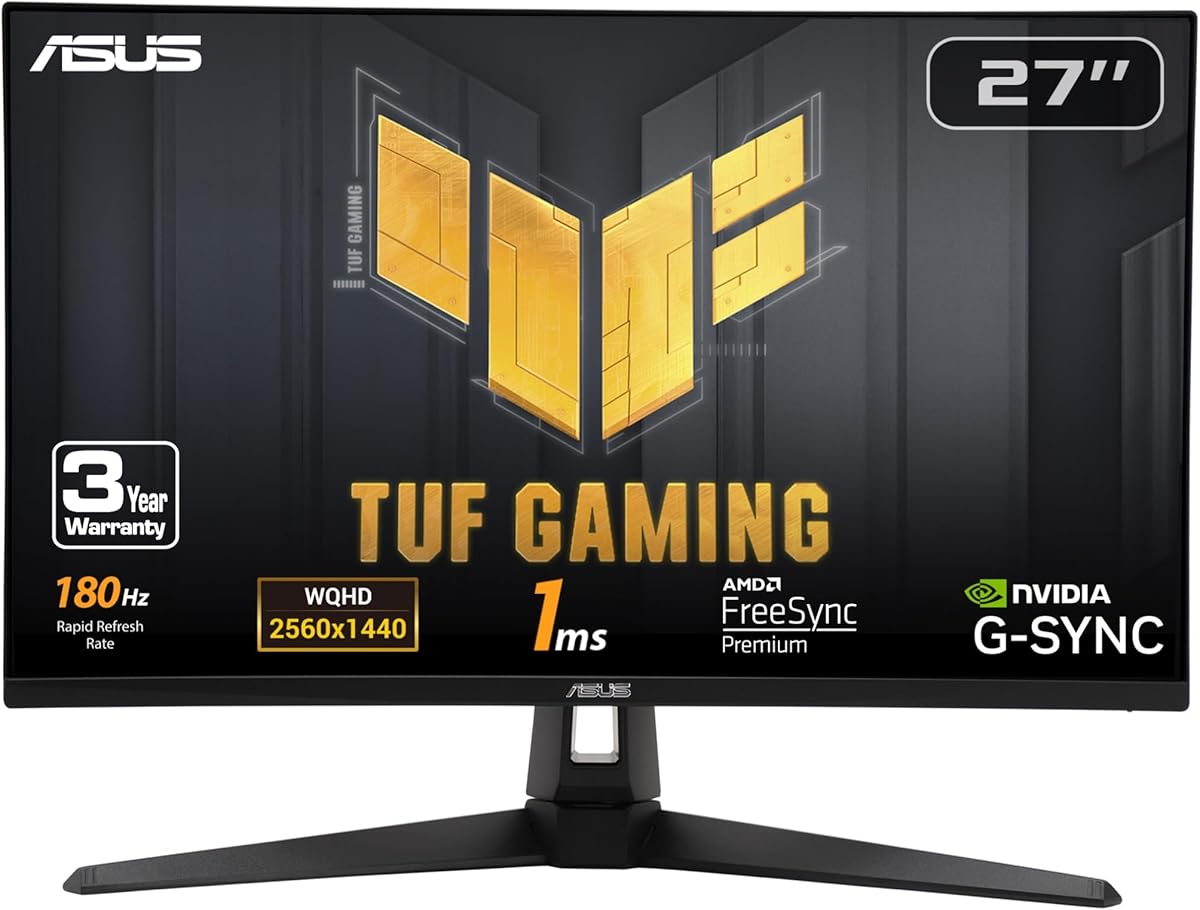
4.6Editor score

4.6Editor score
As an Amazon Associate we earn from qualifying purchases.
The following table provides a quick side-by-side look at the key specifications and features of each monitor to help you compare them efficiently before reading the detailed reviews below.


The ASUS TUF Gaming VG27AQ3A stands out as a top contender for serious gamers who demand both performance and visual fidelity. With a high rating from users, it delivers a balanced experience that satisfies competitive needs and media consumption.
We may earn a commission when you buy through this link, at no additional cost to you.
Its Fast IPS panel ensures vibrant colors and wide viewing angles while the 180Hz refresh rate keeps motion smooth during intense gameplay. The inclusion of G-SYNC compatibility and FreeSync Premium means you will experience minimal tearing regardless of your GPU brand.
While it lacks a USB hub which some users might miss, the integrated speakers provide convenient audio without extra clutter. The stand is sturdy but could be more compact for smaller desks.
If you want a reliable all-rounder that handles both gaming and creative work well, this monitor is an excellent choice that balances performance with value effectively for most users.
The combination of G-SYNC compatibility and FreeSync Premium eliminates screen tearing and stuttering for a seamless visual experience across different graphics cards.
HDR10 support enhances bright and dark areas to provide better contrast and a more immersive viewing experience for supported content and games.
We may earn a commission when you buy through this link, at no additional cost to you.
The Acer Nitro KG271U offers exceptional value for gamers looking to upgrade to WQHD without breaking the bank. It holds a strong user rating and delivers the core features needed for a smooth gaming experience at a competitive price point.
We may earn a commission when you buy through this link, at no additional cost to you.
With a 0.5ms response time and 180Hz refresh rate, it handles fast-paced action with minimal blur or ghosting. The IPS panel supports 95% DCI-P3 which ensures colors remain vibrant and accurate for both games and creative projects.
The zero-frame design maximizes screen real estate but the stand lacks height adjustment which might require a riser for ergonomic comfort. Connectivity is limited compared to higher-end models but covers the essentials.
For budget-conscious buyers who prioritize performance over extra features, this monitor delivers impressive speed and color quality that rivals more expensive options in the market today.
The rapid response time reduces motion blur significantly allowing players to track moving targets more accurately during competitive matches.
The thin bezels reduce distractions and make multi-monitor setups look cleaner while maximizing the usable screen area for a single display.
We may earn a commission when you buy through this link, at no additional cost to you.
The Acer Nitro XV271U is designed with comfort in mind offering a fully adjustable stand that supports height tilt pivot and swivel. This makes it ideal for users who spend long hours gaming or working and need proper ergonomic positioning.
We may earn a commission when you buy through this link, at no additional cost to you.
It matches the performance of other models with a 180Hz refresh rate and 0.5ms response time ensuring smooth visuals and quick reactions. The inclusion of AMD FreeSync Premium further guarantees a tear-free experience during demanding gaming sessions.
While brightness is average and there is no USB hub, the integrated speakers add convenience for quick media playback. The stand adjustments are robust though it may take up more desk space than simpler designs.
If ergonomics are a priority for your setup, this monitor provides the necessary flexibility to reduce strain while maintaining strong gaming performance for various applications.
The ergonomic stand allows for full height and pivot adjustments to help you find the perfect position for comfort and eye health.
AMD FreeSync Premium syncs the monitor with your GPU to eliminate screen tearing and stuttering for a fluid visual experience.
We may earn a commission when you buy through this link, at no additional cost to you.
The Samsung Odyssey G5 brings an immersive curved experience to the 27-inch WQHD category with a 1000R curvature that matches the human eye. Users praise its high rating for delivering deep immersion and sharp visuals in gaming environments.
We may earn a commission when you buy through this link, at no additional cost to you.
It features a 180Hz refresh rate and 1ms response time for competitive play while HDR10 support enhances contrast and brightness for more vivid scenes. The Black Equalizer technology helps uncover details in dark areas which is useful for tactical games.
The curved panel may not suit everyone especially those who do text work but it excels in gaming immersion. The stand offers tilt and height adjustments but lacks pivot which limits vertical viewing options.
Gamers seeking an immersive feel without a massive ultrawide monitor will appreciate the curvature and visual enhancements this model offers for a wide range of game genres.
The 1000R curvature wraps around your field of view to reduce eye strain and increase engagement during long gaming sessions.
Black Equalizer adjusts dark areas to reveal hidden details allowing you to spot enemies in shadows without overexposing bright areas.
We may earn a commission when you buy through this link, at no additional cost to you.
The SANSUI 27 Inch monitor pushes the boundaries of refresh rates in this segment by offering up to 200Hz for smoother motion than standard 144Hz panels. This makes it a strong contender for players who want every advantage in fast-paced competitive titles.
We may earn a commission when you buy through this link, at no additional cost to you.
With 120% sRGB coverage and 1ms response time, it delivers vibrant colors and quick reactions. The variety of ports including two DP and two HDMI connections ensures compatibility with multiple devices without adapters or switching.
The stand lacks height adjustment and there are no built-in speakers which may require external solutions for audio. However, the lifetime technical support adds value and reassurance for buyers concerned about long-term reliability.
For users who prioritize high refresh rates and connectivity options on a budget, this monitor offers impressive specs that compete with higher-end models in the market.
The 200Hz refresh rate reduces motion blur and makes gameplay feel incredibly fluid especially in fast shooters or racing games.
Multiple HDMI and DisplayPort inputs allow you to connect consoles and PCs simultaneously without needing extra hubs or cables.
We may earn a commission when you buy through this link, at no additional cost to you.
Another entry from SANSUI this model combines high refresh rates with a fully ergonomic stand that supports pivot swivel and height adjustment. It is ideal for users who need to switch between landscape and portrait orientations for productivity or creative work.
We may earn a commission when you buy through this link, at no additional cost to you.
With 95% DCI-P3 coverage and 200Hz refresh rate, it handles both color-critical tasks and fast gaming well. The Low Motion Blur technology further sharpens moving objects and helps maintain clarity during rapid gameplay scenarios.
While HDR performance is basic and there is no USB hub, the adjustability and color accuracy make it versatile. The lifetime technical support adds confidence for buyers who want reassurance against defects or issues over time.
If you need a flexible display that handles both vertical work and horizontal gaming with strong color performance this model provides a well-rounded solution for diverse needs.
The stand allows for height pivot and swivel adjustments to reduce neck strain and accommodate different seating and viewing positions easily.
With 95% DCI-P3 coverage, images appear rich and accurate which benefits both gaming and creative work like photo editing.
We may earn a commission when you buy through this link, at no additional cost to you.
The KOORUI 27 Inch monitor offers HDR400 certification alongside a 200Hz refresh rate and impressive color accuracy for an affordable price. It is designed to deliver consistent performance with a modern minimalistic look that fits well in various room setups.
We may earn a commission when you buy through this link, at no additional cost to you.
HDR400 support brings better contrast and brightness to content while the wide color gamut ensures vivid visuals. The ultra-thin body and quick assembly stand make it easy to install and mount on walls for a clean setup.
User feedback is limited compared to established brands so long-term reliability remains a question. The stand only supports tilt which might require an arm for optimal ergonomic positioning during extended use.
If you want HDR support without a premium price tag, this monitor provides a compelling option for those willing to try a newer brand with strong specs.
HDR400 certification improves contrast and brightness levels to make games and media look more vibrant and realistic on screen.
The thin body and quick assembly stand reduce clutter and make wall mounting easier for a cleaner and more professional desk setup.
We may earn a commission when you buy through this link, at no additional cost to you.
The Acer Nitro EDA270U brings curved immersion to budget buyers with a 1500R curvature and 180Hz refresh rate. It is a great choice for those who want an immersive gaming experience without the high cost of premium models.
We may earn a commission when you buy through this link, at no additional cost to you.
It supports AMD FreeSync Premium to reduce screen tearing and offers HDR Ready features for better visual depth. The zero-frame design and built-in speakers add convenience and style without requiring external audio devices.
The stand only supports tilt adjustments which can limit ergonomic comfort. HDR performance is basic so users should expect modest improvements over standard SDR content rather than high dynamic range impact.
For gamers seeking a curved screen on a budget this monitor delivers strong core specs and immersive visuals that enhance engagement during various gaming sessions.
The 1500R curvature pulls you into the action making games feel more engaging by matching your natural field of view better.
AMD FreeSync Premium synchronizes refresh rates with your GPU to eliminate screen tearing and ensure smooth gameplay visuals.
We may earn a commission when you buy through this link, at no additional cost to you.
The ASUS TUF Gaming VG27AQL1A is a premium choice for users seeking top-tier features like ELMB SYNC and G-SYNC compatibility. It is highly rated for its ability to eliminate ghosting and tearing while maintaining excellent color accuracy and eye comfort.
We may earn a commission when you buy through this link, at no additional cost to you.
With 130% sRGB coverage and HDR400 support, it delivers vibrant visuals and deep contrast. The 170Hz refresh rate ensures smooth motion and the built-in Eye Care technology reduces blue light to minimize strain during long sessions.
The higher price reflects its advanced features but some users might find the OSD menu complex to navigate. It is an investment for those who prioritize performance and visual fidelity over basic budget options.
If you want a monitor that balances competitive performance with premium visual features this model provides the tools needed to create a high-end gaming environment.
ELMB SYNC works with G-SYNC to remove ghosting and tearing for sharper visuals without compromising refresh rates.
Built-in Eye Care reduces blue light and flicker to help reduce eye strain during extended gaming or work sessions.
We may earn a commission when you buy through this link, at no additional cost to you.
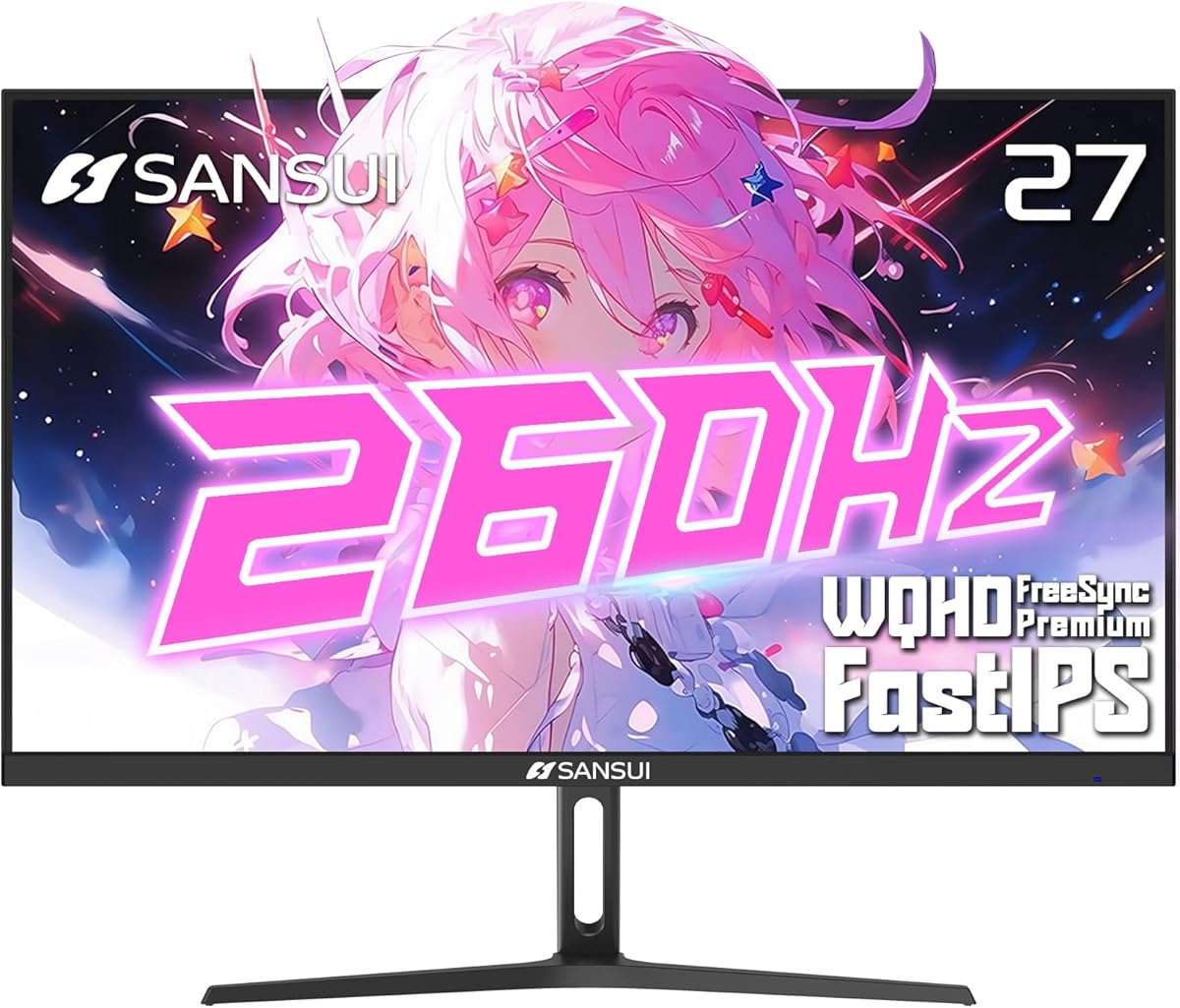
The SANSUI 27 Inch monitor sets a new standard with up to 260Hz refresh rate for ultra-smooth motion that exceeds most mainstream options. It is tailored for competitive gamers who need every frame advantage and have powerful GPUs to drive it.
We may earn a commission when you buy through this link, at no additional cost to you.
With 98% DCI-P3 and 130% sRGB coverage, color accuracy remains impressive even at such high speeds. Game Assistant tools like crosshair overlays help with aim while DP 1.4 ensures you get the full bandwidth required for top refresh rates.
Achieving 260Hz requires a strong graphics card which may not be feasible for all setups. The stand offers basic tilt adjustments and you will likely need a VESA mount for better ergonomic positioning during extended use.
For competitive players who prioritize frame rates above all else this monitor delivers unmatched speed and visual quality that can provide an edge in ranked matches.
The 260Hz refresh rate ensures minimal motion blur giving you a clear view of fast-moving targets and reducing input delay.
Game Assistant features like crosshair overlays help improve aiming accuracy and provide tactical support during competitive matches.
We may earn a commission when you buy through this link, at no additional cost to you.
Selecting the right monitor requires understanding key technical specs and how they impact your specific use case from gaming to creative work.
Refresh rate measured in Hertz determines how many frames per second the display can show. Higher rates like 144Hz 180Hz or 260Hz provide smoother motion and reduced input lag which is critical for competitive shooters and fast-paced games.
Look for at least 144Hz for smooth gaming but consider 180Hz or higher if you have a GPU that can push high frame rates consistently.
IPS panels offer excellent color accuracy and wide viewing angles making them ideal for mixed use. VA panels often have better contrast but slower response times while TN panels are faster but suffer from poor viewing angles and color reproduction.
Choose an IPS panel for the best balance of speed and color quality unless you prioritize contrast for dark room media consumption.
Response time measures how quickly pixels change colors. Lower values like 1ms or 0.5ms reduce motion blur and ghosting ensuring crisp visuals during rapid movement.
Aim for 1ms or lower to maintain clarity in competitive gaming where every millisecond of clarity counts.
Adaptive sync technologies like FreeSync and G-SYNC eliminate screen tearing by matching the refresh rate to your GPU output. Ensure your monitor supports the technology compatible with your graphics card for the smoothest experience.
Check if the monitor supports FreeSync Premium or G-SYNC Compatible based on your hardware to avoid stuttering and tearing during intense gameplay.
An ergonomic stand with height tilt swivel and pivot adjustments helps reduce neck strain during long sessions. Wall mount compliance via VESA allows you to use third-party arms for flexibility.
Prioritize monitors with full ergonomic stands if you plan to use the display for several hours a day to maintain good posture.
Multiple ports including HDMI and DisplayPort ensure compatibility with consoles PCs and laptops. USB hubs add convenience for connecting peripherals directly to the monitor.
Ensure the monitor has at least one DisplayPort 1.2 or higher to support high refresh rates at WQHD resolutions effectively.
Color gamut coverage like sRGB or DCI-P3 affects how vibrant and accurate images appear. High coverage is essential for creative work and immersive gaming.
Look for monitors with 95% or higher DCI-P3 coverage if you want rich and consistent colors across different viewing angles.
HDR provides better contrast and brightness for more vivid visuals. Look for HDR400 certification or higher to notice meaningful improvements over standard content.
Prioritize monitors with HDR10 or HDR400 support for better dynamic range but remember that true HDR performance varies significantly by panel quality.
Connect your PC using DisplayPort to ensure you get the maximum refresh rate supported by the monitor as HDMI may limit performance on some models.
Calibrate your colors using built-in settings or software to match your specific preferences and use a matte cloth to clean the screen gently to avoid scratches.
Position the monitor at eye level and use the ergonomic stand adjustments to reduce neck strain during long gaming or work sessions for better comfort.
Yes it offers significantly sharper images due to higher pixel density. This makes text and game details clearer without requiring excessive scaling which can impact performance.
Yes modern games require a mid-range to high-end graphics card to maintain high frame rates at 1440p. A weak GPU may struggle to reach 144Hz smoothly.
Higher refresh rates reduce motion blur and input lag making gameplay feel more responsive. This is especially useful in competitive shooters where timing matters.
IPS panels generally have faster response times and better viewing angles. VA panels have higher contrast which is great for movies but may show more ghosting in fast games.
Most modern NVIDIA cards support FreeSync if the monitor is certified G-SYNC Compatible. Check your GPU driver settings to enable adaptive sync features properly.
Depends on the HDMI version. HDMI 2.0 supports up to 144Hz at 1440p but DisplayPort is recommended for higher rates like 180Hz or 260Hz reliably.
We have highlighted top choices like the ASUS TUF VG27AQ3A for balanced performance and the Acer Nitro KG271U for budget value across these ten models.
Prioritize refresh rate and panel type based on your gaming style and consider ergonomic stands for comfort if you use your display for extended hours daily.
Prices change frequently so check current listings before purchasing to ensure you get the best deal on your chosen 27-inch WQHD 1440p monitor today.