
Phomemo M110
4.3Editor score
Portable Bluetooth connectivity
Free template app support
Compact lightweight design
Finding the right barcode label printer can transform how you manage inventory, organize spaces, and streamline business operations. A good model offers reliable print quality, easy connectivity, and flexible label compatibility to meet diverse needs without breaking the bank.
We evaluated ten standout products based on print resolution, speed, connectivity options like USB and Bluetooth, and long-term consumable costs. Each entry balances performance with user-friendly design to suit everyone from home organizers to professional warehouse teams.
Every pick highlights key strengths, real-world limitations, and ideal use cases to guide your decision. Keep in mind that pricing fluctuates regularly, so verify current deals before purchasing to ensure you get the best value for your specific workflow.
4.3Editor score

4.1Editor score

4.7Editor score
As an Amazon Associate we earn from qualifying purchases.
The following table provides a side-by-side comparison of all ten selected barcode label printers. It highlights essential specifications including width support, connectivity methods, and core technologies to help you quickly identify the model that aligns with your operational requirements.




The iDPRT SP310 stands out as a robust desktop solution for users needing flexibility in label widths. With a 4.0 rating, it balances speed and precision effectively for office and small business environments requiring consistent output.
We may earn a commission when you buy through this link, at no additional cost to you.
Its standout feature is the ability to handle labels from 1 inch to 3.35 inches wide, allowing you to print everything from file folder tags to larger shipping labels without buying a new unit. The 203 DPI resolution ensures barcodes remain crisp and scannable, while the 4 IPS speed keeps workflows moving quickly during peak hours. The included software allows for custom layout design without subscription fees, adding significant value for recurring tasks.
However, the lack of wireless connectivity means you must remain tethered to a computer, which can limit placement options compared to modern Bluetooth models. Additionally, driver support focuses heavily on Windows and macOS, so Linux users may need to verify compatibility before purchasing. These trade-offs are acceptable if you prioritize stability and speed over mobility.
This printer is ideal for home offices or retail counters where labels of varying sizes are printed daily. If you value an open system that avoids proprietary chips and want fast reliable performance, the SP310 is a top recommendation for your labeling needs.
Supporting labels from 1 to 3.35 inches allows one device to handle diverse tasks from address tags to product UPC codes.
The open system design bypasses microchip limitations, letting you use affordable third-party labels to reduce long-term operating costs.
We may earn a commission when you buy through this link, at no additional cost to you.
The SUPVAN T50M Pro delivers exceptional value with a 4.5 rating, making it a favorite for home organization and light small business tasks. Its focus on mobile connectivity and app-based editing simplifies the labeling process for users who prefer working from smartphones.
We may earn a commission when you buy through this link, at no additional cost to you.
What makes this model impressive is its versatile app function, which allows you to add images, customize fonts, and access over 660 icons without extra fees. The device supports labels between 0.75 and 2 inches, perfect for organizing storage bins, jars, or file folders. Since it uses direct thermal technology, you never need to buy ink or toner, keeping ongoing costs minimal while ensuring clear, high-resolution output every time.
The main limitation is its narrower width range compared to desktop units, so it cannot handle larger shipping or inventory labels. Additionally, you rely entirely on the mobile app for design, which may be less efficient for bulk printing compared to desktop software. These constraints are minor for casual users who value portability and simplicity.
Choose this printer if you need an affordable, portable solution for organizing your home or small retail space. Its ease of use and strong community rating make it an excellent entry point for anyone new to thermal labeling technology.
Access 30 plus fonts, 50 plus frames, and hundreds of icons for free within the app to create custom professional labels quickly.
Bluetooth connectivity allows you to print directly from your phone or tablet, enabling label creation right where you need it.
We may earn a commission when you buy through this link, at no additional cost to you.
The CLABEL 221D earns high marks for its balance of performance and cost efficiency in small business settings. With a 4.1 rating, it offers the flexibility of USB and Bluetooth connectivity while avoiding expensive proprietary label locks that drive up long-term costs.
We may earn a commission when you buy through this link, at no additional cost to you.
Its biggest advantage is the lack of RFID chip restrictions, allowing you to use any universal thermal paper within the 25 to 50mm range. This feature drastically reduces maintenance expenses and ensures you are not tied to one brand. The 203 DPI resolution produces sharp barcodes and QR codes that scan reliably at checkout, minimizing errors. The dedicated app supports batch printing and custom layouts, which streamlines workflow for inventory and retail tasks.
However, this unit is designed for item-level tagging and will not handle large 4×6 shipping labels or receipt rolls, limiting its use for heavy logistics. The app setup requires a few minutes to configure, which might feel slightly slower than plug-and-play desktop drivers for some users. These limitations are manageable for the target audience of small retailers and offices.
This printer is a strong choice for businesses that need reliable scanning and cost-saving consumables without compromising on quality. If you want the freedom to choose affordable labels and switch between wireless and wired printing, the 221D is an ideal partner for daily operations.
Use any budget universal thermal paper online without worrying about proprietary chips or ID locks that increase your operating costs.
Save custom layouts and use batch printing features to reduce manual data entry mistakes and speed up your labeling workflow.
We may earn a commission when you buy through this link, at no additional cost to you.
The Phomemo M110 is designed for users who prioritize portability and convenience in their labeling tasks. With a 4.3 rating, it offers a compact form factor that fits easily in bags or on small desks while maintaining robust features like optical character recognition.
We may earn a commission when you buy through this link, at no additional cost to you.
One of its most innovative features is the OCR capability, which allows you to snap a photo of text and convert it into editable labels within seconds. This saves significant time when labeling items based on existing text or receipts. The printer supports label widths from 20 to 50mm and connects via Bluetooth 4.0, ensuring quick setup and reliable connections up to 33 feet away. The app provides a wide range of templates suitable for home, school, and office use.
Users should note that some icons and templates within the app are locked behind a membership paywall, though basic functionality remains free. Additionally, as a battery-powered device, you must ensure it is fully charged before extended use to avoid interruptions during critical labeling sessions. These drawbacks are minor for a device at this price point.
This printer is perfect for travelers, students, or home organizers who need a quick and easy way to label items on the go. If portability and smart features like OCR are your top priorities, the M110 delivers strong performance in a tiny package.
Recognize text on images in 4 seconds to convert photos directly into editable text for faster and easier label creation.
Bluetooth 4.0 offers a range of up to 33 feet allowing you to connect and print wirelessly from a comfortable distance.
We may earn a commission when you buy through this link, at no additional cost to you.
The DYMO LabelWriter 550 series is known for its simplicity and reliance on the well-known DYMO ecosystem. With a 3.6 rating, it appeals to users who prioritize brand trust and ease of use over cost flexibility or advanced features like Bluetooth.
We may earn a commission when you buy through this link, at no additional cost to you.
Its main selling point is the automatic recognition of authentic DYMO labels, which reduces the time spent on calibration and ensures reliable output. The printer uses direct thermal technology, so you never need to buy ink or toner, and the paper is made from FSC certified materials for environmentally conscious users. It is designed to eliminate waste by printing precise quantities rather than forcing you to use sheet labels for small tasks.
However, the requirement to use only DYMO branded labels can increase long-term consumable costs compared to open systems. The 3.6 rating also suggests some users have experienced compatibility or connectivity issues that affect overall satisfaction. These factors are acceptable if you prefer a streamlined setup and don't mind paying a premium for branded media.
Choose this printer if you want a reliable device from a familiar brand and prioritize easy setup over long-term savings. It is suitable for occasional home office use where brand consistency and minimal maintenance are more important than cost efficiency.
The printer automatically recognizes authentic DYMO labels to reduce setup time and ensure consistent printing without manual adjustments.
Paper labels are made from FSC certified materials and the packaging is plastic-free to minimize environmental impact during use.
We may earn a commission when you buy through this link, at no additional cost to you.
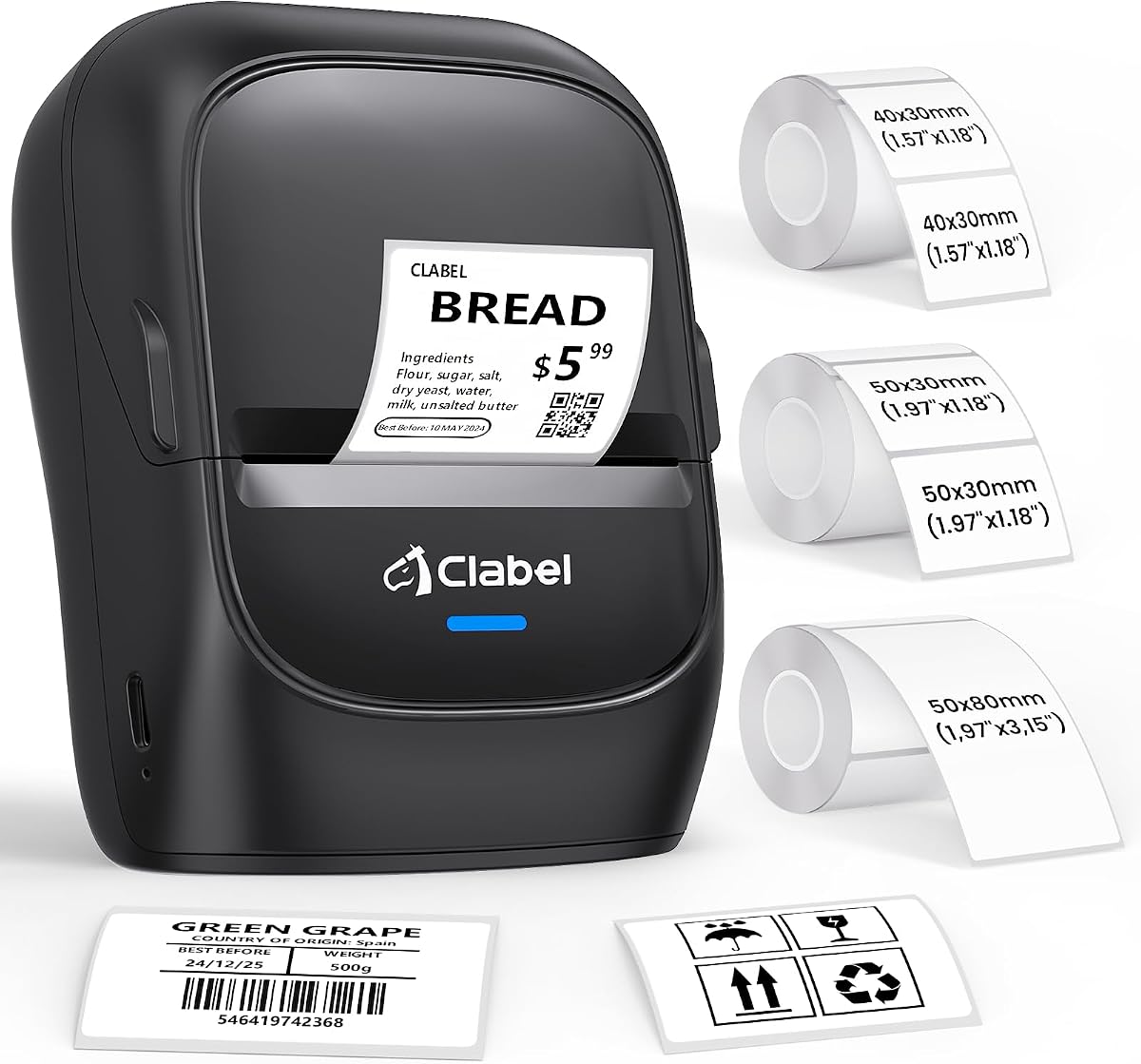
The CLABEL 221D Desktop model focuses on space efficiency and quick deployment for office environments. With a 4.0 rating, it offers a compact design that fits easily on crowded desks while providing essential features for daily labeling tasks.
We may earn a commission when you buy through this link, at no additional cost to you.
This unit is praised for its easy setup, taking less than 5 minutes to download software, connect via USB, and start printing. It supports label widths from 20 to 50mm and allows you to reuse existing rolls from different brands to save money without compromising quality. The app includes extensive customization options with over 300 icons and 58 templates, making it simple to design professional-looking labels for inventory or filing.
The lack of wireless connectivity means this device is best suited for fixed workstations where mobility is not required. Additionally, the software updates rely on the R&D team, so you must check for new features manually rather than having automatic pushes. These are minor issues for users who prefer a stable wired connection.
This printer is an excellent choice for home offices or retail counters where space is limited and reliability is key. If you need a simple, cost-effective solution for labeling items without complex setup steps, this model delivers consistent performance at a great price point.
Setup takes less than 5 minutes with straightforward software installation and USB connection to get you printing immediately.
Reuse existing rolls from different brands to save costs without compromising quality while avoiding proprietary label restrictions.
We may earn a commission when you buy through this link, at no additional cost to you.
The CLABEL 221B is engineered for users who need robust printing capabilities with the convenience of wireless connectivity. With a 4.3 rating, it stands out for its durable label quality and seamless integration with mobile devices for quick on-the-go labeling.
We may earn a commission when you buy through this link, at no additional cost to you.
Its standout feature is the use of durable matched thermal labels that are waterproof, oil-proof, and resistant to friction. This makes it ideal for kitchens, high-traffic retail shelves, or warehouse environments where standard paper labels might peel or fade. The app supports Bluetooth connection in seconds and includes hundreds of creative templates without extra cost, ensuring you can design professional labels effortlessly. It works smoothly with both iOS and Android smartphones.
One limitation to note is that the printer does not support iPad or tablet devices, only smartphones. For computer connection, you must switch to a USB cable which adds a slight step compared to fully wireless desktop units. These constraints are acceptable for the target audience of mobile users.
This printer is best suited for small businesses or home users who need labels that can withstand harsh conditions like moisture or handling. If you want a reliable Bluetooth connection and durable output without paying for proprietary software, the 221B is a strong contender.
Matched thermal labels are waterproof and oil-proof ensuring your stickers stay sharp and do not tear in busy environments.
Access hundreds of creative templates icons and fonts without extra cost to make professional labeling effortless and fast.
We may earn a commission when you buy through this link, at no additional cost to you.
The ZP450 Zebra printer is purpose-built for demanding environments that require speed and robustness. With a 4.7 rating, it is the top choice for businesses needing reliable label production in shipping areas or warehouses where uptime is critical.
We may earn a commission when you buy through this link, at no additional cost to you.
Its industrial-grade design features double-walled construction to withstand daily demands while delivering fast print speeds up to 5 inches per second. The multiple connectivity options including USB, Serial, and Parallel allow for easy integration into various legacy systems. Since it uses direct thermal technology, you avoid the cost and hassle of toner or ribbons, making it a cost-effective solution for monochrome output. The fixed media width optimizes production to reduce waste and improve workflow.
The higher price point reflects its professional build and may be more than casual home users need for simple tasks. It also lacks modern wireless options like Bluetooth, which could be a drawback for mobile teams. However, these are trade-offs for the stability and durability it provides in high-volume settings.
This printer is an investment for businesses that require fast, durable, and reliable labeling. If you manage a busy retail or shipping operation and need a machine that can handle heavy loads without failing, the ZP450 is unmatched in its class.
Double-walled construction ensures the printer can withstand the demands of daily use in busy work environments.
Print speeds up to 5 inches per second provide quick and efficient label production for high-volume environments.
We may earn a commission when you buy through this link, at no additional cost to you.
The CLABEL 2 Inch Desktop printer offers a balanced approach to connectivity with both USB and Bluetooth modes. With a 4.0 rating, it caters to small businesses that need the flexibility of wireless design alongside the stability of wired high-volume printing.
We may earn a commission when you buy through this link, at no additional cost to you.
Its dual-mode connectivity allows you to plug into a Windows PC for batch printing or switch to Bluetooth for instant design right at your counter. This flexibility supports diverse workflows from back-office inventory management to frontline customer tagging. The printer avoids RFID sensors and brand locks, letting you use budget-friendly thermal paper that fits within the 25 to 50mm range. The app supports batch printing to reduce manual entry errors significantly.
The device is not compatible with tablets or POS systems, which limits its utility in touch-screen retail environments. It is also restricted to item-level labels and cannot handle large shipping labels, so you may need a secondary printer for logistics. These limitations are acceptable for general retail use.
This printer is ideal for small businesses that need a versatile tool for both office and counter tasks. If you want the freedom to choose affordable labels and a printer that adapts to different work scenarios, the CLABEL 2 Inch is a practical choice.
Choose between USB for high-volume batch printing or Bluetooth for wireless design right where you need it.
Grab any budget-friendly thermal paper that fits without worrying about proprietary chips to keep your consumable bills low.
We may earn a commission when you buy through this link, at no additional cost to you.
The iDPRT iD880 is engineered for professional settings requiring fast performance and broad label compatibility. With a 4.1 rating, it offers industrial-grade features like high RAM and fast print speeds to handle data-intensive tasks without bottlenecks.
We may earn a commission when you buy through this link, at no additional cost to you.
Its standout features include support for labels from 1 to 4.64 inches wide and a print speed of up to 6 inches per second, making it efficient for shipping and inventory. The 32 MB DDR3 RAM and 128 MB flash memory allow it to handle complex, data-heavy tasks smoothly. The design allows for quick and easy removal and reinstallation of the print head, minimizing downtime and simplifying maintenance. It supports a broad spectrum of applications from shipping tags to name tags.
The unit connects via USB only, which limits mobility compared to Bluetooth models. Its industrial build also means it has a larger footprint, requiring more desk space than compact printers. These are reasonable trade-offs for a machine designed for professional performance.
This printer is perfect for retailers, small businesses, and professional workgroups needing reliable and fast labeling. If you require a machine that can handle wide labels and high volumes without slowing down, the iD880 delivers the power and versatility you need.
Equipped with 32 MB DDR3 RAM and 128 MB flash memory to handle complex data-intensive tasks smoothly and quickly.
Print speeds up to 6 inches per second ensure efficiency for shipping barcodes and inventory tags during peak times.
We may earn a commission when you buy through this link, at no additional cost to you.
Selecting the right barcode label printer involves balancing technical specs with your specific needs. Consider width compatibility, connectivity options, and ongoing costs to find a model that supports your workflow efficiently.
Ensure the printer supports the range of label widths you need. For item-level tagging, 1 to 2 inches is common, while shipping tasks require up to 4 inches. Always check the max width to avoid buying a unit that is too small for your tasks.
Match the width range to your most frequent tasks to maximize utility and avoid needing a second printer.
Decide between USB for stable desktop use or Bluetooth for mobile flexibility. Some models offer both, allowing you to switch based on location. Check if the device supports your operating system including Windows Mac Linux iOS and Android to ensure seamless integration.
Choose connectivity that matches your workflow environment whether fixed at a desk or moving around a store.
Look for at least 203 DPI to ensure barcodes are crisp and scannable. Higher resolution helps with small text and QR codes reducing the risk of scanning errors at checkout or shipping. Clear prints also improve professional appearance for client-facing labels.
Prioritize 203 DPI or higher for reliable barcode scanning and professional results.
Check if the printer uses proprietary labels with chips or open systems that accept any thermal paper. Open systems significantly reduce long-term costs by allowing budget-friendly third-party rolls. Consider the total cost of ownership over time rather than just the initial purchase price.
Choose open systems without brand locks to minimize ongoing consumable expenses.
Speed matters for high-volume environments. Look for printers that offer at least 4 inches per second for fast output. Slower printers may cause bottlenecks in busy warehouses or retail counters. Faster speeds keep workflows moving and improve overall efficiency.
Select faster speeds like 4 to 6 inches per second for efficiency in busy settings.
For professional use, look for robust construction that can handle daily wear and tear. Double-walled designs or industrial ratings suggest longer lifespan and fewer breakdowns. For home use, a lighter build may suffice. durability is key for reliability.
Invest in durable builds if you expect heavy daily use to ensure long-term reliability.
Review the available app features for design and customization. Free apps with templates and batch printing improve workflow efficiency. Check if the software supports your specific tasks like Excel import or OCR. Reliable software reduces setup time and user frustration.
Choose devices with free and robust software support to streamline labeling tasks.
Verify that drivers are available for your specific operating system. Some printers support Windows and macOS but lack Linux or ChromeOS drivers. This is critical for seamless installation and printing. Ensure the software is compatible before purchasing.
Confirm driver support for your OS to avoid installation hurdles and ensure smooth operation.
Start by loading the label roll correctly ensuring the adhesive side faces down and the roll rotates smoothly. Calibrate the printer using its built-in sensors to detect label sizes and gaps. This step prevents skipped or misaligned prints and ensures accurate output every time.
Keep the printer in a cool dry place away from direct sunlight to preserve label quality. Clean the print head periodically with a soft lint-free cloth to remove dust and residue. Regular maintenance prevents streaks and ensures consistent high-quality prints.
Update drivers and software regularly to benefit from bug fixes and new features. Store spare labels in a sealed container to prevent moisture damage and adhesive issues. Proper care extends the life of the printer and keeps your labels sharp and professional.
Direct thermal printers work best with specially coated thermal paper designed to react to heat. Avoid labels with wax or ink coatings as they will not print correctly. Always check manufacturer recommendations to ensure compatibility with your specific model.
Skipping usually occurs when the sensors cannot detect the gap between labels properly. Calibrate the printer after changing label sizes and ensure the labels are loaded evenly. Misalignment can also cause this issue so adjust the guides before printing.
Most modern label printers use direct thermal technology which requires no ink or toner. Look for models that support generic thermal rolls without proprietary chips. This approach drastically lowers consumable expenses over time.
Bluetooth connectivity may introduce slight latency compared to direct USB connections. However for most small office tasks this difference is negligible. USB is preferred for heavy batch printing while Bluetooth offers better mobility for on-the-go tasks.
Only printers that support 4×6 inch labels can handle standard shipping requirements. Small desktop models are typically limited to 2-inch widths. Check specifications carefully before purchasing to ensure it fits your shipping needs.
Turn off the printer and let it cool before cleaning. Use a soft lint-free cloth or a print head cleaning pen to gently wipe away dust and residue. Never use water or chemicals that could damage the sensitive heating elements.
We have reviewed ten top-performing barcode label printers ranging from budget-friendly portable units to industrial-grade solutions. Each model offers unique strengths depending on your priorities for speed connectivity or cost efficiency.
Prioritize label compatibility and connectivity modes to match your workflow needs. If cost savings are key choose open systems without brand locks. If mobility matters opt for reliable Bluetooth models with strong battery life.
Prices and availability change frequently so verify current deals before purchasing. Choosing the right printer today can streamline your operations and reduce long-term costs effectively.