
BenQ Zowie XL2566X+
4.3Editor score
400Hz fast TN panel
DyAc 2 technology
FHD resolution sharpness
Finding the right Benq Monitor for Gaming can transform your experience by delivering sharper visuals and smoother motion. Competitive players need high refresh rates while casual gamers prefer vibrant colors and eye comfort features for long sessions.
We compared ten models using detailed specs and user feedback to identify the strongest options. Our list covers esports focused panels with extreme speed alongside versatile displays that handle multiple tasks with ease and precision.
Each pick shows key strengths and trade-offs to help you decide quickly. Prices and availability change often so always check the latest details before buying to ensure you get the best value for your setup.
4.3Editor score

4.6Editor score

4.2Editor score
As an Amazon Associate we earn from qualifying purchases.
This side by side comparison highlights the core strengths of each model to help you choose the right display for your gaming style and budget constraints.


The BenQ Zowie XL2586X+ stands out as a top choice for competitive gamers seeking motion clarity and responsiveness. It carries a strong user rating reflecting its ability to deliver crisp visuals during intense gameplay sessions.
We may earn a commission when you buy through this link, at no additional cost to you.
Its 600Hz refresh rate paired with DyAc 2 technology ensures that moving objects remain sharp without blur. The new vivid color film improves color performance significantly compared to standard TN panels reducing wash out.
While it excels in speed and clarity the native FHD resolution limits detail compared to higher resolutions. TN panels also have narrower viewing angles which might not suit all setups but are fine for direct viewing.
This monitor is ideal for esports players who prioritize speed over color accuracy or screen size. If you need the fastest possible refresh rate for competitive titles this model delivers unmatched performance.
DyAc 2 technology reduces blur by modulating backlight during motion so you see every detail clearly without distraction.
The redesigned panel improves color performance by 35 percent making targets easier to spot and visuals more vibrant.
We may earn a commission when you buy through this link, at no additional cost to you.
The BenQ Zowie XL2566X+ offers an impressive balance of speed and value for gamers on a budget. Users praise its ability to deliver clear motion and sharp visuals that support competitive play.
We may earn a commission when you buy through this link, at no additional cost to you.
With a 400Hz refresh rate and DyAc 2 technology this monitor reduces blur and enhances clarity during fast action. The redesign also brings better color performance and less overshoot than previous models.
It uses a Fast TN panel which provides excellent response times but has limited viewing angles. The FHD resolution is standard for esports but lacks the detail of higher resolutions for immersive single player games.
This is a smart pick if you want high refresh rates without spending premium prices. It suits competitive titles well and provides the clarity needed for precise aiming and tracking.
At a competitive price point you get 400Hz refresh and DyAc 2 tech that rivals more expensive displays for esports.
The Fast TN panel provides clearer outlines and sharp FHD resolution to keep you focused on the action.
We may earn a commission when you buy through this link, at no additional cost to you.
The BenQ MOBIUZ EX271U brings premium features like 4K resolution and eARC support for a rich gaming experience. It appeals to users who want high fidelity visuals and versatile connectivity options.
We may earn a commission when you buy through this link, at no additional cost to you.
Its 27 inch 4K panel offers incredible detail while 165Hz refresh rate ensures smooth motion. Built-in eARC supports multi channel audio which improves console and PC audio experiences significantly.
The high resolution and refresh rate demand a powerful graphics card which may not be suitable for older systems. The price is higher than entry models but delivers premium features for enthusiasts.
Choose this monitor if you want top tier visuals and sound in one device. It works well for both gaming and media consumption with flexible connectivity for multiple devices.
With 95 percent P3 coverage and Pixsoul Engine colors pop with vibrant accuracy for immersive gameplay.
The built-in eARC up to seven point one channels delivers cinematic sound directly through the monitor.
We may earn a commission when you buy through this link, at no additional cost to you.
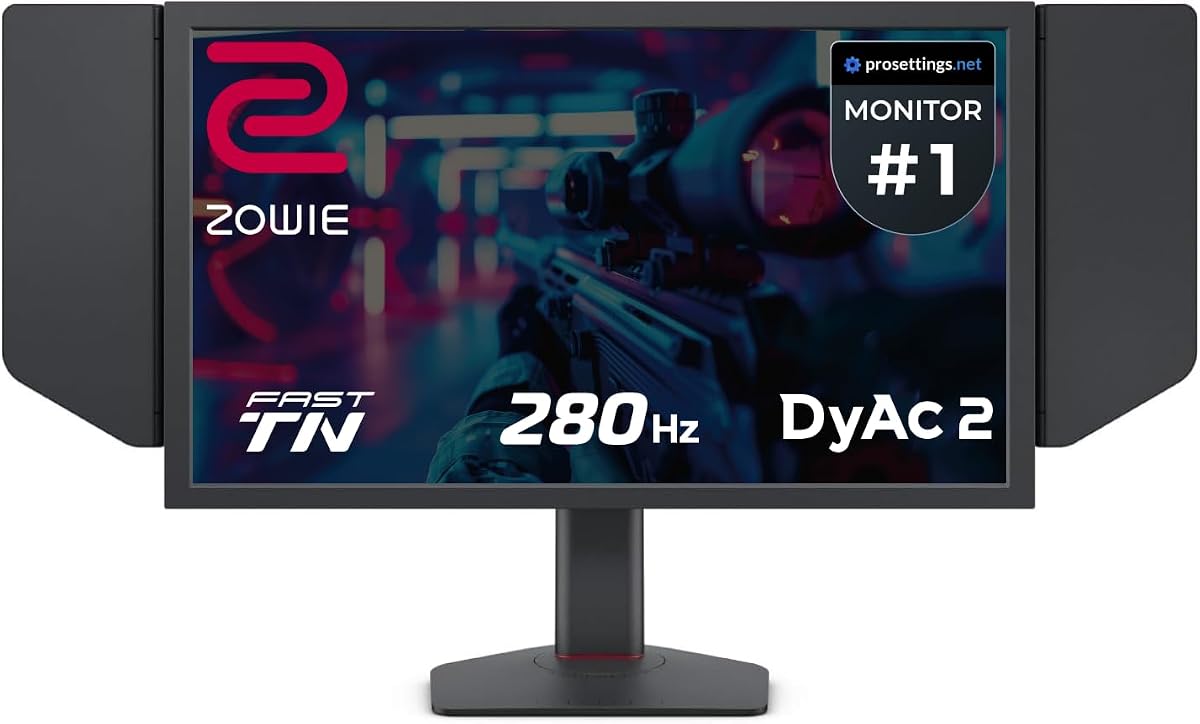
The BenQ Zowie XL2546X+ delivers a 280Hz refresh rate that balances speed and cost well. It is designed for esports with clear visuals and reduced motion blur that help track fast moving targets.
We may earn a commission when you buy through this link, at no additional cost to you.
Its DyAc 2 technology enhances blur reduction while offering soft light to protect eyes. The panel improves electrical conductivity to reduce overshoot and provide sharper outlines during action.
This model shares design traits with the XL2566X+ but with a slightly lower refresh rate. It is a great option if you want high speed without the top end price of 400Hz models.
Buy this if you want reliable performance for competitive gaming. It provides sharp visuals and smooth motion at a price that fits many budgets.
Fast TN panel with DyAc 2 provides clearer moving images and less unwanted afterimage for better focus.
Redesigned color performance offers vibrant hues and greater clarity to identify enemies quickly.
We may earn a commission when you buy through this link, at no additional cost to you.
The BenQ MA320U caters to MacBook users with color calibration and versatile connectivity. It delivers 4K visuals and ergonomic adjustments that improve comfort during long sessions.
We may earn a commission when you buy through this link, at no additional cost to you.
Mac Color Match ensures vibrant P3 colors that match your MacBook screen for consistency. Dual USB-C ports provide 90W power delivery and hub features for a clean setup.
This monitor is optimized for productivity and design work but supports gaming with its 4K resolution. It lacks high refresh rates so it is best for casual gaming on Mac.
Choose this if you want a premium display for your MacBook that doubles for light gaming. It brings color accuracy and power delivery in one convenient package.
Exclusive color tuning ensures MacBook displays show vibrant P3 wide color gamut for consistent visuals.
Connect with a single USB-C cable that delivers power and video data for streamlined use.
We may earn a commission when you buy through this link, at no additional cost to you.
The BenQ GW2790Q focuses on eye comfort with Low Blue Light Plus and Brightness Intelligence. It provides a 100Hz refresh rate for smooth motion while reducing eye fatigue.
We may earn a commission when you buy through this link, at no additional cost to you.
Its 27 inch 2K QHD panel delivers sharp visuals with an IPS panel for wide viewing angles. Eye-Care technology adjusts settings to keep you comfortable during extended play.
This monitor lacks high refresh rates found in esports models which limits competitive use. It is ideal for gamers who play varied titles and value comfort and color.
Select this for a balanced mix of comfort and performance. It suits casual to moderate gaming and daily work with ease.
Low Blue Light Plus filters harmful radiation while maintaining vivid colors for long sessions.
Brightness Intelligence adjusts display settings based on content and ambient light for optimal viewing.
We may earn a commission when you buy through this link, at no additional cost to you.
The BenQ RD320U offers a 32 inch 4K display with a Nano Matte Panel that reduces reflections. It supports gaming with solid visuals and features that enhance comfort and focus.
We may earn a commission when you buy through this link, at no additional cost to you.
Its high contrast ratio delivers deep blacks while MoonHalo backlight offers customizable ambient lighting. Night Hours Protection protects eyes during dark room gaming for extended comfort.
This monitor is designed for programming and design but handles gaming well. It lacks high refresh rates so it is not ideal for competitive titles.
Choose this for a spacious high resolution screen that works across work and play. It is a strong pick for relaxed gaming and content creation.
Low reflection property minimizes distractions and delivers unparalleled clarity for peak performance.
Night Hours Protection uses minimum brightness technology to enhance eye protection during dark sessions.
We may earn a commission when you buy through this link, at no additional cost to you.
The BenQ GW2486TC is a compact 24 inch monitor with a noise-cancelling mic and USB-C hub. It offers Eye-Care technology and adaptive brightness to keep you comfortable.
We may earn a commission when you buy through this link, at no additional cost to you.
It delivers 1080p visuals with IPS panels for reliable colors. The USB hub features allow easy connectivity for peripherals and mobile devices.
This monitor is best for light gaming due to low refresh rates and basic resolution. It suits small desks and users who need a versatile display.
Pick this for a tidy office setup that supports casual gaming. It combines convenience and comfort in a small package.
Edge-to-edge display focuses on important stuff with eye-care tech for extended comfort.
USB-C connectivity handles video data and mobile charging with all-in-one cable delivery.
We may earn a commission when you buy through this link, at no additional cost to you.
The BenQ PD2706QN is calibrated for Mac users and offers accurate colors and consistent performance. It delivers a 100Hz refresh rate for smooth gameplay with 2K clarity.
We may earn a commission when you buy through this link, at no additional cost to you.
Its 95 percent P3 coverage ensures vibrant visuals and factory calibration maintains uniformity. The anti-glare Nano Matte panel reduces distractions for a focused gaming experience.
This monitor is best for Mac users who want accurate colors and decent speed. It is not the fastest for competitive play but is excellent for content and games.
Choose this for reliable color and performance on Mac. It bridges work and play with consistent visuals.
Factory calibrated color accuracy with average Delta E under two ensures intuitive color matching.
90W USB-C synchronizes images videos data and charges Mac devices with a single cable.
We may earn a commission when you buy through this link, at no additional cost to you.
The Acer Nitro KG241Y offers an 180Hz refresh rate and FreeSync Premium for smooth gaming. It features a zero-frame design that maximizes screen space and reduces bezel distractions.
We may earn a commission when you buy through this link, at no additional cost to you.
Its 1ms VRB response time minimizes motion blur. The panel delivers vibrant colors and deep blacks typical of VA panels for immersive gaming.
This is an excellent budget choice for players seeking high refresh rates without premium cost. The stand is basic and VA panels can have slower pixel response than TN.
Select this for a cost-effective high refresh rate display. It works well for competitive titles and media on a budget.
180Hz refresh rate and 1ms response provide smooth gameplay with reduced motion blur.
AMD FreeSync Premium technology synchronizes frame rates to reduce screen tearing.
We may earn a commission when you buy through this link, at no additional cost to you.
Choosing the right gaming monitor requires balancing speed visuals and comfort based on your needs and setup.
Refresh rate determines how many times per second the display updates the image. Higher refresh rates like 165Hz or 240Hz produce smoother motion and are essential for competitive games.
Look for high refresh rates if you play fast-paced shooters and aim to gain an edge in reaction time.
Response time measures how quickly a pixel can change color. Lower values reduce motion blur and ghosting which are common issues in fast games.
Aim for one millisecond or less for the clearest moving images and most responsive gameplay.
TN panels offer the fastest response and refresh rates but have narrower viewing angles. IPS panels deliver better colors and viewing angles with good response times.
Choose TN for esports speed or IPS for better color and wider viewing comfort.
Resolution defines pixel count and detail on the screen. FHD is standard for esports while 4K delivers crisp detail for immersive single player games.
Ensure your graphics card can handle the resolution to maintain smooth frame rates.
Adaptive sync technologies like FreeSync or G Sync reduce screen tearing by matching the monitor refresh to frame rates. This results in smoother gameplay without stutter.
Check which sync method your graphics card supports to avoid compatibility issues.
Adjustable stands allow height tilt and swivel to suit your posture and viewing angle. This reduces strain during long sessions and improves comfort.
Prioritize adjustable stands if you game for extended periods to protect your neck and eyes.
Ports like HDMI 2.1 DisplayPort 1.4 and USB-C enable high bandwidth and versatile connections. Ensure the monitor has the right inputs for your setup.
Choose monitors with the ports you need for your console PC or laptop to avoid dongles or adapters.
Eye care features like low blue light and flicker free technology reduce strain during long play sessions. These are valuable for comfort especially at night.
Look for monitors with these features if you game frequently to maintain eye comfort.
Connect the monitor using the highest quality cables available like DisplayPort for high refresh rates to ensure full performance.
Adjust your viewing height and angle so the screen center is at or slightly below eye level to reduce strain.
Clean the screen with a microfiber cloth and avoid harsh chemicals to protect coatings and maintain clarity.
For competitive gaming higher refresh rates like 240Hz or more deliver the smoothest motion. These help reduce blur and improve reaction times significantly in fast-paced titles.
TN panels remain ideal for esports due to their fast response times and high refresh rates. While viewing angles are limited they provide the speed many pro gamers demand.
Enable Game Mode if available and ensure your graphics card is set to high performance. Using DisplayPort often reduces input lag compared to HDMI depending on your setup.
Yes if your graphics card can maintain high frame rates at 4K. However many competitive players prefer lower resolutions for higher refresh rates and faster motion clarity.
DyAc technology modulates the backlight to reduce motion blur during fast movement. It helps maintain clarity and sharpness of moving objects in esports titles.
Adaptive sync is very important as it prevents screen tearing and stutter. It ensures smoother gameplay by synchronizing the monitor refresh with the graphics card output.
Look for DisplayPort 1.4 or HDMI 2.1 to support high refresh rates and resolutions. USB-C can add convenience for connecting laptops and charging devices.
Most monitors ship with stands but VESA mounting lets you use ergonomic arms if needed. Consider an arm if you need more height and desk space flexibility.
The BenQ Zowie XL2586X+ and XL2566X+ lead in speed while the MOBIUZ EX271U excels in resolution and features for versatile setups.
Focus on refresh rate and response time for competitive play but also consider comfort and connectivity for long term satisfaction.
Check current prices and availability before buying to get the best value for your setup and preferences.