
UGREEN 2K@30Hz
4.5Editor score
2K 30FPS output support
Low latency USB 3.0
Dual USB A and C ports
This guide compares the top capture cards for console streaming in 2026, evaluating video quality, latency, compatibility, and value for PS5 Xbox and Switch
Streaming gameplay has become a vital part of modern gaming culture. Whether you aim to share highlights on YouTube or broadcast live on Twitch, you need reliable hardware. A quality capture card ensures your console output translates smoothly to your computer for processing and sharing with audiences worldwide.
We evaluated ten top-rated capture cards based on video resolution, frame rates, and latency performance. Our analysis focuses on compatibility with major consoles like PS5, Xbox Series X, and Nintendo Switch. We also considered ease of setup, build quality, and overall value for different types of content creators.
Each selection below highlights specific strengths such as 4K pass-through or budget-friendly pricing. Note that prices and availability can fluctuate frequently on online marketplaces. Always verify current specifications before purchasing to ensure the device meets your specific streaming or recording requirements today.
4.5Editor score

4.6Editor score

4.5Editor score
The following table provides a side-by-side comparison of all ten products examined in this guide. Each entry lists key technical specifications such as maximum resolution, frame rate capabilities, and interface types to help you quickly identify the most suitable option for your specific console streaming needs.






This affordable capture card offers solid performance for streamers on a tight budget. It supports 1080P video at 60 frames per second which is standard for most platforms. The device captures input from 4K sources ensuring high quality signal conversion to your streaming PC.
We may earn a commission when you buy through this link, at no additional cost to you.
The plug and play functionality means you do not need to install complex drivers. It works directly with popular software like OBS and Streamlabs. The HDMI loop-out feature allows you to monitor gameplay on a second screen without delay which is crucial for competitive gaming.
While it does not support 4K output the 1080P performance remains stable. The microphone input lets you add commentary directly through the capture card saving a mixer. Build quality is functional but not premium compared to higher priced alternatives in the market.
This device is ideal for beginners starting their streaming journey. It balances cost and core functionality well for PS4 Xbox and Switch users. If you need a basic reliable solution for recording gameplay without breaking the bank this option delivers good value.
At a very low price this capture card provides essential features for new streamers. It handles 1080P 60FPS streaming smoothly without requiring expensive hardware.
The HDMI loop-out ensures you see gameplay in real time while recording. This avoids the frustration of delayed feedback during live broadcasts.
We may earn a commission when you buy through this link, at no additional cost to you.
This capture card targets content creators who need reliable performance without complex setups. It delivers smooth 1080P 60FPS video quality suitable for streaming or recording. The compact size makes it easy to transport between LAN parties or gaming events.
We may earn a commission when you buy through this link, at no additional cost to you.
Compatibility is broad covering PS5 Xbox and Switch seamlessly. The device works instantly with OBS Studio and other popular streaming tools. Low latency ensures that your audience sees your actions in real time which is vital for engagement.
The lack of audio pass-through means you may need external audio solutions for mix. However the USB 3.0 connectivity provides fast data transfer for smooth recording. The build is lightweight which suits users who prioritize portability over heavy duty construction.
For travelers or mobile streamers this card offers great convenience. It is a reliable choice for standard 1080P needs. If you need a simple tool to capture gameplay from multiple devices on the go this unit fits the bill well.
The device recognizes consoles automatically allowing for instant recording. This reduces setup time and lets you focus on gameplay.
Its lightweight form factor allows it to fit easily in bags. You can stream anywhere without carrying bulky equipment.
We may earn a commission when you buy through this link, at no additional cost to you.
acer provides a robust capture solution for serious content creators. The YUY2 technology delivers richer color depth than standard formats. This results in more lifelike visuals during live streams or recorded gameplay sessions.
We may earn a commission when you buy through this link, at no additional cost to you.
The device supports 4K input allowing you to capture high resolution signal before downsampling. This is useful for post production editing where maximum quality is needed. The microphone input simplifies commentary without needing extra audio hardware.
Setup is straightforward as the device does not need drivers. It works across Windows and macOS systems reliably. The loop-out feature ensures zero latency monitoring so you never miss a moment in gameplay.
This model suits users who want better color accuracy on a budget. It balances features like mic-in with solid video handling. For those creating high quality content without premium pricing this card is a strong contender in the market.
YUY2 technology ensures your stream looks vibrant and true to life. This is a key benefit over MJPEG compression options.
Monitor gameplay instantly on your TV while recording. This ensures your reaction time remains accurate during play.
We may earn a commission when you buy through this link, at no additional cost to you.
Fifine offers a capture card designed for streamers who value aesthetics. The RGB lighting adds a visual flair to your streaming desk. It captures HD 1080 video at 60fps ensuring smooth playback for viewers.
We may earn a commission when you buy through this link, at no additional cost to you.
The device includes headset ports which help integrate audio directly. This reduces cable clutter compared to standalone audio solutions. Compatibility covers major consoles and PCs making it versatile for various setups.
Some users note driver issues or inconsistencies in performance. However the HDMI output ensures you can play without delay. The RGB modes let you match the device to your desktop theme easily.
This is a good choice for those prioritizing desktop visuals. It works well for casual streamers needing basic recording. If you want a device that looks as good as it functions this option fits well.
The RGB lights allow for visual customization of your setup. It adds a professional look to your streaming environment.
Headset ports make it easy to connect directly. This simplifies your cabling and reduces desk clutter.
We may earn a commission when you buy through this link, at no additional cost to you.
Guermok provides a modern capture solution focusing on USB-C compatibility. This is useful for newer laptops and tablets that lack standard USB-A ports. It delivers 1080P 60FPS video quality suitable for most streaming needs.
We may earn a commission when you buy through this link, at no additional cost to you.
The aluminum alloy casing helps dissipate heat during long sessions. This prevents overheating which can cause lag or shutdowns. The ultra low latency ensures your stream stays synced with your gameplay actions.
You get 2K 30FPS output options which offer a balance of quality. It is ideal for recording where you do not need full frame rates. The device works well for mobile setups where space is at a premium.
This card is perfect for users relying on USB-C devices. It handles signal transfer efficiently without heavy drivers. If you stream from a tablet or modern laptop this is a reliable choice for capture.
USB-C support ensures compatibility with current laptops and phones. It future proofs your setup for upcoming hardware.
Heat dissipation keeps the device cool during use. This ensures stable performance over long gaming sessions.
We may earn a commission when you buy through this link, at no additional cost to you.
XIIXMASK offers a high-performance capture card for demanding gamers. It supports high frame rate input up to 120fps for 1080P video. This is beneficial for fast-paced competitive games that require smooth motion.
We may earn a commission when you buy through this link, at no additional cost to you.
The device captures 4K video at 60fps providing superior detail. It includes audio ports for integrating external microphones easily. Multiple video formats like YUY2 and MJPEG allow flexibility in compression.
Pass-through ensures you can monitor gameplay without delay. The USB 3.0 connection provides enough bandwidth for high data rates. However some users may need to adjust settings to achieve full performance.
This model suits competitive gamers needing high frame rate capture. It balances features and price well for advanced users. If you play fast shooters and want smooth recording this card delivers strong technical specs.
120fps input handling allows for smooth motion capture. This is ideal for FPS games where speed matters.
Support for multiple formats allows you to choose quality. It helps optimize stream quality versus file size.
We may earn a commission when you buy through this link, at no additional cost to you.
UGREEN presents a versatile capture card with both USB-A and USB-C ports. This flexibility ensures it works with a wide range of computers and tablets. The 2K 30FPS output offers a balance between clarity and compatibility.
We may earn a commission when you buy through this link, at no additional cost to you.
It accepts 4K input allowing for high quality source signal processing. The aluminum casing protects against heat and physical damage. Low latency technology ensures your stream stays synchronized with your gameplay.
The device is compact and easy to manage in your setup. It works well with iOS devices provided they are updated. Unidirectional signal flow means it does not output to a display directly.
This is a solid choice for multi-device households. It handles signal transfer effectively across different systems. For users who need reliable compatibility with both old and new devices this card is a strong option.
Having both USB types allows use with any computer. It removes the need for extra adapters.
Aluminum casing ensures the device stays cool. This prevents overheating during long recording sessions.
We may earn a commission when you buy through this link, at no additional cost to you.
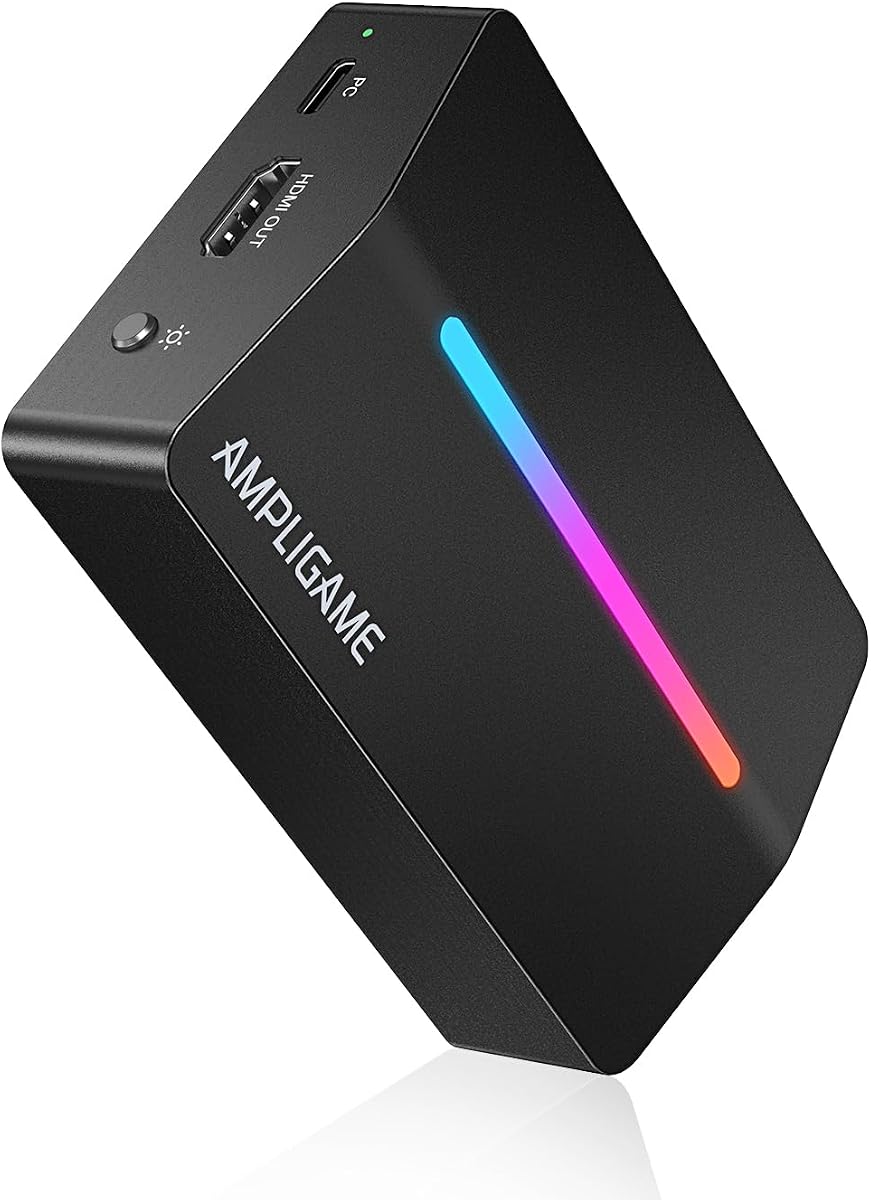
This UGREEN model adds advanced features like 4K loop out for monitoring. It supports 2K 30FPS capture for high quality recording. The design allows you to view gameplay on a monitor while sending signal to your PC.
We may earn a commission when you buy through this link, at no additional cost to you.
Dual USB interfaces ensure broad compatibility with modern laptops. The aluminum build offers stability and heat resistance. Zero latency monitoring ensures you react instantly to in-game events without delay.
The device handles 4K input well for high resolution sources. It works with most major consoles when settings are adjusted. Some compatibility limitations exist such as exclusion of Fire TV devices.
For users needing detailed monitoring this model is excellent. It combines high resolution output with stable performance. If you want a near premium experience without the highest price this card delivers strong value.
The 4K loop out ensures you see full detail. This helps with setup and monitoring without compression.
Immediate visual feedback ensures gameplay timing stays tight. It is essential for competitive streaming and play.
We may earn a commission when you buy through this link, at no additional cost to you.
The Elgato HD60 S stands out as the gold standard for entry level capture. It delivers 1080p60 capture with ultra-low latency performance. True passthrough ensures you play with zero lag on your main display.
We may earn a commission when you buy through this link, at no additional cost to you.
Instant Gameview allows you to see your stream output immediately. This helps in managing overlays and ensuring audio sync is correct. The device works reliably with major platforms like OBS and Twitch without hassle.
Flashback recording lets you save moments from minutes ago. This is useful for capturing unexpected epic plays during gameplay. The unlimited capture hours mean you can record as much as you need.
For most streamers this device offers the best reliability. The brand reputation ensures long term support and updates. If you want a guaranteed smooth experience for console streaming this is the top recommendation.
The device ensures your stream is instantly synced. This eliminates delay issues common in cheaper alternatives.
Capture moments from the last minutes instantly. This is great for reacting to unexpected in-game events.
We may earn a commission when you buy through this link, at no additional cost to you.
The Elgato Game Capture HD60 is a legendary device in the industry. It offers flawless 1080p quality at 60 fps for smooth recording. Built-in live commentary allows you to mic directly without a mixer.
We may earn a commission when you buy through this link, at no additional cost to you.
One-click sharing helps you post clips to social media instantly. This streamlines the workflow for content creators who want speed. The device works seamlessly with Mac and PC systems for broad access.
Unlimited capture means you can record long sessions freely. It remains a trusted tool for many professional streamers. While newer models exist this one holds up due to its stability and software.
This is a premium choice for those who value brand reliability. It works best for those who need simple workflow features. If you prioritize ease of use over cutting edge specs this device serves well.
You can add voice without extra audio gear. This simplifies your setup and reduces cable clutter.
Export content directly to major platforms easily. This saves time and helps you grow your audience.
We may earn a commission when you buy through this link, at no additional cost to you.
Selecting the right capture card depends on your specific streaming needs and technical setup. We break down the most important factors to consider before making your purchase decision.
Video resolution and frame rate determine how sharp and smooth your stream will look. Most modern consoles support 1080p at 60fps which is ideal for streaming platforms. Look for capture cards that support at least 1080p60 for standard streaming. If you need 4K quality for recording choose cards with 4K input and loop-out features.
Prioritize 1080p60 for live streams and 4K for recording if your PC can handle it.
Latency affects how real time your gameplay feels during a stream. True passthrough allows you to play on your monitor without delay while recording. Zero latency is crucial for competitive gaming where timing matters. Avoid devices with noticeable lag between input and screen output.
Always verify true passthrough support to ensure a lag-free gaming experience.
Modern capture cards typically use USB 3.0 for high data transfer speeds. Some models include USB-C for compatibility with newer laptops and tablets. Ensure your computer has the correct port available or include adapters in your budget. USB 2.0 may not support high frame rates effectively.
Check your computer ports and select USB 3.0 or higher for best performance.
Your capture card must work seamlessly with streaming software like OBS or Streamlabs. Most major cards offer plug-and-play drivers that work with popular apps. Verify that the device supports your operating system including Windows or macOS. Driver issues can cause recording failures if not supported.
Choose devices labeled as OBS compatible to avoid software headaches.
Some capture cards include audio inputs for microphones or mixers. This reduces the need for external sound hardware. Ensure the device supports 3.5mm jacks for standard headsets. Good audio sync is vital for a professional stream quality.
Look for mic-in ports if you need direct audio input for commentary.
Durability matters especially if you plan to transport your gear. Aluminum casings offer better heat dissipation than plastic models. Compact designs are easier to pack for LAN parties. Sturdy construction ensures stability during long recording sessions.
Choose a durable build to ensure stability during long recording sessions.
Ensure the capture card supports your specific console such as PS5 or Xbox Series X. Some models require HDCP disabling on certain consoles. Check documentation to confirm compatibility before purchasing. Incompatibility can prevent signal processing entirely.
Verify support for your console model to ensure it captures signal correctly.
Price ranges vary significantly from budget options to premium brands. Determine your budget and find the best specs within it. Sometimes budget cards offer 1080p60 performance well. Premium brands may offer better support or additional features.
Balance budget needs with essential features to maximize value.
To begin set up your capture card, plug your console into the HDMI input and the monitor into the loop-out port. Connect the USB cable to your PC. Install any required software and launch your streaming app like OBS.
Configure your audio settings to ensure game audio and commentary are recorded correctly. Check the video settings to match your stream resolution. Always enable HDCP disable on your console if the signal does not pass through.
Regularly check for firmware updates and clean the device vents to prevent overheating. Keep your cables tidy to avoid accidental disconnections during play. Proper handling ensures the device stays functional for years of streaming.
1080p capture is standard for live streaming and requires less PC power. 4K capture captures higher resolution video which is better for recording and editing. If you stream live 1080p is usually sufficient for quality.
Most modern capture cards are plug and play and do not need manual driver installation. They install automatically as video devices when connected via USB. However check the product description to ensure plug-and-play support is listed.
Lag often comes from using USB 2.0 ports instead of 3.0. It can also happen if HDCP is enabled on your console. Ensure you use the correct port and disable HDCP in console settings.
Yes if the capture card supports USB-C and your tablet supports video input. Some devices like iPads require specific updates to work correctly. Check compatibility with your specific tablet model before purchase.
Not always. Some devices require you to select the audio source manually in your streaming software. Others have separate inputs for mic and game audio. Review the manual to configure audio channels properly.
OBS Studio is a popular free option that works with most cards. Streamlabs is another easy alternative for beginners. Both allow you to add overlays and mix audio for professional results.
We explored ten capture cards that cover various needs from budget to premium. The Elgato HD60 S remains the top recommendation for most users due to its reliability. Budget models like the UGREEN options offer excellent value for beginners.
Prioritize features like 1080p60 performance and zero latency passthrough for the best experience. Ensure compatibility with your specific console and software to avoid setup issues. The right choice depends on your balance of features and budget.
Always check current prices and availability before purchasing since these fluctuate frequently. We recommend verifying the latest specs on the product page to confirm features. With the right card you can elevate your console streaming quality easily.