
HP Color LaserJet Pro MFP 3301cdw
3.8Editor score
Dual-band Wi-Fi self-reset
HP Wolf Pro Security
Energy Star certified
This guide compares ten top color laser multifunction printers for office use based on performance, features, security, and reliability for business teams.
Choosing the right color laser multifunction printer is essential for modern office efficiency. These devices combine printing, scanning, copying, and often faxing into one compact unit to streamline workflow. A good model offers fast speeds, vivid color output, and robust security to protect sensitive business documents.
We evaluated ten real models based on performance, connectivity, paper handling, and security features. Our comparison focuses on speed, ease of use, and suitability for small to medium teams. Each option brings unique strengths like duplex scanning, touchscreen controls, or advanced network protection.
Each pick shows key specs and ideal use cases to help you find the best fit. Note that pricing and availability may change over time so check current listings before purchasing. This guide aims to simplify your decision with clear, honest details on what each printer delivers.
3.8Editor score
4.4Editor score

4.2Editor score
The following table offers a side-by-side view of all ten models. It highlights key specs and capabilities so you can quickly compare performance and features across brands.


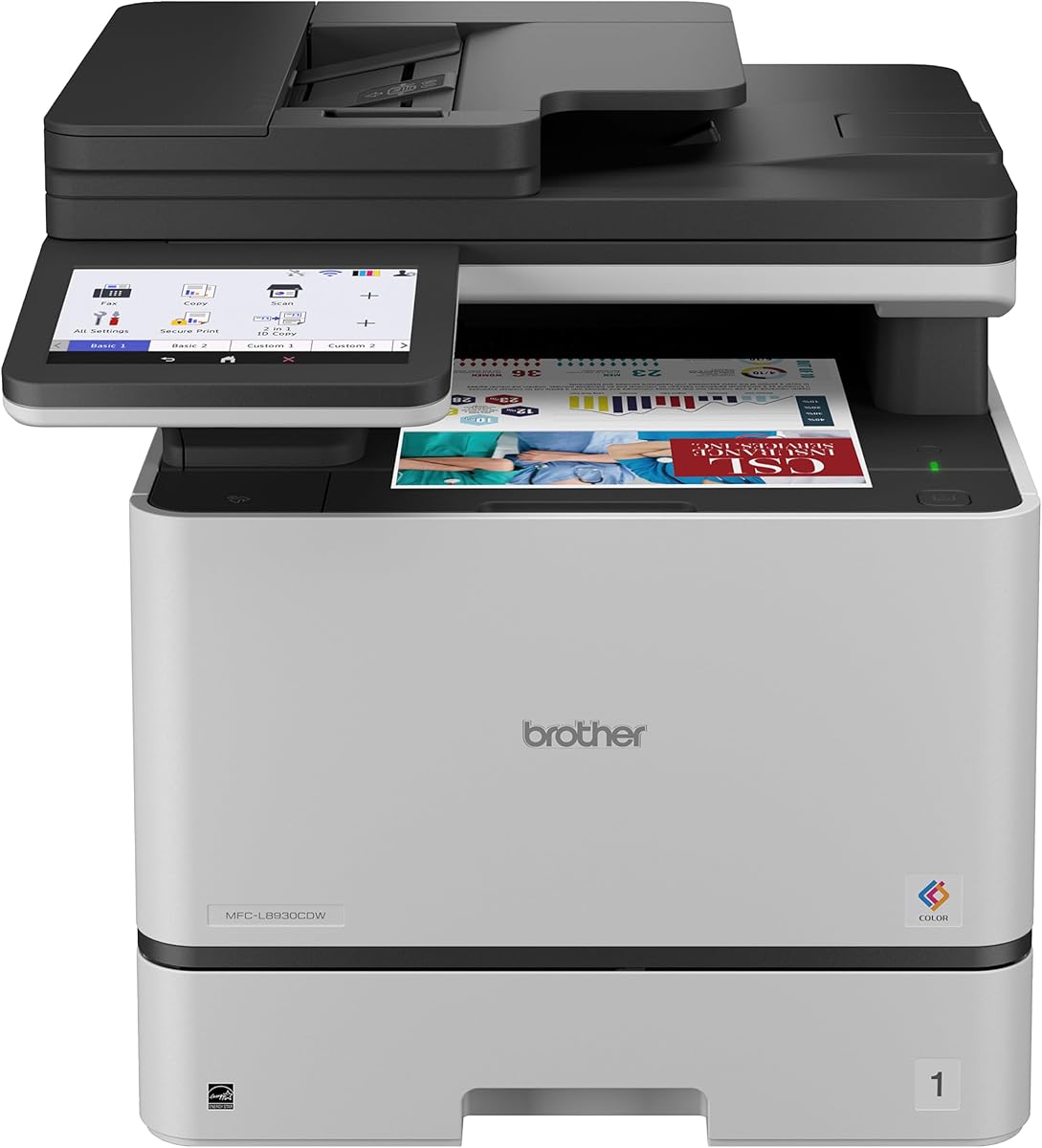
This Brother model earns our top spot with strong performance and robust security. It scores well on speed and offers a large touchscreen for intuitive control. Businesses prioritizing document safety and efficiency will find it highly reliable.
We may earn a commission when you buy through this link, at no additional cost to you.
The 33 pages per minute speed ensures quick turnaround for busy teams. Dual-band Wi-Fi and Gigabit Ethernet keep connections stable. Advanced Triple Layer Security protects data in transit and on the device.
While the upfront investment is higher, long-term savings come from high yield toner options. The compact design saves desk space without sacrificing capacity. Some users may find initial setup slightly involved.
It is ideal for offices needing secure, fast color output and flexible connectivity. Consider this if you value security and productivity over lowest initial price. It balances premium features with practical daily use.
Fast print and copy speeds help teams stay on schedule without waiting for output.
Triple Layer Security and NFC badge authentication keep sensitive documents protected from unauthorized access.
We may earn a commission when you buy through this link, at no additional cost to you.
This HP model offers great value as a refurbished option with full features. It includes essential security and wireless capabilities at a lower cost. Small teams looking for reliability on a budget will appreciate its balance.
We may earn a commission when you buy through this link, at no additional cost to you.
The 26 pages per minute speed suits moderate workloads efficiently. Dual-band Wi-Fi with self-reset ensures stable connections without manual intervention. HP Wolf Pro Security provides customizable tools to protect networks.
As a certified refurbished unit, it comes with a one-year warranty for peace of mind. While the price is attractive, consumables may add to long-term costs. Paper capacity is modest for larger offices.
Choose this for cost-effective color printing with solid security features. It fits small teams needing fax and duplex functions. Verify refurbishment details before purchase to ensure quality.
Certified refurbishment lowers initial cost while keeping core productivity features intact for small business use.
Dual-band Wi-Fi with self-reset automatically resolves connection issues to keep printing flowing.
We may earn a commission when you buy through this link, at no additional cost to you.
This Canon model stands out for vivid color quality and compact design. It handles printing, scanning, copying, and faxing with ease. Offices prioritizing aesthetics and color accuracy will find it appealing.
We may earn a commission when you buy through this link, at no additional cost to you.
Wireless setup is straightforward, and duplex printing reduces paper waste quickly. The design fits tight spaces while maintaining professional output. It offers a balanced experience for general office tasks.
While lacking some advanced security features, it covers essential needs well. Paper capacity is smaller so frequent refills may be needed. The overall experience is smooth for everyday document needs.
It is best for teams needing reliable color output in limited space. Consider this if color vibrancy matters more than heavy security. It delivers quality without overwhelming complexity.
Canon color technology delivers vibrant prints ideal for presentations and client-facing materials.
Compact design fits small offices or shared workspaces without sacrificing core functionality.
We may earn a commission when you buy through this link, at no additional cost to you.
This HP model delivers blazing fast color speeds ideal for busy teams. It supports a wide range of devices including mobile options. Security features help keep data safe across the network.
We may earn a commission when you buy through this link, at no additional cost to you.
At 35 pages per minute it handles heavy print loads efficiently. Ethernet and Bluetooth provide flexible connection choices. HP Wolf Pro Security offers customizable protection against cyber threats.
Firmware updates may restrict non-HP cartridges which impacts long-term costs. The price is higher than entry-level options but justified by speed. Consider total cost of ownership before buying.
It suits offices needing rapid output and broad compatibility. Verify cartridge policies if budget is tight. Overall it balances speed and security well for growing teams.
Up to 35 color pages per minute keeps work moving fast during peak times.
Ethernet and Bluetooth options ensure reliable connections across diverse device setups.
We may earn a commission when you buy through this link, at no additional cost to you.
This HP model is a reliable workhorse for small teams needing consistent output. It offers solid speed and a generous paper tray for daily tasks. TerraJet toner delivers vivid color for professional documents.
We may earn a commission when you buy through this link, at no additional cost to you.
With 26 pages per minute it handles moderate workloads well. The 250-sheet input tray reduces refill frequency. Duplex printing saves paper and keeps documents neat.
It lacks fax which may limit some business needs. Speed is average compared to higher-end models. Still it provides dependable performance for routine office work.
Choose this for straightforward color printing without extra complexity. It fits teams prioritizing capacity and ease of use. Verify fax needs before purchase.
A 250-sheet input tray minimizes interruptions during busy printing sessions.
TerraJet toner produces more vivid colors for professional-quality color reports and documents.
We may earn a commission when you buy through this link, at no additional cost to you.
This refurbished unit offers high performance at a lower cost point. It includes the same fast speeds and security as new models. Small teams benefit from the balance of cost and capability.
We may earn a commission when you buy through this link, at no additional cost to you.
With 35 pages per minute it keeps work flowing efficiently. HP Wolf Pro Security provides protection without extra setup. Mobile printing ensures flexibility across devices.
Refurbished status means checking warranty details carefully. Performance is reliable but inspect packaging before use. It suits those who want premium features without full price.
It is ideal for budget-conscious teams needing speed and fax. Verify refurbishment terms and warranty coverage. Overall it delivers strong value for growing offices.
Refurbished units provide premium features at a reduced cost for budget-conscious buyers.
Up to 35 color pages per minute ensures rapid output for busy workgroups.
We may earn a commission when you buy through this link, at no additional cost to you.
This model combines fax capability with solid everyday performance. It offers dual-band Wi-Fi for stable connections. TerraJet toner ensures vivid color quality across documents.
We may earn a commission when you buy through this link, at no additional cost to you.
With 26 pages per minute it handles moderate volumes. 2-sided single-pass scanning speeds up digitization. The 250-sheet tray reduces frequent refills.
Firmware may restrict non-HP cartridges which affects long-term costs. Speed is decent but not top-tier. It suits teams needing fax without extra hardware.
It is best for offices valuing complete functionality. Consider cartridge policy before purchase. Overall it balances features well for mixed tasks.
Fax plus print scan copy delivers all-in-one convenience without extra devices.
Two-sided single-pass scanning cuts time spent digitizing double-sided documents.
We may earn a commission when you buy through this link, at no additional cost to you.
This Canon model offers ease of use and strong warranty support. It features a 5-inch touchscreen for intuitive control. High-capacity toner keeps runs going longer between replacements.
We may earn a commission when you buy through this link, at no additional cost to you.
Wireless setup is quick for teams onboarding quickly. The 26 pages per minute speed suits moderate needs. AirPrint and Mopria ensure broad mobile compatibility.
The 50-sheet ADF handles standard scanning but may need refills. Network tools are basic compared to business-focused models. Still it is reliable for daily use.
Choose this for simplicity and warranty peace of mind. It fits small offices needing straightforward color printing. Check ADF needs before buying.
A three-year limited warranty adds long-term confidence and support for business users.
A 5-inch color touchscreen makes navigation and custom task setup simple and quick.
We may earn a commission when you buy through this link, at no additional cost to you.
This HP model brings future-ready features to modern teams. HP FutureSmart ensures a consistent experience across devices. Quantum-resistance security protects against emerging cyber threats.
We may earn a commission when you buy through this link, at no additional cost to you.
At 35 pages per minute it keeps output flowing quickly. Auto 2-sided scanning helps maintain order. The design fits office environments well with reliable Wi-Fi.
Higher price reflects advanced features which may be overkill for some. Firmware policies remain strict on cartridges. Consider if future proofing justifies cost.
It is ideal for tech-forward teams prioritizing security. Verify costs before purchase. Overall it delivers a modern secure print experience.
Quantum-resistance security helps defend against next-generation cyberthreats to keep data safe.
HP FutureSmart delivers a simple and consistent user experience across devices.
We may earn a commission when you buy through this link, at no additional cost to you.
This enterprise model delivers robust security and consistent performance. It uses HP FutureSmart for seamless device experiences. Ethernet connection ensures stable and secure network integration.
We may earn a commission when you buy through this link, at no additional cost to you.
With 35 pages per minute it meets high-volume needs. Quantum-resistance security protects against advanced threats. It suits offices prioritizing control and safety.
Lack of wireless limits flexibility for mobile printing. Price reflects enterprise-grade features not needed by all. Consider if wired security is a priority.
It is best for controlled environments needing maximum security. Verify network requirements before purchase. Overall it offers a dependable enterprise solution.
Wolf Pro Security plus quantum-resistance provide strong protection against next-gen cyberthreats.
Easily connect your printer via reliable Ethernet for secure network integration.
We may earn a commission when you buy through this link, at no additional cost to you.
Selecting the right color laser multifunction printer depends on several key factors that impact cost, performance, and security.
Print speed measured in pages per minute determines how quickly documents are ready. Faster printers suit high-volume teams while slower models work for light usage.
Choose a speed that matches your peak workload to avoid bottlenecks during busy periods.
Paper capacity and duplex capabilities affect workflow efficiency. Larger trays and automatic duplex reduce manual intervention and paper waste.
Prioritize enough capacity for your volume and ensure duplex features are reliable for double-sided needs.
Modern printers face cyber threats so built-in security is critical. Look for customizable security suites and protections against unauthorized access.
Select a model with robust security tools to safeguard sensitive data in transit and on the device.
Flexible connectivity supports various devices and network setups. Wi-Fi Ethernet and Bluetooth offer choices for different office environments.
Ensure the printer supports the connection types your team uses daily for seamless integration.
Long-term costs often exceed the initial price. Evaluate toner yield and cartridge policies to estimate total cost of ownership.
Choose high yield options and confirm firmware policies to keep ongoing expenses manageable.
Advanced scanning features like duplex and fast speeds improve digitization. ADF capacity matters for multi-page documents.
Pick a model with scanning speed and capacity that matches your document workflow needs.
Reliable support minimizes downtime. Longer warranties and responsive service plans protect your investment.
Verify warranty length and support options to ensure peace of mind after purchase.
Physical size impacts workspace layout. Compact designs fit tight areas without sacrificing features.
Measure your available space and choose a design that balances size with functionality.
Start by connecting the printer to your network and installing drivers on all devices. Use the app or web interface to set up preferences like duplex and security settings.
Load paper into the tray and ensure the type matches your settings. Use genuine or certified toner to prevent jams and ensure print quality.
Perform regular cleaning of the scanner glass and keep the environment dust-free. Schedule periodic firmware updates to maintain security and performance.
A good office model offers fast print speeds robust security and reliable paper handling. It should support multiple connectivity options and have features like duplex scanning to save time and paper.
Duplex printing saves paper and reduces costs automatically. It speeds up document handling and keeps files organized by producing two-sided pages without manual intervention.
Certified refurbished units from reputable brands offer reliable performance at lower costs. They typically include warranties and tested parts making them a safe choice for many teams.
Look for customizable security suites protections against unauthorized access and secure printing options. Features like NFC authentication or quantum-resistance protect data in transit and on the device.
Use genuine or certified toner to avoid jams and ensure quality. Evaluate yield and cost per page to find options that balance performance and long-term budget.
Most models support mobile printing through apps like HP or Canon and standards like AirPrint. Verify compatibility with your devices to ensure seamless printing from phones or tablets.
This guide compared ten color laser multifunction printers highlighting strengths like speed security and value. The top picks balance performance and cost for teams with different priorities.
When choosing prioritize features that match your workflow such as duplex scanning security and connectivity. Consider long-term costs including toner and maintenance to avoid surprises.
Prices and availability change so check current listings before purchase. Use this guide as a foundation to find a reliable printer that keeps your office running smoothly.