
Sony FW75BZ30L
4.8Editor score
75 inch 4K HDR display
Portrait and landscape orientation support
Commercial grade VA LCD panel
Choosing the right conference room monitor is essential for modern businesses aiming to enhance collaboration and productivity. A high-quality display ensures clear visuals during presentations and video calls, making communication seamless across teams and remote participants alike.
We compared ten top-rated conference room monitors based on display quality, connectivity options, and commercial durability. Our analysis focuses on real-world performance in office settings, evaluating features like 4K resolution, wireless casting, and built-in collaboration tools for every budget.
Each pick below highlights specific strengths to help you find the perfect fit for your meeting space. Note that product availability and pricing can change frequently, so check current listings before making your final purchase decision for your office.
4.8Editor score
5.0Editor score

5.0Editor score
As an Amazon Associate we earn from qualifying purchases.
The following comparison table provides a side-by-side overview of the top ten conference room monitors. This layout allows you to quickly evaluate key specifications and features across all models to find the ideal solution for your workspace needs.


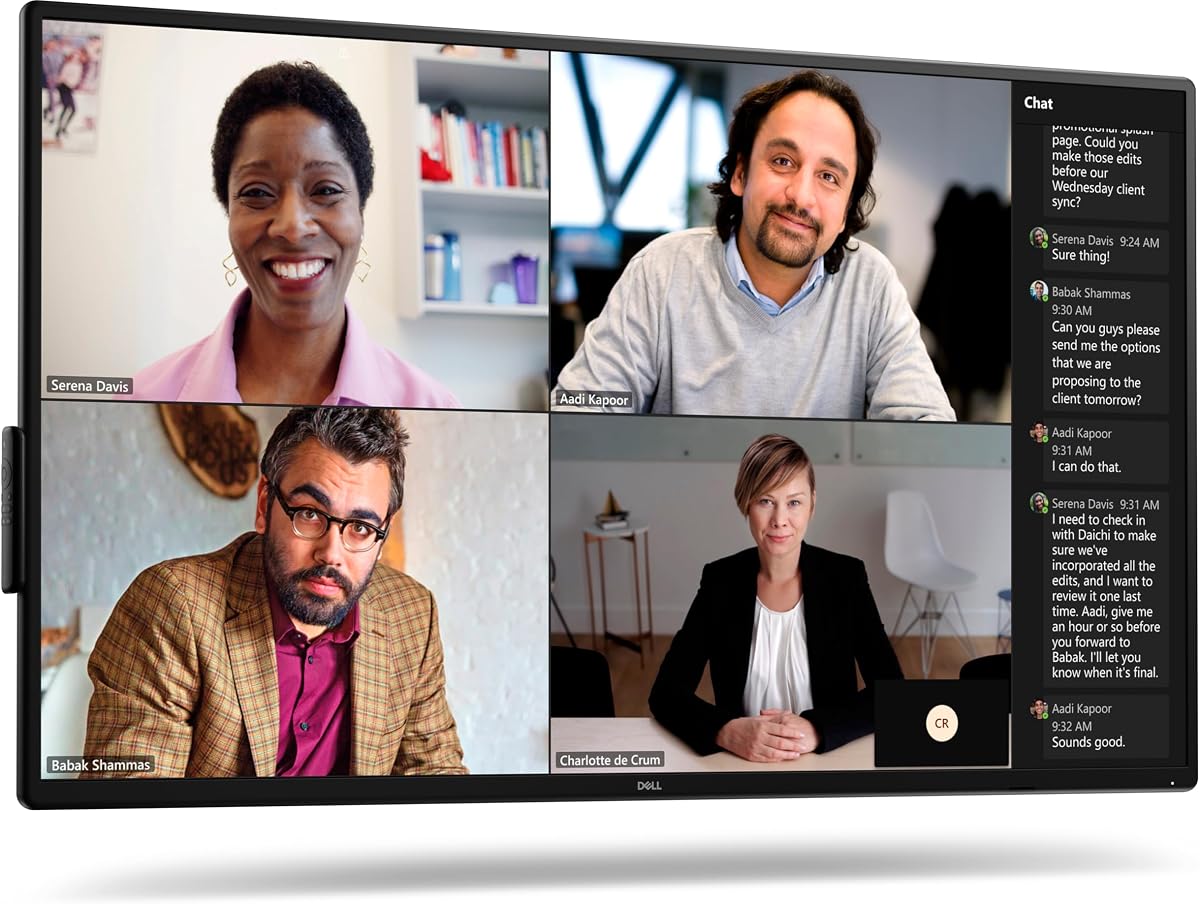


The Dell P5524Q stands out as a top contender for professional conference environments requiring high security and clarity. This 55-inch 4K monitor delivers exceptional visual fidelity, making it ideal for detailed data presentations and remote video calls where image sharpness is paramount.
We may earn a commission when you buy through this link, at no additional cost to you.
Its anti-glare coating ensures that screens remain readable even under bright office lighting, while the built-in 2x10W speakers simplify audio setups without needing external devices. The inclusion of a security lock and cable lock slot adds a layer of physical protection that is crucial for shared or public meeting spaces.
While the lack of an advanced smart operating system might be a drawback for some users seeking interactive features, this design prioritizes reliability and seamless integration with existing AV systems. The trade-off is acceptable for organizations that rely on external PCs for content management and value durability over smart apps.
This monitor is best suited for corporate boardrooms and secure meeting rooms where visual quality and asset protection are critical. If you need a dependable, high-resolution display that integrates easily with current infrastructure, the Dell P5524Q is a strong investment for your conference setup.
Physical security options like cable lock slots are vital for protecting expensive displays in shared spaces.
The 4K resolution and anti-glare surface ensure that text and graphics remain sharp and readable during meetings.
We may earn a commission when you buy through this link, at no additional cost to you.
The Samsung QB65R offers a massive 65-inch canvas that transforms large conference rooms into immersive collaboration hubs. Its 4K UHD resolution combined with Dynamic Crystal Color ensures that presentations look vibrant and professional, capturing attention even from the back of the room.
We may earn a commission when you buy through this link, at no additional cost to you.
Designed with business needs in mind, this display features built-in Wi-Fi and Bluetooth for easy content sharing from mobile devices without cables. The System-on-chip technology allows it to function as an all-in-one digital signage solution, reducing the need for extra media players in many use cases.
However, setting up the advanced features like video WebEx room kit compatibility may require technical knowledge or IT support, which could be a hurdle for smaller teams. The initial configuration time is a worthwhile investment if you plan to utilize the full suite of collaboration and signage features available.
This monitor is perfect for large executive suites or training rooms where visibility and engagement are top priorities. If your team needs a reliable, large-format display that supports wireless collaboration and digital signage, the Samsung QB65R delivers excellent value and performance.
A 65-inch screen ensures that content is visible to everyone in large conference settings without straining to see details.
Built-in Wi-Fi and Bluetooth streamline meetings by allowing seamless content sharing from phones and tablets wirelessly.
We may earn a commission when you buy through this link, at no additional cost to you.
The LG UL3G Bundle presents a comprehensive solution for businesses looking to set up a conference room quickly and efficiently. By including essential accessories like HDMI cables and surge protectors, it reduces the initial setup complexity and cost for new installations or upgrades.
We may earn a commission when you buy through this link, at no additional cost to you.
Its IPS LED panel delivers consistent colors and wide viewing angles, making it suitable for diverse seating arrangements in meeting rooms. The embedded System-on-chip technology and WebOS interface allow for smooth content playback and easy management via remote control, enhancing user experience during presentations.
While the 43-inch size might feel small for very large conference halls, it strikes a perfect balance for standard meeting spaces where clarity and functionality matter more than sheer scale. The certified Crestron Connected status ensures it integrates well with enterprise control systems, adding to its professional appeal.
This model is an ideal choice for small to medium-sized meeting rooms or breakout spaces. If you want a ready-to-use display with strong compatibility and essential extras included, the LG UL3G Bundle offers a practical and budget-friendly option for your office needs.
Including cables and cleaning kits saves time and money, ensuring you have everything needed for immediate installation.
Crestron Connected certification guarantees that the display works seamlessly with sophisticated control systems used in large organizations.
We may earn a commission when you buy through this link, at no additional cost to you.
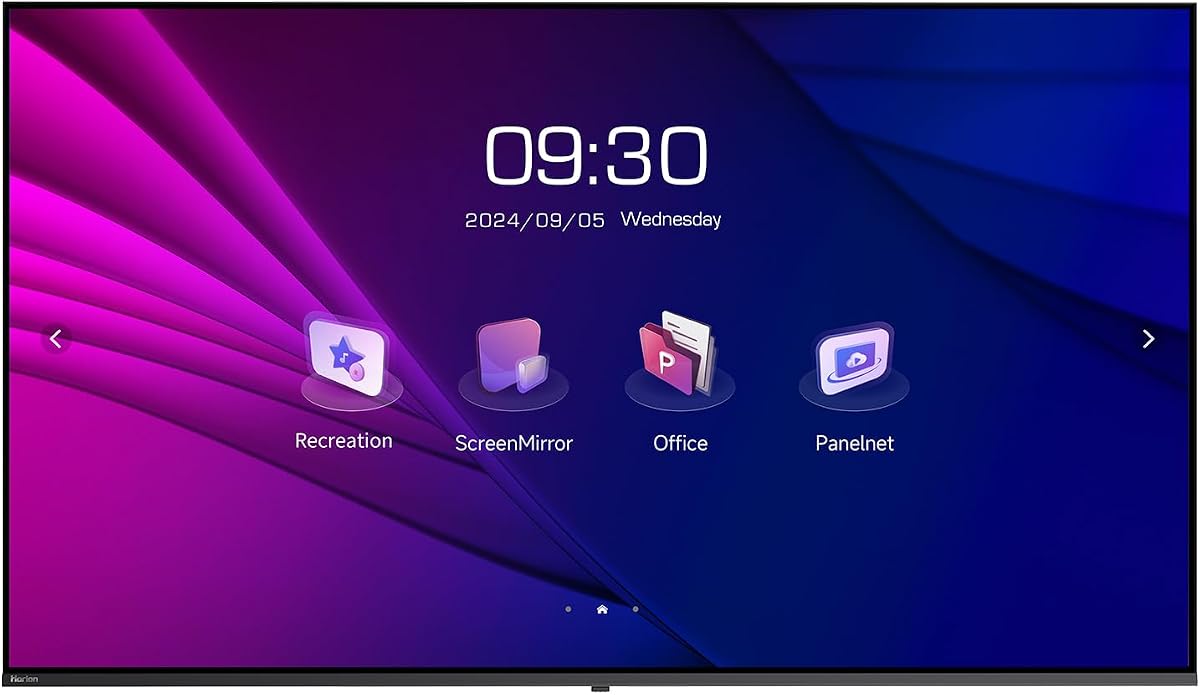
The Horion 75 Display is engineered for businesses that demand reliability and seamless wireless connectivity in their meeting spaces. Its dual independent WiFi modules ensure that internet access and content casting happen simultaneously without lag, a critical feature for high-quality video conferencing and streaming.
We may earn a commission when you buy through this link, at no additional cost to you.
With built-in tools like agenda timers and voting features, this all-in-one system enhances interactivity during meetings without needing external apps. The TÜV Rheinland-certified low blue light technology also makes it safer for prolonged viewing sessions, reducing eye strain for teams that rely on screens throughout the day.
Although the brand is less mainstream than some competitors, the feature set and build quality deliver impressive performance that rivals established names. The vertical mount flexibility is a unique advantage for lobby directories or creative presentations, allowing you to adapt the display to various room layouts easily.
This monitor is best suited for modern offices and classrooms that prioritize wireless flexibility and interactive features. If you need a large, reliable display that supports multiple devices without cables and offers unique presentation tools, the Horion 75 Display is a compelling choice.
Separate modules for internet and casting ensure stable connections during critical meetings, preventing disruptions from bandwidth spikes.
Built-in agenda timers and voting tools streamline meeting flows and engagement, offering a more interactive experience for attendees.
We may earn a commission when you buy through this link, at no additional cost to you.
The Dell P5525QC excels in connectivity, offering a robust array of ports including USB-C, HDMI, and DisplayPort to accommodate various devices. This versatility makes it incredibly easy to connect laptops, PCs, and other media sources without requiring additional dongles or hubs during meetings.
We may earn a commission when you buy through this link, at no additional cost to you.
Its 55-inch 4K display provides sharp visuals with a brightness level suitable for well-lit conference rooms, ensuring that presentations are clear and vibrant. The commercial-grade build quality reflects Dell's reputation for reliability, making it a solid long-term investment for busy office environments.
While it lacks some of the integrated smart OS features found in dedicated signage displays, this simplicity can be an advantage for organizations that prefer using their own PCs for content control. The focus on hardware and connections ensures seamless integration with existing IT setups without software overhead.
This monitor is ideal for IT administrators who need a versatile and reliable display for mixed-use meeting rooms. If your priority is flexible connectivity and high-quality image output without relying on built-in operating systems, the Dell P5525QC is a practical and professional choice.
Multiple ports allow connecting various devices simultaneously, supporting Bring Your Own Device policies effectively in hybrid meetings.
Commercial-grade construction ensures the display can handle daily use in active meeting rooms without performance degradation over time.
We may earn a commission when you buy through this link, at no additional cost to you.
The Philips 34E1C is uniquely designed for small huddle rooms or executive offices where space is limited but collaboration needs remain high. Its built-in webcam and noise-canceling microphone eliminate the need for separate conferencing hardware, simplifying setup and reducing clutter on the desk.
We may earn a commission when you buy through this link, at no additional cost to you.
The curved UltraWide QHD screen offers an immersive viewing experience that allows users to multitask efficiently by displaying multiple windows side-by-side. This aspect ratio is particularly useful for comparing documents or spreadsheets during meetings, enhancing productivity without needing a second monitor.
While the webcam features are convenient, they may not match the quality of dedicated conferencing cameras for larger groups. However, for intimate meetings of up to four people, the audio and video clarity are sufficient and the inclusion of a 4-year warranty provides significant peace of mind.
This monitor is best suited for small breakout rooms or personal workstations used for video calls. If you need a compact, all-in-one solution that saves desk space and supports seamless remote collaboration, the Philips 34E1C is an efficient choice for your office.
Integrated webcam and mic reduce cable clutter and simplify setup, making it ideal for quick meetings in small spaces.
The UltraWide format supports multitasking and document comparison, enhancing efficiency during collaborative work sessions.
We may earn a commission when you buy through this link, at no additional cost to you.
The Samsung QB43R combines high resolution with commercial durability at a competitive price point, making it a top value choice for many businesses. Its 4K UHD picture quality delivers vibrant colors and sharp details, ensuring that presentations and digital signage look professional in any setting.
We may earn a commission when you buy through this link, at no additional cost to you.
Integrated Wi-Fi and Bluetooth capabilities allow for easy content sharing and control without extra devices, while the System-on-chip technology ensures smooth operation. The inclusion of a 3-year warranty further solidifies its position as a reliable investment for offices looking to minimize long-term costs.
While it may not have as many advanced interactive features as higher-end models, it covers all the basics effectively for standard meeting and signage needs. The slim design and clean cable management also contribute to a polished look that fits well in modern office environments.
This display is perfect for businesses that want a straightforward, high-quality screen without complex smart features. If you need a reliable 4K display with wireless sharing and strong warranty support for your meeting rooms, the Samsung QB43R offers excellent value.
Combining commercial durability with a competitive price and strong warranty makes this a low-risk investment for businesses.
Built-in connectivity options allow for seamless content sharing from mobile devices, reducing meeting setup time.
We may earn a commission when you buy through this link, at no additional cost to you.
The Sony FW75BZ30L delivers a premium visual experience that elevates any conference room with stunning 4K HDR clarity. Sony's renowned panel technology ensures deep blacks and vibrant colors, making this display ideal for environments where high-quality visual output is a priority.
We may earn a commission when you buy through this link, at no additional cost to you.
Designed for commercial use, it supports both landscape and portrait orientations, offering flexibility for different room layouts and content types. The robust build quality withstands continuous operation, ensuring reliable performance even in high-traffic business environments where downtime is not an option.
While the price is higher than average monitors, the superior image quality and durability justify the investment for high-profile meeting spaces. If you are looking to impress clients with crystal-clear visuals, the Sony FW75BZ30L provides a level of premium fidelity that stands out.
This monitor is best suited for boardrooms and executive suites where presentation quality directly impacts business outcomes. If you prioritize top-tier display performance and reliable commercial features, the Sony FW75BZ30L is a premium choice worth considering.
Advanced HDR processing delivers rich colors and contrasts, ensuring presentations look professional and impactful.
Support for portrait mode allows versatile setups for directories or vertical content, maximizing display utility.
We may earn a commission when you buy through this link, at no additional cost to you.
The Samsung QE50T is engineered for reliability, specifically designed to operate continuously for up to 16 hours a day, 7 days a week. This endurance makes it an excellent choice for reception areas, lobbies, or meeting rooms that see heavy daily usage and require consistent performance.
We may earn a commission when you buy through this link, at no additional cost to you.
Its non-glare panel ensures visibility in bright environments, while the slim bezel-less design creates a sleek, modern aesthetic for wall-mounted installations. The built-in media player allows you to loop content directly from a USB drive, simplifying operations for information displays.
While the brightness level is average compared to some high-end models, it is sufficient for most indoor meeting settings. The IP5X dust-proof rating adds extra durability against environmental factors, making it suitable for various office conditions without compromising functionality.
This display is ideal for businesses needing a durable screen for long daily hours. If you require a reliable 50-inch monitor that can handle continuous operation and offers strong warranty support, the Samsung QE50T is a practical commercial solution.
Built to withstand continuous daily operation, this display ensures minimal downtime for high-traffic meeting rooms.
The slim bezel design allows for cleaner installation and better focus on content, perfect for professional environments.
We may earn a commission when you buy through this link, at no additional cost to you.
The Logitech MeetUp is a comprehensive conferencing system designed to simplify video meetings in small and huddle rooms. It combines a 4K camera with high-quality microphones and speakers into one compact unit, eliminating the need for multiple devices and complex cabling in tight spaces.
We may earn a commission when you buy through this link, at no additional cost to you.
Its motorized pan and tilt features allow users to focus on specific areas of the room, while the beamforming microphones ensure voices are captured clearly up to four meters away. This level of audio and visual clarity makes remote participants feel more present and engaged during discussions.
Although it requires an external display, the system's plug-and-play compatibility with major platforms like Teams and Zoom makes it incredibly easy to deploy. The integration with Logitech Sync allows for remote management and updates, reducing IT overhead and ensuring devices stay current.
This system is best for small team rooms where ease of use and reliability are paramount. If you want a straightforward, high-quality conferencing solution that works seamlessly with your existing setup, the Logitech MeetUp is an ideal choice.
Plug-and-play compatibility with major platforms ensures quick setup and reduces technical friction for teams.
Logitech Sync allows IT teams to manage devices remotely, ensuring updates and maintenance happen without onsite visits.
We may earn a commission when you buy through this link, at no additional cost to you.
Selecting the right conference room monitor involves balancing size, resolution, connectivity, and budget. This guide outlines the key factors to consider to help you find a display that meets your specific business needs.
Choosing the correct size is crucial for ensuring everyone in the room can see the content clearly. Larger rooms generally require screens of at least 55 inches, while smaller huddle spaces may function well with 43-inch displays to avoid overwhelming the area.
Consider the viewing distance and seating arrangement when picking a size to ensure comfortable visibility for all participants during meetings.
Resolution directly impacts how clear text and images appear on the screen. For professional presentations and detailed data sharing, 4K UHD resolution is becoming the standard as it offers sharpness and clarity that lower resolutions cannot match.
Prioritize 4K displays to ensure crisp visuals that make your content look professional and easy to read from any angle.
The ports available on a monitor determine how easily you can connect laptops and other devices. Look for models with USB-C, HDMI, and DisplayPort inputs to support Bring Your Own Device policies and reduce reliance on dongles.
Ensure the monitor has the necessary ports to support your current equipment, which streamlines setup and improves meeting flow.
Wireless casting capabilities allow participants to share screens from phones and laptops without physical cables. This feature enhances collaboration and keeps meetings moving smoothly, especially for those who prefer working on mobile devices.
Check for built-in Wi-Fi and Miracast support to enable seamless content sharing and improve the overall meeting experience.
Commercial monitors are built to withstand longer operating hours and harsher conditions than standard home displays. Look for models rated for 16/7 operation and those with dust-proof protections to ensure reliability in active office environments.
Select a display with a commercial-grade warranty and robust build quality to minimize downtime and maintenance costs over time.
Built-in speakers can simplify your audio setup by eliminating the need for external sound systems. However, the quality varies between models, so check for adequate wattage and noise-canceling features if you plan to use them for video calls.
Evaluate the speaker quality and consider external options if the built-in sound is insufficient for your room size.
Some monitors come with embedded operating systems that allow them to function independently of a PC. These systems offer features like content management and digital signage capabilities that can reduce the need for extra media players in certain applications.
Decide if you need smart features or if you prefer a simple display that relies on your existing computer infrastructure.
A monitor's mounting options should align with your room design and usage needs. Ensure the display supports VESA mounting patterns and offers both landscape and portrait orientations if you need flexible positioning for different presentation styles.
Choose a model with robust mounting hardware and flexibility to adapt to your specific room layout and security requirements.
Proper installation is key to maximizing the lifespan and performance of your conference room monitor. Always secure the mount using the provided hardware and ensure all cables are neatly organized to prevent tripping or accidental disconnection during meetings.
For optimal visual quality, adjust the brightness and contrast settings to match the lighting conditions in your room. Use anti-glare features and room blinds to reduce reflections, ensuring that screens remain clear and readable throughout the day.
Regular maintenance includes cleaning the screen with a soft, dry microfiber cloth to remove dust and smudges. Avoid using harsh chemicals or abrasive materials that could damage the anti-glare coating or the surface of the panel.
For large meeting rooms with 10 or more participants, a monitor of at least 65 inches is recommended to ensure visibility from all seats. If your budget allows, consider 75-inch models for even better clarity and a more immersive experience for distant attendees.
While standard TVs can work for casual meetings, commercial monitors are designed for longer operating hours and offer better connectivity. They also include features like anti-glare coatings and robust warranties that make them more suitable for professional business environments.
Many modern commercial monitors come with built-in Wi-Fi and support wireless casting protocols like Miracast. This allows users to share content from laptops and mobile devices without physical cables, streamlining the meeting process.
4K resolution is highly recommended for presentations involving detailed charts, maps, or small text. It ensures that information remains legible on large screens, making it easier for participants to engage with the content clearly.
Monitors with embedded operating systems can run media players and content apps directly without needing a separate PC. This simplifies setup for digital signage and can reduce costs by eliminating the need for external hardware.
Look for monitors with built-in security lock slots and use cable locks to secure the device. Additionally, mounting the display high on a wall or using anti-theft enclosures can deter unauthorized access in shared spaces.
Most commercial monitors are compatible with major video conferencing systems like Zoom and Microsoft Teams. Check for specific certifications like Cisco WebEx compatibility if you need seamless integration with proprietary room kits.
It is advisable to clean the screen weekly with a microfiber cloth to remove dust and fingerprints. For deeper cleaning, use a manufacturer-approved solution sparingly to avoid damaging the screen coating.
Selecting the best conference room monitor ultimately depends on your specific room size, budget, and usage requirements. Whether you need a large display for a boardroom or a compact system for a huddle space, the options reviewed above offer strong performance and reliability.
Prioritize features that enhance collaboration, such as wireless connectivity and clear audio, to make your meetings more productive. Investing in a commercial-grade display ensures that your equipment will withstand daily use and provide consistent quality over time.
Remember to check current availability and pricing before making a purchase as market conditions can change. By considering the factors outlined in this guide, you can confidently choose a monitor that elevates your team's communication and workflow.