
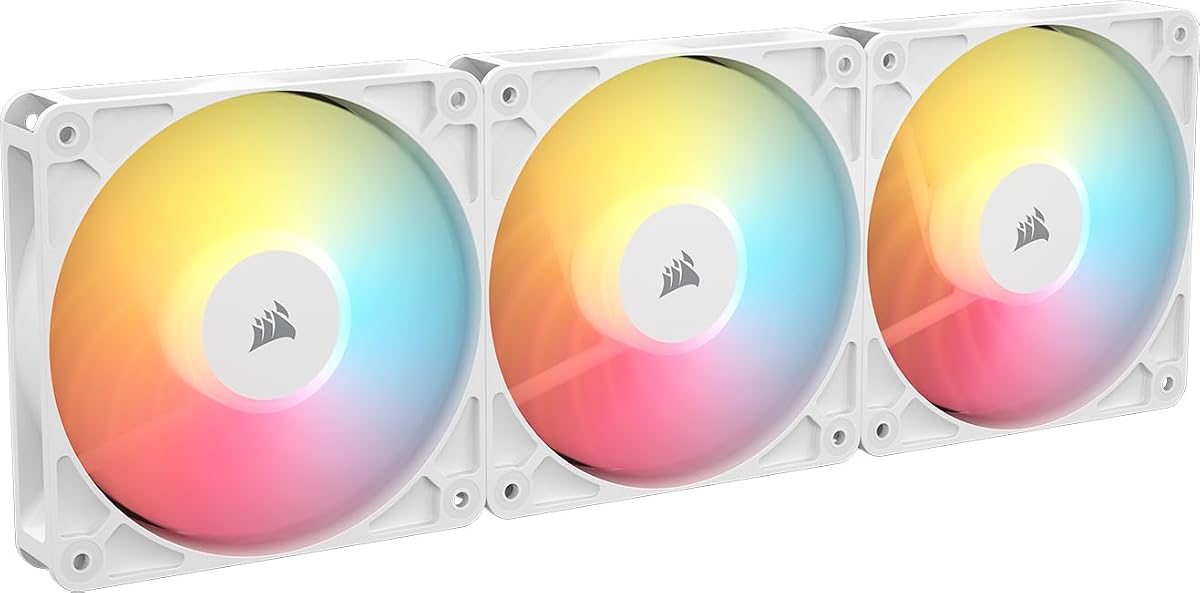
CORSAIR RS120 ARGB 120mm PWM Fans Triple Pack
4.6Editor score
Daisy-chain connection
Eight LEDs per fan
72.8 CFM airflow
This guide compares the top Corsair case fans for 2026, evaluating airflow, noise, RGB lighting, and connectivity to help you choose the best cooling solution.
Selecting the right cooling solution is critical for maintaining optimal system performance and longevity. Corsair offers a diverse range of case fans designed to balance high static pressure with aesthetic appeal and quiet operation.
We analyzed ten top-rated models based on airflow efficiency, bearing technology, lighting customization, and ease of installation. Our comparison focuses on real-world performance metrics and user feedback to ensure reliable recommendations.
Each entry details specific strengths, ideal use cases, and key specifications to guide your decision. Please note that availability and pricing may fluctuate over time, so verify current details before purchasing.
4.6Editor score

4.6Editor score
4.7Editor score
This table provides a side-by-side overview of key specifications and features across all ten models to simplify your selection process.



The CORSAIR RS120 ARGB offers an excellent balance of performance and affordability for budget-conscious builders. With a solid rating of 4.6 stars, it delivers reliable cooling without breaking the bank.
We may earn a commission when you buy through this link, at no additional cost to you.
Its standout feature is the daisy-chain connection, which reduces cable clutter significantly. The AirGuide technology ensures air is directed efficiently to hotspots like radiators or heatsinks.
While the lighting is functional, it lacks the complex zones found in higher-end models. This trade-off is acceptable given the competitive price point and robust airflow capabilities.
Ideal for entry-level or mid-range builds needing efficient intake or exhaust fans. This model is a practical choice for those prioritizing function over flashy aesthetics.
Daisy-chaining allows multiple fans to connect via a single PWM and ARGB header, streamlining your build.
Anti-vortex vanes guide air precisely to where it is needed most, improving cooling efficiency.
We may earn a commission when you buy through this link, at no additional cost to you.
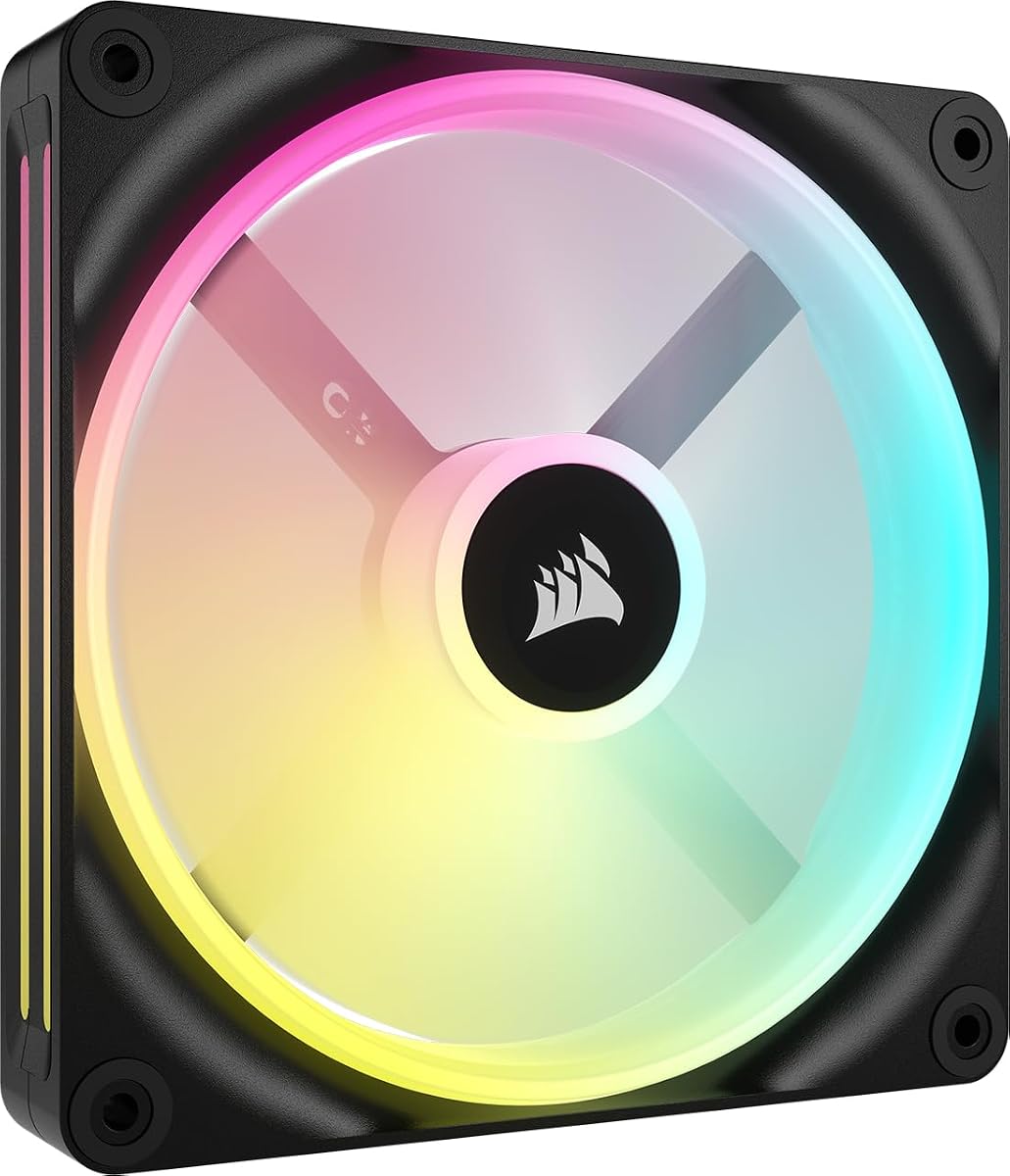
The iCUE Link LX120 RGB trio is our top pick for those seeking premium integration and performance. Its 4.6 rating reflects strong user satisfaction with cooling and control features.
We may earn a commission when you buy through this link, at no additional cost to you.
The included System Hub is a game-changer, allowing all fans to connect via a single cable. Dual light loops provide rich customization when synchronized with other iCUE devices.
Running at up to 2,400 RPM, these fans deliver substantial airflow. The magnetic dome bearing ensures this performance remains whisper-quiet even under load.
Recommended for enthusiasts wanting a unified ecosystem and superior cooling power. This pack represents the best combination of ease-of-use and high-end features available.
Bridge connectors link fans directly, connecting the entire bank to the hub with one cable.
With 5.22mmH2O pressure, it pushes air effectively through dense radiator fins.
We may earn a commission when you buy through this link, at no additional cost to you.
The RS120-R ARGB Triple Pack stands out for its reverse rotor design, ensuring lights remain visible when mounted as intake. It holds an impressive 4.7 rating among users.
We may earn a commission when you buy through this link, at no additional cost to you.
Its key strength lies in aesthetics without compromising cooling. The anti-vortex vanes and magnetic bearing ensure efficient, quiet operation comparable to non-reverse models.
Zero RPM mode allows fans to stop completely at low loads for silent operation. This feature appeals to users prioritizing a quiet environment during light tasks.
Perfect for high-end white-themed builds demanding visible lighting from all angles. This model combines form and function seamlessly for discerning PC builders.
The reverse rotor hides the motor hub, keeping the RGB ring clear even from the front.
Zero RPM mode stops the fans entirely when full speed isn't needed.
We may earn a commission when you buy through this link, at no additional cost to you.
This black variant offers the same premium benefits as the white model, tailored for dark-themed builds. Users rate it 4.6 stars for its reliable performance and sleek look.
We may earn a commission when you buy through this link, at no additional cost to you.
The reverse rotor design ensures LEDs shine through without obstruction. This is vital for cases where front-facing intake fans are prominent.
AirGuide technology maintains high cooling efficiency despite the reverse structure. The magnetic bearing reduces noise, keeping system temperatures in check silently.
Best suited for black PC builds where visible RGB rings matter. It delivers a clean, modern look with robust thermal performance.
Fans are engineered so lights show through the frame even when mounted as intake.
Static pressure remains high, pushing air through radiators effectively.
We may earn a commission when you buy through this link, at no additional cost to you.
The QX140 RGB single fan excels in delivering massive airflow with minimal noise. With a 4.4 rating, it is praised for its magnetic dome bearing and efficient cooling.
We may earn a commission when you buy through this link, at no additional cost to you.
Its unique Time Warp lighting mode adds a distinct visual flair when paired with the iCUE hub. This feature sets it apart from standard RGB offerings.
Zero RPM mode ensures silence during light workloads. At up to 2,000 RPM, it can push 82.5 CFM when full speed is necessary.
Ideal for quiet gaming PCs needing superior intake or exhaust capacity. This fan balances high performance with advanced lighting capabilities.
Time Warp mode uses distinct zones for unique visual patterns across the fan frame.
Magnetic Dome bearings reduce friction at low speeds for a whisper-quiet experience.
We may earn a commission when you buy through this link, at no additional cost to you.
This LX120-R kit earns a top 4.7 rating for blending reverse aesthetics with high-end features. It stands out with dual light loops and included QuikTurn screws.
We may earn a commission when you buy through this link, at no additional cost to you.
The reverse rotor ensures clear lighting visibility from all angles. Dual loops provide more complex patterns compared to standard single-ring designs.
Installation is simplified with dedicated screws that reduce setup time. The magnetic bearing ensures smooth operation even at high 2,400 RPM speeds.
Best for enthusiasts seeking both premium cooling and advanced lighting. This kit delivers a polished look with professional-grade performance.
QuikTurn screws allow secure mounting with simple hand tightening, saving time.
Fans reach up to 2,400 RPM for powerful cooling when demand peaks.
We may earn a commission when you buy through this link, at no additional cost to you.
The RX140 MAX stands out with its 5mm thick blade, enabling massive airflow at low noise. Rated 4.5, it is designed specifically for high-density radiators.
We may earn a commission when you buy through this link, at no additional cost to you.
Its thick construction allows the fan to spin slower while pushing more air. This results in 102.9 CFM airflow with significantly reduced noise levels.
The built-in window offers a unique viewing angle for lighting effects. However, ensure your radiator supports the extra thickness before installation.
Best for water cooling loops needing maximum airflow without loud noise. This fan is a specialized choice for demanding thermal management setups.
An extra 5mm thickness allows larger blades to move more air efficiently.
Slower speeds produce the same airflow as faster thin fans but quieter.
We may earn a commission when you buy through this link, at no additional cost to you.
The RS120 MAX utilizes Liquid Crystal Polymer construction for strength and rigidity. Rated 4.6, its 30mm thickness allows for larger blades and better pressure.
We may earn a commission when you buy through this link, at no additional cost to you.
Its high static pressure makes it ideal for radiators or dusty environments. AirGuide vanes ensure directed airflow to critical components effectively.
Increased thickness means more cooling power but requires checking clearance. It balances durability with strong thermal performance for robust builds.
Perfect for users needing superior static pressure without excessive noise. This fan is engineered for durability and efficient airflow management.
Liquid Crystal Polymer provides excellent rigidity and reduces blade vibration.
Anti-vortex vanes push air precisely where cooling is needed most.
We may earn a commission when you buy through this link, at no additional cost to you.
The RX140 RGB achieves a high 4.7 rating for balanced performance and aesthetics. It pushes 95.7 CFM with 3.79mm-H2O pressure, making it versatile.
We may earn a commission when you buy through this link, at no additional cost to you.
Its static pressure allows efficient air movement through dense obstructions. The built-in window enhances RGB effects without needing complex loops.
This model offers a solid mix of cooling and visuals. It is reliable for both intake and exhaust configurations in various case types.
Recommended for users needing high airflow without sacrificing style. It integrates seamlessly into iCUE systems for unified control.
A window in the frame enables viewing of lighting effects from the side.
High pressure helps push air through restrictive grills or radiators.
We may earn a commission when you buy through this link, at no additional cost to you.
This renewed starter kit offers two fans and a hub at a lower price. While ratings are not listed, it provides excellent value for new users.
We may earn a commission when you buy through this link, at no additional cost to you.
The included hub allows for future expansion, making it a practical foundation. It features the same magnetic dome bearing as premium models.
Choosing renewed saves costs while keeping key features intact. Just verify the warranty coverage before purchasing for peace of mind.
Best for budget builds needing a hub and RGB fans immediately. It simplifies setup without the premium cost of new units.
Renewed products offer significant savings without sacrificing core performance features.
The included hub supports adding more fans as your needs grow.
We may earn a commission when you buy through this link, at no additional cost to you.
Selecting the right fan requires balancing cooling performance with aesthetics and budget. Below are key factors to consider.
Airflow measures volume in CFM, essential for intake and exhaust, while static pressure measures force to push through radiators or filters. High airflow cools open systems, but high pressure is better for restricted spaces.
Prioritize static pressure if mounting on radiators; prioritize airflow for general case ventilation.
Standard sizes are 120mm and 140mm. Larger fans move more air at lower RPMs, reducing noise. Check your case specs to ensure proper fit before purchasing.
Select size based on case mounting points to avoid installation issues.
Magnetic Dome bearings minimize friction and extend lifespan compared to standard bearings. They provide quiet operation even at high speeds and are a hallmark of premium Corsair models.
Always check for Magnetic Dome or similar high-quality bearings for long-term reliability.
Corsair offers single loops, dual loops, or frame windows for lighting. Ensure compatibility with your motherboard's ARGB headers or a controller hub to avoid connection issues.
Choose lighting styles that match your build theme and control requirements.
Modern fans like iCUE Link offer bridge connectors to reduce wiring. Daisy-chaining simplifies setup compared to individual cables to the motherboard.
Select models with daisy-chain or link features for cleaner cable management.
Noise is critical for quiet builds. Look for Zero RPM mode or Magnetic Dome bearings to minimize sound. Lower RPM fans moving high air volume generally stay quieter.
Prioritize quiet features if you work or game in a silent environment.
Reverse rotors hide the motor hub, keeping RGB rings visible from the front. This is vital for cases where intake fans are exposed to the user.
Choose reverse rotor models if front intake aesthetics matter most to you.
Packs offer better value than single units. Basic RS fans are affordable, while iCUE Link kits include hubs for higher initial cost but better expansion.
Compare bundle inclusions like hubs or screws to maximize value.
Install fans with a solid mounting using provided screws to prevent vibrations. Ensure the frame is flat against the case for optimal airflow direction.
Connect PWM and ARGB headers correctly to your motherboard or hub. Use iCUE software to calibrate speed curves and sync lighting effects.
Clean dust from blades and filters regularly. Dust buildup reduces performance and increases noise over time.
Basic fans work with standard PWM control without software. Advanced RGB features require iCUE for customization, but fans run safely without it.
140mm fans move more air at lower speeds, reducing noise. 120mm fans are better for cases with limited mounting space.
They are equally quiet as standard models. The design focuses on aesthetics rather than acoustic performance changes.
Use daisy-chain connectors or iCUE Link hubs to link fans. This reduces the need for multiple motherboard headers.
Zero RPM mode stops fans completely at low loads for silence. It restarts when temperatures rise to provide cooling.
Yes, you can mix models as long as voltages match. Unified control may be limited without iCUE Link technology.
Corsair offers robust options like the RS120 for value and the iCUE Link LX120 for premium features. Each model balances airflow and aesthetics effectively.
Prioritize static pressure for radiators and reverse rotors for visual builds. Match your cooling needs to your case's physical constraints.
Check current availability and compatibility before purchasing. Verify your motherboard support to ensure full functionality of your new fans.