
Acer 4-in-1 USB C Hub
4.2Editor score
4K@60Hz dual output
100W power delivery
Compact 4-in-1 design
Discover the top dual HDMI monitor adapter options for 2026. We compare features, compatibility, and performance to help you choose the right multi-monitor
Finding the right dual HDMI monitor adapter is essential for boosting productivity and expanding your workspace. Whether you need to extend your desktop or mirror screens, the correct adapter ensures stable connections and crisp video quality for your specific setup needs.
We have carefully evaluated ten leading adapters based on compatibility, video resolution support, and build quality. Each product was analyzed for its ability to handle dual displays efficiently while maintaining reliable performance across different operating systems and device types.
Each pick in this list highlights specific strengths and limitations to guide your decision. Remember that technical specifications can vary by device, and pricing may change over time, so always verify current details before making your final purchase choice today.
4.2Editor score
4.5Editor score
4.1Editor score
This side-by-side comparison highlights the key specifications and capabilities of each adapter to help you quickly identify the best match for your dual monitor configuration requirements.


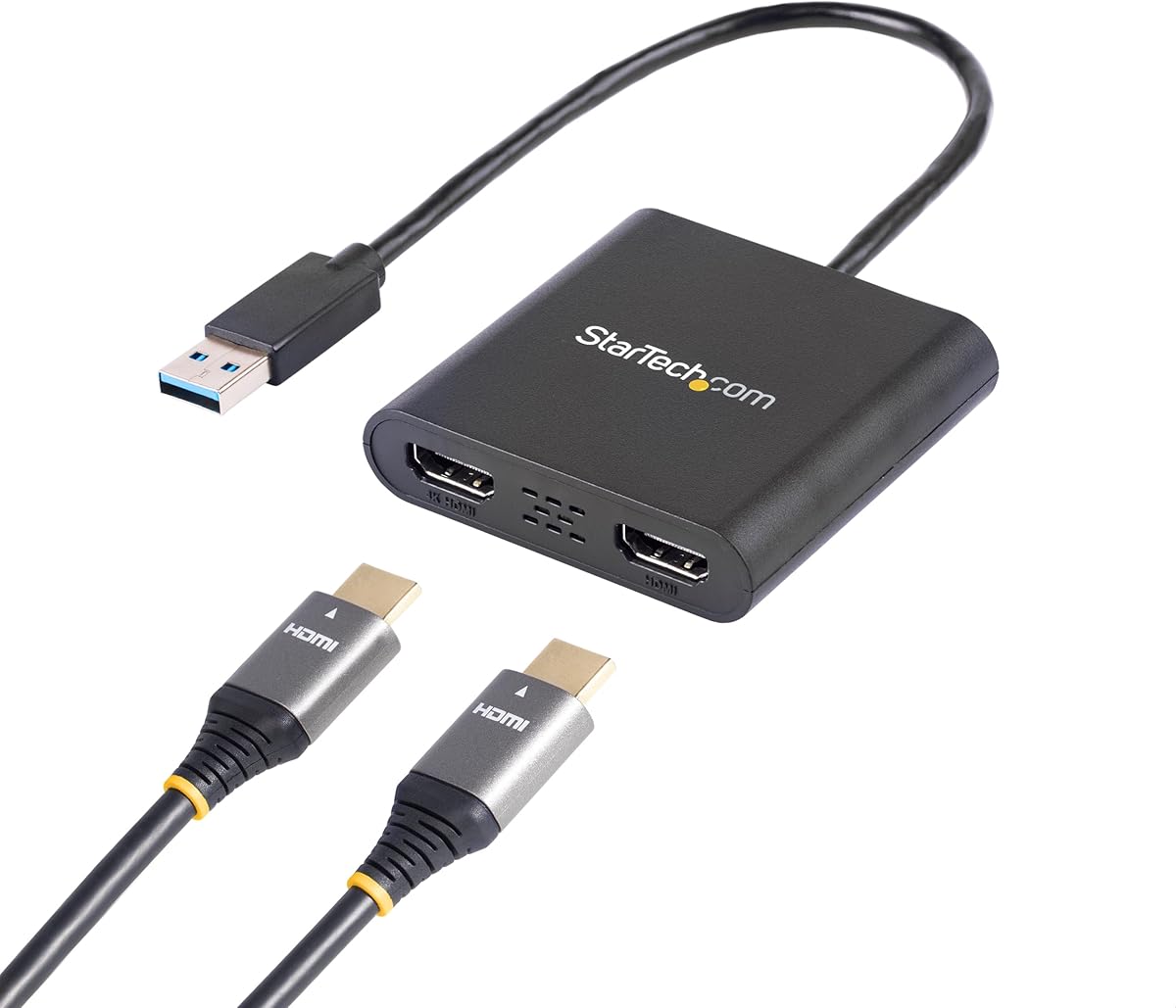
This StarTech adapter stands out as a robust solution for Windows users seeking a reliable dual HDMI connection. With a strong rating of 4.5 stars, it is designed specifically for professional environments where stability is paramount for daily tasks.
We may earn a commission when you buy through this link, at no additional cost to you.
The adapter supports up to 4K resolution at 30Hz on one display while maintaining 1080p at 60Hz on the second. This configuration allows users to extend their desktop effectively without compromising the clarity of critical visual content on either screen.
While the requirement for administrator rights to install drivers might be a hurdle for some, the long-term reliability justifies the initial setup effort. The three-year warranty provides additional peace of mind for business deployments or long-term personal use.
IT professionals and office workers looking for a trusted dual-monitor setup on Windows systems should consider this adapter. Its focus on stability and support makes it a top choice for those who prioritize uptime over plug-and-play simplicity.
Designed for IT professionals, this adapter ensures consistent performance with free lifetime technical assistance available around the clock for any setup questions or troubleshooting needs.
Compatible with all Windows X86, X64, and ARM platforms, including modern Copilot+ PCs, ensuring broad hardware compatibility across different generations of devices.
We may earn a commission when you buy through this link, at no additional cost to you.
The Acer 4-in-1 USB C Hub offers an impressive feature set at a budget-friendly price point. Users appreciate its ability to deliver crisp 4K visuals at 60Hz on dual displays, making it a strong contender for cost-conscious professionals.
We may earn a commission when you buy through this link, at no additional cost to you.
This hub includes a 100W power delivery port which keeps your laptop charged while you work. The inclusion of a USB-A port for data transfer adds utility, allowing you to connect peripherals without losing access to your ports.
While it works well with Windows, macOS users should note that dual-screen extension is limited to mirroring mode. Additionally, the short cable requires you to place the hub close to the laptop which may impact desk ergonomics.
For those needing a compact and affordable way to add dual monitors to a USB-C laptop, this adapter provides excellent value. It is ideal for students or remote workers who need high-resolution output without breaking the bank.
Supports 4K@60Hz on both HDMI ports simultaneously, delivering smooth and vivid visuals that are perfect for media consumption and detailed work tasks.
The 100W pass-through charging ensures your laptop stays powered even during long work sessions, eliminating the need for a separate power brick.
We may earn a commission when you buy through this link, at no additional cost to you.
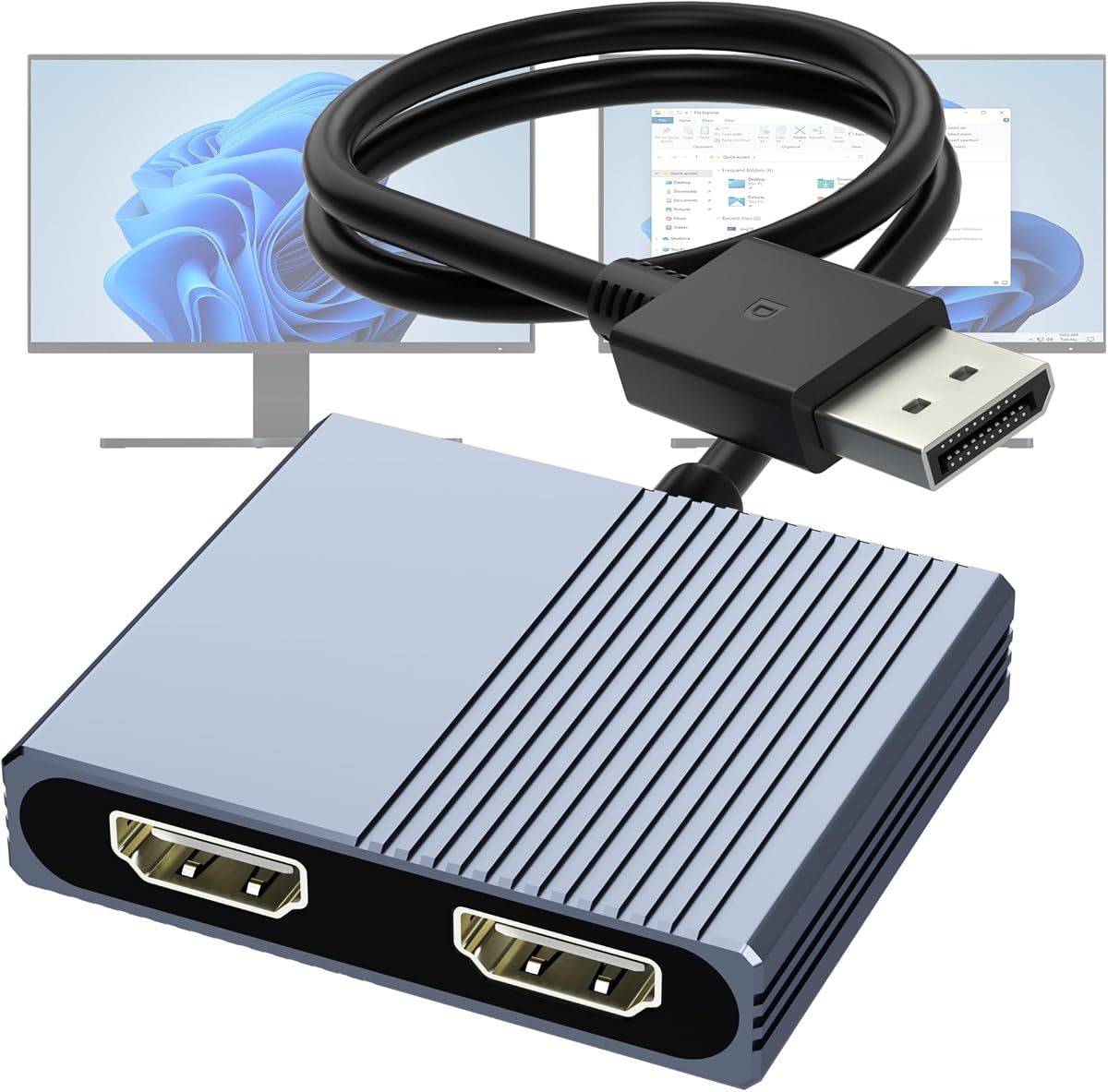
This DisplayPort adapter is a high-performance solution for users who need to run two 4K displays at 60Hz. It uses MST technology to extend your desktop rather than just mirroring, which is essential for serious multi-tasking workflows.
We may earn a commission when you buy through this link, at no additional cost to you.
The adapter requires a DP1.4 source and an external power supply to drive the dual 4K signal. This power requirement ensures stable signal transmission without dropping frames or losing resolution on high-refresh displays.
While it demands a specific hardware setup, the plug-and-play nature means no software installation is needed. This makes it highly reliable for users who do not want to manage drivers on their workstation or server.
Ideal for desktop users with dedicated graphics cards, this adapter maximizes the potential of modern displays. If you have the right ports and power, it offers top-tier visual performance for content creation or financial trading.
Utilizes DisplayPort MST to allow each monitor to run independently, providing true extended display capabilities for maximum workspace efficiency.
Features multi-layer shielding to prevent interference, ensuring that high-resolution video signals remain stable even in environments with heavy electronic traffic.
We may earn a commission when you buy through this link, at no additional cost to you.
The WAVLINK adapter provides flexibility by accepting input from either USB-A or USB-C ports. This versatility makes it a useful bridge for older laptops that lack modern USB-C video output capabilities.
We may earn a commission when you buy through this link, at no additional cost to you.
It supports extended display modes on both Windows and macOS, allowing you to use three screens total including your laptop display. This multi-monitor setup is ideal for applications like Google Docs or Office productivity suites.
One limitation is the need for driver installation which may not be permitted on restricted work devices. Additionally, it does not support HDCP protected content meaning you cannot stream Netflix or Hulu on the external screens.
This adapter is best suited for office productivity where video streaming is not required. If you need a reliable way to extend your desktop on a mixed OS environment, this model offers practical utility.
Compatible with both USB-A and USB-C inputs, providing a solution for various laptop models without needing separate adapters for different connection types.
Supports up to three separate screens for maximum efficiency when working on complex projects that require multiple reference windows simultaneously.
We may earn a commission when you buy through this link, at no additional cost to you.
OREI SplitExtend offers a 4-in-1 connection solution that works with both USB-A and USB-C devices. It supports extended displays up to 4K at 30Hz which is sufficient for most office tasks and document viewing.
We may earn a commission when you buy through this link, at no additional cost to you.
This adapter requires driver installation for proper functionality and recommends an Intel i5 processor or higher for optimal performance. These requirements ensure the system can handle the additional video processing load smoothly.
The package includes a comprehensive user manual and one-year support coverage which is helpful for troubleshooting setup issues. It is compatible with a wide range of operating systems including Windows and macOS.
Users looking for a balanced adapter that works with older and newer laptops should consider this option. While it needs some setup, the flexibility in connectivity makes it a practical choice for hybrid office environments.
Compatible with various operating systems and processor types ensuring that you can find a solution that fits your existing hardware investments.
Backed by manufacturer support and clear documentation to help you get your dual monitor setup running correctly without technical hurdles.
We may earn a commission when you buy through this link, at no additional cost to you.
This 8-in-1 docking station offers extensive connectivity including dual HDMI ports that support 4K at 60Hz. It serves as a complete hub replacing multiple cables with a single connection to your laptop.
We may earn a commission when you buy through this link, at no additional cost to you.
The 100W power delivery port ensures your device stays charged while you use the extra ports for peripherals. An SD card reader is also included making it convenient for photographers or data transfer tasks.
For Mac users, note that it supports mirroring but not extended displays which is a hardware limitation of the operating system. It is also crucial to use a full-featured USB-C port for video output to work.
Ideal for home offices where you need a central connection point for all your devices. If you want a single solution for charging data transfer and dual screens this station covers all those bases.
Provides multiple ports including USB-A USB-C and SD card slots turning a single laptop port into a full workstation docking station.
Delivers enough power to run your laptop and charge it simultaneously so you never have to disconnect the adapter for power.
We may earn a commission when you buy through this link, at no additional cost to you.
This splitter is designed specifically for mirroring a single HDMI source to two displays. It is perfect for presentations where you need the same image on both a laptop screen and a projector or monitor.
We may earn a commission when you buy through this link, at no additional cost to you.
It supports 4K resolution at 30Hz and handles audio synchronization seamlessly without extra cables. The device works immediately without any driver installation which simplifies setup for occasional users.
Because it only mirrors screens you cannot extend your desktop to gain more workspace. This limits its use to scenarios where identical content on both screens is the primary goal rather than productivity.
Best for users who need to present content to an audience without complex setup. If you simply want to see the same video on two screens this affordable solution is effective and reliable.
Requires no software installation so you can plug it in and start using it immediately for presentations or home entertainment.
Synchronizes audio with video output ensuring that sound plays correctly on your connected displays without needing a separate audio cable.
We may earn a commission when you buy through this link, at no additional cost to you.
This multiport converter delivers dual 4K at 60Hz displays for Windows users and mirroring for macOS. It is built to handle high-speed data transfers and charging needs alongside video output.
We may earn a commission when you buy through this link, at no additional cost to you.
The adapter includes a USB-A port for file transfers and a 100W PD charging port for your laptop. This combination of features helps keep your workspace organized and your devices powered.
It requires a USB-C port with DisplayPort Alt Mode to function for video. Mac users should expect to see the same image on both screens since extended mode is not supported on that platform.
Great for professionals who need a compact hub with high-performance video capabilities. If you use a Windows laptop and need smooth 4K visuals this adapter is a strong reliable option.
Supports 4K at 60Hz for both monitors delivering sharp and fluid visuals that are perfect for video editing or graphic design work.
Provides up to 100W of power to charge your laptop while connected so you can work longer without needing extra cables.
We may earn a commission when you buy through this link, at no additional cost to you.
This adapter is designed to work seamlessly with dedicated NVIDIA and AMD graphics cards. It uses DisplayPort MST to provide extended desktops on Windows which significantly enhances workflow efficiency for power users.
We may earn a commission when you buy through this link, at no additional cost to you.
Constructed with an aluminum housing and gold-plated ports it offers excellent durability and heat dissipation. These features ensure long-term reliability even during heavy daily use in demanding office settings.
While it supports Windows extended modes it is limited to mirroring on macOS. Ensure your graphics card supports DP1.4 to achieve the dual 4K at 60Hz performance promised by the device.
Recommended for desktop users with discrete GPUs who want a durable solution. If you have the right hardware this adapter delivers professional-grade display performance with a focus on build quality.
Works best with dedicated graphics cards from NVIDIA or AMD to ensure stable extended display performance across both monitors.
Features a rugged aluminum body and gold-plated connectors to withstand repeated plugging and unplugging without signal degradation.
We may earn a commission when you buy through this link, at no additional cost to you.
The UANTIN 6-in-1 hub offers a compact way to add dual 4K at 60Hz displays to your laptop. It includes multiple USB-A ports for connecting standard peripherals like mice and keyboards.
We may earn a commission when you buy through this link, at no additional cost to you.
No drivers are required to use this hub making it very easy to set up and use immediately. This plug-and-play functionality reduces technical barriers for non-technical users or shared devices.
Mac users should note that extended mode is limited and often results in mirroring depending on the OS version. The cable length is fixed at 30cm which may require careful desk planning.
This is an excellent choice for travelers or mobile workers who need a lightweight docking solution. If you want a simple way to expand your screens without complex setups this hub is ideal.
Operates without needing any software installation so you can focus on your work instead of configuring drivers or settings.
Its slim and lightweight build makes it easy to carry in a laptop bag for presentations or remote work sessions.
We may earn a commission when you buy through this link, at no additional cost to you.
Selecting the right adapter depends on your specific ports and operating system requirements.
Determine whether your laptop has USB-A USB-C or DisplayPort outputs. USB-C adapters are common for modern devices but require DisplayPort Alt Mode for video.
Ensure the adapter matches your laptop port exactly to avoid compatibility issues or purchasing the wrong connection standard.
Windows supports extended displays via MST but macOS often restricts to mirroring. Check if your OS supports the extended display mode you need.
For Mac users understand that dual-screen extension might not be possible without specific hardware or dongle solutions.
Choose an adapter that supports the resolution and refresh rate of your monitors. 4K@60Hz is ideal for productivity while 4K@30Hz may suffice for basic tasks.
Higher refresh rates ensure smoother motion which is important if you view video or dynamic content on external screens.
Some adapters require driver installation while others are plug-and-play. Consider your ability to install drivers especially on work devices with restrictions.
Plug-and-play solutions are generally more convenient for quick setup and reduced technical complexity.
Look for adapters with Power Delivery ports to charge your laptop while using the display outputs. This reduces cable clutter and keeps your device powered.
Ensure the power wattage matches your laptop's requirements to guarantee efficient charging during use.
Aluminum housings provide better heat dissipation and durability compared to plastic alternatives. Gold-plated ports resist corrosion and ensure reliable connections over time.
A sturdy build reduces the risk of damage from frequent plugging and unplugging in active environments.
Check the length of the integrated cable if the adapter has one fixed. Short cables may restrict placement of the hub on your desk.
Flexible cables or external cable options can provide better ergonomic setups for your workspace.
Select adapters that come with a warranty and access to technical support. This protects your investment in case of hardware failure.
Good support can save time when troubleshooting setup issues or configuration questions.
Connect the adapter to your laptop and plug the HDMI cables from your monitors into the adapter ports. Ensure the laptop is awake before connecting to detect the screens correctly.
Configure your display settings in your operating system to choose between extending or mirroring screens. Adjust the resolution and refresh rate to match your monitor specifications.
Avoid bending the cables sharply and store the adapter in a protective case when traveling. Dust ports regularly to maintain good signal quality and prolong the life of the device.
Yes but many adapters only support mirroring on macOS rather than extended displays. Check the product specs to see if it supports extended modes for Mac or if it is limited to repeating the same image on both screens.
Some adapters require drivers for extended display modes especially for Windows systems. Others are plug-and-play and work immediately after connection. Check the product details for driver requirements before purchase.
Ensure your laptop has the required port such as USB-C with video output or DisplayPort. Also verify that your graphics card supports the resolution you intend to use.
These adapters typically support up to two external displays. To connect more you may need additional adapters or a docking station that supports more video outputs.
Check that the HDMI cables are securely connected and the displays are set to the correct input. Restart your computer and adjust the display settings to extend or duplicate screens.
Some adapters include a Power Delivery port for charging your laptop while in use. Look for a PD port on the hub to keep your device powered during work sessions.
We have reviewed ten adapters offering a range of features from basic mirroring to advanced extended displays with 4K support. Whether you need a budget-friendly option or a premium docking solution there is a pick here for your setup.
Prioritize compatibility with your operating system and laptop ports when making your decision. Ensure the resolution and refresh rate meet your daily workload requirements for a smooth experience.
Keep in mind that specifications and pricing can change so check the latest details before buying. Investing in the right adapter today will streamline your workflow and enhance your productivity.