
Kado Dual Monitor 2-Pack 27" 1920×1080 75Hz FHD Computer Monitor
4.7Editor score
100% sRGB color gamut
Built-in speakers for audio
75Hz refresh rate smooth
Flat dual setup design
Finding the right dual monitor setup can transform your daily workflow and boost productivity significantly. Whether you are managing spreadsheets, coding, or designing graphics, having extra screen real estate allows you to keep multiple applications open without constant switching.
We evaluated ten leading dual monitor solutions available today focusing on performance features and user feedback. Our analysis considers display quality connectivity options and ergonomic design to ensure each recommendation meets professional standards for office environments.
Each pick below highlights specific strengths and ideal use cases to help you decide quickly. Please note that product availability and pricing can change frequently so verify current details before making your final purchase decision.
4.7Editor score
4.6Editor score

5.0Editor score
As an Amazon Associate we earn from qualifying purchases.
The following table provides a side-by-side overview of all ten products reviewed to help you compare key specifications at a glance.



This dual monitor pack offers an affordable entry into multi-screen productivity with sharp visuals and reliable performance. Its 4.7 star rating reflects strong user satisfaction regarding clarity and setup ease for office tasks.
We may earn a commission when you buy through this link, at no additional cost to you.
The 100% sRGB color gamut ensures vibrant and accurate colors which is crucial for creative work and detailed data analysis. Built-in speakers add convenience by eliminating the need for external audio devices on crowded desks.
While the stands are simple and lack height adjustment, the included VESA compatibility allows for flexible mounting solutions later. The 75Hz refresh rate provides smooth scrolling that reduces eye strain during long work sessions.
Budget-conscious professionals seeking a reliable dual screen solution will find this pack delivers excellent utility without breaking the bank. It is a practical choice for expanding workspace efficiency immediately.
The 100% sRGB coverage ensures that design elements and documents appear true to life without color shifts during daily use.
Built-in speakers provide clear sound for calls and media playback helping to reduce desk clutter significantly.
We may earn a commission when you buy through this link, at no additional cost to you.
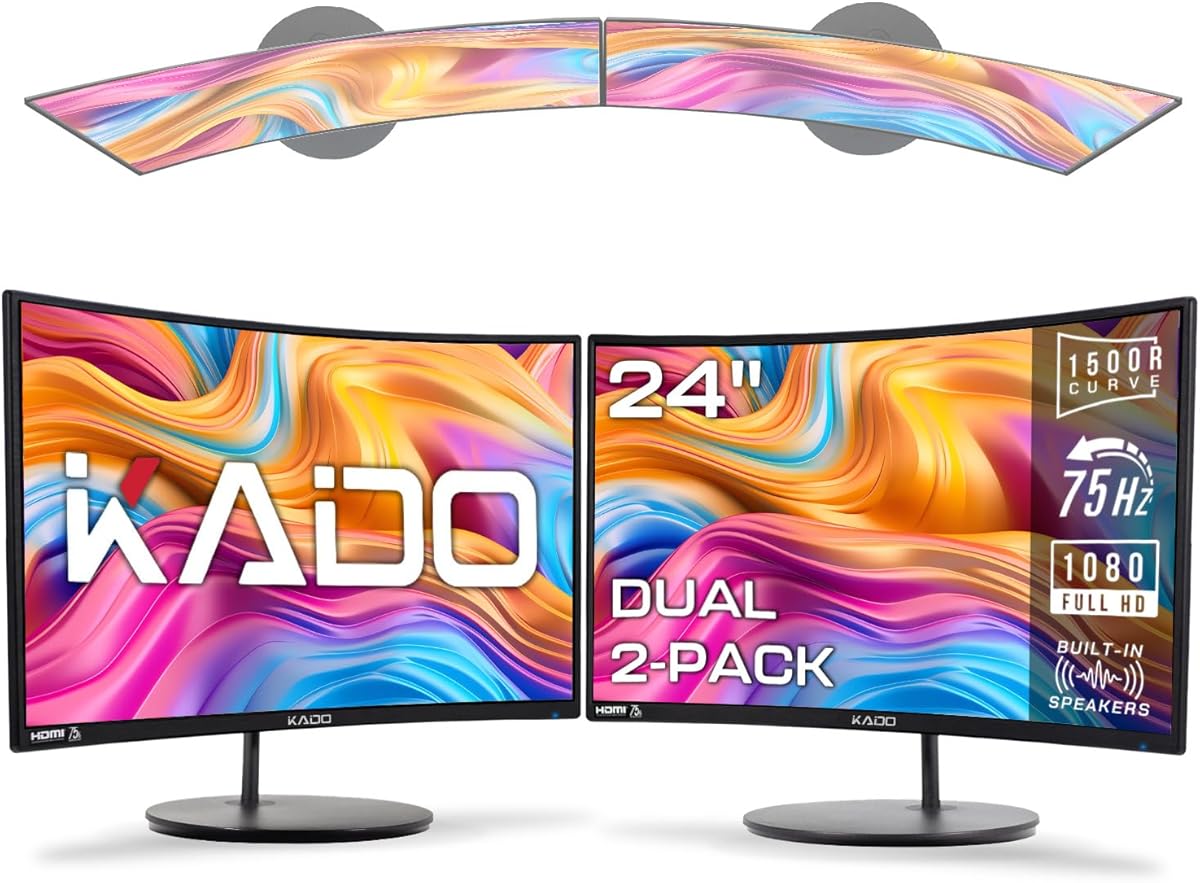
This curved dual monitor setup prioritizes comfort and immersion making it ideal for extended office work. With a 4.6 star rating it stands out for reducing eye strain through its natural viewing geometry.
We may earn a commission when you buy through this link, at no additional cost to you.
The 1500R curvature matches the human eye shape so users spend less time turning their heads to see edge content. This design lowers fatigue during tasks like spreadsheet management or coding that require constant screen scanning.
Flat alternatives often cause distortion at the edges but these screens maintain consistent focus across the entire surface. The 98% sRGB color performance ensures that visual content remains accurate for professional presentations.
Teams looking for an ergonomic upgrade without high costs will appreciate the balance of comfort and visual clarity. It is a top recommendation for those who prioritize physical well-being during work hours.
The curved profile supports a more natural head position reducing muscle tension over hours of daily computer use.
Curved screens keep all pixels at an equal distance from the eyes improving sharpness and reducing peripheral distortion.
We may earn a commission when you buy through this link, at no additional cost to you.
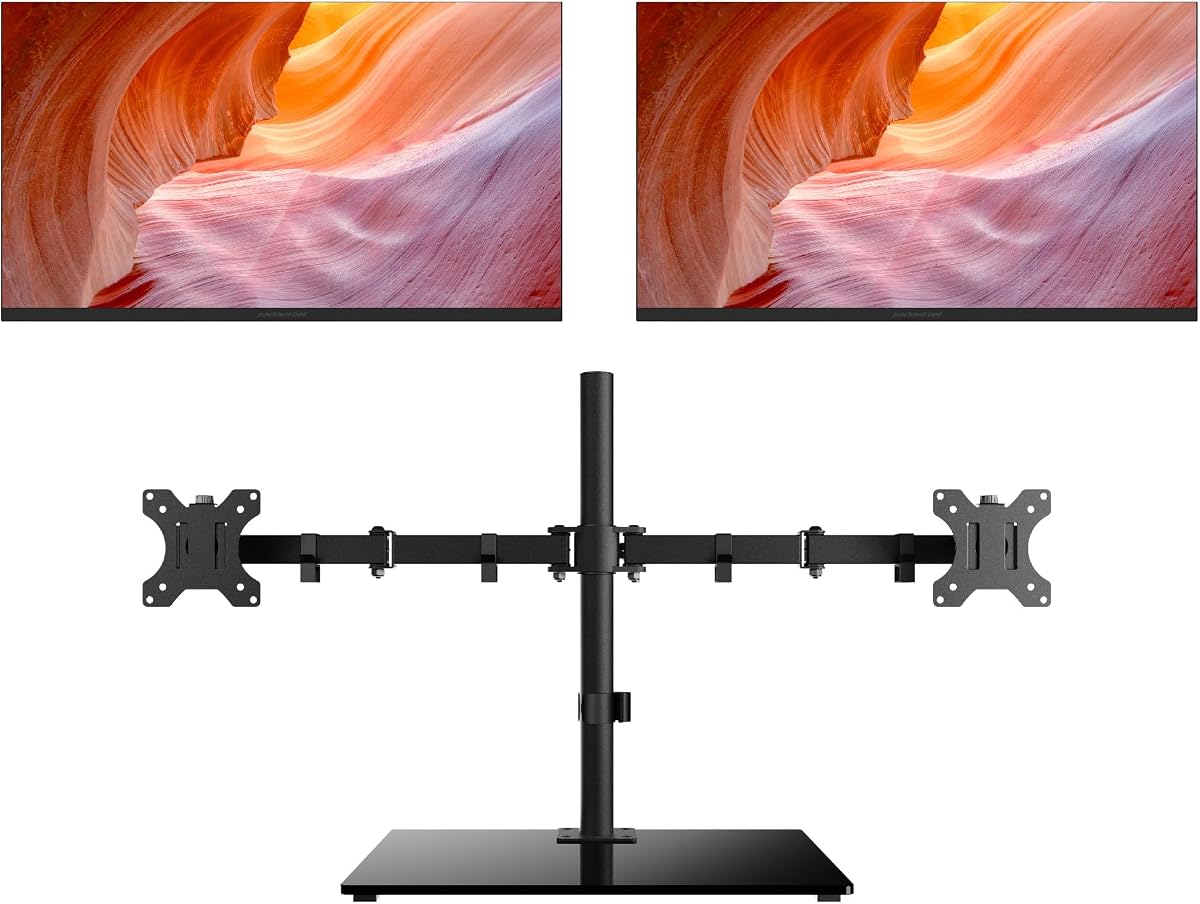
This bundle represents a fully integrated solution with monitors and an ErgoFlexy dual mount included for immediate setup. Its perfect 5.0 star rating highlights exceptional quality and user satisfaction with the total package.
We may earn a commission when you buy through this link, at no additional cost to you.
The included mount allows for precise height and tilt adjustments which promotes better posture and reduces neck strain significantly. Anti-glare technology prevents reflections from overhead lights ensuring a clear view even in bright office environments.
A 100Hz refresh rate delivers smoother motion compared to standard 60Hz panels reducing visual flicker that can cause headaches. HP Eye Ease low blue light filtering protects vision without shifting color accuracy for professional work.
Executives and professionals seeking a turnkey high-end setup will find this bundle offers unmatched value and comfort. It is the ultimate choice for those prioritizing long-term ergonomics and display quality.
The dual monitor arm allows flexible positioning to align screens perfectly with eye level for maximum comfort.
Hardware-level low blue light filters reduce eye fatigue without affecting color performance for detailed tasks.
We may earn a commission when you buy through this link, at no additional cost to you.
These compact monitors are designed for users with limited desk space who still need dual screen capabilities. The 4.6 star rating indicates strong satisfaction with their clarity and ease of use in tight workstations.
We may earn a commission when you buy through this link, at no additional cost to you.
The 22-inch size allows for side-by-side placement without overwhelming a small office or home desk. Despite their size they deliver 1920×1080 resolution for sharp text and clear images essential for productivity tasks.
Built-in speakers reduce the need for additional peripherals keeping the workspace clean and organized. The 75Hz refresh rate ensures smooth scrolling which helps reduce eye strain during long periods of reading.
Remote workers and students with constrained spaces will find this setup provides necessary multitasking power efficiently. It is an ideal entry point for those transitioning from a single monitor.
Smaller screens enable flexible arrangements in small home offices ensuring maximum desk usage for work materials.
Full HD resolution maintains sharp text readability even on smaller panels supporting comfortable daily reading tasks.
We may earn a commission when you buy through this link, at no additional cost to you.
This individual monitor focuses on image accuracy and smooth performance through its IPS panel technology. The 4.6 star rating highlights its capability to deliver consistent colors across different viewing angles for collaborative work.
We may earn a commission when you buy through this link, at no additional cost to you.
IPS technology ensures that hues remain vibrant and true even when viewed from the side which is crucial for presentations. The 100Hz refresh rate provides fluid motion that reduces ghosting and improves responsiveness during dynamic tasks.
Adjustable tilt and pivot functions allow users to rotate screens for vertical workflows like coding or reading documents. Anti-glare coating and low blue light features protect eyes during long hours of focused attention.
Designers and developers needing precise color reproduction will appreciate the reliability and performance of this panel. It serves as an excellent component for building a custom dual monitor system.
In Plane Switching technology maintains consistent color and contrast across wide angles for reliable visual work.
Pivot functionality supports vertical orientation which increases screen height for reading code or long documents.
We may earn a commission when you buy through this link, at no additional cost to you.
These 27-inch monitors provide a large viewing area that accommodates multiple windows comfortably on each screen. With a 4.6 star rating users appreciate the balance of size and affordability for expanding office productivity.
We may earn a commission when you buy through this link, at no additional cost to you.
The larger 27-inch format reduces the need for zooming into details making it suitable for editing and design work. Built-in speakers ensure that audio is available for video calls and media without additional hardware clutter.
While Full HD resolution is standard it remains sharp enough for text and spreadsheets on this screen size. The 75Hz refresh rate supports smooth navigation across large desktops without lag or stutter.
Professionals needing ample workspace for complex projects will find this dual setup delivers strong utility at a great price. It is a solid choice for general office tasks and light creative work.
Larger screens allow for multiple applications to remain visible simultaneously improving multitasking efficiency.
Integrated speakers provide adequate sound for daily meetings reducing the need for external peripherals.
We may earn a commission when you buy through this link, at no additional cost to you.
This pair of 24-inch monitors strikes a practical balance between screen size and desk footprint. The 4.5 star rating reflects its popularity as a cost-effective solution for standard office work requirements.
We may earn a commission when you buy through this link, at no additional cost to you.
24-inch panels are universally accepted in professional settings providing enough room for documents without dominating the desk. The 100% sRGB color gamut ensures that visuals remain vibrant and accurate for presentations and reports.
Built-in speakers help save space by avoiding external audio devices while maintaining clear sound output. The 75Hz refresh rate supports smooth scrolling which contributes to reduced eye fatigue during long sessions.
Teams seeking a reliable dual monitor setup for general office tasks will find these monitors deliver consistent value. They are an excellent choice for expanding workspace without compromising budget constraints.
The 24-inch format is ideal for standard desks offering clear visibility without requiring excessive head movement.
Full sRGB coverage ensures that visual content appears lively and accurate for daily business applications.
We may earn a commission when you buy through this link, at no additional cost to you.
This workstation bundle includes two 21.5-inch screens with slim bezels to create a modern unified display. The 3.7 star rating suggests mixed feedback regarding performance but strong appreciation for the included mounting hardware.
We may earn a commission when you buy through this link, at no additional cost to you.
Slim bezels minimize visual interruptions between screens creating a more immersive environment for multitasking workflows. The included VESA mount simplifies installation allowing users to position monitors on arms for better ergonomics.
Both HDMI and VGA ports provide broad compatibility with older and newer devices ensuring easy setup flexibility. The 75Hz refresh rate offers smooth visuals that reduce motion blur for general office tasks.
Users needing an affordable complete kit with mounting solutions will find this package offers immediate setup convenience. It is a viable option for casual office use where budget and assembly ease are priorities.
Narrow frame borders reduce visual gaps between screens enhancing focus on content rather than hardware.
VESA mount inclusion saves the cost and effort of buying separate wall or arm mounting solutions.
We may earn a commission when you buy through this link, at no additional cost to you.
These 27-inch 4K monitors offer exceptional text and image clarity for professionals needing detailed screen real estate. The 3.9 star rating indicates some variability in performance but high regard for visual sharpness and detail.
We may earn a commission when you buy through this link, at no additional cost to you.
4K resolution provides 3840×2160 pixels allowing multiple documents to be viewed side by side without shrinking text. This high pixel density ensures that edges appear sharp and images look crisp across the entire display area.
While the 70Hz refresh rate is adequate for static work it may not suit high motion tasks like video editing. Built-in speakers help reduce desk clutter by handling audio needs without extra hardware requirements.
Editors and designers prioritizing visual fidelity will find these monitors deliver outstanding clarity for intricate tasks. They are best suited for users with powerful systems capable of handling higher resolution outputs.
Ultra HD resolution offers superior text sharpness enabling easier reading of fine details and code.
More pixels per inch means smoother graphics and edges for a more refined visual experience.
We may earn a commission when you buy through this link, at no additional cost to you.
This 27-inch dual monitor pack combines clear visuals and functional features for general office productivity needs. The 4.7 star rating highlights consistent satisfaction with performance and ease of setup for users.
We may earn a commission when you buy through this link, at no additional cost to you.
Full HD resolution on a 27-inch panel offers enough screen space to run multiple applications side by side. The 100% sRGB color ensures that visual content remains vibrant and accurate for presentations and media.
Built-in speakers provide convenient audio for calls and videos without adding extra devices to the desk. A 75Hz refresh rate delivers smooth motion that reduces eye strain during long daily work sessions.
Users seeking a balanced mix of screen real estate and affordability will find this setup delivers strong utility. It is a versatile choice for professionals needing immediate workspace expansion without complex configuration.
This package offers strong practical features that meet general office needs for productivity and media.
Uniform color accuracy ensures that all screens display content reliably for a professional look.
We may earn a commission when you buy through this link, at no additional cost to you.
Selecting the right dual monitor setup requires balancing performance needs with ergonomic comfort and desk space.
Resolution determines how sharp text and images appear on your screens. For office work a resolution of 1920×1080 is standard and sufficient for spreadsheets and web browsing. Higher resolutions like 4K provide better detail for design work but require more powerful hardware.
Choose a resolution that matches your visual needs and computer capabilities for optimal performance.
Refresh rate affects how smoothly motion appears on screen which helps reduce eye strain. A 75Hz refresh rate is ideal for general office tasks ensuring smooth scrolling without flicker. Response time measures how quickly pixels change color to reduce motion blur.
A refresh rate of 75Hz or higher is recommended for comfortable long hours of screen use.
Panel technology like IPS ensures accurate colors and wide viewing angles for collaborative work. TN panels are faster but have poor color accuracy while VA panels offer high contrast. For office work IPS is usually preferred for consistent visuals.
IPS panels provide the best color consistency and viewing angles for professional environments.
Adjustable stands reduce physical strain by allowing you to position screens at eye level. Look for features like tilt height adjustment and pivot to suit your workflow. Fixed stands may require additional mounts to achieve proper posture.
Prioritize monitors with ergonomic adjustments to maintain healthy posture during long work sessions.
Connectivity determines how easily you can link monitors to your laptop or desktop. HDMI and DisplayPort are standard choices ensuring compatibility with modern devices. USB ports can add versatility for connecting peripherals directly to the monitor.
Ensure your monitors have ports that match your computer to avoid needing extra adapters.
Additional features like built-in speakers and VESA mount compatibility add convenience to your setup. Speakers reduce desk clutter while VESA support allows flexible wall or arm mounting options. Anti-glare coatings and low blue light filters protect your eyes from fatigue.
Look for built-in features that simplify your workspace and improve visual comfort.
Screen size impacts how much desk space your setup occupies and how far you sit from it. 24-inch monitors are standard for general office tasks while 27-inch panels offer more workspace. Consider your physical desk dimensions before purchasing to ensure a proper fit.
Measure your desk space to choose a monitor size that balances screen area with room comfort.
Budget sets the scope of what features and quality you can expect from a dual monitor setup. Entry-level models offer basic functionality while premium options include advanced ergonomics and color accuracy. Consider the long-term value of durability and warranty support.
Balance your budget with the features that provide the most value for your specific work tasks.
Position both monitors at arm length with the center slightly above eye level to reduce neck strain and improve posture. This alignment helps prevent discomfort during long hours of focused work.
Regularly clean the screen with a microfiber cloth to remove dust and fingerprints without scratching the display. Avoid using harsh chemicals or excessive water that can damage sensitive electronic components.
Enable low blue light modes during evening hours to reduce eye strain and help maintain healthy sleep patterns. Adjust brightness to match ambient room light to ensure a comfortable viewing environment.
Most modern laptops and desktops support dual displays without needing a separate graphics card. Check if your device has multiple video ports or use adapters like HDMI to DisplayPort if needed. Some setups require a dedicated GPU for higher resolutions or refresh rates.
24-inch monitors are standard for office use offering enough space without overwhelming small desks. 27-inch panels provide more room for multiple windows but require more physical space. Choose based on your desk size and how far you sit from the screens.
Yes you can mix different brands as long as the resolution and scaling settings are adjusted in your OS. For a seamless experience matching models help keep brightness and colors consistent across both screens. Most modern operating systems handle mixed displays smoothly.
Place the monitors side by side with the center slightly below eye level to keep your gaze neutral. Ensure both screens are equidistant from your eyes to minimize head turning. Use adjustable stands or mounts to maintain proper height and tilt.
Full HD (1920×1080) is sufficient for general office tasks like spreadsheets and web browsing. Higher resolutions offer sharper text but require powerful computers to drive them. Stick to 1080p if you prioritize compatibility and ease of use.
Curved monitors reduce peripheral distortion and can lower eye strain during long sessions. They work well for single-monitor setups but may cause slight color shifts on edges in dual configs. Flat screens provide consistent colors and simpler alignment for productivity.
Use the 20-20-20 rule by looking away at a distant object every 20 minutes. Enable anti-glare features and adjust brightness to match room lighting. Position screens to avoid reflections and use low blue light settings during evening hours.
VESA mounts allow flexible positioning using wall or arm brackets for space saving. Ensure the mount supports the weight of both screens and allows height and tilt adjustments. A dual arm stand keeps desks clear and provides the best ergonomic flexibility.
Selecting the right dual monitors for office work depends on balancing resolution ergonomics and budget to meet your daily needs. The top picks offer strong value whether you prioritize cost efficiency visual accuracy or premium build quality.
Focus on factors like refresh rate panel type and adjustability to ensure comfortable long term use. A setup that supports your posture and workflow will ultimately boost productivity and reduce physical fatigue.
Remember to verify current availability and pricing before purchasing since offers change frequently. Invest in a solution that provides clarity and comfort to keep your workspace efficient and healthy.