
Elgato HD60 S
4.6Editor score
1080p60 Capture
True Passthrough Zero Lag
Instant Gameview Tech
This guide compares the top Elgato capture cards for streaming and recording, covering 4K60 HDMI 2.1 support, latency, and compatibility for all gamers.
Choosing the right capture card is essential for streamers and content creators who want to share high-quality gameplay. A good capture card ensures smooth video, low latency, and reliable performance across various platforms and devices.
We compared ten top models based on resolution support, connectivity options, and user feedback. Each pick highlights specific strengths like HDR, portability, or internal installation to help you find the best match for your setup.
Every entry shows key specs, pros, cons, and detailed insights. Prices and availability can change quickly, so verify current details before purchasing. This guide aims to simplify your decision with clear, expert-focused information.
4.6Editor score

4.5Editor score

4.5Editor score
This side-by-side comparison covers all ten models, highlighting key differences in resolution, interface, and specific use cases. Use this table to quickly identify which model fits your budget and technical requirements.


The Elgato 4K X Capture Card is a top-tier option for streamers seeking 4K144 support. With a 4.5 rating, it stands out for its ultra-low latency and HDMI 2.1 capabilities, ensuring smooth gameplay and broadcasting.
We may earn a commission when you buy through this link, at no additional cost to you.
Its next-gen capture technology delivers crisp visuals at high frame rates. HDMI 2.1 in/out allows recording up to 240fps in 1080p. VRR passthrough eliminates screen tearing, enhancing immersion during intense gaming sessions.
While the price is higher, the performance justifies the cost for pros. The ultra-low latency powered by USB 3.2 Gen 2 keeps gameplay and broadcast synchronized. Some users note it requires compatible hardware for full benefits.
Ideal for serious streamers needing flawless quality and speed. Whether on YouTube, Twitch, or Discord, this card provides unparalleled flexibility. It is the best choice for those prioritizing high-resolution, low-latency streaming.
Unleash full potential with 4K resolution at 144 frames per second for razor-sharp detail.
Immerse in smooth gameplay without screen tearing thanks to variable refresh rate passthrough.
We may earn a commission when you buy through this link, at no additional cost to you.
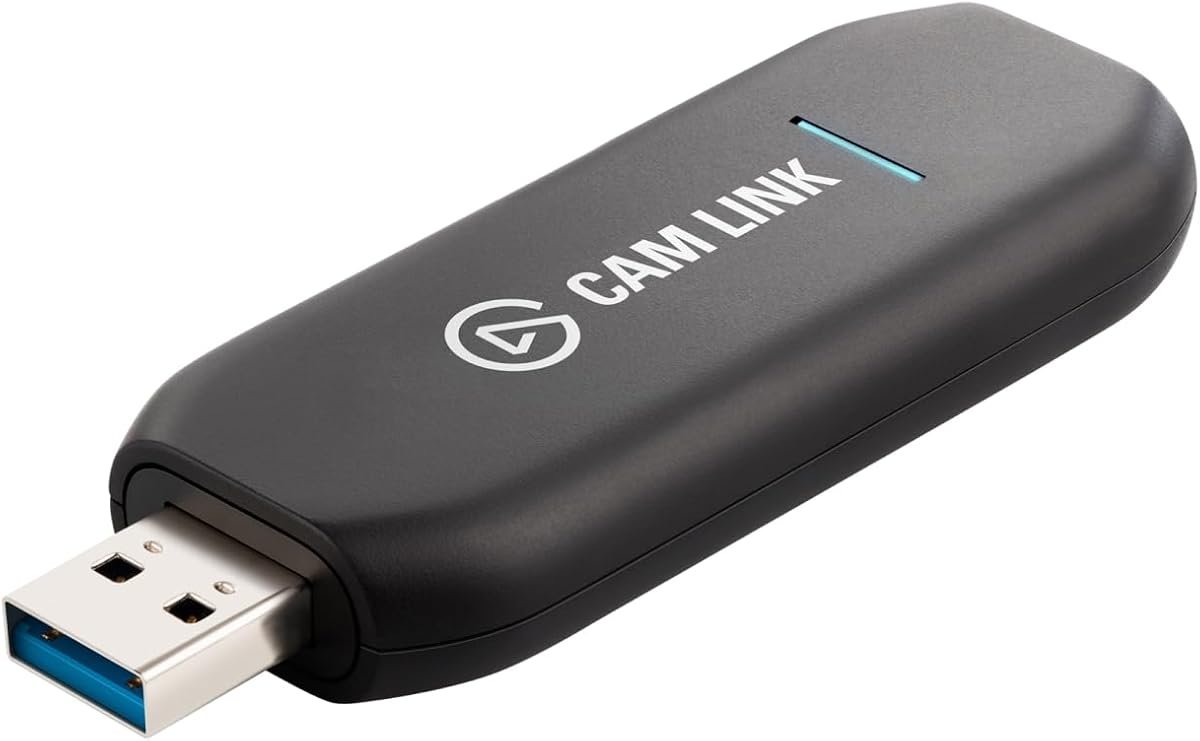
The Elgato Cam Link 4K is designed to turn DSLR or mirrorless cameras into professional webcams. With a 4.6 rating, it delivers stunning 1080p60 or 4K60 quality for streamers and educators seeking high fidelity.
We may earn a commission when you buy through this link, at no additional cost to you.
It supports camcorders, action cams, and even iPhones to level up content. Ultra-low latency ensures video and audio stay perfectly in sync. You can also use an iPad as a field monitor via USB-C.
Note that a compatible camera and the latest model are required for 4K60. The USB-A connector may limit modern setups without adapters. Still, the versatility and quality make it a strong choice for video professionals.
Perfect for creators wanting pro-quality video feeds without complex setups. It simplifies streaming with reliable hardware and broad compatibility. Use it to elevate your broadcasts with stunning detail and smooth performance.
Connect DSLR or mirrorless cameras to computers for live streaming in stunning quality.
Preview shots in real time on an iPad using USB-C for better framing and control.
We may earn a commission when you buy through this link, at no additional cost to you.
The Elgato Game Capture Neo is a tiny but mighty portable USB capture card. Though rated N/A, it offers premium hardware the size of a smartphone, ideal for on-the-go streaming or recording.
We may earn a commission when you buy through this link, at no additional cost to you.
Setup is easy: connect console, screen, and computer or iPad. It works with PlayStation, Xbox, Switch, and any console. The 4K60 HDR passthrough lets you game without reducing resolution, keeping visuals sharp.
It captures at 1080p60, suitable for full HD content. While HDR passthrough is supported, capture is limited to 1080p. This trade-off balances portability and performance for mobile creators.
Best for streamers needing a compact solution without sacrificing console compatibility. It simplifies capturing gameplay across devices. Choose this for flexibility and ease of use in any gaming environment.
Premium hardware size of a smartphone fits easily in bags for travel streaming.
Capture from PlayStation, Xbox, Switch, or any console without hassle.
We may earn a commission when you buy through this link, at no additional cost to you.
The Elgato 4K Pro Internal Capture Card offers unrivaled gaming with 8K60 passthrough. Rated 4.5, it captures stunning 4K60 while keeping gameplay smooth. Its internal design suits desktop PCs with PCIe slots.
We may earn a commission when you buy through this link, at no additional cost to you.
Connectivity includes HDMI 2.1 in/out, allowing up to 240fps in 1080p. VRR passthrough ensures seamless visuals without screen tearing. Ultra-low latency keeps broadcast and gameplay in perfect sync for immersive experiences.
Setup needs a free PCIe slot and compatible PC. The higher price reflects professional features. However, for dedicated streamers needing top-tier throughput, it delivers reliability and performance unmatched by external options.
Ideal for power users wanting maximum throughput and integration. It supports versatile streaming apps and dual PC setups. Choose this for a seamless, high-resolution experience tailored to serious content creation.
Harness HDMI 2.1 in/out for high frame rate recording up to 240fps.
Ultra-low latency ensures every moment is captured with precision for flawless broadcasts.
We may earn a commission when you buy through this link, at no additional cost to you.
The Elgato 4K Pro Internal Capture Card (Renewed) provides similar features at a lower cost. With a 3.4 rating, it offers 8K60 passthrough and 4K60 capture, appealing to budget-conscious pros needing high specs.
We may earn a commission when you buy through this link, at no additional cost to you.
HDR10 capture support delivers vibrant lifelike colors. It supports ultra-low latency for synchronized broadcast and gameplay. The dual PC setup compatibility ensures flexibility for various streaming configurations.
Renewed products may vary in condition and lifespan. Users report mixed experiences, so checking seller ratings is wise. Despite the lower rating, specs remain strong for those prioritizing features over brand-new assurance.
Best for gamers seeking premium specs without full price. It delivers reliable throughput and HDR options. Choose this if you trust renewed vendors and want top-tier performance economically.
Experience vibrant lifelike colors with HDR10 capability enhancing visual quality.
Works seamlessly with single or dual PC setups for professional content creation.
We may earn a commission when you buy through this link, at no additional cost to you.
The Elgato HD60 S is an external capture card known for superb 1080p60 capture. Rated 4.6, it allows sharing gameplay with true passthrough ensuring zero lag during console play.
We may earn a commission when you buy through this link, at no additional cost to you.
Instant Gameview powers workflow with ultra-low-latency tech. You can record hours of footage directly to your hard drive. Flashback recording lets you save epic moments retroactively if you missed them.
While it lacks 4K and HDR, 1080p60 is smooth and reliable. The external design plugs in easily without internal slots. This makes it ideal for beginners or those upgrading from older gear.
Perfect for cost-conscious streamers seeking quality performance. It supports PS5, Xbox Series X/S, and more. Choose this for ease of use and reliable capture without breaking the bank.
Play console games with zero lag ensuring uninterrupted gaming experiences.
Slide back in time to save epic moments retroactively without pre-recording.
We may earn a commission when you buy through this link, at no additional cost to you.
The Elgato Game Capture HD60 provides next-generation gameplay sharing for older consoles. Rated 4.5, it delivers flawless 1080p quality at 60 fps, ensuring smooth streaming and recording experiences.
We may earn a commission when you buy through this link, at no additional cost to you.
It supports unlimited capture right to PC or Mac. Features include built-in live commentary and one-click sharing to platforms like YouTube. Stream Command allows adding webcam and overlays easily.
While newer models exist, this unit remains functional for legacy setups. The USB 2.0 interface may limit speed compared to modern standards. Still, it offers reliable performance for casual streamers.
Best for users with older consoles needing simple capture. It includes HDMI and USB cables. Choose this if you value ease of setup and straightforward sharing features.
Built-in live commentary feature lets you add voice directly during capture.
One-click sharing to YouTube, Facebook, and Twitter streamlines distribution.
We may earn a commission when you buy through this link, at no additional cost to you.
The Elgato HD60 S+ offers 1080p60 HDR10 capture and 4K60 HDR10 passthrough. Rated 4.6, it enhances gaming with high-fidelity visuals while maintaining ultra-low latency for smooth streaming.
We may earn a commission when you buy through this link, at no additional cost to you.
Play Series X/S and PS5 games in original format with zero-lag passthrough. Unlimited capture records hours of footage to your hard drive. Flashback recording helps save epic moments retroactively.
While more expensive than the HD60 S, HDR support adds depth. Ensure your software supports HDR capture for best results. The external design works with PC and Mac easily.
Ideal for streamers wanting HDR quality without internal slots. It handles high-end consoles well. Choose this for vibrant visuals and reliable performance in modern gaming setups.
Share gameplay in superb viewing quality with 1080p60 HDR10 capture.
Play high-fidelity games in original format with 4K60 HDR10 passthrough.
We may earn a commission when you buy through this link, at no additional cost to you.
The Elgato HD60 Pro is a PCIe capture card delivering superb 1080p60 quality. Rated 4.6, it ensures true passthrough with zero lag, keeping gameplay smooth during capture sessions.
We may earn a commission when you buy through this link, at no additional cost to you.
Instant Gameview powers workflow with ultra-low-latency technology. Record unlimited footage directly to your hard drive. Flashback recording lets you save moments retroactively without losing content.
This internal card suits desktop users needing dedicated hardware. It lacks 4K but excels at 1080p stability. The PCIe design reduces USB dependency, improving reliability.
Best for gamers prioritizing stability and performance over portability. Supports PS5 and Xbox. Choose this if you have an available slot and want consistent capture.
Instant Gameview powers workflow with ultra-low-latency for responsive streaming.
Record hours of footage directly to your hard drive without limits.
We may earn a commission when you buy through this link, at no additional cost to you.
The Generic HDMI Video Capture Card offers an affordable alternative for basic streaming. Rated 4.3, it captures up to 1080p HD, supporting devices like PS4, Xbox, and DSLR cameras.
We may earn a commission when you buy through this link, at no additional cost to you.
Plug and play design means no drivers or external power. High-speed USB 3.0 ensures smooth transmission to OBS or Twitch. HDMI loop-out prevents delay during live games.
It accepts 4K30 input but outputs only 2K30. Mic-in support adds commentary without extra gear. While basic, it suits beginners or occasional users needing simple capture.
Best for budget seekers wanting plug-and-play utility. Compatible with multiple systems. Choose this for simplicity and cost-effectiveness in entry-level streaming setups.
No driver or external power supply required for true PnP setup.
Based on high-speed USB 3.0, it supports no delay while playing live.
We may earn a commission when you buy through this link, at no additional cost to you.
Selecting the right capture card depends on your budget, hardware, and streaming goals. This guide covers essential factors to help you decide.
Consider the resolution and frame rate your capture card supports. Models range from 1080p60 to 4K144, affecting video clarity and smoothness. Higher specs cost more but deliver better quality.
Choose based on your console and streaming needs. Ensure the capture card matches your source to avoid bottlenecks.
External cards plug via USB for flexibility, while internal PCIe cards offer higher throughput. USB 3.0 or 3.2 Gen 2 ensures speed. Internal cards require a free slot but reduce CPU load.
Pick external for portability or internal for performance. Check your PC ports before buying.
HDR support enhances color and contrast in your streams. Look for HDR10 capture or passthrough. Not all models include this feature, so verify specs if you prioritize visual fidelity.
Ensure your streaming software supports HDR for best results. This adds depth to high-end content.
Low latency is vital for real-time interaction. True passthrough lets you play without lag. Check for ultra-low latency tech to keep gameplay and broadcast synchronized.
Prioritize this if you stream interactive content. Smooth gameplay improves viewer experience.
Most Elgato cards work with OBS, Streamlabs, and more. Ensure the card integrates with your preferred platform. Some models include proprietary software for advanced control.
Test compatibility before committing. Seamless app integration saves setup time.
Capture cards vary in price based on features. Renewed options offer lower cost but may lack warranty. Balance features against your spending limit to find the best value.
Define your needs first. Higher spend yields better specs, but entry-level works for casual use.
If you stream from multiple locations, a compact card like the Neo helps. Size matters for travel setups. Some models are pocket-sized while others need desktop space.
Choose portable if you move often. Desktop units suit fixed studios.
Dual PC setups separate capture and streaming tasks. Some cards support this better. Ensure your chosen model handles bandwidth for multiple systems without issues.
Invest in cards designed for dual PC. It improves stream stability.
First, connect your console via HDMI to the capture card input. Then link the output to your display. Connect the card to your PC via USB or PCIe.
Install the necessary software and drivers. Open your streaming app and select the capture card as the video source. Adjust settings to match your desired resolution.
Keep the card cool and avoid dust buildup. Update firmware regularly for performance. Handle cables carefully to prevent damage during setup or transport.
1080p60 offers smooth video at lower resolution suitable for most streaming. 4K60 provides higher detail and color depth but requires more bandwidth and storage. Choose based on your internet speed and audience needs.
For 1080p60, moderate PCs work. 4K capture demands stronger CPUs and GPUs. Internal cards reduce CPU load but still need a capable system. Ensure your hardware matches the capture specs.
Yes, most models support Xbox Series X/S and PS5. Check compatibility details for specific features like HDR. All listed Elgato cards work with major current consoles.
Elgato works with OBS, Streamlabs, and Twitch Studio. It also integrates with Zoom and Teams. Most streaming apps recognize it as a standard video source.
Enable true passthrough and ensure low latency settings. Use a strong USB 3.0 connection. Close other apps to reduce CPU strain during capture and streaming.
Yes, the Neo is designed as a portable unit. Its small size makes it ideal for on-the-go streaming. Connect consoles and laptops easily without extra hardware.
This guide highlights top picks like the 4K X for quality, HD60 S for budget, and 4K Pro for premium needs. Each offers distinct benefits based on resolution and setup type.
Prioritize factors like resolution, interface, and latency to match your goals. Consider your budget and whether you need portability or desktop stability. These choices shape your streaming success.
Always check current prices and availability before buying. Technology evolves fast, so verify specs fit your needs. With the right card, you can stream flawlessly and reach more viewers.