
8-in-1 External Blu-ray Drive, USB-C Hub & Card Reader for Laptop
4.2Editor score
8-in-1 multi-function design
Includes USB hub and card reader
Ultra-slim portable profile
This guide compares the top ten external Blu ray drive options for Mac and PC users seeking reliable disc playback and burning capabilities in October 2026.
Finding the right external Blu ray drive can transform how you access your physical media collection. Modern laptops often lack built-in optical drives, making an external solution essential for watching movies or installing software from discs. A quality drive ensures smooth playback and reliable burning across various disc formats.
We have carefully evaluated ten top-rated models based on compatibility, build quality, and performance metrics. Our analysis covers USB connectivity options, supported disc types, and software requirements to help you make an informed decision. Each product listed offers unique advantages for different user needs and budgets.
Each selection below highlights specific strengths such as portability, hub integration, or premium aluminum construction. Note that prices and availability can change frequently so verify current details before purchasing. We aim to provide clear insights into which drive suits your specific workflow best.
4.2Editor score

4.2Editor score

4.7Editor score
The following table provides a side-by-side overview of all ten reviewed models focusing on key specifications and capabilities to help you quickly identify the best fit for your system requirements.
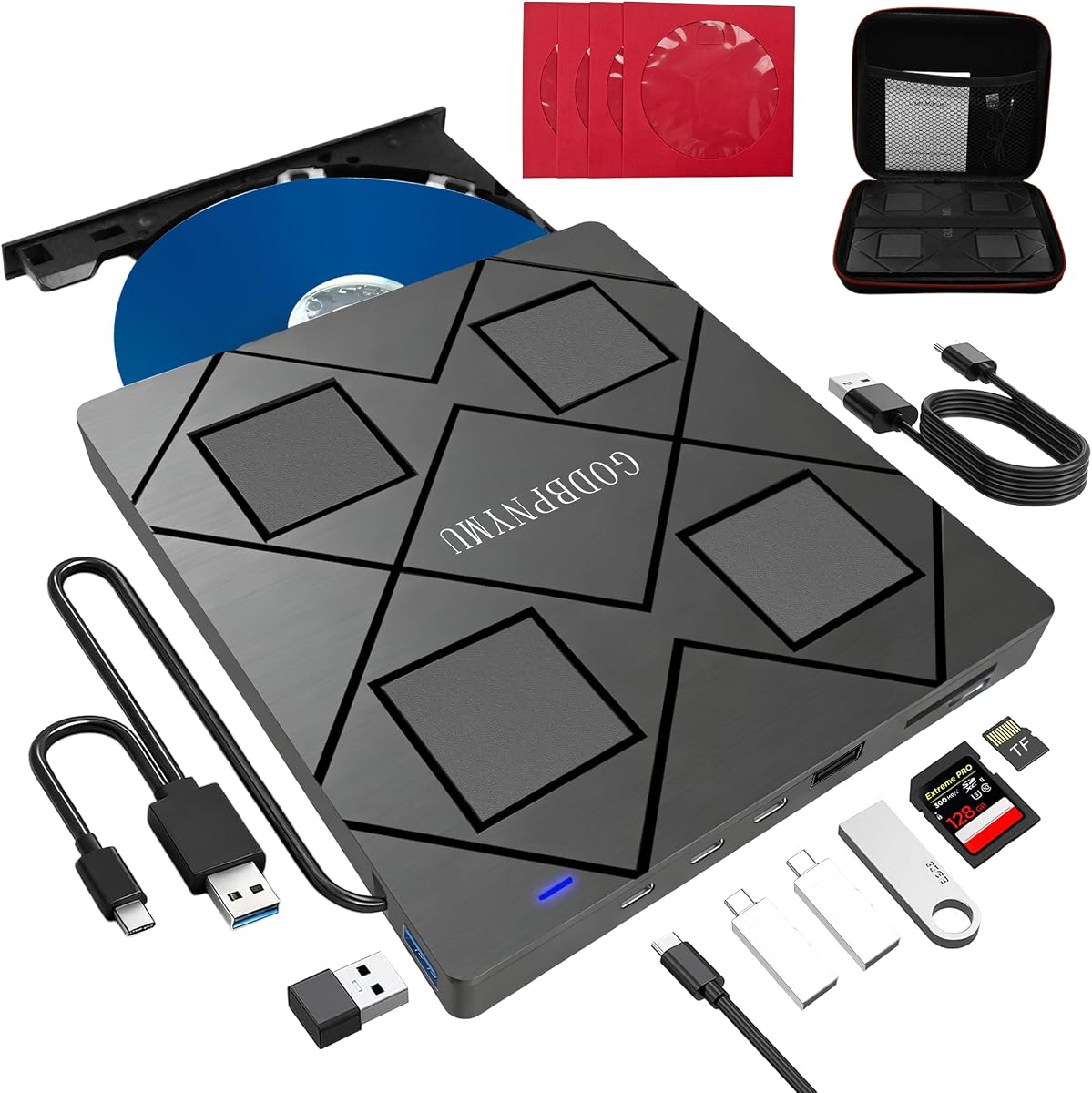


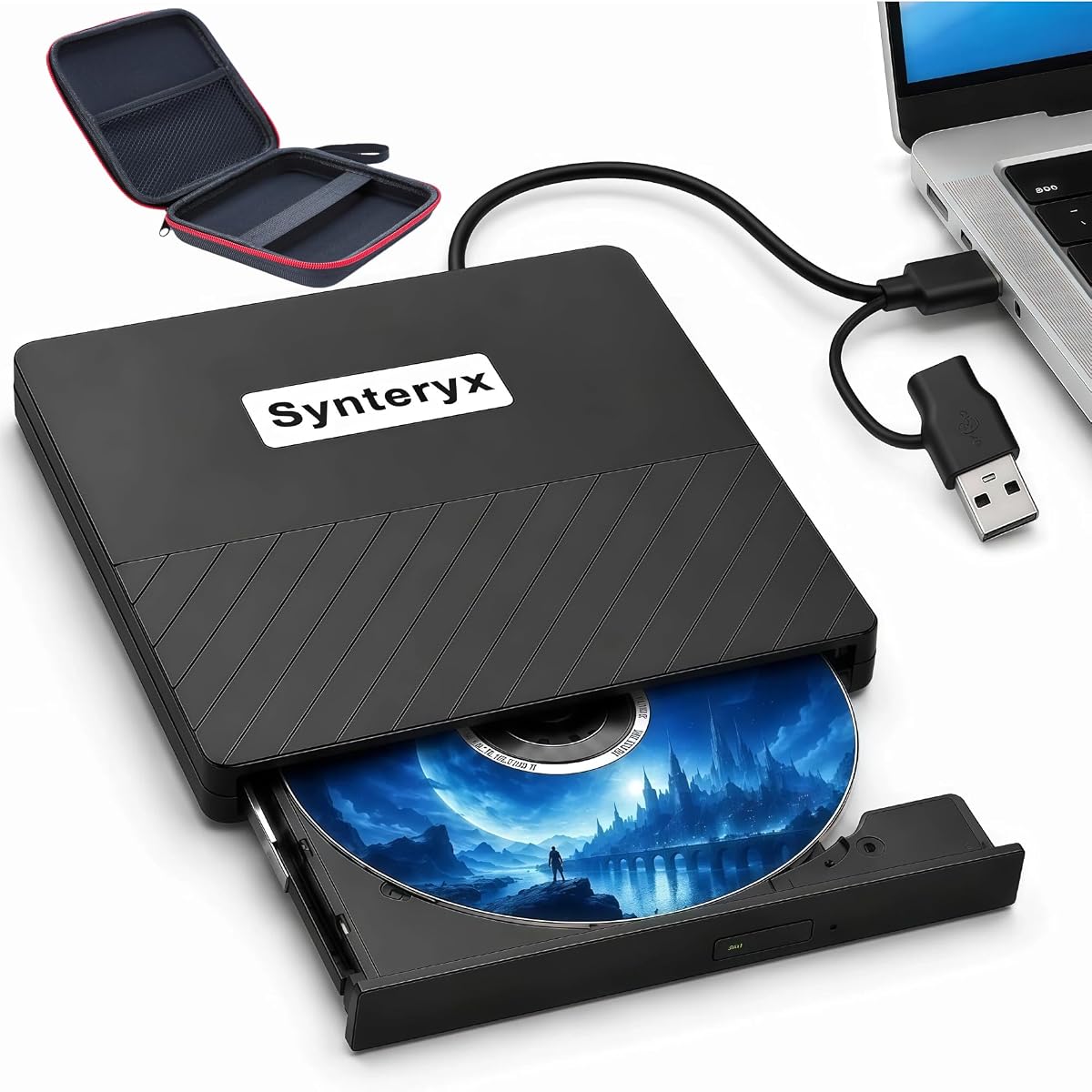

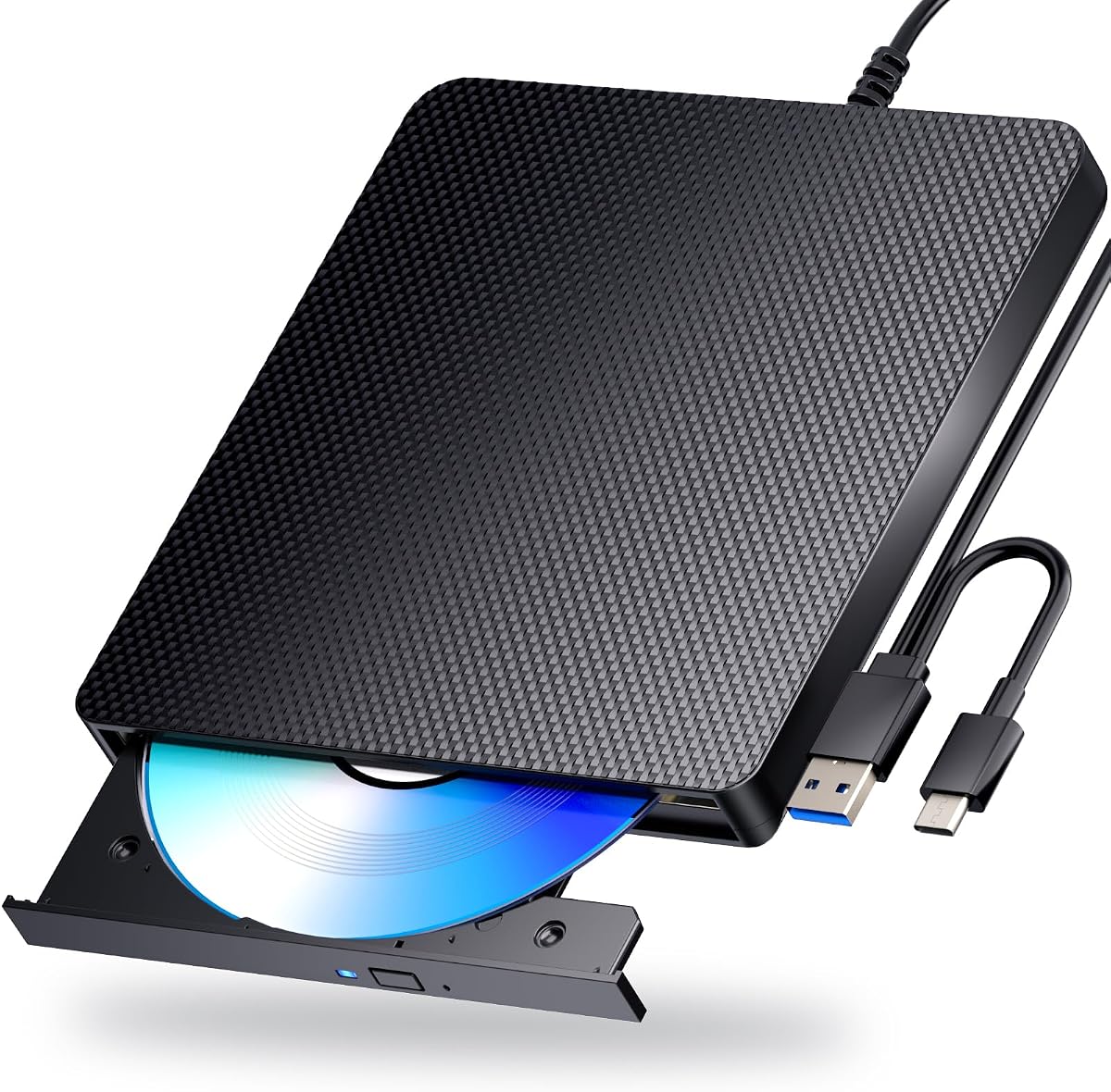
The archgon Premium Aluminum drive stands out as a top contender for users needing high resolution playback. With a strong rating of 4.2 stars it delivers reliable performance for both standard and UHD discs. Its aluminum chassis ensures durability while maintaining a sleek professional appearance.
We may earn a commission when you buy through this link, at no additional cost to you.
This drive supports UHD 4K content when paired with the correct software like CyberLink PowerDVD. The USB 3.0 connection provides fast data transfer speeds essential for high bandwidth video playback. It also supports M-DISC for long term archival storage which is ideal for data preservation.
Users should note that Mac users currently cannot play UHD discs with this drive due to software limitations. Regular Blu-ray and DVD playback work fine on Mac but the high end UHD feature is PC specific. This trade-off is acceptable for PC users seeking premium optical capabilities.
If you need a drive that handles 4K content and offers robust build quality this model is highly recommended. It is perfect for home entertainment setups or professional environments requiring reliable disc access. Ensure you have the required software installed before purchase to maximize utility.
The CNC aluminum body offers superior durability and heat dissipation compared to plastic alternatives.
Supports UHD 4K Blu-ray playback for the ultimate viewing experience on compatible systems.
We may earn a commission when you buy through this link, at no additional cost to you.
This 8-in-1 drive offers exceptional value by combining optical disc capabilities with USB hub functions. Rated at 4.2 stars it appeals to budget conscious users needing versatile connectivity. The slim design makes it easy to carry in a laptop bag for travel or office use.
We may earn a commission when you buy through this link, at no additional cost to you.
Key features include support for reading and burning various disc formats including BD-R and DVD±R. The built-in SD card slot allows quick transfer of photos from cameras without extra adapters. It also supports 3D playback which adds entertainment value beyond standard disc reading.
Limitations include lack of 4K UHD support and potential power issues requiring an adapter on some laptops. These drawbacks are minor considering the low cost and additional utility provided. Most users will find the included carrying case and sleeves helpful for protection and organization.
Ideal for students or travelers who need an all-in-one solution without spending heavily on premium hardware. The included accessories enhance usability and protect discs during transit. Verify power requirements for your specific laptop model to ensure stable operation.
Combines optical drive with USB hub and card reader for expanded device connectivity.
Weighing only 300 grams it fits easily into any backpack or briefcase.
We may earn a commission when you buy through this link, at no additional cost to you.
The BUFFALO drive commands attention with a 4.7 star rating reflecting high user satisfaction. Its Made in Japan construction ensures reliability and quality control standards. This model is especially suited for government or enterprise users requiring TAA compliance for procurement.
We may earn a commission when you buy through this link, at no additional cost to you.
It supports USB 3.2 (Gen 1) for fast data transfer and includes both Type-A and Type-C adapters. M-DISC support allows data to last up to 1000 years which is vital for archival needs. The 2-year warranty provides peace of mind for long-term usage.
While it does not support 4K UHD playback it excels at standard Blu-ray and DVD operations. The compact size and lightweight design make it portable enough for field work. Government agencies will appreciate the compliance aspect alongside standard home user benefits.
Buy this if reliability and compliance are your top priorities over 4K features. It balances performance and durability effectively. Ensure your system meets power requirements for optimal performance during burning tasks.
Fully compliant with Trade Agreements Act for US government purchasing requirements.
M-DISC support ensures recorded data remains readable for up to a millennium.
We may earn a commission when you buy through this link, at no additional cost to you.
This model provides similar functionality to the previous 8-in-1 option with a focus on utility. Its 4.2 rating indicates consistent performance for everyday tasks. The integrated USB hub solves connectivity issues when ports are scarce on modern laptops.
We may earn a commission when you buy through this link, at no additional cost to you.
Read and write speeds are sufficient for media playback and basic burning needs. 3D support adds a fun element for compatible discs. The slim design ensures it does not add significant bulk to your travel gear.
Note that TF and SD cards cannot be read simultaneously which may affect workflow efficiency. Additionally lack of 4K support means it is not ideal for highest resolution content. For standard HD needs it remains a strong contender.
Recommended for office users needing port expansion along with optical drive capabilities. The included accessories like carrying case improve convenience. Check specific OS requirements before purchase to ensure full functionality.
Built-in USB hub ports allow connecting multiple peripherals without a separate dock.
Supports reading and writing various disc formats for flexible media management.
We may earn a commission when you buy through this link, at no additional cost to you.
This drive prioritizes portability over full functionality with a specific focus on reading discs. Its 3.8 rating suggests mixed user experiences but still offers value for specific use cases. The lightweight design makes it ideal for frequent travelers.
We may earn a commission when you buy through this link, at no additional cost to you.
It supports USB 3.0 and Type-C for modern connectivity without extra adapters. Noise levels are low which is beneficial for quiet environments like libraries or offices. Linux support broadens compatibility beyond standard Windows and Mac ecosystems.
However it cannot burn Blu-ray discs limiting archival capabilities. Users only needing to watch movies or read data will find this acceptable. Ensure your software supports playback as it is not included with the hardware.
Consider this for casual users who do not need burning features. It is a straightforward solution for accessing physical media on the go. Check software requirements carefully to avoid frustration with playback.
Works seamlessly with Windows Mac and Linux operating systems for broad accessibility.
Low noise design ensures minimal distraction during use in quiet spaces.
We may earn a commission when you buy through this link, at no additional cost to you.
With a 4.0 rating this drive offers solid performance for general DVD and Blu-ray needs. It functions as both a reader and burner covering most typical use cases. The matte finish adds durability against scratches during transport.
We may earn a commission when you buy through this link, at no additional cost to you.
3D playback support provides an entertainment edge over standard players. Anti-skid rubber feet keep the drive stable on smooth surfaces during operation. Most users report easy plug and play setup without driver hassles.
Some Windows 11 installations may experience compatibility issues due to system updates. Additionally using the power adapter is recommended for stable performance on laptops. These minor issues are common across external drives and do not significantly impact value.
Good for users who want a straightforward reliable drive for media playback. Ensure your system meets power needs for consistent results. Check specific software requirements for 3D content playback.
Scratch-resistant finish and anti-skid feet enhance durability and stability.
Supports 3D content playback for enhanced viewing experiences.
We may earn a commission when you buy through this link, at no additional cost to you.
This drive stands out for its dual USB power design ensuring stable operation. With a 3.9 rating it offers reliable performance for general tasks. The USB 3.0 interface allows fast data transfer for quick disc access.
We may earn a commission when you buy through this link, at no additional cost to you.
Error correction capabilities help prevent playback failures with scratched discs. Linux compatibility broadens its appeal to open source enthusiasts. The compact design makes it easy to store when not in use.
Users must install their own playback software which is a common requirement. Some devices like TVs and tablets remain incompatible with this standard USB drive. Ensure your system meets power requirements for best results.
Recommended for users who need reliable reading and writing across OS types. The dual power input is a key advantage for stability. Verify software options before buying to ensure smooth playback experience.
Dual USB power cable ensures consistent performance even on low power ports.
Strong error correction helps recover data from imperfect discs.
We may earn a commission when you buy through this link, at no additional cost to you.
This model matches the specs of the sixth drive but carries a higher 4.7 rating. Users appreciate the ease of setup and consistent performance across systems. The design prioritizes durability with a scratch resistant finish.
We may earn a commission when you buy through this link, at no additional cost to you.
3D support remains a unique selling point for entertainment. The dual in-1 solution covers both reading and burning needs effectively. Anti-skid feet keep the unit in place during active use.
As with similar models Windows 11 users may encounter occasional driver quirks. Using the included power adapter is advised for desktop connections. These are minor considerations for the overall value provided.
Great for users wanting high satisfaction ratings in a portable package. The physical design ensures longevity. Confirm software requirements for 3D content before purchase.
High user ratings reflect consistent performance and reliability.
Supports both standard and 3D Blu-ray formats for versatile viewing.
We may earn a commission when you buy through this link, at no additional cost to you.
This drive offers 5-in-1 functionality combining optical and storage card capabilities. With a 4.2 rating it appeals to users needing multiple tools in one unit. The embedded cable design reduces clutter in your bag.
We may earn a commission when you buy through this link, at no additional cost to you.
SD and TF slots allow direct file transfer from cameras or phones. USB 3.0 and Type-C ports ensure fast connections with modern laptops. The low power design helps save energy on battery powered devices.
Lack of 4K support limits it to standard high definition playback. Cables are included but managing them requires attention. For general data backup and media access it is efficient.
Ideal for photographers or travelers needing card reading alongside optical capabilities. The slim profile fits easily in tight spaces. Check if your system requires specific drivers for optimal function.
Combines optical drive with card reader for expanded storage access.
Slim design and embedded cable make it perfect for on-the-go use.
We may earn a commission when you buy through this link, at no additional cost to you.
This drive achieves a perfect 5.0 rating indicating strong user satisfaction. It matches the durability and power design of similar models at a competitive price point. Dual USB input ensures stable performance even with lower power sources.
We may earn a commission when you buy through this link, at no additional cost to you.
Linux and Mac compatibility make it a versatile choice for mixed environments. Error correction helps maintain smooth playback on older discs. The included cables simplify setup immediately upon unboxing.
As with most drives software must be installed separately for playback. TV or tablet connections are not supported. These constraints are standard for external optical drives and do not diminish utility.
Excellent for users seeking a highly rated reliable drive. The power design adds reliability. Ensure you have the right software ready for use.
Perfect user rating reflects consistent performance across various use cases.
Dual USB power input ensures reliable operation without interruptions.
We may earn a commission when you buy through this link, at no additional cost to you.
Selecting the right drive involves balancing performance features and compatibility requirements to match your specific needs and budget constraints.
Look for USB 3.0 or Type-C interfaces to ensure fast data transfer and modern compatibility. Older USB 2.0 ports may limit performance for high-speed Blu-ray playback. Ensure the drive includes necessary cables for your laptop's specific ports.
Prioritize drives with dual USB-C and USB-A connectors for flexibility across different systems.
Verify whether the drive supports reading and burning BD-R BD-RE and DVD formats. Some budget models may read-only Blu-ray discs limiting their utility for data backups. Check for M-DISC support if long-term archival storage is a priority.
Ensure the drive explicitly lists compatibility with your intended disc formats before purchase.
Most drives work with Windows and Mac but verify Linux support if you use open-source systems. Software requirements differ significantly between Mac and PC especially for UHD playback. Ensure your OS version is supported by the manufacturer's drivers.
Check manufacturer documentation for specific OS requirements including Windows 11 or newer macOS versions.
Some drives require external power adapters to maintain stable performance especially when burning discs. Bus-powered drives may struggle on devices with limited USB power output. Look for models with dual USB power cables for reliability.
Confirm if an external adapter is included or if you need to purchase one separately.
Most drives do not include playback software so plan for third-party options like PowerDVD. Ensure you are aware of any licensing costs associated with required software. For Mac users verify UHD playback software availability as it is limited.
Research software compatibility with your system to avoid unexpected purchase costs.
Consider the weight and dimensions for portability if you travel frequently. Built-in cable storage can help reduce clutter in your bag. Durable materials like aluminum offer better protection against accidental bumps compared to plastic.
Look for included carrying cases to protect the drive during transport.
Some models include integrated USB hubs or card readers for added value. These features can reduce the need for additional dongles. 3D playback support may be relevant for specific media collections.
Prioritize features that align with your actual usage patterns to avoid paying for unnecessary functions.
Check the length of the warranty and availability of customer support. Brands like BUFFALO offer longer warranties which indicate confidence in product durability. Ensure support is accessible for your region and system type.
A longer warranty period provides better protection against hardware failures.
Connect the drive to a compatible USB port and ensure it receives adequate power if required. If your laptop has limited power output use the provided external power adapter to prevent interruptions during burning.
Install the necessary software to play Blu-ray discs as these are rarely included with the hardware. Verify that your software supports your operating system and disc type for smooth playback.
Keep the disc tray clean and avoid exposing the drive to dust or extreme temperatures. Store the drive in a protective case when not in use to prevent scratches on the casing and internal components.
Yes most external Blu-ray drives do not include playback software in the box. You will need third-party software like CyberLink PowerDVD or Leawo to watch Blu-ray movies. Ensure the software is compatible with your operating system.
No only specific models like the archgon Premium support 4K UHD playback. Most standard drives will play regular Blu-ray discs but not 4K. Check product specs carefully if 4K support is required for your needs.
Yes many drives work with macOS but UHD playback support is limited. Regular Blu-ray and DVD playback works fine on most models. Verify Mac compatibility in the product details before purchasing.
Some drives require an external adapter for stable operation especially when burning discs. Others may work on bus power but a power adapter ensures reliability. Check individual product specs for power requirements.
M-DISC support allows you to burn data onto special discs designed to last up to 1000 years. It is ideal for long-term archival of photos and documents. Ensure the drive explicitly lists this feature if you need it.
No external Blu-ray drives are designed for computers not TVs or mobile devices. They require a PC or Mac operating system to function properly. Check the product description for supported devices.
We have reviewed ten top models ranging from budget-friendly options to premium TAA-compliant drives. Each offers unique strengths such as multi-functionality or superior build quality depending on your needs.
Prioritize connectivity and compatibility with your specific operating system to ensure smooth operation. Consider power requirements and software needs before making your final decision.
Prices and availability fluctuate so verify current details on the product pages before purchasing to get the best deal.