
Rioddas External CD/DVD Drive
4.3Editor score
Affordable price point
Integrated cable design
USB 3.0 high speed
This guide compares the top ten external DVD drives for Mac to help you find the most reliable option for reading and writing discs on your computer today.
Many modern Macs no longer include built-in optical drives, making an external DVD drive essential for accessing physical media. Whether you need to install software, watch old movies, or backup data to disc, a compatible drive ensures your workflow remains uninterrupted.
We evaluated ten highly rated external DVD drives based on compatibility with macOS, data transfer speeds, build quality, and ease of use. Our analysis focuses on models that work seamlessly with both Intel and Apple Silicon Macs without requiring complex driver installations.
Each product entry highlights key specifications, real-world performance notes, and potential limitations to help you make an informed decision. Please note that pricing and availability may fluctuate, so checking current listings is recommended before finalizing your purchase.
4.3Editor score

4.4Editor score

4.5Editor score
The following table provides a side-by-side overview of all ten external DVD drives evaluated in this guide. Each entry includes key specifications and direct links to product pages for easy comparison.



The ROOFULL External CD DVD Drive stands out as a top choice for Mac users needing reliable optical media access. With over 1.65 million units sold worldwide, this drive offers a proven track record of performance and user satisfaction.
We may earn a commission when you buy through this link, at no additional cost to you.
Its dual USB 3.0 and Type-C connectivity ensures compatibility with modern Macs while delivering data transfer speeds up to 5Gbps. The included protective sleeve adds significant value by safeguarding the drive during travel or storage.
While it does not support Blu-ray discs, it handles all standard CD and DVD formats effectively. Mac users should note that disc icons may not appear until a disc is successfully read, but this is standard behavior.
This drive is ideal for anyone looking for a hassle-free optical solution without breaking the bank. Its combination of speed, portability, and accessory inclusion makes it a strong recommendation for most users.
The dual interface design allows flexible connection options while maintaining high-speed data transfer rates suitable for burning large files quickly.
The extra-thick protective sleeve ensures the drive remains scratch-free and protected from dust when stored in a laptop bag.
We may earn a commission when you buy through this link, at no additional cost to you.
The Rioddas External CD/DVD Drive offers exceptional value for budget-conscious users who still require reliable optical drive functionality. Its compact design and integrated cable make it highly portable for daily commuting.
We may earn a commission when you buy through this link, at no additional cost to you.
Copper mesh technology ensures stable data transmission, reducing the risk of read errors during critical backup operations. The physical eject button provides an added layer of safety if the system fails to recognize the drive.
While the brushed shell may show fingerprints easily, it contributes to a modern aesthetic. The drive supports all common CD and DVD formats, making it sufficient for most home and professional needs.
This model is perfect for users seeking a straightforward, no-frills solution that works consistently across both Windows and Mac environments without requiring additional drivers.
Copper mesh technology and intelligent error correction work together to minimize skipping and freezing during playback or burning tasks.
The embedded cable design keeps cords secure and prevents loss, ensuring the drive is always ready for use when needed.
We may earn a commission when you buy through this link, at no additional cost to you.
The ASUS SDRW-08V1M-U represents a premium option for users who value durability and advanced features in an external optical drive. Its 14.6mm profile makes it one of the slimmest drives available.
We may earn a commission when you buy through this link, at no additional cost to you.
Features like Disc Encryption provide password control and hidden folder functionality, adding a layer of security to your stored data. M-DISC support ensures archived data can last up to 1,000 years under proper conditions.
While some software features are optimized for Windows, the drive works seamlessly with macOS for reading and writing standard discs. The built-in cable storage keeps your workspace organized and prevents cable tangles.
This drive is best suited for users who need long-term archival capabilities and are willing to invest in a higher-quality device with enhanced security features.
M-DISC technology allows for archival-grade storage that resists degradation from light, humidity, and temperature changes over time.
Built-in disc encryption allows you to protect sensitive files with password control and hidden folder functionality on supported systems.
We may earn a commission when you buy through this link, at no additional cost to you.
The Amicool External DVD Drive features a slim matte finish and dual interface options for versatile connectivity. It supports high-speed data transfer while maintaining a compact form factor for easy transport.
We may earn a commission when you buy through this link, at no additional cost to you.
Built-in cable storage and anti-shock technology ensure reliable operation during travel. The drive detects automatically without needing extra drivers, simplifying setup for all users.
However, users must connect directly to a USB port to ensure sufficient power. Using hubs may lead to recognition issues, which is a common limitation among portable drives.
This drive is a strong contender for those prioritizing a sleek aesthetic and portability without sacrificing core functionality for everyday disc tasks.
Supporting both USB 3.0 and Type-C ensures compatibility with a wide range of laptops and desktops regardless of port type.
Intelligent error correction and anti-shock technology minimize read errors and protect the drive from physical impacts during transit.
We may earn a commission when you buy through this link, at no additional cost to you.
The ORIGBELIE External CD DVD Drive is an ultra-slim option measuring just 13mm in thickness. It is designed for portability and ease of use across different computing environments.
We may earn a commission when you buy through this link, at no additional cost to you.
A unique inclusion is the charging cable, which helps resolve power shortage issues on some computers. This ensures the drive operates smoothly even on ports with lower power output.
Despite the slim design, it supports high-speed USB 3.0 transfers and is compatible with macOS 10.6 and above. Users can enjoy reliable reading and writing performance for various disc formats.
This drive is ideal for travelers who need a lightweight, space-saving solution that still delivers consistent performance for data backups and media playback.
The included charging cable allows connection to a 5V charger or power bank to ensure stable operation when laptop ports lack sufficient power.
Durable construction and an anti-skid bottom ensure the drive remains stable during reading and writing tasks without sliding.
We may earn a commission when you buy through this link, at no additional cost to you.
The HP Inc. USB External DVDRW Drive brings the reliability of a major brand to your optical needs. It is designed to work seamlessly with various operating systems including macOS.
We may earn a commission when you buy through this link, at no additional cost to you.
Its compact design ensures it can be easily stored when not in use. The drive supports standard DVD reading and writing tasks, making it suitable for backup and media playback.
HP devices are generally known for quality control and consistent performance. Users benefit from a streamlined setup process without needing complex configuration or drivers.
This drive is best for users who prefer established brands and want a simple, reliable solution that integrates well with their existing computing setup.
HP is known for high-quality manufacturing which ensures the drive performs consistently over time without frequent hardware failures.
The small footprint allows the drive to fit easily in bags or drawers keeping your workspace organized and clutter free.
We may earn a commission when you buy through this link, at no additional cost to you.
The LG Electronics GP60NS50 is notable for its M-DISC support which allows for long-term data archiving. It maintains a slim profile while delivering robust performance for standard optical tasks.
We may earn a commission when you buy through this link, at no additional cost to you.
USB 3.0 compatibility ensures fast data transfer speeds for quick backups and media access. The drive is compatible with macOS and other major operating systems seamlessly.
While TV connectivity is a unique feature it may not be necessary for all users. However the core functionality remains strong for reading and writing various disc formats.
This model is recommended for users who prioritize data longevity and want a reputable brand with advanced archival capabilities built into their optical drive.
M-DISC technology allows your data to be stored for centuries without degradation ensuring your important files remain accessible.
USB 3.0 support provides backward compatibility and fast transfer speeds making it versatile for different computer setups.
We may earn a commission when you buy through this link, at no additional cost to you.
The HP DVD-RW Drive offers a straightforward external optical solution backed by a one-year parts replacement limited warranty. It supports multiple operating systems and works well with macOS.
We may earn a commission when you buy through this link, at no additional cost to you.
Its compact design helps keep your workspace tidy by allowing you to add the drive only when needed. The drive is easy to set up and use for basic CD and DVD tasks.
While it lacks some advanced features found in newer models its reliability is a strong selling point. Users get peace of mind with a clear warranty policy from a trusted manufacturer.
This drive is best for users who need a dependable backup tool without extra features and want the security of a standard manufacturer warranty.
The one year parts replacement limited warranty provides confidence in your purchase protecting against potential hardware defects.
The compact form factor allows you to store the drive away when not in use keeping your desk organized.
We may earn a commission when you buy through this link, at no additional cost to you.
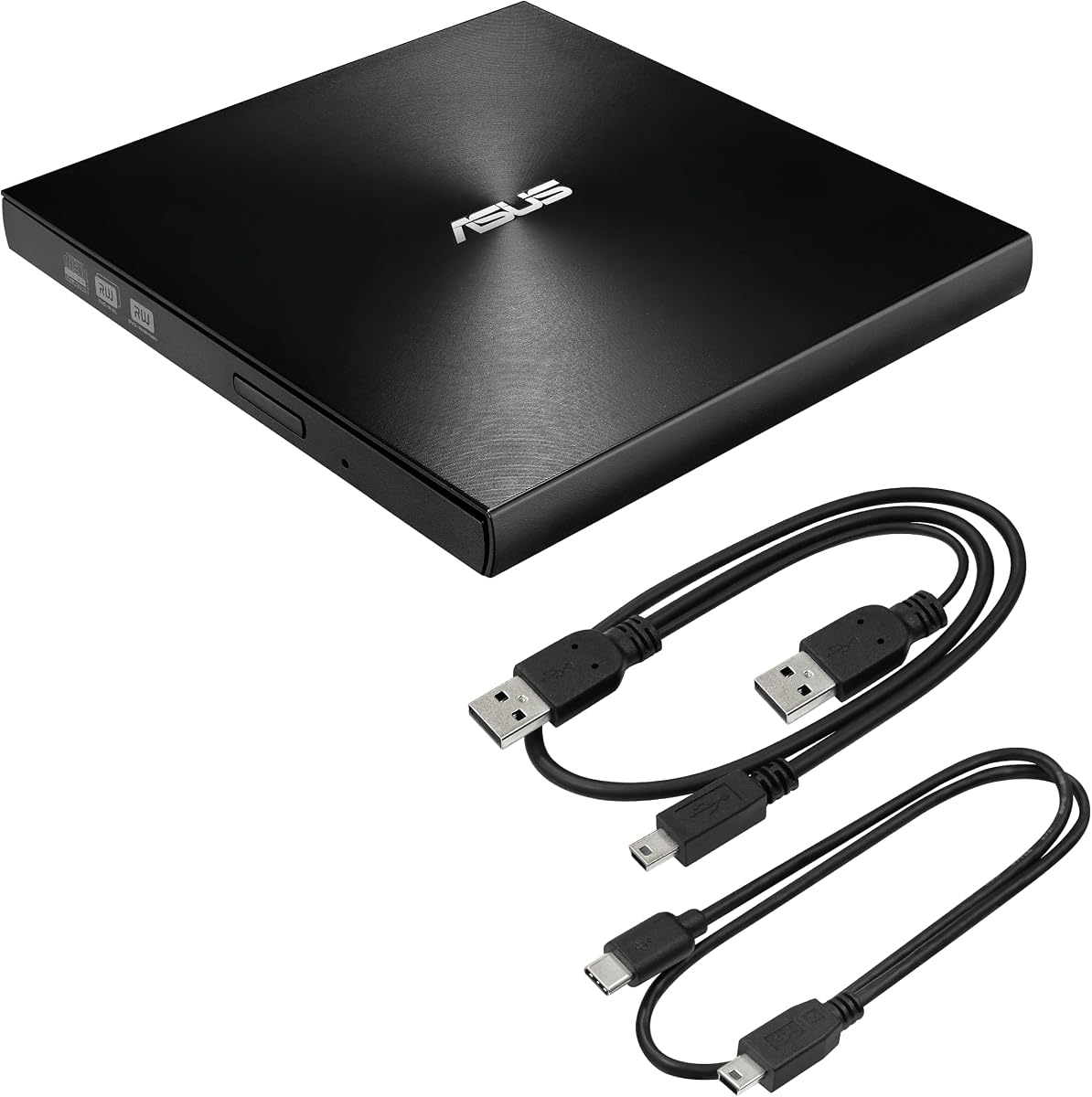
The ASUS ZenDrive Black combines a slim 13mm design with M-DISC support for reliable data storage. It includes both USB 2.0 and Type-C cables for maximum connectivity flexibility.
We may earn a commission when you buy through this link, at no additional cost to you.
Nero BackItUp functionality adds utility for Android device management although this is more relevant for cross-platform users. The drive supports password control for hidden files to enhance security.
Its dark finish matches most Mac setups providing a professional look. The drive is lightweight and portable making it suitable for travel or office use.
This model is a good choice for those who want a slim drive with security features and are interested in the included USB 2.0 and Type-C cable options.
Disc Encryption II provides password control and hidden file functionality helping you keep sensitive data secure on shared computers.
The 13mm thickness ensures the drive is ultra slim and light easily fitting into any bag or small storage space.
We may earn a commission when you buy through this link, at no additional cost to you.
The BPAKDU External CD/DVD Drive functions as an 8 in 1 hub including USB ports and a card reader alongside optical drive capabilities. It is versatile for users with multiple connectivity needs.
We may earn a commission when you buy through this link, at no additional cost to you.
USB 3.0 transfer speeds ensure quick data movement while the extra power cable helps resolve recognition issues on low-power ports. This makes it a practical choice for various desktop setups.
While the hub features add bulk they provide significant utility for transferring files from cameras without additional adapters. The drive is compatible with Mac and Windows systems seamlessly.
This drive is best for power users who want a multi-tool solution and need extra USB ports and card readers alongside their optical drive requirements.
The 8 in 1 design includes USB hubs and card readers allowing you to connect multiple peripherals simultaneously without clutter.
An extra power cable is included to ensure stable operation even when connected to low-power USB ports that may otherwise fail.
We may earn a commission when you buy through this link, at no additional cost to you.
Selecting the right external DVD drive for your Mac involves considering compatibility speed and build quality. This section outlines key factors to help you narrow down your options effectively.
Modern Macs often lack standard USB-A ports meaning you need a drive with a USB-C connector or a reliable adapter. Many drives now include both USB-A and USB-C cables which simplifies connectivity across different devices.
Look for drives that offer dual interface options to ensure you can connect to any Mac regardless of its model year or port availability.
Not all drives work out of the box with Apple Silicon Macs like the M1 or M2 chips. Ensure the product description explicitly mentions support for all macOS versions including Ventura and Sonoma.
Drives that support plug-and-play functionality eliminate the need for installing third-party drivers which can sometimes conflict with system updates on newer Macs.
USB 3.0 offers significantly faster data transfer speeds compared to USB 2.0. This is particularly important if you plan to burn large DVD files or transfer data regularly.
Check the read and write speeds listed in the specs to ensure the drive can handle your workload efficiently without excessive lag or freezing.
External drives are prone to physical movement so a durable casing is essential for longevity. Some models include protective carrying cases which add value by preventing scratches and drops during travel.
Consider drives with anti-shock technology which helps prevent read errors when the drive is in motion or subjected to minor impacts.
Some Macs do not provide sufficient power via USB ports to run external optical drives. Models that include an additional power cable are safer bets for ensuring stable operation without connection drops.
If your laptop is low on battery it is often recommended to plug the computer into power when using the external drive to prevent interruptions.
Advanced features like M-DISC support or disc encryption can be valuable for users who prioritize long-term data security. These features allow for more robust backup solutions beyond standard disc burning.
Evaluate whether you need these specific features before purchasing as they often come at a higher price point than basic models.
If you travel frequently a slim and lightweight design is crucial. Drives under 15mm in thickness are easier to slip into a laptop bag without adding bulk to your load.
Cable storage designs that tuck the USB cord inside the drive body prevent tangling and make packing more convenient for on-the-go use.
A solid warranty period indicates manufacturer confidence in the product. Look for options that offer at least a one-year warranty to protect against manufacturing defects.
Responsive customer support can save time if you encounter setup issues. Some brands offer dedicated troubleshooting guides or quick replacement policies for faulty units.
To begin using your external DVD drive connect it directly to an available USB port on your Mac. Avoid using USB hubs unless they are powered as some drives require more power than a standard port can provide.
Insert a disc into the drive tray or auto-feed mechanism and wait for the system to recognize it. You can then use a compatible media player or disc utility to view or burn files to the disc.
Maintain the drive by keeping it clean and avoiding physical shocks while it is operating. Store it in a protective case when not in use to prevent dust accumulation or scratches on the casing.
Yes most modern external DVD drives are compatible with Apple Silicon Macs like M1 and M2 chips. Ensure the manufacturer specifies macOS support for all versions to avoid driver issues.
This often happens due to insufficient power or using an unpowered hub. Try connecting directly to a USB port and ensure your Mac is plugged into a power source.
No the drives listed in this guide are standard DVD and CD drives. They do not support Blu-ray formats unless specifically labeled as a Blu-ray compatible model.
Most drives are plug-and-play and do not require drivers. However installing additional software may be needed for burning or ripping discs on your Mac.
Right-click the disc icon on your desktop and select Eject or use the File menu in Finder to eject the disc if the hardware button does not work.
Yes if your Mac lacks an internal optical drive you need an external one to read or write physical discs. This is essential for legacy media or software installation.
macOS includes basic disc burning capabilities. However for advanced features like formatting data discs you may need third-party applications.
Some drives may require extra power especially on newer Macs. Using a powered USB hub or connecting to a desktop rear port helps avoid recognition issues.
We have reviewed ten top-rated external DVD drives that meet the needs of Mac users today. The ROOFULL model stands out as a top pick due to its versatility and included accessories.
When making your decision prioritize compatibility with your Mac model and ensure the drive supports plug-and-play functionality. Speed and portability are also key factors depending on your usage patterns.
Always check current pricing and availability before purchasing since product details can change. We hope this guide helps you find the perfect external drive for your specific needs.