
Focusrite Scarlett Solo 4th Gen USB-C Audio Interface
4.6Editor score
120dB dynamic range
Improved Air mode
Includes software suite
This expert guide compares ten top Focusrite USB audio interfaces for musicians, helping you find the best model for your recording needs and budget today.
Finding the right audio interface is crucial for musicians seeking professional sound quality in their home studios. Focusrite has established itself as a leader in this space, offering reliable hardware that bridges the gap between analog instruments and digital recording software seamlessly for creators.
We analyzed ten distinct Focusrite USB audio interface models to determine which ones offer the best value and performance. Our comparison covers various generations and configurations, ensuring you can select the device that best matches your specific recording requirements and workflow preferences effectively.
Each pick below highlights key features, connectivity options, and software bundles included with the hardware. Please note that availability and pricing can fluctuate over time, so checking the latest details on the product pages is recommended before making your final purchasing decision today.
4.6Editor score

4.7Editor score

5.0Editor score
This side-by-side comparison table outlines the essential specifications for all ten Focusrite models to help you quickly identify the hardware that fits your studio setup.


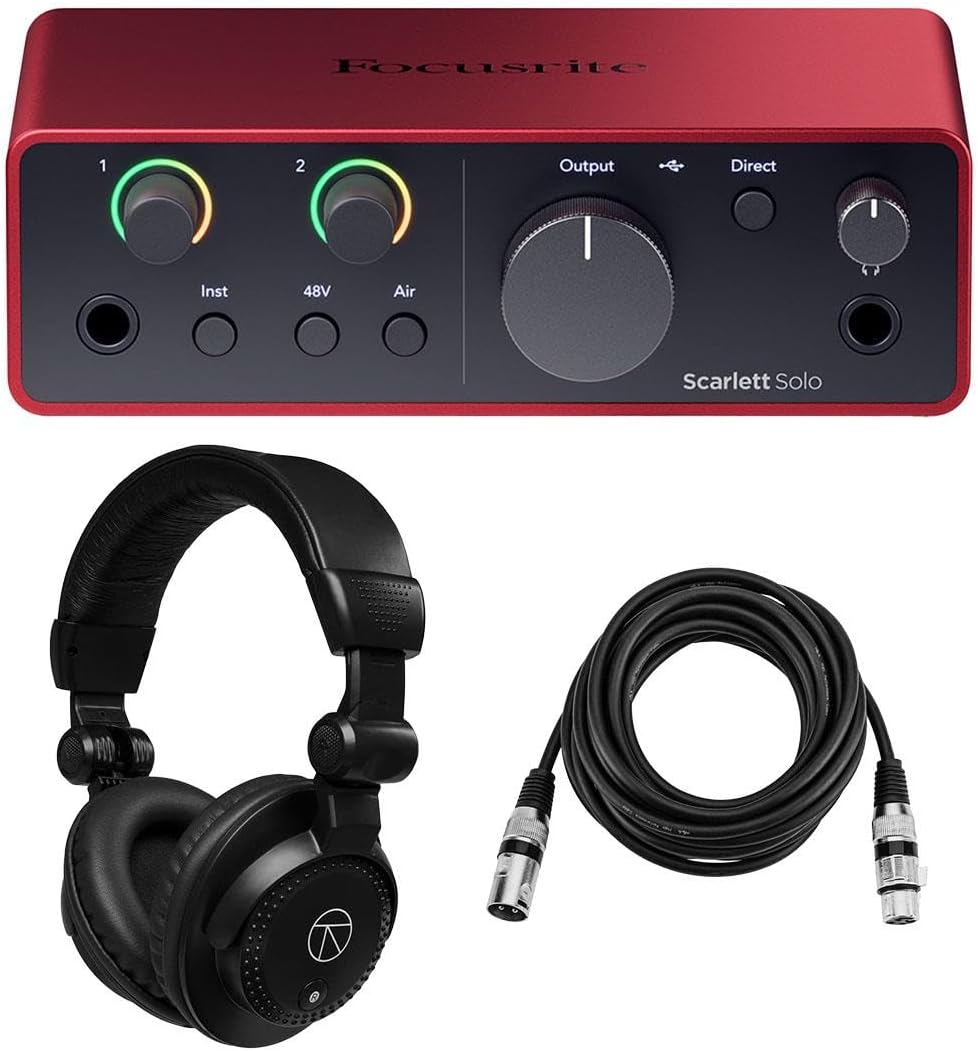
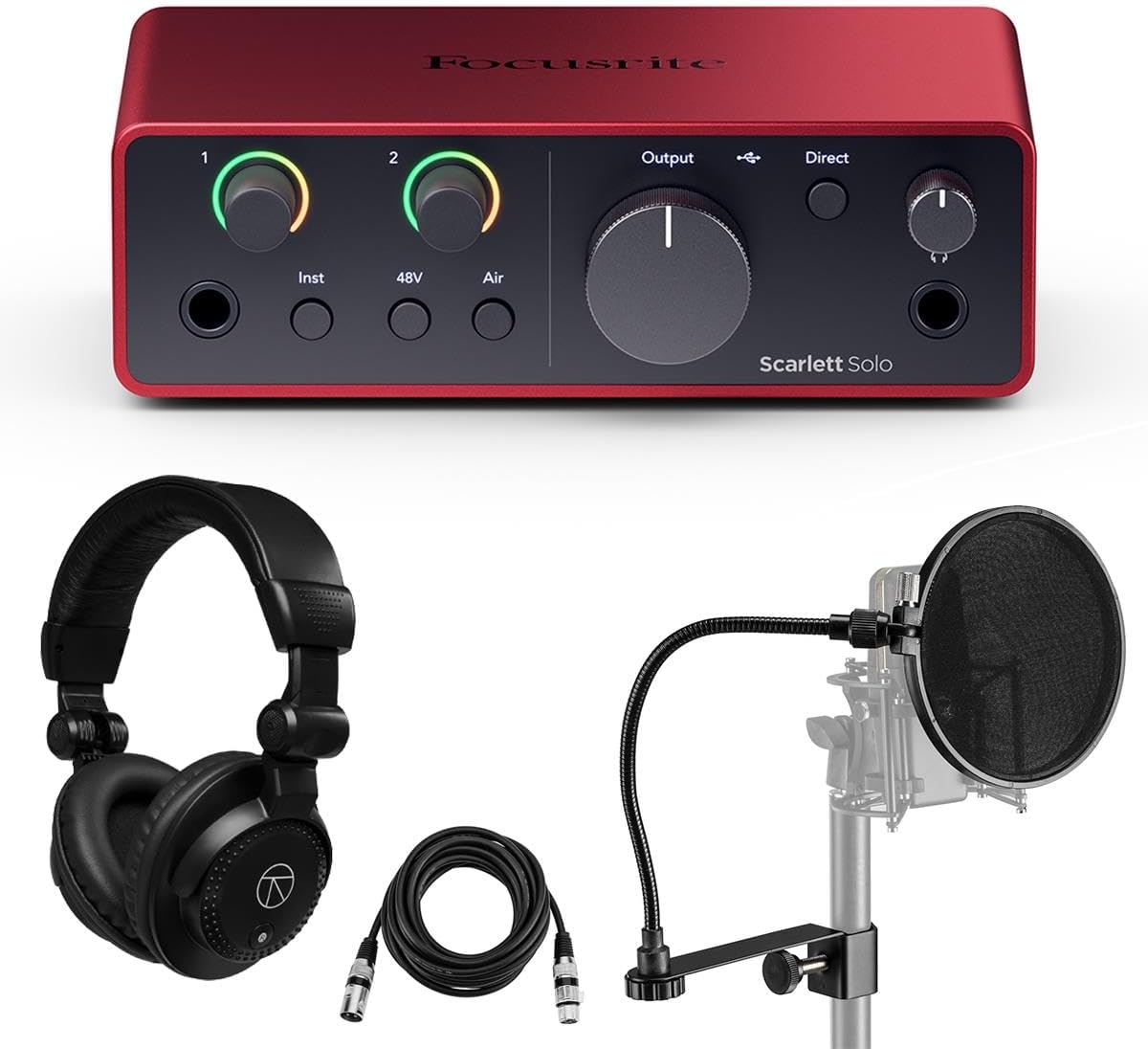


The Scarlett Solo 4th Gen is designed for songwriters who need a simple yet powerful interface to capture their ideas. It offers a huge 120dB dynamic range and uses the same converters as Focusrite’s flagship interfaces to ensure your recordings sound professional right from the start.
We may earn a commission when you buy through this link, at no additional cost to you.
Its improved Air mode lifts vocals and guitars to the front of the mix, adding musical presence and rich harmonic drive. The package includes industry-leading recording software like Pro Tools Intro and Ableton Live Lite, giving you everything you need to record, mix, and master your music.
While it lacks the extra inputs found in larger models, this limitation is acceptable for solo performers focusing on vocals or guitar. The compact size means it fits easily into any workspace, and the high-quality converters ensure clarity that matches what you would hear in a big studio environment.
You should buy this interface if you want a reliable entry point into home recording without compromising on sound quality. The combination of hardware excellence and a comprehensive software suite makes it an ideal starting point for creators launching their first projects today.
Air mode adds presence and harmonic drive, making vocals and instruments sound richer and more polished without complex processing.
The included software bundle provides essential tools for recording and production, saving you money and time on third-party purchases.
We may earn a commission when you buy through this link, at no additional cost to you.
The Scarlett 2i2 4th Gen stands out as the best overall value because it offers dual inputs and smart features that simplify the recording process. Its 4th-Generation mic preamps provide the clearest sound ever found on a Scarlett interface, ensuring every note and vocal is captured with precision.
We may earn a commission when you buy through this link, at no additional cost to you.
Features like Dynamic Gain Halos and Auto Gain make setting levels effortless, while Clip Safe protects your recordings from distortion. The custom-designed headphone amp delivers loud and accurate playback, and the Loopback feature allows you to create samples from computer audio easily for streaming or editing workflows.
Some users might find the price higher than the Solo model, but the added versatility and safety features justify the investment for serious creators. The bundle includes high-quality cables, reducing the need to buy extras immediately and getting you set up for professional recording right away.
This interface is perfect for musicians who want to record multiple sources simultaneously or need reliable monitoring for complex sessions. The combination of intelligent features and studio-grade sound quality makes it the top recommendation for home studios in 2026.
Auto Gain sets perfect levels in seconds, while Dynamic Gain Halos provide visual feedback to prevent clipping during performance.
Hi-Z instrument and line inputs allow you to connect guitars, synths, and grooveboxes directly without needing extra adapters.
We may earn a commission when you buy through this link, at no additional cost to you.
The Scarlett 18i16 4th Gen is a powerhouse designed for those who need extensive connectivity without sacrificing audio quality. It features four mic preamps and eight line inputs, allowing you to connect a wide variety of instruments and devices to your computer for complex productions.
We may earn a commission when you buy through this link, at no additional cost to you.
With 24-bit/192kHz resolution, every nuance of your recordings is captured with exceptional clarity. Features like Auto Gain and Loopback simplify your workflow, ensuring you can focus on creativity while the hardware handles technical tasks. The bundle includes premium accessories that enhance your setup immediately.
While the larger size and higher price may be a factor for small spaces, the connectivity options justify the cost for multi-instrumentalists or bands. The high-quality components ensure reliability during critical sessions, and the included software and accessories provide a complete solution right out of the box.
Choose this interface if you need room to grow and want professional-grade inputs for various signal types. Its robust design and comprehensive feature set make it the ultimate choice for serious producers aiming for top-tier results in their home studio.
Multiple inputs and ADAT ports allow you to connect additional gear as your studio grows, ensuring long-term scalability and versatility.
Auto Gain ensures perfect levels quickly, while Loopback simplifies capturing computer audio for tutorials and streaming without extra hardware.
We may earn a commission when you buy through this link, at no additional cost to you.
The Scarlett 2i2 3rd Gen remains a popular choice due to its natural sounding mic preamps and proven track record among millions of musicians. It offers high-headroom instrument inputs and iconic Gain Halos to help you get professional results quickly without complex setup procedures.
We may earn a commission when you buy through this link, at no additional cost to you.
Air mode breathes life into vocals by adding unique high-end detail, making it a great tool for singer-songwriters. The Easy Start tool simplifies the setup process, ensuring you can start recording within minutes. Focusrite also provides a three-year warranty and global support to give you peace of mind.
While it is an older generation model, it still delivers studio quality recordings that many creators find sufficient for professional work. The limitations in speed compared to newer USB-C interfaces are often acceptable for those on a budget who prioritize sound quality over maximum data transfer rates.
You might choose this interface if you want a trusted device with a history of reliability at a potentially lower price point. Its features are robust enough to handle serious recording tasks, making it a solid option for those familiar with the Focusrite ecosystem.
3rd Gen preamps offer a natural sound that many users prefer for its musical character and lack of coloration on source material.
The Easy Start tool guides you through installation and setup, reducing technical barriers for new users entering the music production world.
We may earn a commission when you buy through this link, at no additional cost to you.
This bundle offers a complete solution for creators who want an interface along with essential monitoring tools in one package. The Focusrite Scarlett 2i2 4th Gen provides top-tier audio quality, while the included Turnstile Audio Studio Monitor Headphones let you hear your mix accurately from the start.
We may earn a commission when you buy through this link, at no additional cost to you.
A professional microphone cable and pop filter are also included, ensuring you have everything needed to capture clean vocal recordings immediately. The software suite expands your creative capabilities with production tools that help you achieve professional results without additional purchases beyond the initial investment.
While the headphones may not match high-end studio models, they provide a solid reference point for mixing and editing at home. This approach saves time and effort in sourcing separate accessories, making it ideal for those who want a streamlined path to starting their music production journey.
Select this option if you want a hassle-free experience with all necessary tools delivered together. It is an excellent choice for beginners who need a plug-and-play setup to start recording professionally without waiting for component delivery.
Having the interface and monitoring gear in one box reduces setup time, allowing you to focus on creativity instead of shopping for accessories.
The included software suite provides essential tools for recording and editing, giving you a complete creative ecosystem right out of the box.
We may earn a commission when you buy through this link, at no additional cost to you.
Designed for the songwriter on the go, this bundle ensures you have everything needed to record and release your songs with confidence. The Scarlett Solo 4th Gen offers a detailed ultra-low-noise mic pre and studio-grade converters, matching what you would find in a professional studio environment.
We may earn a commission when you buy through this link, at no additional cost to you.
The complete toolkit includes Pro Tools Artist, Ableton Live Lite, and Focusrite's Hitmaker Expansion software bundle, featuring essential effects and powerful software instruments. These tools help you add polish to your tracks, while the amped-up headphone output allows you to monitor your work accurately.
While the single input limits simultaneous recording, it is perfectly adequate for solo artists focusing on vocals and guitar. The included headphones and long cable provide the connectivity you need to set up your workspace comfortably, ensuring you can create wherever inspiration strikes.
This bundle is ideal for those who want a streamlined way to start their music production journey without managing separate purchases. With high-quality sound and professional software included, it provides a strong foundation for developing your musical skills and building a home studio setup.
The Hitmaker Expansion includes instruments like Auto-Tune Access and Native Instruments MASSIVE, providing powerful tools to shape your sound.
Independent volume control on the headphone output allows for precise monitoring levels, ensuring you hear your tracks clearly during sessions.
We may earn a commission when you buy through this link, at no additional cost to you.
This bundle is particularly well-suited for vocalists who need immediate tools to capture clean recordings. The Focusrite Scarlett Solo 4th Gen provides excellent sound quality with Air mode for rich harmonic drive, while the included pop filter ensures your vocals are free from plosive noise during performance.
We may earn a commission when you buy through this link, at no additional cost to you.
The included studio monitor headphones and 6ft XLR microphone cable complete the package, giving you everything to start recording right away. Software like Ableton Live Lite and Avid Pro Tools Artist helps you mix and master your tracks, while Focusrite Control 2 allows direct session control from your computer.
While the cable is shorter than some other bundles, it is sufficient for typical desk setups where the interface sits close to the microphone. The high-quality components ensure that your recordings are clear and detailed, allowing you to focus on performance rather than technical issues.
Choose this option if you want to prioritize vocal production quality and convenience. The combination of a reliable interface and essential accessories makes it an excellent choice for singers who need a ready-to-use solution for their projects.
The included pop filter protects your recordings from harsh plosive sounds, ensuring professional quality vocals without the need for extra gear.
Focusrite Control 2 gives you direct access to settings from your computer, making session adjustments quick and intuitive during recording.
We may earn a commission when you buy through this link, at no additional cost to you.
The Scarlett 16i16 offers a robust set of inputs including two mic preamps and six line inputs, making it ideal for multi-instrumentalists. Its high-resolution 24-bit/192kHz converters ensure that your recordings capture every nuance with exceptional clarity for professional production standards.
We may earn a commission when you buy through this link, at no additional cost to you.
The bundle includes essential accessories like Turnstile Audio Headphones and two 10ft XLR cables, allowing you to expand your setup immediately. With features like near-zero latency and class compliance, this interface integrates seamlessly with Mac and Windows systems, providing a reliable experience for diverse workflows.
While the larger size may require a dedicated desk space, the connectivity options justify the footprint for serious producers. The high-quality hardware ensures durability and performance, giving you the flexibility to connect various devices without compromising on sound fidelity during your sessions.
Select this interface if you need more inputs than standard models provide and want a solution that supports a growing studio environment. Its balance of advanced features and reliable performance makes it a strong contender for those looking to upgrade their recording capabilities significantly.
Multiple inputs allow for complex setups, enabling you to connect synths, drum machines, and instruments simultaneously without extra hardware.
Class compliance ensures effortless connection with various devices, removing driver headaches and simplifying your recording workflow effectively.
We may earn a commission when you buy through this link, at no additional cost to you.
The Scarlett 18i16 provides extensive connectivity with four mic preamps and eight line inputs, designed for complex recording sessions. Its high-resolution 24-bit/192kHz resolution captures every nuance of your recordings with exceptional clarity, ensuring your production work meets professional industry standards consistently.
We may earn a commission when you buy through this link, at no additional cost to you.
Workflow is streamlined with Auto Gain and Clip Safe features, while Loopback functionality simplifies recording computer audio without extra steps. The bundle includes turnstile headphones and 15ft XLR cables, giving you ample flexibility to position your gear while maintaining a professional recording environment in your home studio.
While the price is higher than basic models, the comprehensive connectivity options justify the investment for serious creators. The hardware ensures reliable performance, allowing you to focus on the music rather than technical limitations. This makes it an excellent long-term solution for expanding your studio setup.
Choose this interface if you need maximum connectivity and professional features in a single package. It is ideal for producers who want to record multiple tracks simultaneously or need the flexibility to grow their studio capabilities without replacing hardware soon.
Auto Gain and Clip Safe automate level setting, reducing distractions and ensuring consistent recording quality throughout your sessions.
Long XLR cables included in the bundle allow for flexible microphone placement, enabling better sound capture and ergonomic setup options.
We may earn a commission when you buy through this link, at no additional cost to you.
The Scarlett Solo 2nd Gen is a compact and lightweight interface that delivers studio-quality audio for on-the-go creators. It features one specially-designed Scarlett Mic Pre with superb sound and 48V phantom power, ensuring your vocals and instruments are captured with clarity and detail.
We may earn a commission when you buy through this link, at no additional cost to you.
Included in the package are the Focusrite Red 2 & Red 3 Plug-In Suite and Softube Time and Tone Plug-In Bundle, offering professional processing tools to enhance your recordings. The tough build quality means it can withstand the rigors of travel, making it a practical option for portable recording setups.
While it lacks the newest features like USB-C or advanced software bundles, it remains a reliable device for those who value durability and simplicity. The sound quality is still highly regarded, and the included software provides a solid starting point for basic production tasks without needing extra expenses.
You should consider this interface if you need a sturdy and portable solution for recording on the road. Its classic design and reliable performance make it a timeless choice for musicians who prioritize sound quality and durability over the latest connectivity options.
Its lightweight and tough design makes it ideal for musicians who need to record in different locations without sacrificing audio quality.
The included Red and Softube plug-ins provide powerful tools for shaping your sound, giving you professional capabilities right out of the box.
We may earn a commission when you buy through this link, at no additional cost to you.
Choosing the right interface involves evaluating inputs, connectivity, and features that match your workflow.
The number of inputs you need depends on whether you record solo or with multiple instruments. If you only record vocals and guitar sequentially, a single-input model like the Solo is sufficient. However, if you plan to record drums or bands, models with multiple inputs like the 2i2 or 18i16 are necessary to capture all sources simultaneously without compromise.
Look for a model that offers enough inputs for your current needs with some room for future expansion to avoid buying another device later.
The quality of the mic preamps determines the clarity and noise floor of your vocal recordings. Focusrite's latest 4th generation preamps offer improved signal-to-noise ratios and wider gain ranges, which are essential for capturing detailed dynamics from various microphones. Ensure the interface supports phantom power if you plan to use condenser mics.
Higher-quality preamps result in cleaner recordings that require less processing during mixing, saving you time and effort in post-production.
Modern interfaces use USB-C for faster data transfer and better compatibility with newer computers. Older USB 2.0 interfaces work fine but may limit bandwidth for high sample rates or multiple channels. Check your computer's available ports to ensure you can connect the interface easily without needing extra adapters or hubs.
Prioritize USB-C connectivity if you want future-proofing and support for higher-resolution audio files without bottlenecks in transfer speeds.
Focusrite often includes a suite of production software with their interfaces, such as Pro Tools, Ableton Live, and various plug-ins. Evaluate whether these tools meet your production needs before purchasing, as they can save you significant money on third-party plugins. Some bundles also offer exclusive content tailored for specific genres or styles.
Take advantage of the included software to jumpstart your production workflow without additional costs for essential recording and mixing tools.
Features like Auto Gain, Clip Safe, and Gain Halos simplify the process of setting levels, reducing the risk of distortion during recording. A good headphone amp with independent volume control is crucial for monitoring your performance accurately while recording. These features help maintain high audio quality without requiring complex manual adjustments.
Look for visual feedback and automation features that help you set perfect levels quickly, ensuring consistent recording quality in every session.
The size and weight of the interface matter if you plan to move it between locations. Compact models are easier to transport and fit on smaller desks, while larger units with more inputs may require a dedicated space. Consider the build quality to ensure it can withstand travel if you are a traveling musician.
Choose a form factor that fits your workspace and mobility needs to ensure the interface remains a practical part of your daily workflow.
Prices vary significantly based on features and included accessories. While more expensive models offer better connectivity and sound quality, entry-level models provide excellent performance for beginners. Assess your budget carefully and determine which features are essential versus those that are nice to have for your specific situation.
Invest in the best model your budget allows to ensure reliability and sound quality that supports your creative growth over the years.
Focusrite provides a three-year warranty on most models and has a global support network to assist with technical issues. Reliable customer service and warranty coverage give you peace of mind when making an investment in professional gear. Check the specific warranty terms for the model you are considering to ensure adequate coverage.
A strong warranty and responsive support team are critical factors to consider for long-term reliability and protection of your equipment investment.
Start by connecting your microphone to the XLR input using a balanced cable to reduce noise and ensure optimal signal quality. Use the gain knob to adjust the input level while watching the LED indicators to prevent clipping. Always keep the gain within the safe zone to maintain audio fidelity during recording.
Install the necessary drivers and focusrite Control software on your computer to manage signal routing and settings. Ensure your computer is set to use the interface as the default audio device to avoid conflicts with other sound systems. Check for firmware updates periodically to access new features and performance improvements.
Store your interface in a dry, temperature-controlled environment when not in use to protect internal components from damage. Regularly inspect cables for signs of wear and replace them if necessary to maintain a consistent signal path. Clean the surface with a soft, dry cloth to remove dust and prevent debris from entering the ports.
Most modern Focusrite interfaces are class-compliant and do not require drivers for basic operation on Mac and Windows. However, installing the Focusrite Control software is recommended to access advanced features like gain settings and routing. Check the manufacturer website for specific instructions regarding your model and operating system version.
USB-C interfaces generally offer faster data transfer speeds and better compatibility with newer devices. They also support higher sample rates and bit depths without potential bandwidth bottlenecks. Older USB 2.0 interfaces are still functional but may be limited by older port standards found on modern computers.
Many Focusrite interfaces are compatible with USB-C iPads and iPhones using the appropriate adapters. Check the product specifications to confirm class-compliant status which allows direct connection without additional power. This flexibility enables you to record high-quality audio while using a tablet for production tasks.
Clipping usually occurs when the input gain is set too high relative to the signal level. Check the gain knobs and the visual indicators to ensure they are not peaking into the red zone. Reduce the input gain slightly until the levels sit comfortably below the maximum limit to maintain a clean signal.
Yes, most models include a curated software suite with DAWs like Pro Tools and Ableton Live Lite along with various plugins. These tools provide a complete solution for recording and mixing without needing immediate additional purchases. Check the specific bundle details to see which software is included with your chosen model.
Connect your microphone to the XLR input and engage phantom power if using a condenser mic. Adjust the gain knob while speaking into the mic to reach a healthy level without distortion. Use the headphone output to monitor your signal directly and ensure it is clear before starting your recording session.
Most issues are related to driver conflicts or incorrect sample rate settings in your DAW. Ensure your DAW is set to the same sample rate as the interface to prevent latency or glitches. Resetting the interface and reinstalling drivers often resolves connectivity or audio drop-out issues effectively.
Focusrite typically offers a three-year limited warranty on their Scarlett series which covers manufacturing defects. You can register your product on their website to activate this warranty and receive support if problems arise. Keep your proof of purchase handy to facilitate any potential warranty claims during the coverage period.
The top picks for 2026 include the budget-friendly Solo 4th Gen, the versatile 2i2 4th Gen, and the high-end 18i16 4th Gen. Each option caters to different needs ensuring that whether you are a solo artist or a multi-instrumentalist there is a suitable model available.
When selecting an interface prioritize input count connectivity options and software value to match your specific recording goals. Investing in quality preamps and reliable hardware ensures that your recordings sound professional and that your workflow remains efficient over time without unnecessary technical hurdles.
Remember to check current availability and bundle details as accessories may vary depending on the retailer and promotions. By choosing a Focusrite interface that aligns with your needs you ensure a solid foundation for your music production journey and long term studio growth.