
TP-Link Dual-Band BE3600 Wi-Fi 7 Router, Archer BE230
4.2Editor score
WiFi 7 support for future-proofing
Dual 2.5G ports for speed
Covers up to 2000 sq ft
This guide compares the top high bandwidth WiFi routers of 2026 to help you choose the best model for speed coverage and reliability in your home network setup.
Modern homes demand powerful networking solutions to handle streaming gaming and smart devices simultaneously. High bandwidth WiFi routers provide the necessary speed and stability for today connected digital lifestyle needs.
We evaluated ten leading models based on performance speed capabilities and ease of use. Our analysis covers the latest WiFi 6E and WiFi 7 technologies to ensure you find the right fit.
Each selection highlights unique strengths and practical benefits for different household sizes and needs. Remember that pricing and availability can fluctuate so verify current details before making your final purchase decision.
4.2Editor score

4.3Editor score
4.3Editor score
The following table provides a side-by-side comparison of all ten routers reviewed in this guide to help you quickly identify key specifications and performance metrics.




This TP-Link router delivers exceptional value with tri-band WiFi 6E technology reaching up to 5400 Mbps combined speeds. It earns its top spot by balancing performance and price for most households.
We may earn a commission when you buy through this link, at no additional cost to you.
The dedicated 6 GHz band ensures your fastest devices get a clear lane without interference from older gadgets. OFDMA technology boosts capacity by four times so streaming and gaming stay smooth even when many devices are active.
While it lacks 2.5G ethernet ports which limits wired gigabit internet plans it still handles most cable fiber connections easily. The absence of advanced parental controls is a minor trade-off for the solid core networking performance.
Buy this if you want reliable high-speed WiFi without breaking the bank. It is ideal for families needing better coverage than older routers offer while future-proofing with WiFi 6E support.
EasyMesh compatibility allows adding compatible extenders to eliminate dead zones without complex setup.
HomeShield offers free network scanning and IoT protection plus optional premium plans for deeper privacy.
We may earn a commission when you buy through this link, at no additional cost to you.
The BE6500 brings flagship WiFi 7 features like Multi-Link Operation and 4K-QAM to a mid-range price point. It excels at handling high-density environments with multiple devices competing for bandwidth simultaneously.
We may earn a commission when you buy through this link, at no additional cost to you.
MLO allows simultaneous data transfers across both 5 GHz and 2.4 GHz bands cutting latency and boosting throughput. The dual 2.5G ports unlock the full potential of multi-gigabit internet plans for wired connections.
Since it only uses two bands you miss the extra 6 GHz channel available on tri-band models. Mesh networking works with EasyMesh routers but not all mesh systems like Deco which could limit expansion options.
Choose this router if your devices support WiFi 7 and you want future-proof speeds now. It is perfect for gamers and streamers needing minimal lag without spending premium prices.
The six antennas and Beamforming focus signals toward devices for stronger connections up to 2400 sq ft.
Signatory status with CISA means security is prioritized at the hardware and firmware level.
We may earn a commission when you buy through this link, at no additional cost to you.
This NETGEAR flagship delivers up to 9.3 Gbps across three bands offering incredible performance for demanding households. Its tri-band WiFi 7 design ensures your newest devices get the fastest possible throughput available.
We may earn a commission when you buy through this link, at no additional cost to you.
The dedicated 6 GHz band provides a separate lane for compatible devices reducing congestion significantly. With coverage up to 2500 sq ft and support for 100 devices it handles sprawling layouts and smart home ecosystems easily.
While it is pricier than many rivals the raw speed and coverage justify the cost for serious users. The Armor security trial is helpful but continuing protection requires a separate subscription which adds ongoing expense.
Invest in this router if you have a large home and need maximum bandwidth for gaming streaming or remote work. It sets a high standard for future-proof networking reliability.
Dual 2.5G LAN ports and one WAN port allow full use of multi-gig internet plans.
The Nighthawk app simplifies speed tests network management and guest network setup from your phone.
We may earn a commission when you buy through this link, at no additional cost to you.
As the most affordable WiFi 7 router in this list the BE3600 brings next-generation tech to budget-conscious buyers. It offers essential features like Multi-Link Operation and 4K-QAM without the premium price tag.
We may earn a commission when you buy through this link, at no additional cost to you.
Despite lacking the 6 GHz band it still delivers impressive speeds up to 3600 Mbps across two bands. The dual 2.5G ports ensure wired devices get full gigabit plus speeds which is rare at this price point.
Coverage extends to 2000 sq ft which suits most homes but might need extenders for larger spaces. The quad-core processor handles heavy traffic smoothly ensuring low latency during gaming or video calls.
Pick this router to experience WiFi 7 performance on a tight budget. It is the smart entry point for upgrading from WiFi 6 or older standards immediately.
Alexa and Google Assistant voice control let you manage network settings hands-free easily.
Next-gen 2.0 GHz quad-core CPU handles high throughput with minimal lag.
We may earn a commission when you buy through this link, at no additional cost to you.
The BE9300 stands out for its extensive five 2.5G ethernet ports ideal for homes with multiple wired devices needing high speeds. Tri-band WiFi 7 delivers 9300 Mbps total with 320 MHz channels for maximum throughput.
We may earn a commission when you buy through this link, at no additional cost to you.
Six strategically placed antennas and Beamforming ensure reliable connections even in crowded wireless environments. A private IoT network keeps smart devices isolated from your main network boosting security significantly.
Although rated slightly lower than other TP-Link models it offers robust hardware and excellent future-proofing capabilities. The lack of unique features compared to competitors might make it harder to justify over similar models.
Choose this if you have many wired devices like PCs or NAS drives requiring fast connectivity. It balances wireless performance and wired flexibility effectively for tech-savvy users.
Private IoT network plus WPA3 encryption protects your smart devices from potential cyber threats.
Backward compatible with all WiFi generations works with any ISP without needing bridge mode.
We may earn a commission when you buy through this link, at no additional cost to you.
This router commands the highest user rating on the list thanks to proven reliability and solid performance for most households. WiFi 6 technology with 4T4R ensures ultra-fast connections up to 4.8 Gbps on the 5 GHz band.
We may earn a commission when you buy through this link, at no additional cost to you.
The 160 MHz channel width doubles data transmission rates for faster downloads and smoother streaming compared to standard 80 MHz. USB 3.0 port lets you share storage or printers across your network without extra hardware.
While it lacks WiFi 7 capabilities it remains a top choice for users not needing bleeding-edge speeds. The higher rating indicates strong customer satisfaction and fewer reported connectivity issues over time.
Buy this if you want reliable WiFi 6 performance without paying for features you won't use. It is perfect for typical households needing stable high-speed internet today.
Improved vented areas keep the router cool and running at full power efficiently.
USB 3.0 port allows quick setup of personal cloud for file access anywhere.
We may earn a commission when you buy through this link, at no additional cost to you.
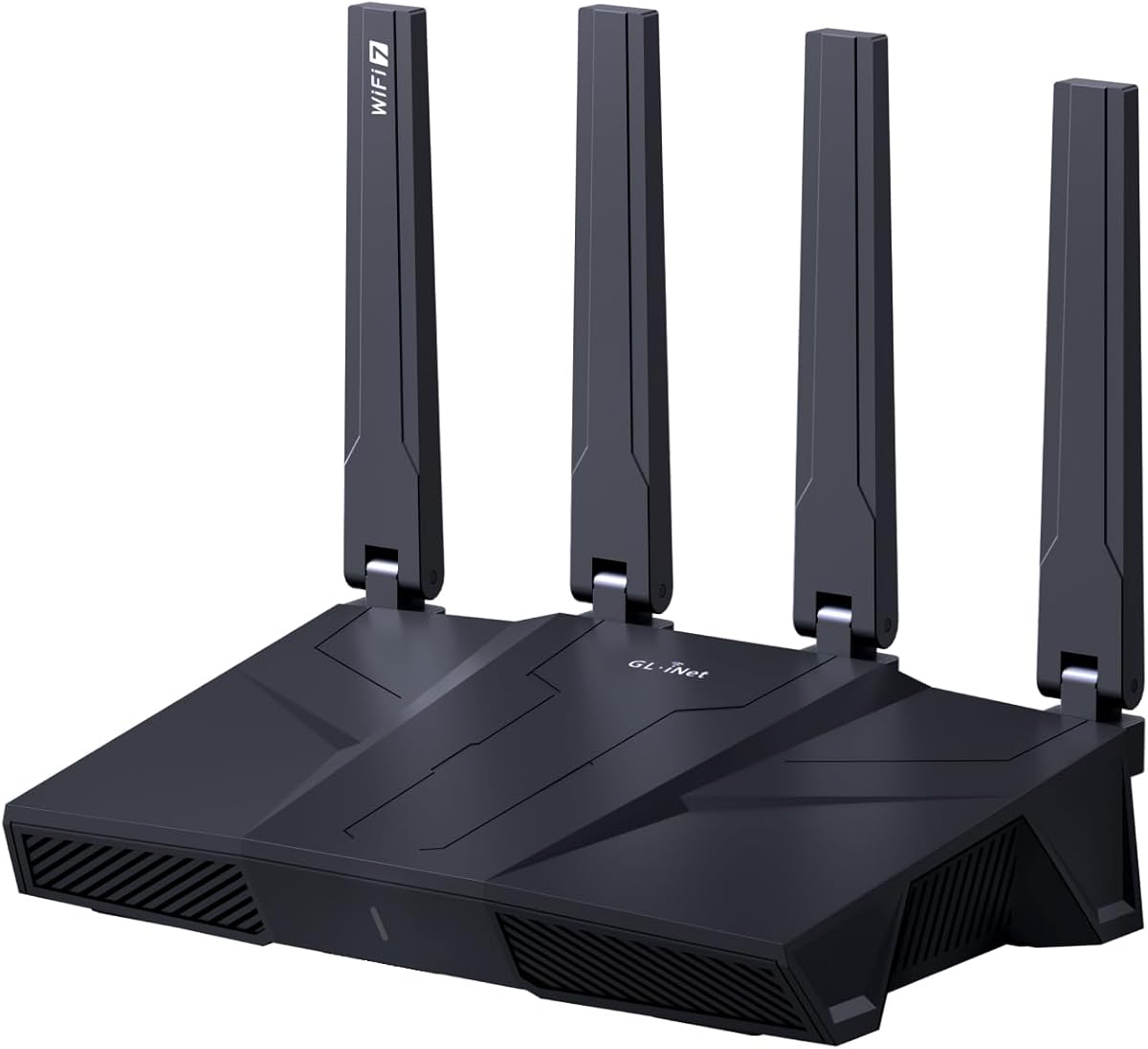
This router excels for privacy-focused users with built-in AdGuard Home and fast OpenVPN and Wireguard speeds. Tri-band WiFi 7 delivers up to 9 Gbps combined speeds suitable for large homes and heavy usage.
We may earn a commission when you buy through this link, at no additional cost to you.
The high 1GB RAM capacity supports over a hundred devices and additional plugins for advanced functionality. Five 2.5G ports ensure every wired connection gets maximum bandwidth without bottlenecks.
While setup is straightforward technical users might appreciate the customization options more than general consumers. Support relies primarily on email and self-help resources which could be limiting if complex issues arise.
Choose this if you prioritize privacy and want deep control over your network settings. It is ideal for tech enthusiasts who value strong VPN performance and ad blocking features.
Wireguard and OpenVPN speeds reach up to 680 Mbps for secure remote access.
Bark integration helps manage screen time and block harmful content easily.
We may earn a commission when you buy through this link, at no additional cost to you.
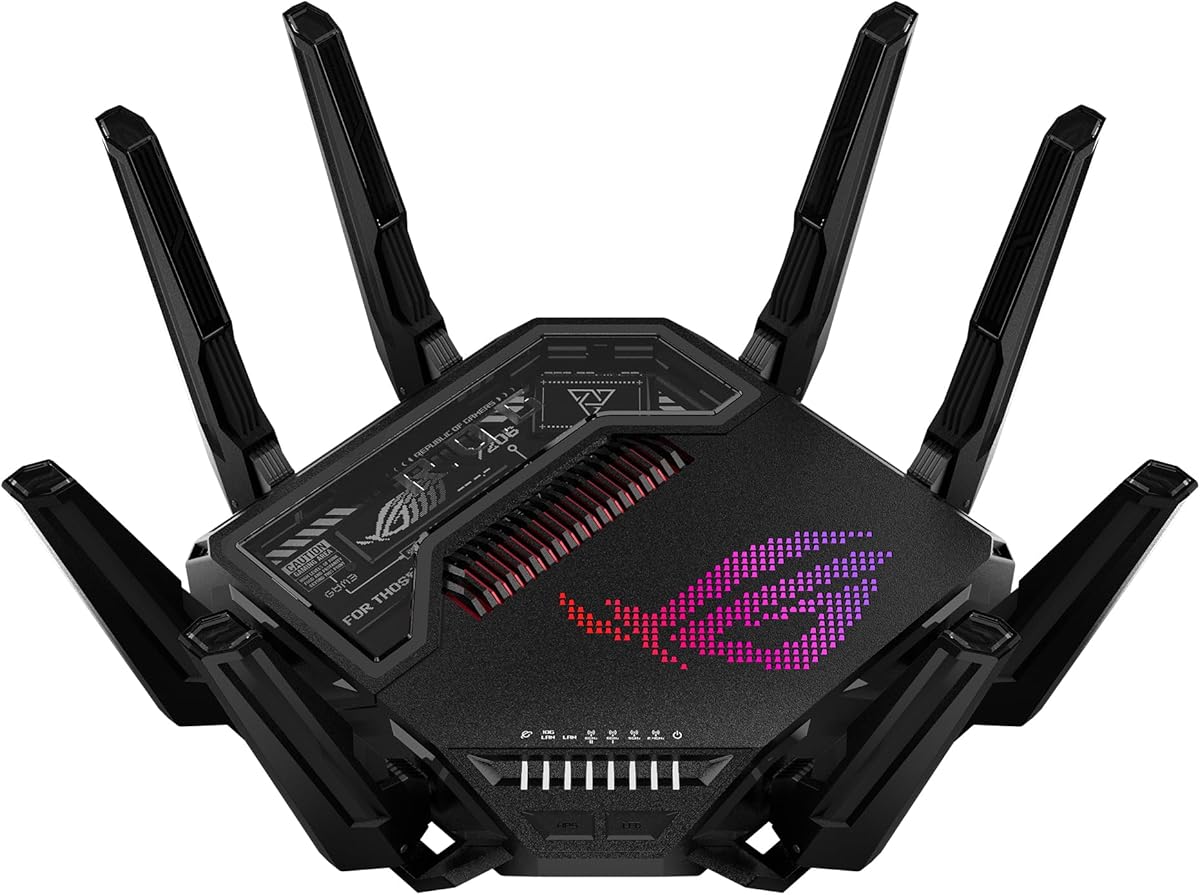
This flagship gaming router delivers unmatched speeds up to 30 Gbps with Quad-Band WiFi 7 for extreme performance needs. Triple-Level Game Acceleration prioritizes gaming traffic to minimize lag during critical online play.
We may earn a commission when you buy through this link, at no additional cost to you.
Dual 10G ethernet ports support enterprise-level networking speeds for high-end PCs and NAS systems. Advanced external antennas boost signal strength and coverage significantly compared to standard designs.
The price is extremely high making it impractical for average households without specific high-end needs. Most users will not utilize the full 30 Gbps potential or 10G wired connections daily.
Purchase this only if you need maximum speed for gaming or professional work and budget is not a concern. It represents the pinnacle of current consumer router performance.
Dual 10G ports and quad 2.5G ports offer unmatched wired bandwidth flexibility.
Game Acceleration optimizes traffic from your device all the way to the game server.
We may earn a commission when you buy through this link, at no additional cost to you.
This dual-band model brings WiFi 7 efficiency to mid-range users needing solid speed without paying tri-band premiums. Up to 3.6 Gbps across two bands provides noticeable improvements over WiFi 6 setups.
We may earn a commission when you buy through this link, at no additional cost to you.
The 2.5G WAN port unlocks multi-gigabit internet plans for wired connections. MU-MIMO and OFDMA allow multiple devices to communicate simultaneously reducing congestion during peak usage times.
Without a 6 GHz band it may not fully utilize future WiFi 7 devices needing that extra spectrum. Coverage of 2000 sq ft might require additional nodes for larger or multi-story homes.
Select this if you want WiFi 7 performance at a reasonable price. It is a solid middle ground for families upgrading from older router generations.
2.5 Gig WAN port allows you to use multi-gigabit internet plans now.
Armor trial gives immediate protection against threats with easy setup via app.
We may earn a commission when you buy through this link, at no additional cost to you.
This router features the rare 60Ghz band alongside 5 GHz and 2.4 GHz providing ultra-fast short-range speeds. The 10G SFP+ port makes it future-ready for multi-gigabit wired networking even without WiFi 7.
We may earn a commission when you buy through this link, at no additional cost to you.
Up to 7200 Mbps total speed suits homes needing high aggregate throughput. USB 3.0 ports support personal cloud storage and printer sharing efficiently for local device access.
Few devices support 60Ghz WiFi so much of that speed potential may go unused currently. The design and processor are older compared to modern WiFi 6 and WiFi 7 models.
Consider this if you need specialized 10G wired connections or want legacy support. It offers unique hardware features that newer models lack at comparable price points.
10G SFP+ port enables professional-level networking for advanced home or office setups.
Amazon Alexa voice control allows convenient hands-free network management and monitoring.
We may earn a commission when you buy through this link, at no additional cost to you.
Choosing the right high bandwidth WiFi router requires understanding key technical specs and matching them to your household needs. This guide breaks down essential factors to consider before purchasing.
WiFi 7 offers the highest speeds and lowest latency with features like Multi-Link Operation and 4K-QAM. WiFi 6E provides a 6 GHz band but lacks WiFi 7's newer efficiency improvements. Older WiFi 6 routers are still capable but may not support future devices fully.
Prioritize WiFi 7 if you want the best future-proofing and current devices support it. Otherwise WiFi 6E or 6 models offer solid value for typical household needs.
Tri-band routers include a dedicated 6 GHz band reducing interference for high-speed devices. Dual-band models are more affordable but share frequencies among all devices which may cause congestion. Quad-band options like the ASUS model offer maximum separation for specialized setups.
Choose tri-band if your home has many connected devices competing for bandwidth. Dual-band suffices for smaller households or budgets constrained significantly.
Speed ratings like 9.3 Gbps or 30 Gbps indicate combined theoretical throughput across bands. Real-world speeds depend on internet plan distance and device capabilities. Higher rated routers handle heavy loads better but may not be fully utilized by standard connections.
Select a router with speed exceeding your internet plan by at least 50% to account for wireless overhead. This ensures you maximize what your ISP provides without bottlenecks.
Modern routers increasingly feature 2.5G or 10G ethernet ports for wired connections. These ports support multi-gigabit internet plans and reduce wireless congestion for key devices like PCs or game consoles. Most older routers include only 1 Gig ports which limit wired performance.
Look for at least one 2.5G WAN/LAN port if you have gigabit or faster internet. Additional LAN ports with high speed support critical wired devices effectively.
Coverage ranges from 2000 to 2500 sq ft vary by antenna design and beamforming technology. Multi-story homes or homes with many walls may need mesh extenders or a mesh system. High-power FEM components improve signal penetration through obstacles significantly.
Verify the advertised coverage matches your home size. If unsure opt for models with EasyMesh support or external antennas to expand range easily later.
Built-in security features like WPA3 encryption firewall protections and parental controls enhance network safety. Services like HomeShield or Armor offer subscription options for deeper protection. Firmware updates and user-friendly apps simplify setup and ongoing management.
Choose routers with essential security enabled out of the box to avoid vulnerabilities. Free parental controls and app-based management are valuable extras for families.
VPN client and server support lets you secure devices and manage remote connections without extra software. Some models prioritize privacy features such as AdGuard Home or advanced encryption standards. This is vital for privacy-conscious users working from home.
Look for routers supporting OpenVPN or Wireguard if you use VPN services regularly. Dedicated VPN hardware accelerates secure connections significantly.
EasyMesh compatibility allows you to add extenders or other routers to cover dead zones easily. Proprietary mesh systems may lock you into specific ecosystems while standard protocols offer more flexibility. Consider whether you might need more range in the future before buying.
Prioritize routers supporting EasyMesh for flexible whole-home coverage without replacing the main unit. This saves money compared to buying a dedicated mesh kit immediately.
Start by placing the router in a central elevated location away from walls or metal objects to maximize coverage. Plug it directly into your modem using an ethernet cable and power it on following the manufacturer setup guide.
Download the companion mobile app to configure WiFi names passwords and enable key features like parental controls or security services. Create strong unique passwords for both the admin interface and your wireless network to prevent unauthorized access.
Regularly update the firmware through the app or web dashboard to maintain security and performance. Monitor connected devices periodically to remove unknown users and reboot the router occasionally to clear cache and reduce overheating risks.
Not necessarily but a WiFi 7 router provides future-proofing as internet plans and devices evolve. The improved efficiency and lower latency can enhance performance even with standard speeds. If you upgrade your internet later you will already have compatible hardware ready to use immediately.
Tri-band routers include a separate 6 GHz band which reduces congestion by giving high-speed devices their own lane. This prevents older devices from slowing down your faster connections. Dual-band routers share just two frequencies which can lead to performance drops in crowded wireless environments.
Most top models support between 50 and 100 devices simultaneously thanks to technologies like OFDMA and MU-MIMO. Actual numbers depend on usage intensity and signal strength. Larger homes may still benefit from mesh extenders to maintain speed across all rooms.
WiFi speed ratings reflect combined wireless throughput across bands not actual internet speed. Your internet plan caps the bandwidth coming from your ISP. Faster WiFi speeds ensure your local devices communicate efficiently without bottlenecks inside your home network.
Yes most routers work with any existing modem connected via ethernet cable. Just ensure your modem is in bridge mode if needed to avoid conflicts. Some ISP-provided combo units may require specific configuration to work properly as standalone routers.
They become necessary if your internet plan exceeds 1 gigabit or you have devices needing fast wired connections. Standard 1G ports cap wired speeds regardless of wireless capabilities. Having 2.5G ports future-proofs your setup for multi-gigabit plans.
First reposition your router to a more central location and elevate it. If weak spots persist add compatible mesh extenders or routers to eliminate dead zones. Avoid placing the router near walls microwaves or other electronics that interfere with signals.
Check for firmware updates monthly or whenever your router app notifies you. Regular updates fix security vulnerabilities and improve performance or compatibility. Leaving firmware outdated exposes your network to known exploits and stability issues over time.
The ten routers reviewed here offer diverse solutions ranging from budget-friendly WiFi 7 models to premium gaming powerhouses. Each brings unique strengths depending on your household size internet plan and technical requirements.
Prioritize factors like WiFi generation band count and wired port speeds to match your specific needs. Future-proofing your network now ensures smoother connectivity as more devices join your smart home ecosystem over time.
Prices and availability change frequently so always verify current listings before making a purchase. Investing in a high-quality router today guarantees reliable internet performance for your family or business for years.