
Laptop Cable Lock Hardware Security Cable Lock with Keys
4.3Editor score
Includes adhesive anchor plate
6.5 feet cable length
Rotates 360 degrees
This guide compares the top laptop lock cables for security and durability, helping you choose the right cable for your devices and environment.
Securing your portable electronics is essential in today’s mobile workforce. A reliable laptop lock cable prevents theft and gives you peace of mind when working in public spaces or shared offices.
We evaluated ten top-rated models based on cable strength, lock mechanism, and compatibility. Each product was assessed for ease of use, build quality, and real-world security performance.
Each pick highlights key features, pros, and cons to help you decide. Note that product availability and pricing may change over time, so verify details before purchasing.
4.3Editor score
4.5Editor score

4.4Editor score
The table below presents a side-by-side comparison of all ten reviewed laptop lock cables, highlighting key specifications to assist your selection process.


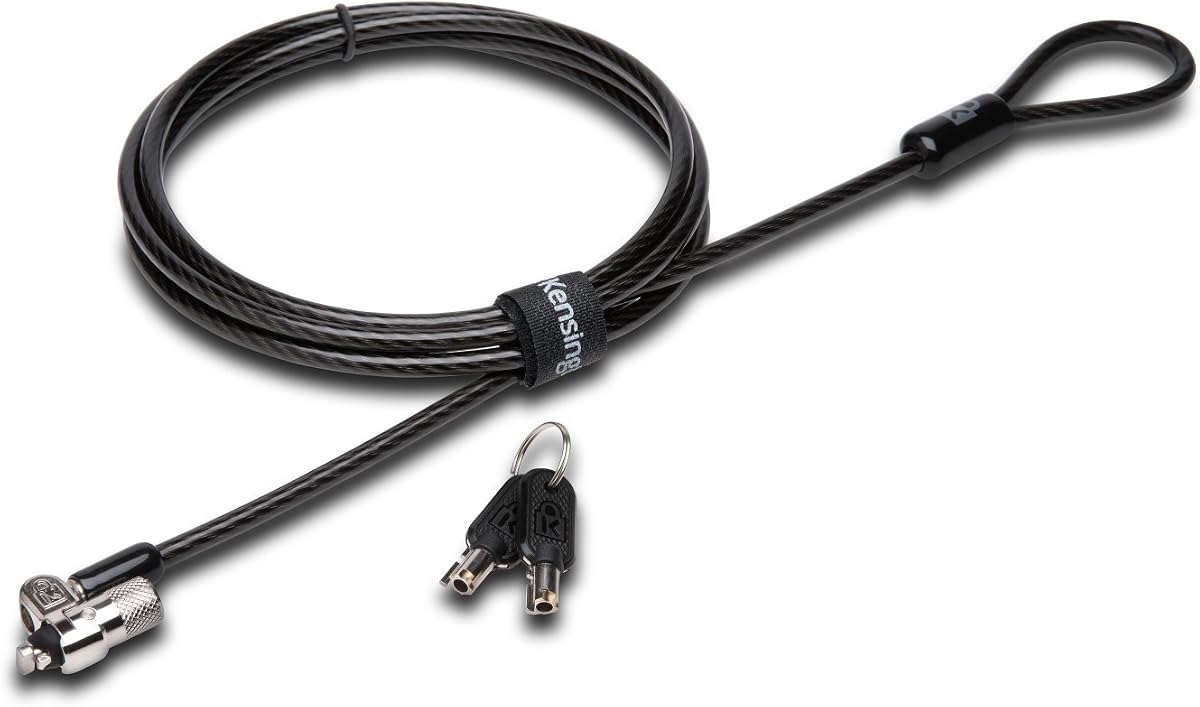
This Kensington model offers top-tier security with its patented hidden pin technology. It is ideal for users prioritizing anti-pick protection and reliable attachment to standard slots.
We may earn a commission when you buy through this link, at no additional cost to you.
The 10mm pivoting head ensures access to ports even on thin laptops. The carbon steel cable with plastic sheath resists cutting and adds to overall durability.
While it requires a key, the trade-off is higher security than combination locks. This makes it suitable for high-theft areas where key control is manageable.
Buy this if you need robust physical security and value long-term technical support from a trusted brand.
The hidden pin technology prevents common lock-picking tools from compromising your device.
The pivoting head allows you to access USB or charging ports without removing the lock.
We may earn a commission when you buy through this link, at no additional cost to you.
This model is a classic choice for users needing a simple combination lock without keys. It features a resettable code and strong carbon steel construction.
We may earn a commission when you buy through this link, at no additional cost to you.
The push-button design enables one-handed engagement, making it convenient for quick locking in offices or cafes. The cable anchors securely to desks and tables.
It is not compatible with newer Dell wedge slots, which may limit its use for some users. However, it covers most standard laptops and devices.
Choose this for reliable everyday security at a competitive price point with easy access features.
The push-button design lets you secure your device quickly without using both hands.
You can reset the code easily to maintain privacy and security over time.
We may earn a commission when you buy through this link, at no additional cost to you.
This lock is tailored for Dell and Alienware devices with wedge-type slots. It provides a seamless fit and strong engagement for those specific laptops.
We may earn a commission when you buy through this link, at no additional cost to you.
The resettable combination allows easy access without keys. The carbon steel cable anchors well to fixed structures like desks or tables.
Since it only fits wedge slots, it is not versatile for other brands. Users should confirm their laptop’s lock slot type before purchase.
Ideal for Dell users needing a dedicated, reliable lock without carrying extra keys.
The wedge design ensures a snug fit in Dell and Alienware laptop security slots.
Unique lock engagement creates a secure connection that resists forced removal.
We may earn a commission when you buy through this link, at no additional cost to you.
This NanoSaver model excels with ultra-thin laptops and tablets that use nano slots. Its slim head does not block ports when attached.
We may earn a commission when you buy through this link, at no additional cost to you.
A unique online code registration feature helps recover lost combinations. The pivot and rotate head offers flexibility during locking and unlocking.
It is limited to devices with nano slots, which may not be universal. Confirm your device’s slot type before buying to ensure compatibility.
This is the top pick for HP, Lenovo, or Asus users needing a low-profile, high-security lock.
The slim lockhead ensures the device lies flat while staying securely locked in place.
Free online registration helps you retrieve lost codes quickly and securely.
We may earn a commission when you buy through this link, at no additional cost to you.
This lock works on devices without dedicated security slots by using the audio port. It is ideal for MacBooks and tablets that lack Kensington slots.
We may earn a commission when you buy through this link, at no additional cost to you.
The 1.7-meter cable offers flexibility for anchoring to tables or desks. The combination lock is resettable for personal security.
Using the audio port means you cannot use headphones while locked. Also, the fit depends on port strength and size compatibility.
Best for users without standard slots who still want portable security for laptops and tablets.
The anchor adapter fits into headphone ports for security on devices lacking slots.
A 1.7-meter cable gives flexibility to tether devices without limiting mobility.
We may earn a commission when you buy through this link, at no additional cost to you.
This lock includes an anchor plate for devices without slots, allowing adhesive attachment to flat surfaces. It supports standard slots and tablets.
We may earn a commission when you buy through this link, at no additional cost to you.
The cable rotates 360 degrees, providing flexibility for securing devices in tight spaces. The steel cable is PVC coated to resist damage.
Reliance on adhesive may be risky on certain surfaces. Keys are required, which can be lost or duplicated.
Great for users needing a universal solution for multiple device types including tablets and phones.
The adhesive plate enables locking on devices without built-in security slots.
Rotating the head 360 degrees ensures the cable exits the desired angle easily.
We may earn a commission when you buy through this link, at no additional cost to you.
This kit is designed for desktop PCs and peripherals. It includes an anchor plate for devices without Kensington slots and a long cable.
We may earn a commission when you buy through this link, at no additional cost to you.
The 8-foot cable provides ample length for securing devices across rooms or desks. The cable trap secures accessories like keyboards or mice.
The lock head is larger than laptop models, which may be visible or obstructive on small devices. Keys are required for access.
Perfect for securing desktop towers or workstations in office environments.
An 8-foot cable enables securing devices far from their anchoring points.
The included cable trap helps secure small peripherals from being easily stolen.
We may earn a commission when you buy through this link, at no additional cost to you.
This lock is optimized for thin laptops with nano slots. Its slim head does not interfere with device placement or port access.
We may earn a commission when you buy through this link, at no additional cost to you.
The cable rotates up to 90 degrees, allowing flexible anchoring. The resettable code adds convenience for multiple users or resets.
At 5 feet, the cable is shorter than other models. This may limit anchoring distance compared to 6-foot cables.
Ideal for portable users needing a lightweight, compact lock solution.
The compact head ensures thin laptops remain flat and stable when locked.
A pivoting head and rotating anchor allow flexible positioning in tight spaces.
We may earn a commission when you buy through this link, at no additional cost to you.
This kit includes two adhesive anchors for securing multiple devices like tablets or phones. It is suitable for laptops with standard slots too.
We may earn a commission when you buy through this link, at no additional cost to you.
The galvanized steel cable is cut-resistant and durable. The stainless steel lock resists damage and operates smoothly.
Adhesive anchoring can be tricky on uneven surfaces. Keys must be kept safe, though spares are included.
A solid choice for users securing a range of mobile devices in public spaces.
Two anchor plates allow you to secure multiple devices with one kit.
The galvanized steel cable is strong and resists cutting attempts effectively.
We may earn a commission when you buy through this link, at no additional cost to you.
This lock supports multiple slot types including Kensington, wedge, and nano. It is a versatile universal choice for mixed environments.
We may earn a commission when you buy through this link, at no additional cost to you.
The black cable design is sleek and matches most devices. The combination lock is resettable for custom security.
Some users report fit issues with certain models, so verify compatibility. Overall, it has high ratings for reliability.
A strong universal pick for users needing flexibility across different devices.
Supports a wide range of security slots across brands and device types.
The combination can be reset easily to maintain privacy and security.
We may earn a commission when you buy through this link, at no additional cost to you.
Choosing the right laptop lock involves considering compatibility, security level, and ease of use. Below are key factors to evaluate.
Check your device's lock slot type before buying. Common types include standard Kensington, wedge, nano, or no slot at all. Mismatched locks will not fit.
Confirming your slot type ensures the lock will physically attach and provide intended security.
Combination locks offer convenience without keys but may be easier to guess. Keyed locks are harder to guess but require key management.
Choose keys for high-security needs or combinations for quick access in shared environments.
Cable lengths vary from 5 to 8 feet. Longer cables offer flexibility in anchoring to distant fixed points like chairs or tables.
Look for carbon steel cables with protective sheaths to resist cutting attempts and abrasion.
Slim lockheads are essential for thin laptops that may have shallow slots. Pivoting heads allow port access while locked.
A well-designed head ensures the device remains stable and usable while secured.
Devices without security slots require anchor plates or audio port adapters. Ensure these are included and fit your device shape.
Anchor quality affects the overall security; poor adhesion can defeat the lock's purpose.
Brands like Kensington offer industry-tested standards and long-term support. Third-party brands may offer lower prices but vary in quality.
Consider warranty, technical support availability, and customer reviews when choosing.
Look for features like one-handed engagement or rotating heads for convenience. Complicated locks may discourage consistent use.
Simpler operation encourages daily usage, which improves overall security habits.
Color and weight matter for professionals carrying devices daily. Lightweight cables are easier to carry and less obtrusive.
Choose designs that match your style and do not add bulk to your bag.
Insert the lock head into your device’s security slot firmly until it clicks into place. For keyed locks, ensure the key is removed and hidden after locking.
Loop the cable around a solid, immovable object like a desk leg or heavy furniture. Pull the cable taut to minimize slack and movement.
Inspect the cable regularly for signs of wear or corrosion. Store the lock in a dry place when not in use to prevent rust or cable damage.
Most MacBooks use a standard Kensington slot, but newer thin models may require a nano or wedge adapter. Check your model’s specifications to ensure the lock will fit. Universal options may also be available for non-slotted devices.
Most combination locks allow resetting via a small reset button or sliding switch. Consult the product manual for exact steps. Resetting is usually done with the lock unlocked and code visible.
High-quality carbon steel cables resist cutting attempts but are not indestructible. Thinner cables may still be vulnerable to bolt cutters. Consider additional security like alarms or software tracking.
Laptop locks deter opportunistic theft but may not stop targeted theft. They work best when combined with awareness and secure placement in public spaces.
Wedge slots are found on Dell laptops and have a triangular shape. Nano slots are smaller and found on ultrathin devices. They require specific lock heads to fit securely.
Combination locks do not require keys. However, keyed locks do. If you choose a combo lock, ensure you can remember your code.
Yes, as long as the anchor point is sturdy and immovable. Avoid weak points like thin furniture or plastic structures that may break under tension.
Many brands offer warranties ranging from two years to lifetime. Check manufacturer policies and register your lock if required for full coverage.
Our top picks include the Kensington T-Bar Keyed Lock for best overall security and the Kensington NanoSaver for thin devices.
Consider your device’s slot type and your need for portability when selecting a lock. Prioritize compatibility and cable strength.
Verify current pricing and availability before purchase. Prices can vary, and newer models may offer better fits.