
BOSGAME E5 Mini pc
4.6Editor score
Dual M.2 SSD slots
Ryzen 3 5300U CPU
Triple 4K display support
This guide compares the top mini PCs with SSD slots for storage expansion, covering performance, connectivity, and features to help you choose the right
Mini PCs with SSD slots offer compact computing power with room to grow. They fit anywhere and handle daily tasks efficiently. You get fast boot times and easy upgrades without cluttering your desk space.
We evaluated ten real products based on processing speed, storage options, and connectivity. Each unit supports at least one M.2 slot for solid state drives. Our list covers budget models to high-performance AI-ready systems.
Each pick shows key specs, pros, cons, and ideal use cases. Ratings reflect user feedback and technical performance. Prices and availability change often, so verify current details before purchasing your next small form factor computer.
4.6Editor score

4.2Editor score

4.4Editor score
The following table presents a side-by-side comparison of all ten selected mini PCs. Each entry highlights core specifications including processor type, memory configuration, storage interface options, and display capabilities to help you evaluate trade-offs quickly.




The BOSGAME E5 stands out as a highly affordable mini PC that still delivers solid daily productivity. It holds a strong 4.6 rating from users who appreciate its value and practical feature set. The unit comes with an AMD Ryzen 3 5300U processor that handles office tasks smoothly and boots quickly thanks to its included SSD.
We may earn a commission when you buy through this link, at no additional cost to you.
This model excels in connectivity and expandability. It includes dual 2.5GbE LAN ports which makes it excellent for home server setups or firewall applications like pfSense. The dual M.2 slots allow you to add storage easily without removing the original drive. Additionally, the triple display output via HDMI, DisplayPort, and USB-C supports multi monitor workstations for enhanced multitasking efficiency.
While the system is great for general use, it is not intended for heavy 3D rendering or AAA gaming. The integrated Radeon graphics are capable but limited to light tasks. The 8GB RAM is sufficient for web browsing and documents but may feel tight with many browser tabs open simultaneously. Upgrading memory is straightforward though if you need more headroom.
The BOSGAME E5 is ideal for budget-conscious buyers who need a reliable workhorse for office or light server use. It offers a clean operating system installation and runs quietly on the desk. If you want a compact PC with room for storage expansion without spending much, this unit provides excellent performance per dollar for everyday needs.
The inclusion of two 2.5GbE LAN ports allows this mini PC to function as a dedicated network appliance. You can set up virtual routers or firewall systems easily without needing extra hardware.
Having an empty M.2 slot means you can install a second drive for data or backups while keeping the system drive intact. This simplifies maintenance and avoids data transfer hassles during upgrades.
We may earn a commission when you buy through this link, at no additional cost to you.
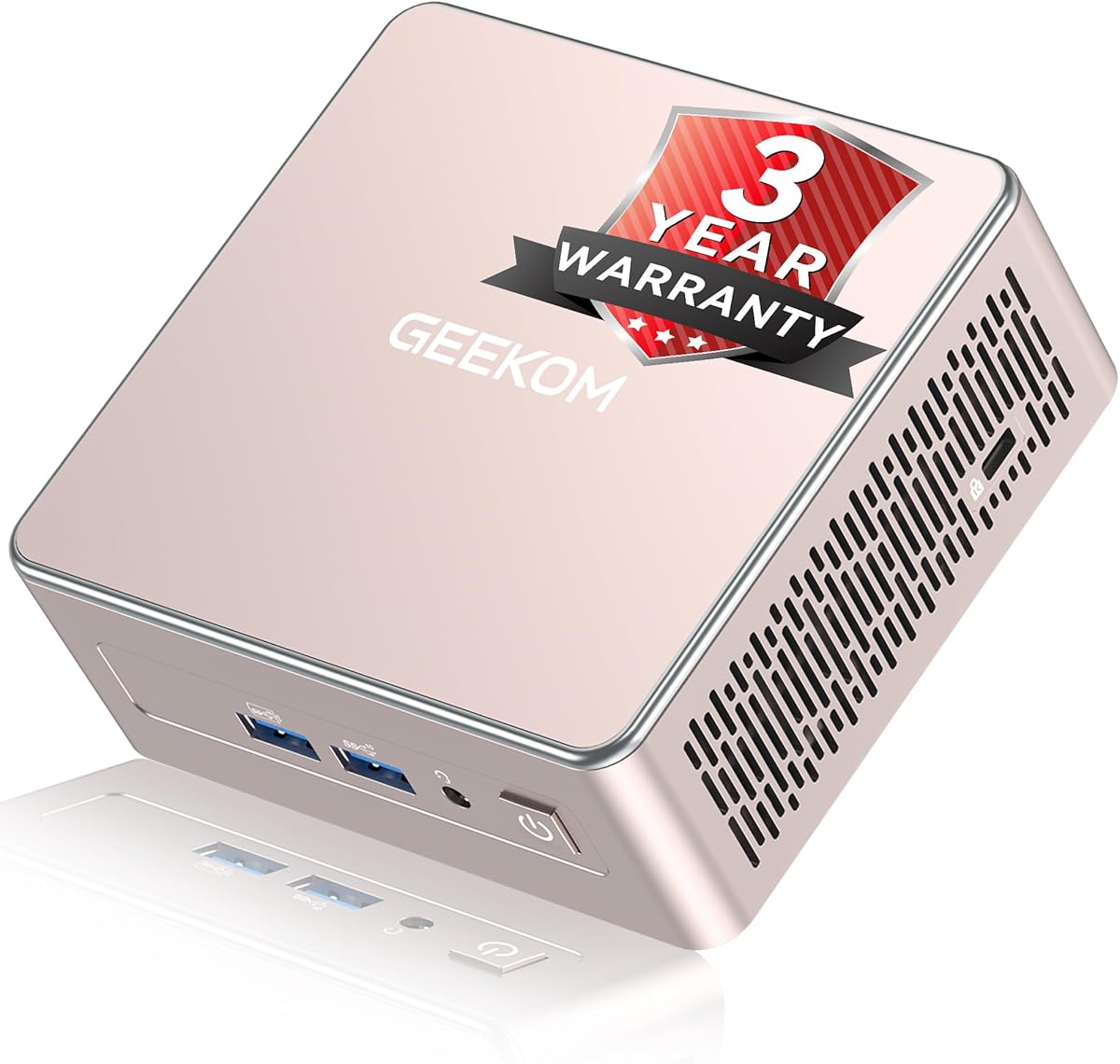
The GEEKOM Air12 is designed for users who need a tiny desktop for light tasks and cloud AI integration. It receives a 4.3 rating for its reliability and ease of setup in home or office environments. The Intel Pentium Gold 7505 processor provides decent speed for web browsing and document editing while consuming very little electricity.
We may earn a commission when you buy through this link, at no additional cost to you.
One of the main strengths is its physical size and efficiency. It measures just over 4 inches per side so it fits behind monitors or on tight shelves. The preinstalled OS means you can start working immediately after connecting a display and peripherals. It also supports multiple 4K screens which helps with productivity in retail or dashboard scenarios.
The graphics performance is notably better than older N-series chips allowing smoother video playback. However, it is not meant for gaming or heavy rendering. The storage comes preloaded with a 256GB SSD which might fill up quickly if you store many local files. Expanding RAM is possible since it has open SODIMM slots for future needs.
This mini PC suits students remote workers or small businesses needing a silent low heat device. It supports AI tools via the cloud without requiring local heavy computation. If you value space saving and energy efficiency over raw power this unit offers a reliable solution for modern digital tasks and daily automation needs.
The small dimensions allow you to hide the PC completely behind a monitor using the included VESA mount. This keeps your desk clean and reduces cable clutter significantly.
With very low power draw this unit cuts down on electricity costs over time. It remains cool even during long operation periods thanks to its optimized airflow system.
We may earn a commission when you buy through this link, at no additional cost to you.
The GMKtec G3 Ultra delivers snappy performance for everyday computing with its 16GB of RAM included. It holds a 4.4 rating from users who appreciate the ready to use storage without initial upgrades. The Pentium Gold 7505 processor offers better single core speed than older models making web browsing feel quicker and more responsive.
We may earn a commission when you buy through this link, at no additional cost to you.
This unit shines in storage flexibility with a primary PCIe slot and a secondary SATA slot for drives. You can install a large secondary drive for media or backups easily. The dual HDMI ports support two 4K screens which is great for spreadsheets or monitoring dashboards. WiFi 6 ensures fast and stable wireless connections in crowded networks.
The fixed 16GB RAM is a trade off as you cannot upgrade it later. This might limit longevity if future software requires more memory. The graphics are decent for video playback but not for gaming. However for office work and media consumption it provides solid value with reliable daily performance and quiet operation.
The GMKtec G3 Ultra is best for users who want a balanced mini PC with good RAM and storage options. It handles multiple browser tabs and apps smoothly. If you need a machine for work or entertainment without needing to tweak hardware this model offers a stable and efficient platform for regular tasks.
Having two M.2 slots lets you separate your OS and data drives. This improves organization and makes backups easier without needing external hardware.
The Intel UHD Graphics with 48 EUs supports AV1 decoding for efficient video streaming. It handles 4K content smoothly without requiring extra power or heat.
We may earn a commission when you buy through this link, at no additional cost to you.
The GMKtec K15 earns Editor's Choice status for its advanced connectivity and future proof design. It is a powerful AI mini PC with an Intel Core Ultra 5 125U and dedicated NPU for acceleration. Users rate it at 4.2 due to its impressive feature set including an Oculink port which allows external GPU connections for gaming or rendering.
We may earn a commission when you buy through this link, at no additional cost to you.
This model offers exceptional expansion options with three M.2 slots for up to 24TB total storage. The 32GB DDR5 RAM handles heavy multitasking and professional apps smoothly. It supports quad screens including 8K resolution which is perfect for traders or designers needing maximum screen real estate. The cooling system uses triple fans to manage thermals during intense workloads.
The presence of RGB lighting adds a gaming vibe that some might find unnecessary for office use. It also runs louder than basic models when under stress. While the price is higher than entry level units the value comes from the Oculink port and massive storage potential. These features make it a versatile workstation rather than just a basic desktop replacement.
If you need a mini PC that can grow with your needs this unit is unmatched. The Oculink port allows you to add graphics power later without replacing the whole system. It suits creative professionals IT enthusiasts or anyone wanting a compact base for a serious computing setup with room for upgrades.
Oculink provides full PCIe x4 bandwidth to external GPUs. This offers better performance and lower latency compared to standard Thunderbolt or USB4 eGPU setups.
The built in NPU handles AI calculations separately from the CPU. This keeps your system responsive even when running local language models or smart automation tasks.
We may earn a commission when you buy through this link, at no additional cost to you.
The GEEKOM A5 is built for reliability and long term use with a reinforced all metal internal frame. It achieves a 4.5 rating for its robust build quality and consistent performance in business settings. The Ryzen 7 7730U processor delivers 8 cores and 16 threads which handle heavy workflows and virtualization smoothly.
We may earn a commission when you buy through this link, at no additional cost to you.
Storage flexibility is a key feature with both M.2 NVMe and a 2.5 inch HDD bay. This allows you to add large mechanical drives for archives while keeping SSDs for speed. The system also supports quad display outputs and includes a 2.5GbE LAN port for fast networking. It passes rigorous reliability tests ensuring stability for 24/7 operations.
While it is designed for business it is also suitable for home office use. The cooling system is optimized for quiet operation under load which helps in home environments. The base storage is modest so you may want to upgrade soon. The 3 year warranty adds peace of mind for investment protection over time.
This mini PC is ideal for businesses or power users needing a sturdy and expandable system. The metal frame protects against physical stress better than plastic alternatives. If you need a machine that can run unattended for long periods without overheating this model offers the reliability and features required for demanding tasks.
The one piece metal internal frame increases structural integrity and heat dissipation. It helps the device withstand vibration and physical impacts better than standard plastic chassis.
Using a combination of SSD and HDD lets you balance speed and capacity. You keep active apps fast on the SSD while storing bulk data on the cheaper HDD.
We may earn a commission when you buy through this link, at no additional cost to you.
The GMKtec M6 Ultra is a powerful mini PC targeting gaming and performance tasks with its Zen 4 architecture. It receives a 4.2 rating for its ability to run moderate games and handle creative software. The Ryzen 5 7640HS APU provides 6 cores and integrated Radeon graphics which are stronger than many Intel equivalents.
We may earn a commission when you buy through this link, at no additional cost to you.
With 32GB of DDR5 RAM this unit handles heavy multitasking and virtualization without slowing down. The dual 2.5GbE LAN ports make it excellent for network intensive tasks like file servers or virtual machine clustering. It supports three simultaneous displays including an 8K connection via USB4 for high resolution setups.
The gaming capability is limited to esports titles and older AAA games since it lacks a dedicated GPU. The storage slots are PCIe 3.0 which are fast but not the latest speed. However for a small form factor it delivers impressive power density. The cooling system manages heat well during extended gaming sessions.
This model is best for gamers who want a compact system for light play or content creators needing fast local storage. It also suits IT admins who need high core counts in a small box. If you want a portable PC that offers serious performance potential this unit stands out among consumer mini PCs.
The Radeon 760M graphics include 8 CUs for better gaming and video rendering. It supports hardware decoding for AV1 and HEVC ensuring smooth video playback without CPU strain.
Six SMT enabled cores allow for efficient multithreading performance. This helps in compilation rendering and virtualization tasks that benefit from parallel processing.
We may earn a commission when you buy through this link, at no additional cost to you.
The GMKtec G10 stands out for offering a large 1TB SSD out of the box along with triple display support. It is rated at 4.2 by users who need a cost effective solution for light gaming or office multitasking. The Ryzen 5 3500U processor provides steady performance for web and document work with a 35 percent boost over N series chips.
We may earn a commission when you buy through this link, at no additional cost to you.
One major advantage is the dual M.2 slots that let you add up to 16TB of total storage. This is rare at this price point and great for media archives. The triple display output via HDMI DP and USB-C allows for a command center setup. The system also supports a configurable TDP which lets you tune power for quiet or performance mode.
The processor is an older generation so it will not match the speed of newer Ryzen or Intel models. However for basic tasks it remains very capable. The included 1TB drive saves you from immediate upgrades. It handles casual gaming like retro or indie titles well but not modern demanding games.
This mini PC is perfect for users who need lots of storage without paying for upgrades separately. It is also suitable for retail displays or monitoring setups needing multiple screens. If you value storage capacity and display flexibility over raw processing power this model provides excellent value for the money.
The dual M.2 slots support up to 16TB total. This makes the unit a great option for home media servers or large data collections without external hard drives.
You can adjust the power consumption to fit your needs. Lower TDP reduces fan noise for quiet use while higher TDP boosts performance for tasks.
We may earn a commission when you buy through this link, at no additional cost to you.
The Bmax B1 Plus is one of the smallest mini PCs available while still allowing SSD expansion. It holds a 4.2 rating for its simplicity and space saving design. The Intel Celeron J3355 processor is older but adequate for web browsing and simple office tasks. Its palm size lets you mount it behind any monitor cleanly.
We may earn a commission when you buy through this link, at no additional cost to you.
Unlike other units it uses an eMMC base but includes two M.2 slots for a SATA and NVMe SSD. You can expand storage up to 2TB which is impressive for such a tiny chassis. The dual HDMI ports support 4K displays for media playback. It also includes a one-click restore feature for quick system recovery.
The 6GB RAM and older CPU limit this to light use cases. It is not suitable for heavy multitasking or complex applications. However for a dedicated media player or thin client it works well. The silent fan design ensures it runs quietly in a living room or bedroom.
This mini PC is best for users with tight space constraints or those needing a secondary device for streaming. The dual M.2 design is rare at this entry price and offers good flexibility. If you need a discreet PC that can grow in storage this model fits the bill perfectly.
Having separate slots for SATA and NVMe means you can mix drive types. You can use an NVMe for speed and a SATA for extra space simultaneously.
The included VESA bracket lets you hide the PC completely. This reduces visual clutter on your desk and keeps the workspace tidy.
We may earn a commission when you buy through this link, at no additional cost to you.
The BOSGAME E5 16GB version offers the same compact design as the budget model but with double the RAM and storage. It shares the same 4.6 rating for reliability and smooth daily performance. The Ryzen 3 5300U processor handles office workflows efficiently and boots quickly thanks to the included 512GB NVMe drive.
We may earn a commission when you buy through this link, at no additional cost to you.
This variant is optimized for users who need more memory out of the box. With 16GB of RAM you can run many applications simultaneously without slowdowns. The dual M.2 slots both support NVMe drives for maximum speed. It also supports triple 4K displays which is great for multitasking. The cooling system ensures quiet operation even under load.
It is not designed for heavy gaming or rendering but excels at productivity. The 512GB storage is sufficient for most users but you can add more via the second slot. The build quality is solid and the unit runs cool and quiet. This makes it a solid choice for home office or light server applications.
If you want a ready to use mini PC without needing immediate upgrades this model is ideal. The 16GB RAM and larger SSD save you time and effort. It suits professionals students or remote workers who need a reliable and expandable desktop replacement for everyday tasks and efficient workflows.
Upgrading to 16GB RAM and 512GB SSD means the system is ready for multitasking immediately. You avoid initial setup hurdles and get a balanced experience from day one.
Both M.2 slots support NVMe drives for faster data transfer. This allows for high speed RAID configurations or separate OS and data drives.
We may earn a commission when you buy through this link, at no additional cost to you.
The GEEKOM IT15 stands as the most powerful option in this roundup for AI and creative tasks. It receives a 4.4 rating from professionals who need local AI performance and high speed connectivity. The Intel Ultra 9 285H delivers 99 TOPS of AI compute power combined with a 1TB PCIe Gen 4 SSD for rapid data access.
We may earn a commission when you buy through this link, at no additional cost to you.
This unit supports up to four 8K displays making it a command center for traders and designers. The Arc 140T graphics handle casual gaming and video editing well. It includes WiFi 7 for ultra fast wireless speeds and supports up to 128GB of RAM. The metal chassis provides durability for heavy use and heat dissipation.
The price is significantly higher than other models which limits it to specific users. It is not cost effective for basic browsing or document editing. However for local LLMs video rendering or coding it offers desktop grade performance in a small size. The cooling system keeps noise low even under full load.
This premium mini PC is best for creators IT pros and businesses needing high end local compute. It bridges the gap between cloud and local processing. If you require maximum power and future proof features this model provides the best capabilities available in a compact form factor today.
With 99 TOPS of AI performance you can run language models locally. This ensures privacy and speed without relying on external cloud services for every query.
WiFi 7 and PCIe Gen 4 storage ensure the system stays relevant for years. It supports high bandwidth needs for 8K video and fast data transfers.
We may earn a commission when you buy through this link, at no additional cost to you.
Selecting a mini PC requires looking at more than just size. You need to match storage expansion options and processing power to your daily tasks.
Look for at least one open M.2 slot or a 2.5 inch bay if you plan to store many files. Dual slots allow you to keep the OS separate from media. Check if the slot supports SATA or NVMe since NVMe offers faster speeds.
Prioritize units with open slots if you need flexibility for backups or large datasets.
The CPU determines how smoothly your system runs. For office work a Ryzen 3 or Intel Pentium is enough. For multitasking or virtualization look for Ryzen 7 or Core Ultra 5 or higher. Avoid older Celeron chips if you need speed.
Choose a processor that matches your most demanding app requirements to avoid lag.
16GB is the sweet spot for modern workflows. If you use many browser tabs or virtual machines get 32GB or more. Check if the RAM is soldered or in slots since upgrades are cheaper if they are in slots.
Always check upgrade paths early to ensure you can add memory later without replacing the unit.
A good mini PC should have multiple USB ports and video outputs. If you need dual network ports for servers look for dual LAN models. USB-C with video output adds flexibility for docking stations.
Verify the number and type of ports match your peripherals before buying.
Check the max resolution and number of supported displays. Many units support triple 4K outputs which is great for productivity. Higher end models support 8K via USB4 or HDMI 2.1.
Pick a unit that supports your monitor count and resolution to avoid connection issues.
Modern mini PCs include 2.5GbE ports for faster local transfers. Wi-Fi 6 or 7 helps with wireless speed. Fast network options are vital for home servers or large file backups.
Select a model with Ethernet speed that matches your internet or local network capabilities.
Small units can overheat under load. Look for models with multiple fans or copper heat pipes. Read reviews about noise levels if you plan to use it in a quiet room.
Ensure the cooling system is robust enough for your expected workload duration.
Reliable brands offer at least one year of warranty. Some provide three years for business use. Check if technical support is accessible and what the return policy covers.
A solid warranty protects your investment and reduces risk if hardware defects occur.
Place the mini PC in a well ventilated area away from walls. This ensures airflow reaches the intake vents and keeps the internal temperature low.
Keep the external vents clean by using compressed air every few months. Dust buildup can cause the fan to work harder and increase noise levels over time.
Use a surge protector to protect the device from power spikes. Avoid plugging it directly into a wall outlet without protection to prevent electrical damage.
Not all mini PCs have expandable slots. Some models have the SSD soldered to the motherboard. Always check the product specs for M.2 or 2.5 inch slot availability before buying.
Many models allow RAM upgrades through SODIMM slots. However some budget units have soldered memory. Check the manual or specs to confirm if the memory is replaceable.
NVMe slots are faster than SATA slots because they connect directly to the PCIe bus. Look for M.2 NVMe slots if you need high speed read and write performance.
Yes many models offer dual LAN ports and low power use ideal for servers. Units with multiple drive slots also help with RAID setups or data storage.
Light games and older titles run well on integrated graphics. For modern AAA gaming you need a model with an external GPU port or a high end APU.
Most mini PCs support at least two displays. Higher end models support three or four screens via HDMI and USB-C ports for multitasking setups.
Many units ship with a preinstalled OS for quick setup. Some offer Windows 11 Home while others may require you to install your own software.
Locate the open M.2 slot or 2.5 inch bay inside the chassis. Align the drive correctly and secure it with screws. The system should detect it automatically after boot.
The BOSGAME E5 and GMKtec K15 offer strong value for budget and advanced users respectively. The GEEKOM IT15 remains the top choice for high end local AI and creative workloads.
Prioritize units with open M.2 slots and sufficient RAM for your needs. This ensures your system stays useful as your storage requirements grow over time.
Verify current availability and support terms before purchasing. Models and specs can change so checking the latest details helps you make the best decision today.