
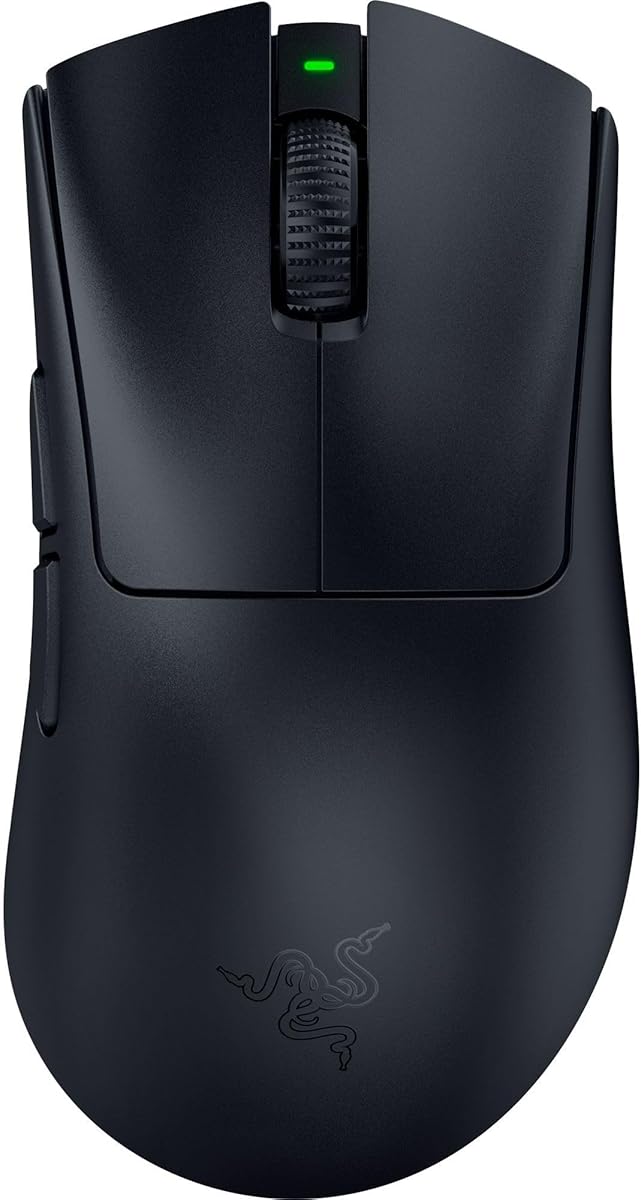
Razer Viper V3 Pro 8Khz Wireless Esports Gaming Mouse
4.6Editor score
54 gram weight
Focus Pro sensor
95 hour battery
This guide compares the top mouse for CS2 to help players choose the best esports gaming mouse based on performance features and expert reviews.
Finding the right mouse for CS2 can make a huge difference in your gameplay performance and competitive edge. Players need precise tracking, fast response times, and comfortable ergonomics to dominate matches effectively.
We have carefully evaluated the leading gaming mice designed for Counter-Strike 2 using expert analysis and community feedback. This list covers wireless and wired options tailored for esports professionals and casual gamers alike.
Each pick shows unique strengths like lightweight designs or advanced sensors to meet different playstyles and budget needs. Remember that product availability and pricing may change so check current listings before purchasing.
4.6Editor score

4.6Editor score

3.7Editor score
The following table provides a side by side comparison of all ten selected mice highlighting key specifications like weight sensor type and battery life for quick reference.




The Logitech G PRO X2 SUPERSTRIKE is a top tier wireless gaming mouse designed specifically for competitive play and its high rating reflects strong user satisfaction with its performance features.
We may earn a commission when you buy through this link, at no additional cost to you.
It delivers industry leading speed with clicks that are faster than most competitors and allows deep customization through ten level actuation points and five level rapid trigger resets for tailored sensitivity.
The haptic feedback system provides real time cues during gameplay which can enhance immersion but may take time to get used to if you prefer silent or traditional tactile responses.
This mouse is ideal for esports athletes and serious players who demand the fastest clicks and precise control and its POWERPLAY compatibility ensures uninterrupted wireless power during long sessions.
The HERO 2 sensor delivers tracking over 888 IPS and up to 44000 DPI ensuring pinpoint accuracy that champions rely on for every critical play.
With 60 to 90 hours of battery life and LIGHTSPEED Wireless you can game for days on a single charge without interruptions or charging worries.
We may earn a commission when you buy through this link, at no additional cost to you.
The Razer Viper V3 Pro CS2 Edition is engineered for elite competitive play and its high rating indicates strong performance in precision tracking and wireless reliability for tournaments.
We may earn a commission when you buy through this link, at no additional cost to you.
Its 54 gram design allows swift precise flicks while the Focus Pro 35K optical sensor ensures flawless tracking on various surfaces including glass with 1 DPI step adjustments.
Optical mouse switches gen 3 offer a 0.2 ms actuation speed with no debounce delay and up to 90 million clicks which eliminates concerns about durability and double clicking over time.
This mouse is perfect for players seeking the absolute best wireless performance and a Dragon Lore inspired design though its price may be steep for casual gamers on a budget.
Combine Razer HyperPolling with HyperSpeed wireless for a true 8000 Hz polling rate that delivers smooth reliable performance even in noisy tournament environments.
Power through intense scrimming with up to 95 hours of high-performance competitive gameplay without needing to recharge frequently during long sessions.
We may earn a commission when you buy through this link, at no additional cost to you.
The SteelSeries CS2 Dragon Lore Edition offers a limited edition design inspired by the rare AWP Dragon Lore skin and is priced lower than most competitors making it accessible for budget conscious players.
We may earn a commission when you buy through this link, at no additional cost to you.
Its Quantum 2.0 wireless ensures lag free 2.4GHz gaming while the TrueMove Air optical sensor provides pixel perfect accurate aim with true 1 to 1 tracking for consistent performance.
Though the rating is lower than other options the mouse delivers 200 hours of battery life and guaranteed 80 million click durability which suits extended play without frequent charging.
This mouse is a great choice for fans of the Dragon Lore skin who want reliable wireless performance without breaking the bank but it lacks the high-end customization of premium rivals.
Featuring a design inspired by one of the rarest skins in gaming this limited edition mouse lets you showcase your style while competing in CS2.
Surge with the power of the dragon and play for up to 200 hours on a single charge so you can focus on gameplay without constant recharging.
We may earn a commission when you buy through this link, at no additional cost to you.
The Razer Viper V3 HyperSpeed offers a balanced lightweight design and massive battery life and its solid rating reflects reliable performance for long competitive sessions without frequent charging.
We may earn a commission when you buy through this link, at no additional cost to you.
It features a Focus Pro 30K optical sensor with forward placement for finer accuracy and seamless swipes that maintain flawless tracking across surfaces including glass for consistent aiming.
Mechanical mouse switches gen 2 are rated for 60 million clicks with gold plated contacts that resist wear and tear while enabling crisp execution for clutch moments in games.
This mouse is well suited for players who prioritize battery endurance and on mouse controls but prefer traditional tactile feedback over optical switches found in newer higher priced models.
Power through intense schedules with up to 280 hours of high-performance gaming on a single AA battery ensuring you never run out of power mid match.
Conveniently toggle between five DPI stages or customize functions directly on the mouse for quick adjustments during gameplay without stopping to open software.
We may earn a commission when you buy through this link, at no additional cost to you.
The Razer DeathAdder V4 Pro combines ultra light weight control with pro level speed and its high rating highlights excellent tracking precision and stable wireless performance for intense gaming.
We may earn a commission when you buy through this link, at no additional cost to you.
Weighing just 56 grams it enables faster swipes and precise tracking while the Focus Pro 45K DPI sensor ensures reliable tracking across surfaces with up to 900 IPS for high speed movement.
Optical scroll wheel and Gen 4 optical switches provide tactile feedback and durability up to 100 million clicks which keeps control consistent during intense matches and long tournament days.
This mouse is ideal for players who prefer ergonomic comfort without sacrificing speed and its dual wireless and wired flexibility offers seamless switching for different setups and use cases.
The 45K DPI sensor with 99.8 percent accuracy ensures reliable tracking for shooters and precision gameplay across a wide variety of surfaces.
Switch between HyperSpeed wireless and USB-C wired mode while maintaining up to 8000 Hz polling for flexibility across different gaming setups.
We may earn a commission when you buy through this link, at no additional cost to you.
The Razer Basilisk V3 is an iconic ergonomic mouse favored by millions and its high rating shows satisfaction with its button layout and optical switch responsiveness for diverse gaming needs.
We may earn a commission when you buy through this link, at no additional cost to you.
It includes 11 programmable buttons to assign macros and secondary functions like push to talk or ping while the HyperScroll tilt wheel speeds through content or switches to tactile mode.
Optical mouse switches gen 2 provide 0.2 ms actuation with zero unintended misclicks and up to 70 million clicks ensuring crisp execution and reliable performance over years of daily use.
This mouse is perfect for players who want extensive customization without needing wireless and its Chroma RGB zones react dynamically with over 150 integrated games for an immersive visual experience.
The iconic ergonomic design with thumb rest perfectly supports the hand for long sessions without fatigue and optimally positions buttons for quick access.
Speed through content with free-spin scrolling or switch to tactile mode for precision when cycling through weapons or skills during intense gameplay.
We may earn a commission when you buy through this link, at no additional cost to you.
The Razer Basilisk V3 X HyperSpeed brings wireless freedom to the beloved Basilisk design and its high rating reflects satisfaction with battery life and reliable low-latency performance.
We may earn a commission when you buy through this link, at no additional cost to you.
It supports Razer HyperSpeed Wireless and Bluetooth with up to 285 hours on wireless or 535 hours on Bluetooth ensuring long hours in the heat of battle without recharging often.
The 5G Advanced 18K optical sensor provides pixel-precise aim and up to 60 million click mechanical switches ensure consistent execution while multi-device support streamlines your gaming setup.
This mouse is ideal for players wanting a balance of ergonomic comfort and wireless versatility at a value price point but it lacks the highest DPI and RGB customization of premium models.
Up to 285 hours on Razer HyperSpeed Wireless or 535 hours on Bluetooth lets you play longer without interruptions in the heat of battle.
The signature shape supports different grips while nine customizable controls allow endless combinations of commands and macros for tailored playstyles.
We may earn a commission when you buy through this link, at no additional cost to you.
The Razer Viper V4 Pro is built with input from pro players and its high rating shows excellent performance with ultra lightweight design and advanced tracking for competitive advantage.
We may earn a commission when you buy through this link, at no additional cost to you.
At 49 grams it is 9 percent lighter than the previous gen delivering faster agile control while the Focus Pro 50K DPI sensor tracks up to 930 IPS for accurate high speed movement.
Improved wireless efficiency provides up to 180 hours at 1000 Hz or 45 hours at 8000 Hz letting players choose between extended battery life or ultra-low latency performance as needed.
This mouse is perfect for players who want the lightest wireless esports experience and optical switches with a 100 million click lifespan for reliable competitive gaming without mechanical noise.
Optical actuation instead of mechanical provides more consistent tracking increased durability and tactile feedback designed for precise in-game control.
Choose between 180 hours at 1000 Hz or 45 hours at 8000 Hz to balance extended play with ultra-low latency performance during tournaments.
We may earn a commission when you buy through this link, at no additional cost to you.
The Razer Basilisk V3 Pro combines the ergonomic Basilisk shape with wireless freedom and its high rating reflects strong performance and customization options for advanced gamers and pros.
We may earn a commission when you buy through this link, at no additional cost to you.
Its Configurable HyperScroll tilt wheel now supports Smart-Reel mode on Synapse for auto-switching between tactile cycling and smooth free-spin scrolling based on scroll speed.
The Focus Pro 35K optical sensor provides granular aim control with 1-DPI step adjustments while optical switches gen 3 offer 90 million click lifecycle with zero double-clicking issues.
This mouse is ideal for players wanting pro-level customization and underglow RGB but note that true 8000 Hz polling requires a separate dock or HyperPolling wireless dongle.
Smart-Reel mode on Synapse lets you auto-switch between tactile and free-spin scrolling based on speed for seamless content and gameplay control.
13-zone Chroma lighting with full underglow creates greater immersion as the mouse reacts dynamically with over 200 Chroma-integrated games.
We may earn a commission when you buy through this link, at no additional cost to you.
The Logitech G PRO X Superlight 2 is an upgraded championship winning mouse and its high rating shows strong satisfaction with precision tracking and lightweight performance for esports.
We may earn a commission when you buy through this link, at no additional cost to you.
It features a HERO 2 sensor tracking over 888 IPS up to 44000 DPI with zero smoothing or acceleration for precise sensor calibration and zero-additive PTFE mouse feet.
LIGHTFORCE hybrid switches deliver pro-level precision and reliability with tactile click feel while the mouse offers 8 kHz polling USB-C charging and 95-hour battery life for long sessions.
This mouse is perfect for players who want a proven lightweight design without extra buttons and its POWERPLAY compatibility ensures endless wireless play without interruption or charging worries.
The HERO 2 sensor provides tracking over 888 IPS up to 44000 DPI with zero smoothing or acceleration for precise sensor calibration and accuracy.
Compatible with POWERPLAY at 60 grams this mouse allows endless wireless play without interruptions or charging worries during long gaming sessions.
We may earn a commission when you buy through this link, at no additional cost to you.
Choosing the right mouse for CS2 depends on understanding key features like weight sensor type and connectivity that directly impact your aim and movement in the game.
Lighter mice around 50 to 60 grams are preferred for quick flicks and reduced wrist fatigue during long sessions while ergonomic shapes ensure comfortable grips.
Look for ultra lightweight designs with balanced centers to avoid hand strain and choose shapes that fit your natural hand posture for better control.
A high-quality optical sensor with zero smoothing and high IPS allows pixel-precise tracking on various surfaces including glass for consistent aim in CS2.
Prioritize sensors with at least 35K DPI and over 800 IPS to ensure your movements translate accurately without lag or spinouts during intense play.
Wireless mice now offer latency equal to wired models with speeds up to 8000 Hz polling which keeps you connected without cable drag during fast movements.
Choose wireless for freedom but ensure it uses low-latency tech like HyperSpeed or LIGHTSPEED and consider battery life to avoid interruptions mid-match.
Optical switches prevent double clicking and offer faster actuation with 0.2 ms speed which is vital for precise shooting timing in competitive shooters like CS2.
Select mice with switches rated for 60 million clicks or more to ensure durability and consistent tactile feedback over years of daily gameplay.
Wireless mice should offer at least 100 hours of battery life to last multiple days of gaming without needing recharge or battery swaps.
Check for USB-C charging or POWERPLAY compatibility to ensure continuous power and avoid interruptions during tournaments or long practice sessions.
Mice with 5 to 9 programmable buttons allow you to assign macros like ping or push-to-talk directly to the mouse for faster access during gameplay.
Ensure buttons are placed for easy access without accidental presses and avoid overly cluttered layouts that might interfere with standard grip styles.
Quality software lets you adjust DPI polling rates and lift-off distance to fine-tune the mouse to your personal playstyle and surface setup.
Check that the mouse supports intuitive apps like Razer Synapse or Logitech G HUB for easy customization without needing technical expertise.
Look for durable materials and feet made of PTFE to ensure smooth gliding and resistance to wear and tear from daily use.
Verify the product includes a warranty and has proven click longevity to protect your investment in a competitive gaming environment.
Clean your mouse regularly with a soft dry cloth to remove dust and oil buildup from the feet and surface which ensures smooth gliding on your pad.
Use dedicated gaming mousepads with consistent texture to maximize sensor performance and prevent tracking errors that could affect your accuracy during matches.
Update firmware and drivers periodically via the manufacturer software to ensure optimal polling rates and compatibility with system updates for peak performance.
A good mouse for CS2 needs high sensor accuracy with zero smoothing ultra-light weight for quick movements and reliable wireless performance to prevent lag during critical plays. Optical switches are preferred for durability and fast actuation.
Modern wireless mice with HyperSpeed or LIGHTSPEED technology offer latency equal to wired models and can poll up to 8000 Hz which ensures lag-free performance for competitive esports play.
Most CS2 pros use DPI between 400 and 1600 combined with in-game settings for precise control but modern sensors allow fine 1-DPI adjustments to customize sensitivity without sacrificing tracking accuracy.
Competitive CS2 players typically prefer mice between 50 and 60 grams for faster flicks and less wrist strain while heavier mice may offer more stability for users who prefer weight.
Basic functions work out of the box but software like Razer Synapse or Logitech G HUB is needed to customize DPI button mapping and polling rates to your preferences for optimal performance.
Yes many modern gaming mice support glass surfaces thanks to advanced sensors that track flawlessly on a wider variety of surfaces without requiring a specific mousepad for accurate tracking.
The Logitech G PRO X2 SUPERSTRIKE Razer Viper V3 Pro and SteelSeries Dragon Lore Edition lead the list for performance value and design tailored for CS2 players.
Prioritize lightweight build sensor accuracy and reliable wireless features to enhance your aim and movement when choosing a mouse that fits your grip and playstyle.
Always check current product availability and prices before purchasing as these details may change and ensure the mouse meets your specific competitive gaming needs.