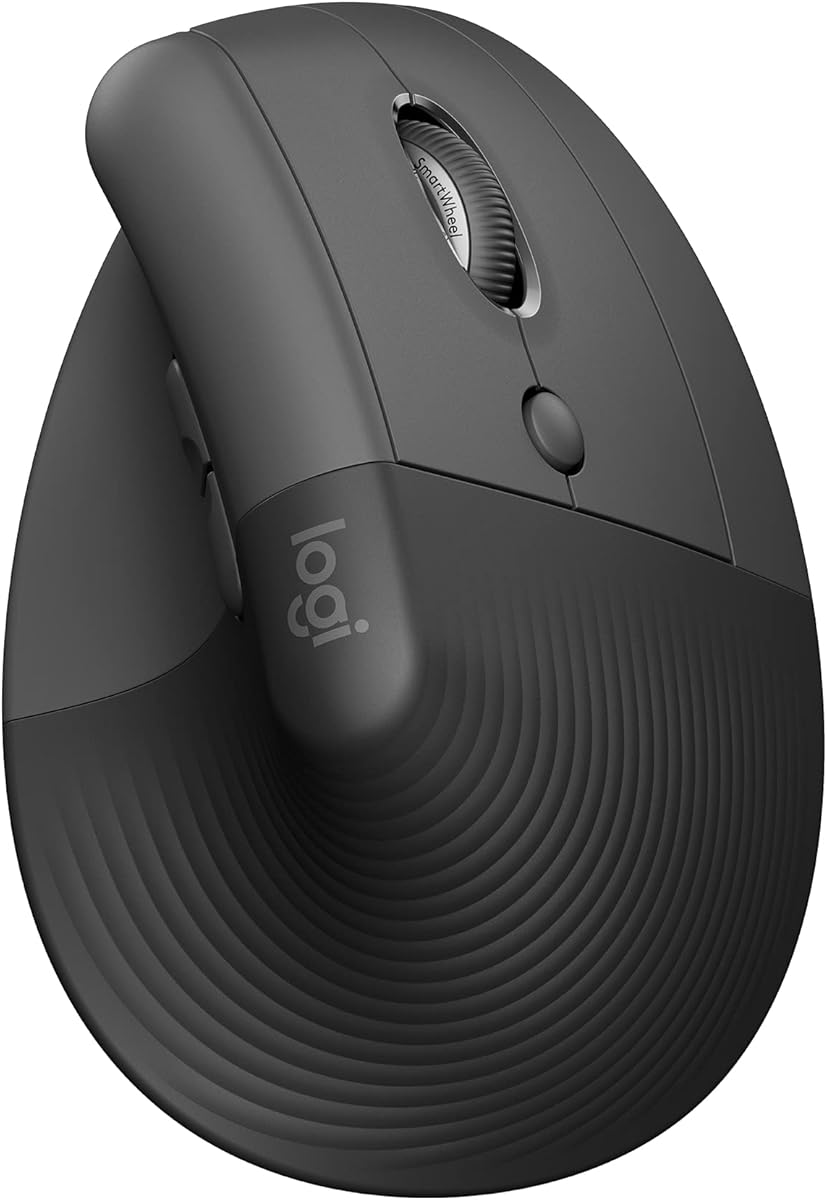
Logitech Lift Vertical Ergonomic Wireless Mouse
4.4Editor score
57 degrees vertical angle for comfort
Snug thumb rest for level-above coziness
Up to two years battery life
This guide compares the top mice with thumb rests for comfort and productivity, covering wireless, ergonomic, and gaming options to help you choose the right
Finding the right mouse with thumb rest can transform your daily computing experience by reducing strain and improving precision during long work sessions or gaming marathons.
We evaluated ten top-rated models based on ergonomic design, connectivity options, battery life, and user feedback to bring you a curated list of the most comfortable options available.
Each pick highlights specific strengths like wireless freedom, vertical alignment, or trackball control, and note that prices and availability may fluctuate so check current listings before purchasing.
4.4Editor score

4.6Editor score
4.5Editor score
This side-by-side comparison highlights key specifications and unique features across all ten selected mice to help you quickly identify the model that best fits your hand size and usage needs.


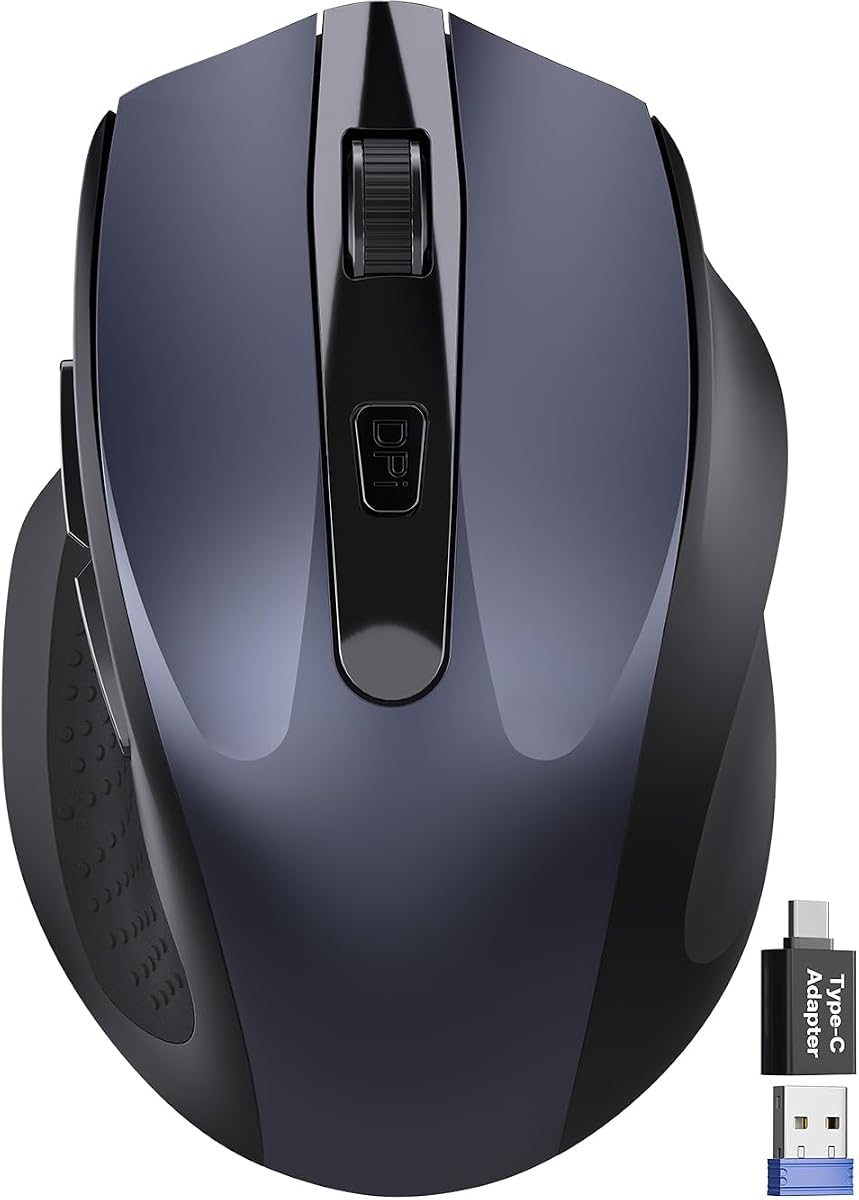


The Razer Basilisk V3 stands out as a top contender in the gaming and productivity mouse market due to its iconic ergonomic design that includes a dedicated thumb rest for sustained comfort.
We may earn a commission when you buy through this link, at no additional cost to you.
This mouse offers 11 programmable buttons allowing users to assign macros for quick access to actions like push-to-talk or weapon cycling while the HyperScroll tilt wheel provides both free-spin and tactile modes.
While the lack of wireless connectivity might be a drawback for some, the optical mouse switches guarantee crisp execution with zero latency and the Focus Plus 26K DPI sensor ensures pixel-precise accuracy on various surfaces.
Gaming enthusiasts and power users who prioritize customization and speed over wireless freedom will find this model an excellent investment for long sessions that demand precision and ergonomic support.
The 11 programmable buttons allow you to map complex macros and secondary functions directly to the mouse for faster workflow execution without keyboard reliance.
Switch between free-spin mode for scrolling through long documents or tactile mode for precise control when cycling through game weapons or skills.
We may earn a commission when you buy through this link, at no additional cost to you.
The Razer Basilisk V3 X brings the beloved ergonomic shape to a wireless form factor ensuring that gamers and professionals can enjoy the same comfort without cable clutter or interference.
We may earn a commission when you buy through this link, at no additional cost to you.
Equipped with Razer HyperSpeed Wireless technology it delivers seamless low-latency performance while the battery life extends up to 285 hours on wireless mode or 535 hours when using Bluetooth for extended usage.
Although it lacks the tilt wheel found on the wired version the 18K DPI sensor and mechanical switches still provide reliable tracking and crisp clicks suitable for daily tasks and competitive play alike.
Users seeking the freedom of wireless connectivity without compromising on the ergonomic benefits of a thumb rest will appreciate this model as a versatile tool for both work and entertainment setups.
Choose between Razer HyperSpeed for gaming speed or Bluetooth for power saving and multi-device support to streamline your desktop setup efficiently.
With up to 285 hours of battery life on wireless mode you can game or work for weeks on a single charge without worrying about power interruptions.
We may earn a commission when you buy through this link, at no additional cost to you.
The Logitech Lift is designed to lift your hand into a natural handshake position with a 57 degree vertical angle and a snug thumb rest that supports level-above coziness throughout the workday.
We may earn a commission when you buy through this link, at no additional cost to you.
This ergonomic mouse has been certified by leading ergonomists to reduce strain on your wrist and forearm while the whisper-quiet clicks and SmartWheel ensure smooth and silent interactions with your computer.
Connecting via Bluetooth Low Energy or Logi Bolt it offers compatibility across Windows macOS iPadOS and more with a battery life that can last up to two years reducing the need for frequent replacements.
Professionals dealing with repetitive strain issues or those who value sustainable design will find this mouse a comfortable and eco-friendly addition to their workspace that prioritizes long-term health.
Designed and tested by ergonomists the lift promotes a more natural posture in the forearm helping you feel less fatigued during long work hours.
Plastic parts in this mouse include certified post-consumer recycled plastic making it an environmentally conscious choice for modern office setups.
We may earn a commission when you buy through this link, at no additional cost to you.
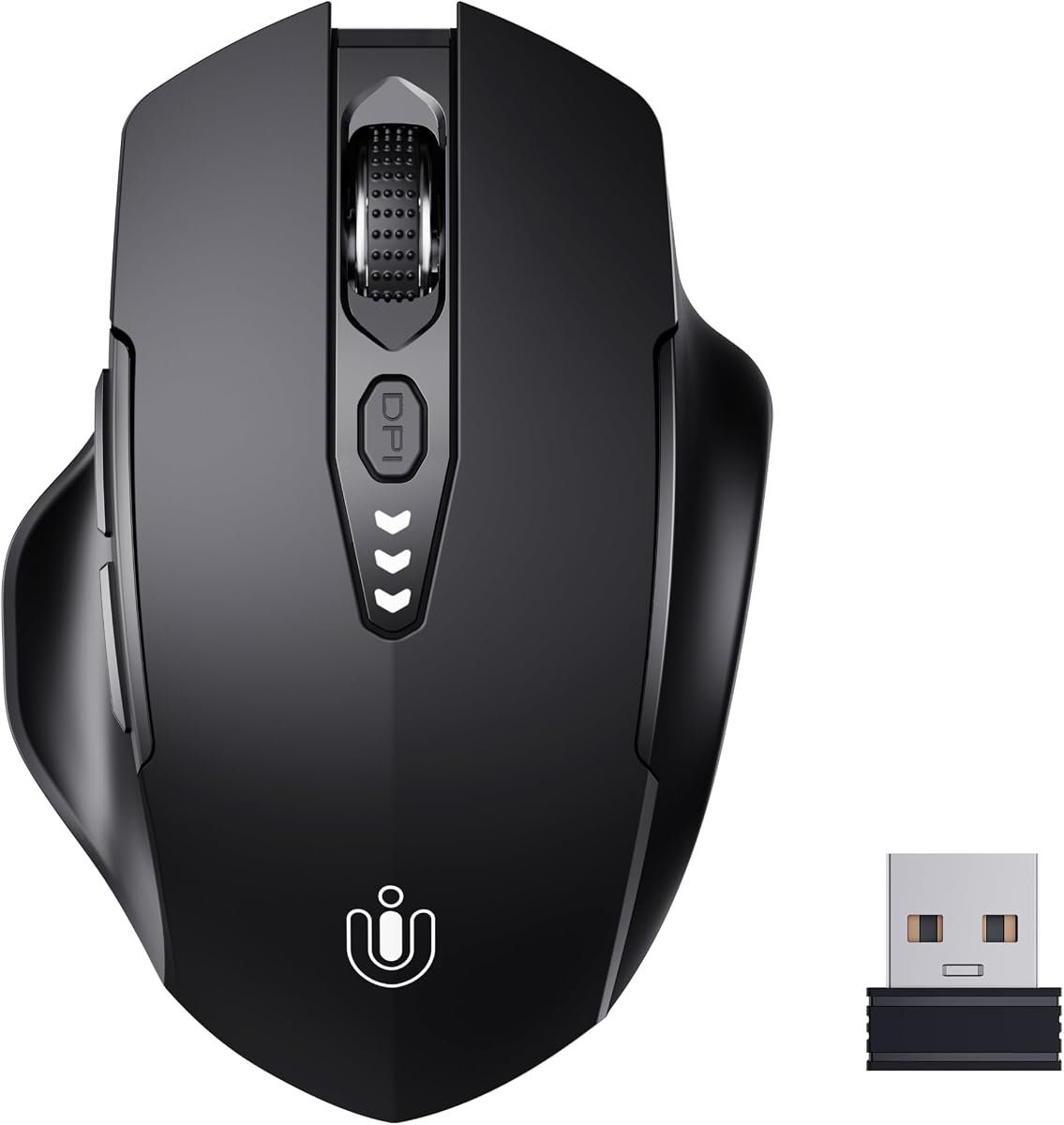
The Uineer Wireless Mouse delivers a reliable and ergonomic solution for daily computing tasks with a design that fits perfectly to the shape of your hand to reduce strain during long sessions.
We may earn a commission when you buy through this link, at no additional cost to you.
Equipped with a visual battery display it eliminates the guesswork of battery life while the rechargeable design ensures you never have to buy disposable batteries for your mouse again.
With four levels of adjustable DPI ranging from 800 to 2400 you can easily adapt the cursor sensitivity to match your screen resolution or task requirements with just a click.
Budget-conscious users looking for a straightforward plug-and-play wireless mouse with clear battery monitoring and ergonomic support will find this option an excellent choice for home or office use.
The built-in battery display lets you see exactly how much power remains so you can recharge before the mouse runs out of energy unexpectedly.
Switch between four DPI settings to control cursor speed precisely whether you are browsing web pages or working on detailed design projects.
We may earn a commission when you buy through this link, at no additional cost to you.
The PHILIPS Ergonomic Wireless Mouse is built to support wider grips and minimize daily fatigue with a contoured shell and anti-slip thumb rest designed for right-handed comfort throughout the workday.
We may earn a commission when you buy through this link, at no additional cost to you.
It features dual scroll wheels including a tactile main wheel and a thumb-side horizontal scroll wheel that let analysts slice through Excel columns effortlessly without dragging the cursor.
You can connect up to three devices via Bluetooth or the included dual receiver allowing you to switch between your laptop tablet and desktop instantly without missing a beat.
Professionals who work in shared offices or require silent operation will appreciate the library-quiet clicks while the emergency top-up feature ensures you stay connected even if the battery runs low before a meeting.
The side horizontal scroll wheel helps you navigate wide spreadsheets or timelines horizontally without changing your hand position or cursor location.
Switch seamlessly between three connected devices using Bluetooth or the dual receiver to streamline your workflow across different platforms.
We may earn a commission when you buy through this link, at no additional cost to you.
This compact wireless mouse is designed for small and medium hands with a built-in thumb rest that reduces grip pressure allowing for relaxed comfort during long hours of travel or work.
We may earn a commission when you buy through this link, at no additional cost to you.
Its ultra-compact cordless design fits easily into laptop bags and travel cases while the quiet click technology reduces noise by up to 90 percent for focused work in shared spaces.
With smart auto-sleep features and up to 18 months of battery life this mouse keeps you focused longer without frequent interruptions to change batteries or recharge the device.
Travelers and mobile professionals who need a reliable quiet and portable mouse will find this model a practical choice for maintaining productivity in coffee shops or hotel rooms.
Enjoy the same satisfying click feel with significantly reduced noise making it perfect for libraries offices or late-night work sessions.
The compact size and included USB-C adapter ensure broad compatibility across devices without taking up much space in your bag.
We may earn a commission when you buy through this link, at no additional cost to you.
The TECKNET Wireless Trackball Mouse offers a unique solution for confined workspaces by allowing you to navigate documents and web pages with thumb control that requires minimal hand movement.
We may earn a commission when you buy through this link, at no additional cost to you.
Featuring a 16 degree vertical angle it promotes better forearm posture and reduces muscle strain by up to 50 percent allowing you to keep your palm in a natural position for all-day comfort.
This mouse supports Bluetooth and 2.4G connectivity for rapid wireless technology and includes a 500mAh rechargeable battery that powers a full day of use with just 15 minutes of charging.
Users with limited desk space or wrist strain concerns will find this trackball an efficient alternative to traditional mice that eliminates the need to lift and move the device constantly.
Move your cursor without moving your hand which makes this mouse ideal for small or space-saving setups and for use on any surface.
The unique vertical angle helps align your forearm better reducing the risk of repetitive strain injuries during long usage periods.
We may earn a commission when you buy through this link, at no additional cost to you.
The Microsoft Ergonomic Mouse provides next-level comfort with a design that reduces the risk of fatigue and injury during all-day work sessions thanks to its ergonomic shape and integrated thumb rest.
We may earn a commission when you buy through this link, at no additional cost to you.
It features two programmable buttons that let you customize actions you use most and an optimized scrolling wheel for precise web and document navigation across various desk surfaces.
Designed to last this lightweight and durable mouse connects via USB for reliable speed and accuracy making it a sturdy choice for office environments where wireless interference is a concern.
Users who prioritize a simple reliable and comfortable wired mouse without the need for complex software will find this model a dependable tool for daily productivity tasks.
Two programmable buttons allow you to assign frequent tasks to the mouse for quicker access without needing advanced configuration tools.
Built to last with lightweight materials this wired mouse ensures consistent performance and reliability in demanding work settings.
We may earn a commission when you buy through this link, at no additional cost to you.
The Lenovo Yoga Pro Mouse combines ergonomic design with premium materials offering a full-sized experience with soft materials on the sides and thumb rest placement tuned for comfort and balance.
We may earn a commission when you buy through this link, at no additional cost to you.
It features silent left and right buttons alongside a configurable scroll wheel and programmable side buttons that invite fluidity and dynamic performance into your workflow tasks.
With on-the-fly DPI and adjustable settings up to 4000 the mouse allows you to tailor your Yoga Pro to meet changing needs whether you are working on spreadsheets or creative projects.
Professionals who value a sleek rechargeable mouse with multi-surface tracking and dual-device Bluetooth support will appreciate this model for its adaptability and refined user experience.
The 2-Way metal scroll wheel provides a tactile and durable scrolling experience that feels premium and offers precise control.
Dual-device Bluetooth pairing allows seamless transitions between devices while USB-C rechargeability ensures you stay powered up easily.
We may earn a commission when you buy through this link, at no additional cost to you.
The Logitech Ergo M575S offers enhanced control with thumb control movement that allows you to move your cursor without moving your hand which is ideal for small or space-saving setups.
We may earn a commission when you buy through this link, at no additional cost to you.
Its ergonomic shape supports your hand and realigns your forearm into a better posture throughout the day making it a good fit for most hand sizes seeking relief from wrist strain.
This wireless mouse connects via Bluetooth or the included Logi Bolt USB receiver and features three customizable buttons with time-saving shortcuts and Smart Actions to streamline your daily workflow.
Users seeking a trackball solution that combines ergonomic support with sustainability through recycled plastic construction will find this model a reliable and comfortable option for long workdays.
Move your cursor without moving your hand which helps reduce repetitive strain and keeps your workspace tidy and organized.
Plastic parts are made of certified post-consumer recycled plastic ensuring a lighter environmental footprint without compromising durability.
We may earn a commission when you buy through this link, at no additional cost to you.
Selecting the right mouse with thumb rest involves considering ergonomic design connectivity options and features that align with your daily tasks and hand size.
The shape of the mouse and the presence of a dedicated thumb rest are critical for reducing wrist strain and ensuring comfort during long hours of use.
Look for designs that support your hand naturally and provide a snug place for your thumb to rest without causing pressure points.
Wireless mice offer freedom from cables and are ideal for clean setups while wired mice provide consistent power and connection without battery concerns.
Choose wireless if you prioritize mobility and clutter reduction but consider wired if you need uninterrupted operation for critical tasks.
Battery life varies significantly between models so check if the mouse uses AA batteries or offers a built-in rechargeable battery for sustainability.
Rechargeable mice are convenient and eco-friendly but ensure they support quick charging features to minimize downtime during use.
DPI determines cursor speed and precision so adjustable DPI settings allow you to switch between browsing and detailed editing tasks easily.
Opt for mice with adjustable DPI ranges if you work on multiple screens or perform tasks requiring different levels of accuracy.
Programmable buttons let you assign macros or shortcuts to increase productivity and reduce keystrokes during repetitive tasks.
Evaluate how many buttons are available and whether they can be customized to match your specific workflow requirements.
Trackball mice allow cursor movement via thumb control which saves desk space and reduces hand movement making them ideal for limited workspaces.
Consider a trackball if you have limited room or wrist issues but be aware that it may require an adjustment period to master.
Ensure the mouse is compatible with your operating system whether it is Windows macOS Linux or Chrome OS for seamless connectivity.
Check for drivers or software that may be required to unlock full features and ensure cross-platform functionality if needed.
A durable build ensures longevity while a solid warranty provides peace of mind against manufacturing defects or early wear and tear.
Prioritize mice with strong customer reviews regarding build quality and look for manufacturers that offer substantial warranty periods.
Place the mouse on a flat stable surface and rest your hand naturally with your thumb positioned on the designated thumb rest to minimize tension.
Adjust the DPI settings to match your screen resolution and workflow speed and ensure your wrist remains straight to prevent strain during use.
Clean the surface of the mouse regularly with a soft cloth to remove dust and oils that could affect tracking or grip comfort over time.
Yes a thumb rest helps distribute the weight of your hand and provides support that reduces the need for muscle tension during long use. This ergonomic feature promotes a neutral wrist position which is critical for preventing repetitive strain injuries over time.
Modern wireless technology like Bluetooth and 2.4GHz provides lag-free performance that is comparable to wired mice for most users. High-quality gaming and productivity models ensure seamless input so you do not lose responsiveness compared to traditional connections.
Use a slightly damp microfiber cloth to gently wipe the thumb rest and surrounding areas without saturating the device. Avoid harsh chemicals that might degrade the rubber or plastic coatings and ensure the mouse is powered off during cleaning.
Most mice with thumb rests are designed for right-handed use but some ergonomic trackball and vertical models are ambidextrous. Check the product specifications carefully as many thumb rest shapes are asymmetric and may not fit left hands comfortably.
Yes adjusting to a vertical orientation often takes a few days as your hand adapts to the handshake position. Consistent use helps your muscles acclimate and most users report significant comfort benefits after the initial adjustment phase.
Rechargeable batteries reduce waste and cost over time making them a more sustainable option. However AA batteries offer the convenience of instant replacement if you run out of power so consider your usage habits when choosing.
A DPI range between 800 and 1600 is usually ideal for everyday tasks like browsing and word processing on standard monitors. Higher DPI settings are better for large multi-monitor setups or detailed graphic design work.
With proper care ergonomic mice can last several years depending on usage intensity and build quality. Regular cleaning and avoiding drops help maintain performance and many models come with warranties that cover typical wear and tear.
We highlighted top options like the Razer Basilisk V3 for gaming the Logitech Lift for vertical comfort and the Uineer for budget-friendly rechargeability.
Prioritize models that match your hand size and offer connectivity that fits your workspace to ensure long-term comfort and productivity gains.
Prices and availability can change so always check current listings and user reviews before finalizing your purchase decision today.