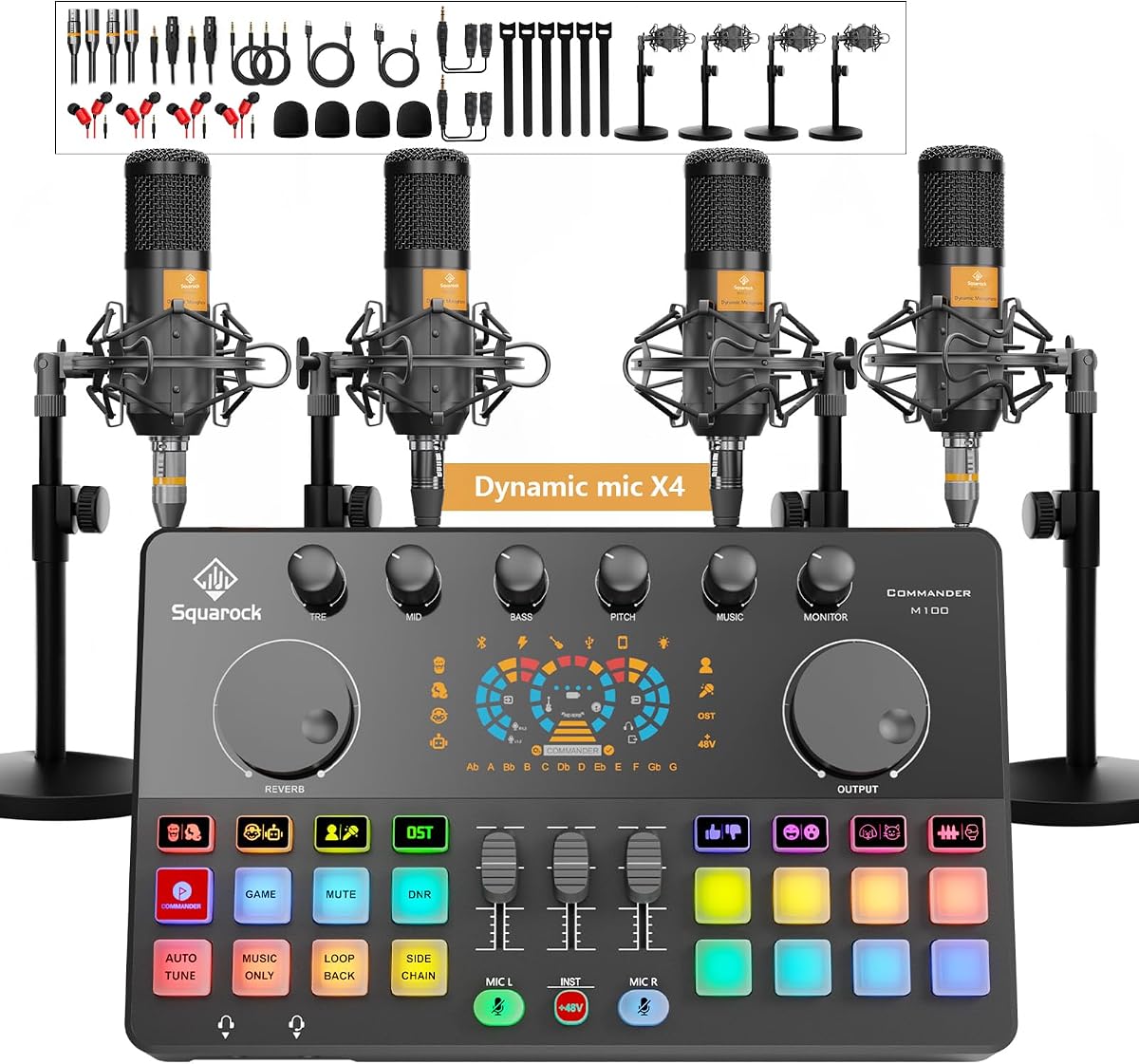
Podcast Equipment Bundle for 4, M100 Audio Mixer, Dynamic Mics, Recording
4.3Editor score
Built in rechargeable battery
Smart noise reduction
RGB lighting modes
This guide compares the top podcast equipment bundles for 2026, reviewing audio interfaces, microphones, and accessories to help creators find the perfect kit.
Starting a podcast requires reliable gear to ensure clear audio and smooth production. A complete equipment bundle simplifies this process by providing all essential components in one package. Whether you are hosting solo or with a team, the right setup helps you sound professional from day one.
We evaluated ten leading podcast equipment bundles based on audio quality, ease of use, and versatility. Our analysis covers interfaces, microphones, and mounting hardware to help you make an informed decision. Each option balances cost and performance to suit different recording environments and budget levels.
Every pick highlights specific strengths like portability, multi-person support, or video integration. While prices fluctuate, these models offer consistent value for creators at any stage. Check current listings for the latest deals and availability before committing to your new recording studio setup.
4.3Editor score

4.5Editor score

5.0Editor score
The following table provides a side-by-side look at key specifications across all ten bundles. Compare inputs, power sources, and included accessories to find the system that matches your recording needs.


The Movo PodPro Portable Bundle is the top choice for creators who need reliable gear on the go. It offers a 4.5 rating for its robust build and versatility. This kit combines a dual channel interface with dynamic microphones tailored for speech clarity.
We may earn a commission when you buy through this link, at no additional cost to you.
Its standout feature is the MDX-2 interface which supports USB and Lightning connections. This allows seamless integration with phones and laptops without extra drivers. The battery life ensures you can record sessions without hunting for outlets.
While the battery drains faster with phantom power on, this trade off is minor for professional audio needs. The included tabletop stands are stable but might require upgrades for taller setups. These are acceptable compromises given the portability.
This bundle is ideal for interviewers and field reporters. It provides everything needed to start recording immediately. The durability and connectivity options make it a long term investment for mobile content creation.
The bundle includes Lightning and USB C cables for direct phone connection. This eliminates the need for extra adapters during mobile recording sessions.
CastMic XLR mics deliver rich sound with strong background noise rejection. This ensures professional audio even in untreated rooms.
We may earn a commission when you buy through this link, at no additional cost to you.
This M100 bundle is the most affordable way to record a four person podcast. It receives a 4.3 rating for offering complete gear at a low price. The mixer handles multiple voices simultaneously with clear noise reduction.
We may earn a commission when you buy through this link, at no additional cost to you.
Key strengths include the internal battery which allows cordless recording sessions. The sound effects and voice changers add fun without extra software. Bluetooth support lets you play background music easily.
The dynamic microphones are functional but lack premium sound depth. The RGB lights might distract if you prefer a clean look. These issues do not hinder basic recording needs for beginners.
It is perfect for community podcasts or group streams. The all-in-one design saves time on assembly. This is a smart entry point for teams on a strict budget.
The 4000mAh battery supports long wireless working. You can record or stream without worrying about power outlets.
Voice changers and preset pads help entertain listeners. You can adjust pitch or add reverb instantly during recording.
We may earn a commission when you buy through this link, at no additional cost to you.
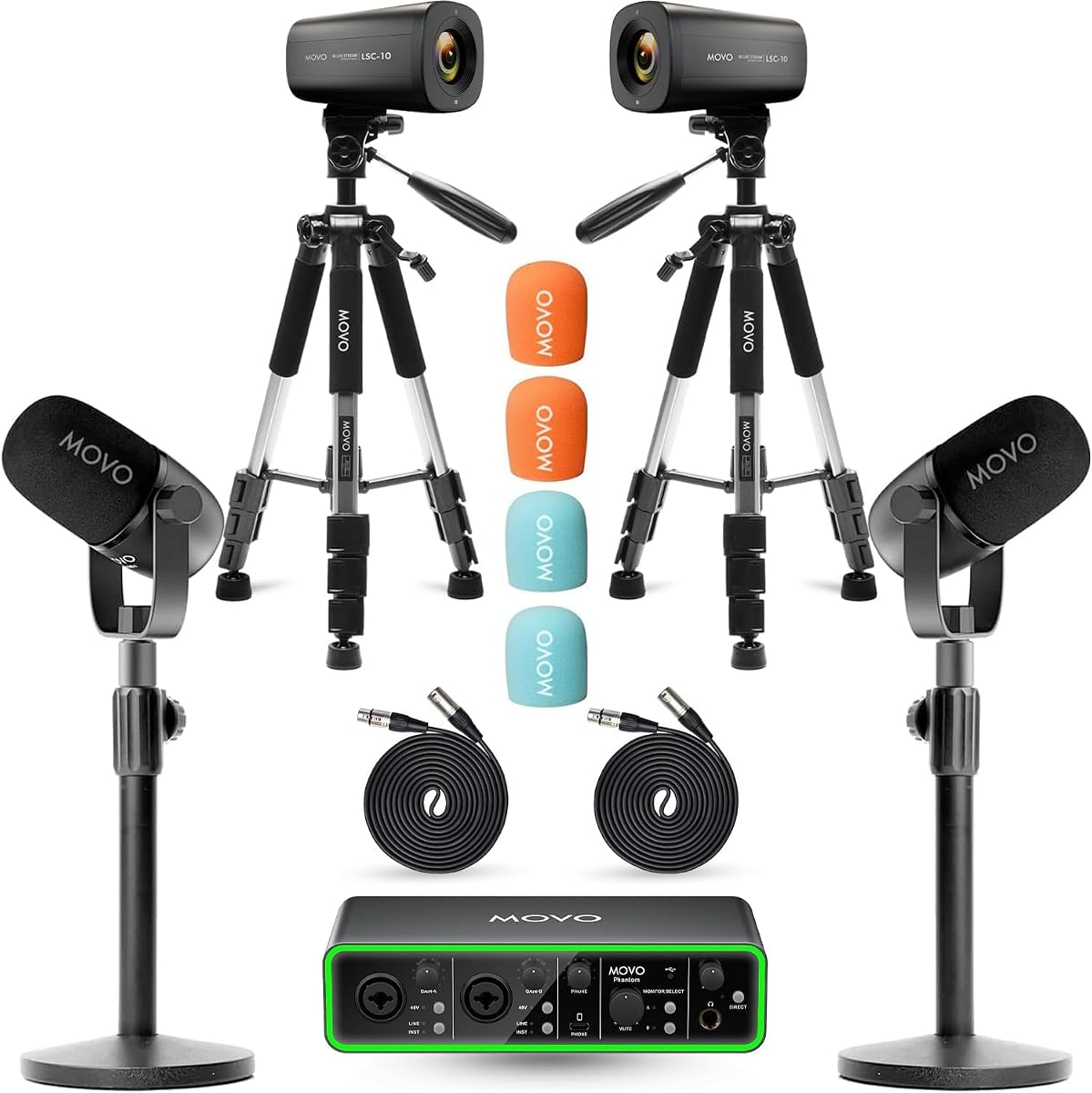
This bundle is the highest rated option for video podcasters. It combines audio and visual gear in one package. The 5.0 score reflects its ability to deliver a polished studio look immediately.
We may earn a commission when you buy through this link, at no additional cost to you.
The dual 4K cameras allow multi-angle recording which is essential for platforms like YouTube. The audio interface captures clean sound that matches the video quality. Boom arms keep the desk organized and professional.
The price is higher than audio-only kits but justified by the video gear. You will need to manage video files which requires editing time. However, the visual upgrade is worth the extra effort.
It suits creators ready to move from audio to video. The setup is plug and play with no extra purchases. This bundle provides everything for a professional video podcast.
The 4K UHD cameras capture every angle clearly. Multi camera setups make shows look polished for any platform.
The interface uses high dynamic range preamps for speech. Crystal clear audio ensures sound matches the video quality.
We may earn a commission when you buy through this link, at no additional cost to you.
This Movo bundle adds boom arms to the portable setup for better ergonomics. It shares the 4.5 rating for high quality audio components. The arms allow precise mic positioning which improves sound capture.
We may earn a commission when you buy through this link, at no additional cost to you.
The boom arms free up desk space and give a professional look. Headphones let both hosts monitor audio in real time. The interface supports multiple devices for flexible workflows.
Setting up the arms takes some time compared to tabletop stands. Cables can become tangled if not managed carefully. These minor inconveniences do not impact the final sound quality.
It is ideal for home studios with limited space. The setup ensures comfortable recording sessions over hours. This bundle is a solid choice for serious podcasters.
Boom arms keep mics close to hosts without cluttering the desk. This frees up room for notes and other gear.
Dual headphone outputs allow both hosts to listen while recording. This prevents issues like distortion or missed lines.
We may earn a commission when you buy through this link, at no additional cost to you.
This bundle allows both XLR and USB connections for maximum flexibility. It earns a 4.4 rating for its versatile setup options. You can switch between devices without buying new microphones.
We may earn a commission when you buy through this link, at no additional cost to you.
The instrument input lets you record guitars alongside voices. Sound effects and voice changers add entertainment value easily. The mixer has intuitive buttons that simplify control.
When using XLR, some microphone features become inactive. The construction feels less durable than premium options. These limitations are minor for casual content creation use.
It fits creators who need to switch between audio and video. The all-in-one kit reduces setup time significantly. This is a great option for beginners wanting variety.
You can use USB for phones and XLR for mixers. This flexibility helps adapt to different recording scenarios.
Voice changers switch between male, female, or robot modes. This adds variety to your podcasts or streams.
We may earn a commission when you buy through this link, at no additional cost to you.
This bundle provides a complete set for four hosts at a low price. It holds a 4.2 rating for functional performance. Each channel has independent volume control for better balance.
We may earn a commission when you buy through this link, at no additional cost to you.
The dual USB interface allows simultaneous connections. You can run recording and streaming at once. The included accessories cover all basics for immediate use.
The microphone accessories are functional but not high end. The splitters work well for monitoring. These trade offs keep costs low for the price.
It is perfect for community or school podcasts. You get everything needed to launch without extra cost. This bundle maximizes value for group recording needs.
Each host has separate volume control on the mixer. This helps balance loud or soft speakers easily.
Dual USB ports let you connect two devices at once. Use one for recording and another for streaming live.
We may earn a commission when you buy through this link, at no additional cost to you.
This bundle is extremely affordable and perfect for those just starting. It gets a 4.5 rating for its rich sound features. The V8s sound card offers effects that elevate basic recordings.
We may earn a commission when you buy through this link, at no additional cost to you.
The condenser mics pick up detailed sound with filters. Voice changes like monster or child add fun to content. It works well with gaming or streaming platforms.
The mics might be too sensitive for noisy rooms. The stands are basic and may wobble. However, the low price makes this a safe try-out.
It suits beginners who want effects without spending much. The bundle provides everything needed for voice overs. This is a smart start for budget creators.
The mixer supports multiple effects like reverb and bass. You can adjust levels without external software.
Works across PC, console, and phone systems easily. It adapts to any streaming or gaming scenario.
We may earn a commission when you buy through this link, at no additional cost to you.
This bundle focuses on portability and group recording. It rates 4.4 for its organized setup. The hard shell case protects gear during transport.
We may earn a commission when you buy through this link, at no additional cost to you.
The UMX-1 hub powers all mics at once. Real-time monitoring helps catch issues quickly. The condenser mics capture detailed voice nuances.
The hub cable distance might be short for large rooms. You cannot use boom arms with the setup. These constraints work for table use.
It is ideal for classrooms or interviews. The design simplifies travel and storage. This bundle fits shared environments perfectly.
The hard shell case keeps gear safe during travel. This ensures durability for field interviews.
Four mics allow a panel of speakers easily. Perfect for educational or interview sessions.
We may earn a commission when you buy through this link, at no additional cost to you.
This bundle offers a full studio look for four people. It rates 3.9 for solid features despite driver needs. The UMX-2 interface provides professional audio features.
We may earn a commission when you buy through this link, at no additional cost to you.
Each host gets a boom arm for optimal positioning. The dynamic mics reject background noise well. This ensures clear recordings in busy environments.
Windows users must install drivers for full ASIO support. Phones are not supported for direct connection. These limitations affect portability for some users.
It suits dedicated home studios with PCs. The gear looks professional and performs well. This is a strong choice for serious four-host teams.
Zero latency monitoring lets you hear yourself instantly. This prevents timing issues during live recording.
Boom arms keep cables hidden for a tidy look. The desktop appears organized and studio ready.
We may earn a commission when you buy through this link, at no additional cost to you.
This bundle is a complete video setup for two people. It holds a 5.0 rating for flawless performance. The desk stands provide stable mic support.
We may earn a commission when you buy through this link, at no additional cost to you.
The cameras capture 4K video for high clarity. The audio interface ensures perfect sync with sound. This creates a professional streaming look.
Desk stands limit movement compared to boom arms. You cannot easily reposition mics during takes. These issues suit fixed studio workflows.
It is ideal for permanent recording spaces. The bundle provides high visual and audio quality. This is a top pick for video podcasters.
4K cameras ensure sharp visuals for platforms like YouTube. Multi angles give shows a polished feel.
Desk stands offer solid support for recording. They keep mics steady during active discussions.
We may earn a commission when you buy through this link, at no additional cost to you.
Selecting the right podcast equipment bundle depends on your recording style, number of hosts, and technical needs. This guide covers the critical factors to help you pick the perfect setup.
Bundles range from two to four hosts. A two-person kit suits solo or interview shows while four-person kits fit groups. Ensure the mixer has enough inputs for everyone.
Choose a bundle with extra inputs to allow for guests without buying new gear later.
Dynamic mics reject background noise and are great for untreated rooms. Condenser mics offer more detail but pick up ambient sound. Match the mic type to your recording environment.
Pick dynamic mics for noisy spaces and condensers for quiet studios.
Some bundles offer battery power for mobile recording while others require constant power. Consider if you record on the go or at a fixed desk. Battery life varies significantly between models.
Battery packs are essential for field interviews or outdoor streaming.
Check if the interface supports USB-C Lightning or standard USB. This determines if you can connect directly to phones or need adapters. Cross compatibility simplifies your workflow.
Universal connectivity ensures you can use various devices without extra costs.
Travel cases protect gear during transport and simplify storage. Portable bundles let you move between locations easily. If you interview off-site prioritize models with protective cases.
A sturdy case extends gear life and simplifies travel.
Boom arms allow ergonomic mic positioning while tabletop stands are simple but bulky. Adjustable arms free up desk space and look professional. Decide based on your workspace layout.
Boom arms improve comfort and sound consistency during recording.
Built-in noise reduction and effects save time in post-production. Features like mute buttons and monitoring jacks add convenience. Look for tools that simplify your live workflow.
On board processing keeps your audio consistent without software.
Video podcast bundles include cameras and interfaces for syncing. If you plan to stream or post clips choose a bundle with video support. This prevents buying cameras separately.
Integrated video gear ensures perfect audio sync for shows.
Start by connecting the interface to your device using the provided cables. Ensure the drivers are installed if required. Test each microphone by speaking into it to verify levels.
Position microphones about six inches from your mouth for optimal sound. Use pop filters to reduce harsh consonant sounds. Adjust boom arms to keep mics steady without touching your hands.
Store all components in the provided case when not in use. Clean microphones gently with a soft cloth to avoid damaging filters. Regularly update firmware to maintain best performance and compatibility.
Most bundles are plug and play and work directly with your computer. Some require ASIO drivers on Windows for advanced audio processing. Check the product details for specific software requirements before buying.
Many bundles support phones via Lightning or USB-C cables. Ensure the interface has the right ports for your phone model. Some premium bundles might require adapters for direct mobile recording.
Dynamic mics are durable and reject background noise making them ideal for busy rooms. Condenser mics are sensitive and capture more detail but require quiet spaces. Choose based on your environment.
Yes most bundles include features like loopback and noise reduction for streaming. They support platforms like OBS and Twitch easily. The mixers allow easy monitoring for live audio.
Bundles with extra inputs allow adding more mics. If you start with a four-person kit you can use unused inputs. Check the mixer specs for maximum channel capacity.
Boom arms are not required but improve ergonomics and desk space. Tabletop stands are included in many kits. If you want a cleaner look consider buying boom arms separately.
Video bundles save money if you need cameras. They ensure audio and video sync easily. If you plan to use video for social media these are highly recommended.
Most bundles include cables stands and pop filters. Some provide travel cases or headphones. Check the package list to ensure you get all necessary mounting accessories.
We reviewed ten top bundles for portability audio quality and group support. The Movo PodPro Portable and M100 4-Person kits stand out for their versatility and value.
Prioritize your needs by selecting the right number of inputs and microphone type. Ensure your setup matches your recording environment whether mobile or fixed. This ensures long-term usability.
Check current listings for the latest prices and availability. Equipment costs fluctuate so timing your purchase can help save money. Invest in gear that supports your future growth.